
Choosing the best monitor for rainbow six siege pc is primarily about motion clarity, refresh rate, input responsiveness, and matching the display to your PC’s frame rate. Unlike a story-driven game where 4K resolution and HDR might be the priorities, Rainbow Six Siege rewards players who can track fast movement and react to small changes quickly. A 24-inch 1080p monitor at 240Hz is still a sensible starting point, while 360Hz and higher displays make more sense for players with powerful systems that consistently produce very high frame rates. These five recommendations cover affordable competitive setups, high-refresh upgrades, and premium esports hardware.
- Best monitor for Rainbow Six Siege PC: MSI MAG 245F X24
- Quick comparison of the five monitors
- How we selected these Rainbow Six Siege monitors
- KTC H25X7: Best 360Hz Full HD upgrade
- AOC Q27G41ZE: Best QHD option for competitive and everyday gaming
- ASUS ROG Swift PG27AQN: Best premium 1440p 360Hz monitor
- ASUS ROG Strix XG248QSG Ace: Best extreme-refresh esports monitor
- How to choose the best monitor for Rainbow Six Siege PC
- Set up your PC monitor for Rainbow Six Siege
- Frequently asked questions
- Final verdict
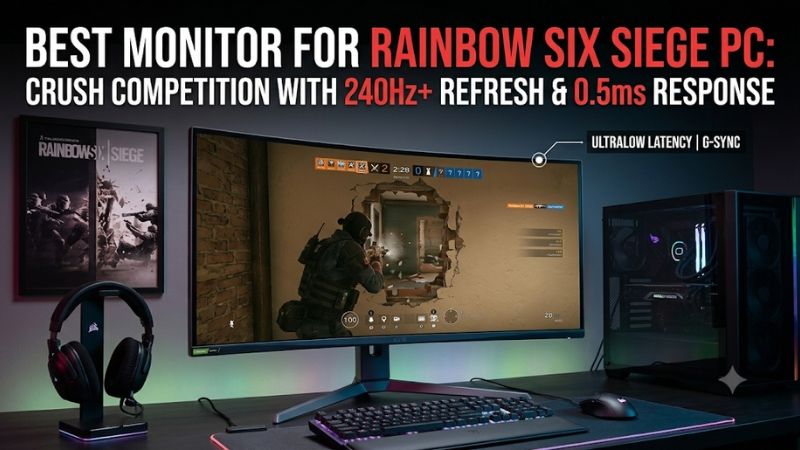
Best monitor for Rainbow Six Siege PC: MSI MAG 245F X24
The MSI MAG 245F X24 is the most practical starting point for most PC players. Its 23.8-inch Rapid IPS panel has a 1920 × 1080 native resolution and a 240Hz maximum refresh rate. That combination closely matches the format commonly used in competitive Rainbow Six Siege: a relatively compact Full HD display with enough refresh headroom for high-frame-rate play.
The price makes the recommendation easier to justify. MSI’s US store listed the monitor at $109.99 during research on November 9, 2026, before tax and shipping. You do not have to spend several hundred dollars to move beyond a conventional 144Hz or 165Hz display. For someone upgrading an older gaming monitor, the MAG 245F X24 leaves money available for a better mouse, mousepad, or other equipment that can also matter in competitive play.
MSI specifies a 0.5ms minimum gray-to-gray response time and 1ms MPRT. These are manufacturer specifications, not independently measured average response times. They should not be treated as proof that every pixel transition finishes within those periods. The more useful reasons to consider this model are its 240Hz refresh rate, IPS viewing characteristics, and accessible price.
It includes two HDMI 2.0b inputs and one DisplayPort 1.2a input. For a PC gaming setup, DisplayPort is the straightforward connection choice. The stand is basic, offering tilt adjustment rather than full height, swivel, and pivot adjustment. It does have a 100 × 100mm VESA mounting pattern, so a compatible monitor arm is an option.
Buy it if you want a relatively inexpensive 240Hz IPS monitor for Siege and other competitive shooters. Skip it if you already produce frame rates well above 240 FPS and want a 360Hz or faster upgrade, or if you need a height-adjustable stand included in the box.
Quick comparison of the five monitors
Prices are US listing prices observed on November 9, 2026. Tax and shipping are excluded, and retailer pricing and inventory may change.
| Monitor | Native resolution | Refresh rate | Best use | Observed US price |
|---|---|---|---|---|
| MSI MAG 245F X24 | 1920 × 1080 | 240Hz | Best overall starting point | $109.99 |
| KTC H25X7 | 1920 × 1080 | 360Hz; 400Hz OC | 360Hz competitive upgrade | $219.99 |
| AOC Q27G41ZE | 2560 × 1440 | 240Hz; 260Hz OC | High-refresh QHD value | From $159.99 |
| ASUS ROG Swift PG27AQN | 2560 × 1440 | 360Hz | Premium QHD esports setup | $649 |
| ASUS ROG Strix XG248QSG Ace | 1920 × 1080 | 600Hz; 610Hz OC | Extreme-refresh esports | $799 |
The table contains two different buying approaches. The 23.8- and 24.5-inch Full HD models focus on competitive refresh rates without making the GPU render a larger QHD image. The 27-inch QHD displays offer more desktop space and sharper visuals, but their higher pixel count can make it harder to maintain extremely high frame rates.
Do not automatically choose the monitor with the largest number. A stable 240 FPS on a 240Hz display can be more useful than purchasing a 600Hz monitor and running the game far below its maximum refresh rate.
How we selected these Rainbow Six Siege monitors
Rainbow Six Siege is a competitive tactical shooter, so the selection emphasizes refresh rate, motion handling, connection bandwidth, native resolution, and the practical cost of reaching high frame rates.
ProSettings’ monitor data for 104 Rainbow Six Siege professional players provides useful context. Its current player sample is heavily weighted toward 24- to 25-inch Full HD monitors, with 240Hz among the most common refresh-rate choices. Some players use 360Hz and faster models. This is evidence of what professional players currently choose, not a controlled experiment proving that one monitor automatically makes a player better.
The selection also considers the type of evidence available for each product. Manufacturer documentation establishes the exact resolution, refresh rate, inputs, and overclock modes. Independent testing is useful for evaluating motion handling, input lag, and real response behavior, but tests from other games must not be presented as Rainbow Six Siege benchmarks.
There is an important distinction between advertised response time and actual performance. A 1ms label may describe a best-case transition or an MPRT mode that uses backlight strobing. It does not establish the average response time across the monitor’s full range of transitions. Independent measurements are preferable when comparing displays at the same refresh rate.
Five products make the shortlist because they offer distinct advantages rather than simply repeating the same 240Hz Full HD specification. Some premium alternatives were not included because their US availability or price could not be established confidently, or because they overlapped heavily with existing general-purpose monitor coverage on Build-PC-Guide.com.
KTC H25X7: Best 360Hz Full HD upgrade
The KTC H25X7 is aimed at players who have already moved beyond the basic 144Hz and 165Hz category. It uses a 24.5-inch Fast IPS panel with a native 1920 × 1080 resolution and a 360Hz refresh rate. KTC also advertises a 400Hz overclock mode through DisplayPort 1.4.
That combination makes the monitor particularly relevant to competitive Siege. The 24.5-inch size is close to the format commonly seen in professional player setups, and Full HD is less demanding to render than 1440p. Players with a high-end CPU and GPU may find it easier to maintain very high frame rates at 1080p than at QHD, depending on game settings and system configuration.
Connection choice matters. The H25X7’s HDMI 2.0 inputs are specified for up to 240Hz, while DisplayPort is needed to access its higher 360Hz and 400Hz modes. A player connecting a desktop PC should therefore use DisplayPort and check the refresh-rate selection in Windows and the graphics driver. Simply connecting the monitor does not guarantee that the operating system will select its highest available refresh mode.
KTC advertises 400 nits of brightness, HDR400 support, Adaptive Sync, and 99% sRGB coverage. These details make it more versatile for everyday desktop use, but they should not distract from its main purpose. An HDR400 label does not guarantee the contrast or local-dimming performance of an expensive HDR monitor. For Siege, refresh behavior and motion clarity are more relevant than the HDR badge.
The main reservation is the available independent testing. The manufacturer documentation establishes the monitor’s important specifications, but the research did not locate a sufficiently detailed independent review with verified input-lag and average pixel-response measurements for this exact model. Its advertised response-time figure should therefore not be treated as an independently confirmed result.
KTC’s US store displayed a price of $219.99 during research on November 9, 2026, before tax and shipping. That is a relatively accessible entry into native 360Hz gaming, although it is still more expensive than a 240Hz model.
Buy it if your PC can consistently produce frame rates around or above 360 FPS in your preferred Siege settings and you want a compact competitive display. Skip it if your system usually stays around 150–220 FPS. A less expensive 240Hz monitor is likely to make better financial sense in that situation.
AOC Q27G41ZE: Best QHD option for competitive and everyday gaming
The AOC Q27G41ZE is the most interesting choice for players who want a larger, sharper display without giving up high refresh rates. It uses a 27-inch Fast IPS panel with a native resolution of 2560 × 1440. Its refresh rate is 240Hz in the standard mode, with an overclock option reaching 260Hz through DisplayPort.
QHD offers a noticeable resolution advantage over Full HD. A 2560 × 1440 image contains approximately 78% more pixels than 1920 × 1080. This gives desktop text and game environments more detail, which can be useful when Siege is only one part of a broader gaming and PC workload.
However, the higher resolution also increases the rendering workload. Players who want to approach 240 FPS at 1440p need to consider their GPU and CPU, rather than assuming that a 240Hz monitor will make the game render at that rate. Siege can be relatively well suited to high-frame-rate play with the right hardware and settings, but actual results depend on the system and game configuration.
There is also a connection limitation worth understanding before buying. AOC specifies a maximum HDMI refresh rate of 144Hz for this model at its QHD resolution. The higher 240Hz and 260Hz modes rely on DisplayPort 1.4. That is not a problem for a typical desktop gaming PC with a compatible DisplayPort output, but it means buyers should not assume they can access the maximum refresh rate through every input.
AOC lists a 1ms gray-to-gray response specification and a 0.3ms MPRT claim. These describe different measurements and are not interchangeable. The monitor also lists G-SYNC compatibility, which can be useful for supported PC configurations. Its 300-nit typical brightness is adequate for many ordinary desktop environments, but this is not a high-brightness HDR specialist.
The US AOC product page displayed a starting price of $159.99 during research. Confirm the exact seller, model, and final checkout price before ordering, particularly when the same retailer page displays multiple related monitor models.
Buy it if you want QHD detail and a high refresh rate in one display, have a gaming PC powerful enough for high-resolution competitive play, and will connect through DisplayPort. Skip it if your only objective is maximizing FPS on a midrange system. In that situation, a 24-inch Full HD 240Hz or 360Hz display may be a better match.
ASUS ROG Swift PG27AQN: Best premium 1440p 360Hz monitor
The ASUS ROG Swift PG27AQN is for players who want to combine a fast esports display with a more detailed 27-inch image. It is a 27-inch Fast IPS monitor with a 2560 × 1440 native resolution and a 360Hz refresh rate. That places it in a different category from typical 240Hz QHD gaming monitors.
The larger display offers more room for desktop multitasking and a sharper image than a Full HD panel of the same size. For players who use their PC for other competitive games, content, and general work, that flexibility can be more appealing than a dedicated 24-inch esports screen. It also avoids the need to maintain two separate displays for competitive and everyday use.
The 360Hz specification needs a compatible connection. ASUS lists DisplayPort 1.4 with Display Stream Compression, or DSC, for the highest resolution and refresh-rate combination. HDMI 2.0 is also provided, but buyers should not expect to reach the full 360Hz limit through HDMI. A suitable graphics card, DisplayPort cable, and driver configuration are necessary to use the monitor as intended.
Independent RTINGS testing identifies strong motion handling and low input lag as important strengths. The same review notes limitations including low contrast and restricted viewing angles. Those weaknesses reflect the trade-offs of this Fast IPS design; it prioritizes speed over the deep blacks available from OLED displays. Its local-dimming performance is also not a reason to buy it as a premium HDR monitor.
At the observed ASUS US store price of $649, the PG27AQN is a substantial purchase. It is not a sensible upgrade for someone whose PC only produces around 150 FPS in Siege. The additional refresh headroom is most relevant to high-end systems that can sustain frame rates approaching the display’s capabilities.
Buy it if you want 1440p at 360Hz and have the hardware to support it, especially when the display will serve as your primary monitor for several competitive games. Skip it if price, deep contrast, or HDR image quality matters more than very high refresh. The cheaper AOC Q27G41ZE offers a more reasonable entry into high-refresh QHD gaming.
ASUS ROG Strix XG248QSG Ace: Best extreme-refresh esports monitor
The ASUS ROG Strix XG248QSG Ace is the specialist option for players who care more about extreme competitive speed than price or resolution. It uses a 24.1-inch Super TN panel with a native 1920 × 1080 resolution. ASUS specifies a 600Hz native refresh rate and an overclocked maximum of 610Hz.
That refresh rate is far beyond what most PC players currently need. The monitor is designed for a particular kind of user: someone with a powerful gaming system, competitive settings, and a strong preference for maximizing refresh headroom. At 600Hz, the screen can refresh more frequently than a 240Hz panel, but the practical advantage depends on how consistently the PC delivers new frames.
The monitor includes DisplayPort 1.4 and HDMI 2.1 connectivity, along with ASUS motion-blur reduction technology. Its maximum refresh and VRR capabilities vary by connection, so DisplayPort is the appropriate choice when targeting the highest supported refresh mode. Check the manufacturer’s specification table rather than assuming every port supports the same maximum.
Tom’s Hardware’s independent review found the monitor exceptionally fast, with strong video processing and useful blur-reduction features. It also emphasized the high price and the fact that the experience is not necessarily smoother than that of many 240Hz OLED monitors. The review’s game testing was conducted in Doom Eternal with an RTX 4090, not Rainbow Six Siege, so those measured frame rates should not be transferred to Siege.
The price is the main barrier. ASUS’s US store listed the XG248QSG Ace at $799 during research. That is a large investment for a 1080p monitor, particularly when the MSI MAG 245F X24 costs a fraction of the price and already offers 240Hz.
Buy it if you are a serious high-FPS competitor who can actually feed a 600Hz display with a very high frame rate and value every potential reduction in display refresh interval. Skip it if you play casually, use a midrange GPU, or expect the monitor alone to improve your aim. It is an extreme esports tool, not the default recommendation for every Siege player.
How to choose the best monitor for Rainbow Six Siege PC
The right monitor depends on your PC’s real gaming performance, your preferred screen size, and how much you value sharpness compared with refresh rate. Buying a 360Hz or 610Hz model before checking your system’s frame rate is one of the easiest ways to spend money without seeing much benefit.
Choose a refresh rate your PC can use
Refresh rate describes how often a monitor can update its image each second. A 240Hz display can refresh up to 240 times per second, while a 360Hz model can update up to 360 times. Higher refresh rates can reduce the time between display updates and make fast movement appear more continuous when the PC supplies enough frames.
Frame rate and refresh rate are related but not identical. A 360Hz monitor does not make a PC produce 360 FPS. If the game runs at 180 FPS, the monitor cannot create the missing frames through its refresh-rate specification. The display can still be useful when frame delivery fluctuates, but its full potential requires suitable system performance.
A practical way to choose is to monitor actual Siege performance before upgrading. Use the game’s frame counter or a reliable monitoring tool and observe typical gameplay, not just a quiet training area. Look at demanding situations, busy scenes, and longer matches. A PC that briefly reaches 400 FPS but frequently falls below 200 FPS is not equivalent to one that maintains a consistently high frame rate.
For many players, 240Hz is a sensible point to target. A 360Hz upgrade is easier to justify when your PC routinely produces more than 240 FPS and you are particularly focused on competitive play. The 600Hz class should be considered an enthusiast purchase rather than a normal upgrade target.
Decide between 24-inch Full HD and 27-inch QHD
Screen size and resolution should be considered together. A 24- to 25-inch Full HD monitor has been a common esports format for years because it keeps the entire screen relatively easy to scan without requiring the player to turn their eyes across a very large panel.
A 27-inch QHD monitor provides more pixels and more screen area. It can make smaller interface details and distant visual elements appear sharper, particularly when sitting close to the display. The drawback is the extra GPU workload associated with 1440p.
The resolution difference is substantial. QHD contains approximately 3.69 million pixels, compared with about 2.07 million for Full HD. That is around 78% more pixels for the GPU to render. It does not mean performance will fall by exactly 78%, because the result depends on the game engine, graphics settings, processor, and graphics card. It does mean that players targeting very high FPS should test their own systems before choosing a QHD high-refresh monitor.
For a dedicated Siege setup, start with 24- or 25-inch Full HD if competitive performance is the clear priority. Choose 27-inch QHD if you want a more versatile everyday monitor and have sufficient PC performance.
Prioritize real motion performance over response-time advertising
Refresh rate is only part of the motion-quality equation. Pixel response time determines how quickly pixels change between shades. If a panel transitions too slowly, fast objects can leave visible trails even when the monitor refreshes at a high frequency.
Manufacturers often quote the fastest available response-time mode rather than a typical result across many transitions. MPRT and gray-to-gray response time also measure different things. MPRT modes can use backlight strobing to reduce perceived blur, but may introduce lower brightness or visible flicker. They should not be compared directly with a conventional gray-to-gray measurement.
Look for independent reviews that include response-time charts at the refresh rates you plan to use. A good monitor should balance fast transitions with limited overshoot. Overshoot occurs when aggressive pixel overdrive pushes a transition beyond its target color, potentially creating bright or dark inverse ghosting trails.
Do not leave overdrive on the most aggressive setting automatically. Some displays perform better with a middle setting, particularly when frame rates vary. Test the available options in a moving game scene and use a setting that reduces blur without creating obvious artifacts.
Understand adaptive sync and NVIDIA G-SYNC compatibility
Adaptive sync can help match the monitor’s refresh behavior to the frame rate produced by the graphics card. This can reduce tearing when frame rates fluctuate, especially in games where performance moves above and below a fixed refresh target.
NVIDIA G-SYNC Compatible and AMD FreeSync labels indicate support for adaptive-sync functionality, but implementation varies between displays and connections. Check whether the exact monitor supports adaptive sync over DisplayPort, HDMI, or both. Also check the monitor’s specified variable-refresh range rather than assuming that every frame rate is covered.
Competitive players may choose to disable adaptive sync in some configurations to prioritize a consistent frame-delivery and latency setup. Others may prefer it when their PC cannot maintain a fixed frame rate. Neither approach is universally correct. Your game settings, GPU, and tolerance for tearing should guide the decision.
Consider TN, Fast IPS, and OLED panels
TN panels have historically been popular in esports because they can deliver fast transitions and high refresh rates. Their main disadvantages are usually weaker viewing angles and less attractive color reproduction than modern IPS alternatives.
Fast IPS displays offer a useful balance. They provide stronger viewing angles and often better color characteristics while supporting refresh rates of 240Hz or higher. That is why the MSI, KTC, and ASUS QHD models in this roundup are relevant alternatives to traditional TN esports monitors.
OLED panels offer extremely fast pixel response and excellent contrast, but high-refresh OLED models typically cost more than an entry-level competitive IPS monitor. They can be attractive for players who also value cinematic single-player games, but burn-in considerations and price should be evaluated for the exact model. For a Siege-focused setup on a limited budget, a good IPS monitor is usually a more balanced starting point.
Set up your PC monitor for Rainbow Six Siege
After connecting a new monitor, verify that Windows is actually using its highest supported refresh rate. Open Settings, select System, then Display, and open Advanced display. Select the correct monitor and choose its advertised refresh mode from the available list. If the highest mode does not appear, check the cable, input selection, monitor overclock setting, and graphics driver.
For monitors with overclocked modes, check the manufacturer’s instructions before enabling them. The setting may need to be activated through the monitor’s on-screen display menu. The operating system may then expose a higher refresh rate. If the screen flickers, loses signal, or behaves inconsistently, return to the normal supported refresh mode.
Open NVIDIA Control Panel or AMD Software to confirm the desired resolution and refresh rate. For a DisplayPort-only maximum such as the 360Hz or 400Hz modes of the KTC H25X7, use the appropriate DisplayPort connection. The AOC Q27G41ZE also needs DisplayPort to reach its highest refresh options at QHD.
Inside Siege, begin with a stable graphics configuration and test performance during actual matches. Competitive settings often favor visibility and consistent frame delivery rather than maximum visual effects. Adjust graphics options gradually, then compare average performance and frame-time consistency. Avoid changing multiple settings at once because it makes improvements harder to identify.
Finally, position the monitor at a comfortable viewing distance and keep the full screen within your natural field of view. A 24-inch display is easier to scan quickly for many players, while a 27-inch panel may be more comfortable for mixed gaming and productivity. There is no universal ideal distance; use a position that lets you see the minimap, central action, and screen edges without excessive head movement.
Frequently asked questions
Is 240Hz enough for Rainbow Six Siege?
Yes. A 240Hz monitor is a strong choice for competitive Siege and aligns with the most common refresh-rate category in the ProSettings professional-player sample. It is also considerably more affordable than many 360Hz and 600Hz alternatives. A higher refresh rate can be useful, but it is not automatically worth the extra cost.
Is 360Hz noticeably better than 240Hz?
A 360Hz monitor has shorter intervals between refreshes than a 240Hz monitor, which can provide a smoother presentation when the PC consistently supplies enough frames. The improvement is more specialized than the move from 60Hz to 144Hz. Whether it is worth paying extra depends on your PC performance, competitive priorities, and individual sensitivity to motion differences.
Should I use 1080p or 1440p for Siege?
Choose 1080p if your priority is maximizing frame rate and maintaining a compact esports display. Choose 1440p if you want sharper detail and a more versatile monitor for other games and desktop use. A 1440p monitor also places a greater rendering workload on the GPU, so check your actual performance before purchasing a 240Hz or 360Hz QHD model.
Is a 1ms response-time monitor necessary?
No. The number printed on the product page is not enough to establish real-world motion performance. Check independent response-time testing, including overshoot and performance at the refresh rates you intend to use. A well-tuned monitor with balanced pixel transitions can be more useful than a display with an impressive advertised response-time number.
Does a 600Hz monitor improve aim?
A 600Hz monitor does not directly improve aim, game sense, reaction habits, or mechanical skill. It can display updates more frequently when the PC produces enough frames, which may benefit a player who is already targeting an extreme high-refresh setup. Practice, stable performance, input configuration, and consistency remain important.
What GPU do I need for 240Hz Siege gaming?
There is no single GPU requirement that guarantees 240 FPS in every situation. Performance depends on the exact GPU, CPU, memory configuration, game settings, resolution, and match conditions. Ubisoft’s published requirements include a recommended 4K/120 FPS configuration for a high-end setup, but that does not establish a universal 240 FPS requirement or guarantee 240 FPS on the listed hardware. Use your own in-game measurements when deciding whether a 240Hz or 360Hz upgrade makes sense.
Final verdict
The MSI MAG 245F X24 is the best starting point for most Rainbow Six Siege PC players. Its 240Hz Full HD Rapid IPS panel delivers the competitive-focused specification that makes sense for a wide range of systems, and its observed $109.99 price is far easier to justify than an extreme esports display.
Choose the KTC H25X7 if your PC can take advantage of 360Hz and you prefer a compact 24.5-inch Full HD setup. Pick the AOC Q27G41ZE if you want QHD sharpness with high refresh for other games and productivity. The ASUS ROG Swift PG27AQN and ROG Strix XG248QSG Ace are specialist upgrades for buyers with the hardware and budget to use their capabilities.
For most people, a responsive 240Hz monitor and consistently high frame rates are a better investment than chasing the largest refresh-rate number available.









