
Choosing the best monitor specs for console gaming starts with understanding what your PlayStation 5, PS5 Pro, or Xbox Series X can actually output. A monitor advertised at 240Hz is not automatically better for a console than one rated at 120Hz, because current mainstream consoles generally top out at 120Hz. For most players, the ideal combination is a 27- to 32-inch 4K display, native 120Hz or higher refresh rate, HDMI 2.1 with the required bandwidth, and variable refresh rate (VRR). Image quality, HDR performance, response time, and viewing conditions then determine whether you should choose OLED, Mini LED, or IPS.
This roundup covers six monitors with different strengths, from premium OLED displays to more affordable 4K/120Hz options. The recommendations focus primarily on PS5, PS5 Pro, and Xbox Series X|S, while also explaining which specifications matter when selecting a screen for other gaming systems.
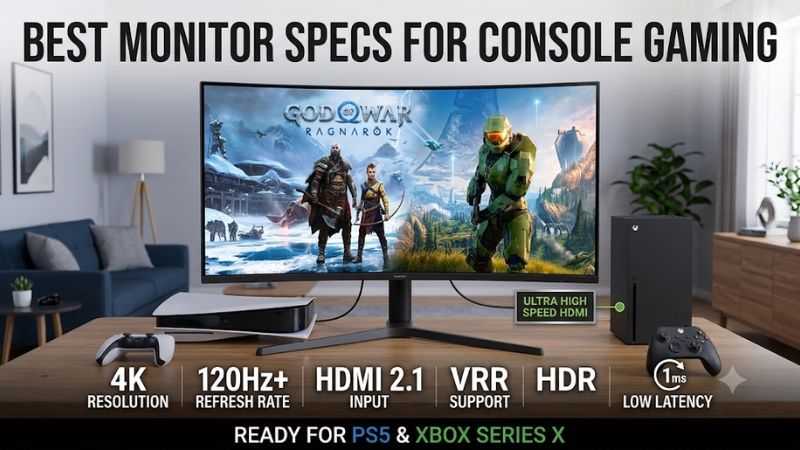
Best monitor specs for console gaming: quick verdict
For most modern console owners, a 4K monitor with HDMI 2.1 bandwidth, 120Hz support, and VRR is the strongest starting point. You do not need a 240Hz panel to get the maximum refresh rate from a PS5 or Xbox Series X, but a faster display can be useful when you also connect a gaming PC.
Here are six recommendations based on their technical capabilities, console compatibility, and independent testing.
| Monitor | Best suited for | Resolution and refresh rate | Main advantage | Main drawback |
|---|---|---|---|---|
| ASUS ROG Swift OLED PG27UCDM | Best overall | 4K, 240Hz | QD-OLED, HDMI 2.1, excellent motion | Expensive; OLED care required |
| Dell Alienware AW2725Q | Best OLED alternative | 4K, 240Hz | Dolby Vision and eARC | VRR flicker and modest brightness |
| Sony INZONE M9 II | Best PS5-focused IPS | 4K, 160Hz | Auto HDR Tone Mapping and local dimming | Blooming and cloudy dark scenes |
| TCL 32R84 | Best large Mini LED | 4K, 165Hz | High brightness and 1,400 dimming zones | VRR flicker and dark-scene smearing |
| GIGABYTE M32U | Best 32-inch IPS option | 4K, 144Hz | Large screen, KVM, HDMI 2.1 | 4K/120Hz console output uses 4:2:0 chroma |
| Dell S2725QS | Best basic 4K/120Hz option | 4K, 120Hz | Two HDMI 2.1 ports and low input lag | Basic HDR and slower motion handling |
These are not six monitors that deliver identical experiences. The ASUS and Dell OLED displays prioritize contrast and response time, the Sony targets PlayStation compatibility, and the TCL emphasizes brightness. The GIGABYTE and Dell IPS options offer practical alternatives for buyers who do not want to spend heavily on OLED.
The key distinction is that the console’s supported output matters more than the monitor’s maximum PC refresh rate. A 240Hz monitor still displays a console’s 120Hz signal rather than making the console render games at 240 frames per second.
How we selected monitors for console gaming
We prioritized displays that can accept the video signals used by modern consoles rather than choosing products solely by their advertised refresh rates. Each recommendation was checked against manufacturer specifications and available independent monitor testing.
The primary requirements included a 16:9 aspect ratio, suitable resolution, HDMI connectivity, refresh-rate support, and compatibility with modern console features such as VRR. We also considered input lag, pixel response, HDR quality, panel behavior, and physical size.
RTINGS’ 2026 recommendations for PS5 and Xbox Series X were particularly useful because its testing distinguishes general PC gaming performance from console compatibility. Its reviews also identify weaknesses that specification sheets do not communicate, such as black smearing, local-dimming artifacts, and VRR flicker. Manufacturer specifications were used separately to confirm the exact model numbers, ports, and advertised capabilities.
The shortlist intentionally includes different technologies and resolutions instead of treating a high refresh rate as the only measure of quality. No first-hand testing or proprietary measurements are claimed here.
Six monitors with strong specifications for console gaming
ASUS ROG Swift OLED PG27UCDM: Best overall
The ASUS ROG Swift OLED PG27UCDM is an excellent example of a premium monitor that combines nearly every major feature a modern console player could want. It uses a 26.5-inch Tandem QD-OLED panel with a native 3840 × 2160 resolution and a maximum refresh rate of 240Hz.
ASUS specifies a 0.03ms gray-to-gray response time, HDR10 and Dolby Vision support, FreeSync Premium Pro, and G-Sync compatibility. Its connectivity includes two HDMI 2.1 ports, one DisplayPort 2.1a port, and USB-C with up to 90W power delivery. ASUS also includes a three-year warranty covering panel burn-in.
For console gaming, the important feature is not the 240Hz maximum. It is the monitor’s ability to accept 4K/120Hz signals through HDMI 2.1 while supporting VRR. RTINGS independently evaluated the PG27UCDM with PS5, PS5 Pro, and Xbox Series X|S, finding it compatible with their supported signals up to 4K/120Hz. Its near-instantaneous pixel response helps moving objects remain sharp, while QD-OLED provides deep blacks and vivid colors in darker rooms.
Its 27-inch size is also convenient for desktop gaming. With approximately 166 pixels per inch, it produces a particularly sharp image at normal desk distance. This can be attractive for players who sit close to their display rather than several feet away from a large television.
The main compromise is the premium OLED price and its sensitivity to permanent image retention. The glossy QD-OLED panel can also show raised black levels and desaturated dark colors when ambient light is strong. ASUS includes OLED protection features, but buyers should still avoid leaving static HUDs or console menus displayed unnecessarily for extended periods.
Buy if you want excellent 4K console image quality, fast response, VRR, and a monitor that can also serve as a high-end PC gaming display. Skip if you primarily play in a brightly lit room, prefer a larger screen, or do not need the additional PC-oriented refresh-rate headroom.
Dell Alienware AW2725Q: Best OLED alternative with Dolby Vision
The Dell Alienware AW2725Q offers another 27-inch 4K QD-OLED configuration, but with a feature combination that makes it particularly interesting to Xbox owners. Its native resolution is 3840 × 2160, and it supports a 240Hz refresh rate with a manufacturer-rated 0.03ms response time.
Dell specifies 99% DCI-P3 coverage, a 250-nit typical brightness rating, and a peak brightness rating of up to 1,000 nits. The monitor supports AMD FreeSync Premium Pro, NVIDIA G-Sync Compatible, and VESA Adaptive-Sync. Its connections include two HDMI 2.1 inputs and DisplayPort 1.4. One HDMI input supports eARC/ARC, which is useful when connecting compatible external audio equipment.
The Dolby Vision support is a meaningful distinction. Xbox Series X|S supports Dolby Vision gaming, and RTINGS confirms that the AW2725Q can use this capability. It also supports 4K/120Hz console signals, with excellent motion clarity and low input lag.
Compared with the ASUS, the Dell lacks DisplayPort 2.1 and some workstation-oriented connectivity. It is also less bright and less accurate in HDR according to RTINGS’ testing. The review identifies distracting VRR flicker when frame rates change, another consideration for players who are sensitive to changes in screen brightness.
The AW2725Q is consequently not a universal upgrade over the ASUS. It is a useful alternative when Dolby Vision, eARC, and a premium QD-OLED image are attractive, particularly for a console-centered entertainment setup.
Buy if you use an Xbox Series X|S, want Dolby Vision compatibility, and prefer a flat 27-inch OLED screen. Skip if you need maximum brightness, more advanced PC connectivity, or especially stable brightness during variable-frame-rate gameplay.
Sony INZONE M9 II: Best PlayStation-focused IPS monitor
The Sony INZONE M9 II is a strong alternative for players who want 4K gaming without choosing an OLED panel. Its 27-inch IPS display runs at 3840 × 2160 with a maximum refresh rate of 160Hz. It also uses full-array local dimming, allowing different backlight zones to adjust independently.
Sony specifies a DisplayHDR 600 certification, up to 750 nits of HDR peak brightness, and 95% DCI-P3 coverage. The monitor includes HDMI 2.1, DisplayPort connectivity, and backlight-scanning technology. Its most distinctive console feature is Auto HDR Tone Mapping, designed to work with the PS5 and PS5 Pro.
The PlayStation integration makes it especially appealing to buyers who want a straightforward setup. Instead of manually experimenting with every HDR adjustment, compatible PS5 systems can use the monitor’s automatic tone-mapping feature to simplify initial configuration.
RTINGS found the M9 II impressive for console gaming. It supports 4K/120Hz through HDMI 2.1 and offers VRR compatibility with modern consoles. Its measured brightness is useful in well-lit environments, and motion handling is good at high refresh rates.
However, full-array local dimming does not make this display equivalent to OLED or high-end Mini LED. RTINGS identifies blooming around bright objects, a cloudy appearance in some dark scenes, and relatively weak native contrast. These characteristics can be noticeable when playing dark horror games or watching cinematic content with black bars.
The IPS panel is nevertheless useful for players who prefer conventional LCD technology and do not want to manage OLED burn-in risk.
Buy if you primarily use a PS5 or PS5 Pro and value automatic HDR configuration, 4K/120Hz, and an LCD panel. Skip if deep blacks and consistent local-dimming performance are more important than PlayStation-specific features.
TCL 32R84: Best large Mini LED display
The TCL 32R84 is an attractive option when you want more screen space and strong brightness without moving to OLED. Its 32-inch QD-Mini LED panel has a native resolution of 3840 × 2160 and a 165Hz maximum refresh rate.
TCL lists 1,400 local dimming zones, DisplayHDR 1400 certification, a 1,500-nit peak brightness specification, and 96% DCI-P3 coverage. The monitor also includes two HDMI 2.1 ports, DisplayPort 1.4, USB-C with up to 90W power delivery, built-in speakers, and a KVM switch.
For console owners, the major advantage is its support for 4K/120Hz signals, HDR, and VRR with PS5 and Xbox Series X|S. This gives it the necessary connectivity for modern console gaming without requiring a premium OLED panel.
RTINGS’ October 2026 review found that the monitor produces deep blacks for a VA-based LCD and strong highlights, thanks to its high brightness and local-dimming system. It also delivers low input lag and relatively quick response across its refresh-rate range.
The compromises are important. Dark scenes can reveal black smearing, particularly when bright objects move against darker backgrounds. Local dimming can produce halos around bright objects, and RTINGS identified distracting flicker when VRR or local dimming is used in certain dark scenes. The monitor also lacks Dolby Vision support with Xbox.
Buy if you want a larger 32-inch screen, strong HDR brightness, and 4K/120Hz compatibility in a well-lit gaming room. Skip if you are sensitive to VRR flicker or want OLED-level black uniformity.
GIGABYTE M32U: Best 32-inch IPS option
The GIGABYTE M32U remains a useful choice for players who want a traditional 32-inch IPS monitor with high resolution and modern console connectivity. It features a 31.5-inch SuperSpeed IPS panel with a 3840 × 2160 native resolution and a 144Hz maximum refresh rate.
Its other specifications include a 350-nit typical brightness rating, 90% DCI-P3 coverage, a 1,000:1 contrast ratio, and two built-in 3W speakers. Connectivity includes two HDMI 2.1 ports, DisplayPort 1.4, USB-C, and three USB-A ports. It also has a KVM switch for sharing peripherals between compatible systems.
For consoles, GIGABYTE specifically identifies support for PS5 and Xbox Series X at 4K/120Hz. There is an important qualification: its manufacturer documentation specifies YUV 4:2:0 chroma for this console mode. This is a reduced color-detail format compared with full 4:4:4 chroma. It does not prevent normal gaming, but it is a technical limitation that matters when comparing the M32U with more capable HDMI implementations.
RTINGS found that the M32U performs well for console gaming. It accepts 4K signals up to 120Hz, supports console VRR, and delivers low input lag. Its response time is better at higher refresh rates, although moving objects become less clear at lower refresh rates. The main image-quality weaknesses are mediocre contrast and limited HDR performance.
Buy if you want a large IPS screen that can handle console and PC gaming, with useful connectivity for a multi-device desk. Skip if you want impactful HDR, high native contrast, or unrestricted 4:4:4 chroma at 4K/120Hz.
Dell S2725QS: Best basic 4K/120Hz option
The Dell S2725QS demonstrates that a console-friendly display does not necessarily need OLED, Mini LED, or a 240Hz refresh rate. It is a 27-inch 4K IPS monitor with a native 120Hz refresh rate, making it a practical option for buyers who prioritize resolution and compatibility.
Dell specifies a 350-nit brightness rating, 1,500:1 contrast ratio, 99% sRGB coverage, and AMD FreeSync Premium. Its connectivity includes two HDMI 2.1 ports that support 4K/120Hz, HDR, and VRR. A DisplayPort 1.4 input is also included. The integrated speaker system consists of two 5W speakers.
RTINGS confirms that the S2725QS supports most PS5, PS5 Pro, and Xbox Series X|S signals, including 4K/120Hz. It also has low input lag, which helps maintain responsive controls in games that require precise timing.
Its biggest limitations involve motion and HDR. The relatively slow response behavior creates visible blur behind fast-moving objects, and the lack of local dimming means black areas look gray in dark scenes. HDR content also lacks the highlight intensity needed for a particularly convincing HDR experience.
This is why its appeal is primarily functional rather than cinematic. It offers the core 4K/120Hz connection features but does not compete with premium OLED and Mini LED displays in visual quality.
Buy if you want a straightforward 4K/120Hz monitor for console gaming and everyday use. Skip if you play fast competitive shooters frequently or want impressive HDR contrast.
How to choose the best monitor specs for console gaming
The right specifications depend on the console, the types of games you play, and how far you sit from the screen. A competitive player using a PS5 may have different priorities from someone playing cinematic single-player games on an Xbox Series X. However, several technical requirements apply to almost every modern console setup.
Resolution: 4K is the best starting point
Resolution determines how much visual detail a monitor can display. For current high-performance consoles, 4K (3840 × 2160) is generally the preferred target.
The PS5 and Xbox Series X support 4K output, including modes up to 120Hz when the display and game support them. The PS5 Pro also supports 8K output on compatible displays, although 8K monitors remain an expensive and impractical choice for most desktop gaming setups.
Here is how the main resolution options compare:
| Resolution | Console gaming suitability | Main advantage | Main limitation |
|---|---|---|---|
| 1080p | Entry-level and older consoles | Lower display cost | Less detail on larger screens |
| 1440p | Budget and midrange setups | Good balance of clarity and performance | Some HDR and VRR compatibility limitations vary by console |
| 4K | Best overall for PS5 and Xbox Series X | Highest mainstream detail | More expensive displays |
| 8K | Specialized PS5 Pro setups | Exceptional theoretical detail | Very limited monitor selection and limited game support |
A 27-inch 4K display produces a sharp image at normal desk distance. A 32-inch 4K panel provides a larger viewing area while retaining good pixel density.
1440p remains a sensible alternative if you have a tighter budget. Sony officially supports 1440p output and provides a compatibility test for SDR, HDR, 60Hz, 120Hz, and VRR. Xbox owners should be more careful because Xbox HDR output is tied to 4K signals, meaning the monitor’s ability to accept and correctly scale those signals becomes important.
Refresh rate: prioritize 120Hz before 240Hz
Refresh rate describes how many times the display can update its image each second. A 60Hz monitor refreshes 60 times per second, while a 120Hz monitor can refresh twice as often.
For modern console gaming, 120Hz is the most useful target. Both PS5 and Xbox Series X|S support games with frame rates up to 120 FPS, provided the title and console mode support that output. Not every game runs at 120 FPS, and some reduce graphical detail or resolution to reach higher frame rates.
playstation.com+1
A 144Hz, 160Hz, 165Hz, 240Hz, or 320Hz monitor can still be a sensible purchase. However, the additional refresh capability mostly benefits PC gaming rather than the console itself.
For example, the ASUS PG27UCDM supports 240Hz, but a PS5 remains limited to 120Hz output. A gaming PC connected to the same monitor can use its higher refresh capability.
You should therefore avoid paying a substantial premium for 360Hz or 480Hz solely because you own a console. A higher-quality 120Hz display with better HDR and lower input lag may provide a more meaningful improvement.
HDMI 2.1: check bandwidth and actual supported signals
HDMI 2.1 is one of the most important specifications when buying a monitor for modern console gaming. It enables the high-bandwidth video connections needed for 4K/120Hz gaming and can provide access to VRR and other advanced features.
However, seeing HDMI 2.1 on a product page is not enough. Buyers should check the exact maximum resolution and refresh rate supported by each HDMI input. They should also confirm whether VRR works with their console.
The difference between two monitors can be significant. The Dell S2725QS supports 4K/120Hz, HDR, and VRR over its HDMI 2.1 inputs. The GIGABYTE M32U also accepts 4K/120Hz console signals, but GIGABYTE specifies 4:2:0 chroma for that mode. Both are compatible, but their signal capabilities are not identical.
An Ultra High Speed HDMI cable is also important. Use the cable supplied with the console or another properly certified cable capable of the required bandwidth. A receiver, switch, or capture device between the console and monitor can introduce additional compatibility limitations. Sony specifically recommends checking these connections when troubleshooting 4K/120Hz output.
VRR and ALLM: useful features for smoother gaming
Variable refresh rate synchronizes the display’s refresh timing with the console’s changing frame rate. This helps reduce screen tearing and can make games feel smoother when performance fluctuates.
VRR is particularly useful in demanding games where frame rates do not remain perfectly stable. It is more valuable than chasing an unnecessarily high maximum refresh rate that the console cannot use.
PS5 supports VRR on compatible HDMI displays and games. The console also provides a setting to apply VRR to unsupported games, although Sony notes that results vary depending on the display. Xbox Series X|S likewise supports VRR.
Auto Low Latency Mode is another useful feature. It allows a compatible display to switch automatically into a low-latency picture mode when gaming begins. However, ALLM should be considered a convenience rather than an absolute requirement. A monitor with consistently low input lag can still be responsive without advertising an elaborate automatic gaming mode.
HDR: prioritize actual picture quality over labels
HDR expands the range of brightness and color that a display can reproduce. It can make sunlight, explosions, reflections, and other bright game elements look more realistic.
However, an HDR10 or DisplayHDR 400 logo does not guarantee a dramatic HDR experience. Many conventional IPS monitors support HDR signals but lack sufficient contrast and local dimming to reproduce convincing highlights and dark shadows simultaneously.
OLED and Mini LED are generally better options when HDR quality is a priority.
OLED uses self-emissive pixels that can switch off completely to produce deep blacks. This gives it excellent contrast in dark games. Mini LED uses numerous local-dimming zones to control backlight output, enabling higher brightness and improved contrast compared with ordinary edge-lit LCD displays.
The ASUS PG27UCDM demonstrates the strengths of QD-OLED, while the TCL 32R84 illustrates what a high-brightness Mini LED display can provide.
Dolby Vision can also matter for Xbox owners. The Xbox ecosystem supports Dolby Vision gaming on compatible displays, but monitor support is inconsistent. The Dell AW2725Q and ASUS PG27UCDM are two examples that support this feature.
Response time and input lag are not the same
Response time describes how quickly a pixel changes from one color or shade to another. Input lag measures the delay between a console sending an image and that image appearing onscreen.
Both matter, but they solve different problems.
A monitor with fast pixel response can produce sharper moving objects with less ghosting. Low input lag makes controls feel more immediate, which is important in fighting games, rhythm games, racing games, and competitive shooters.
Do not judge a display solely by a manufacturer-advertised 1ms or 0.03ms rating. Manufacturer specifications can use different measurement methods and operating modes. Independent reviews are more useful for comparing actual motion behavior and input latency.
OLED panels generally provide exceptionally fast pixel transitions. IPS and VA displays can also perform well, but their motion characteristics vary considerably between models.
Screen size and aspect ratio: stay with 16:9
A 27- to 32-inch display is a practical range for console gaming at a desk.
A 27-inch monitor is easier to position in a compact gaming setup, while a 32-inch display offers a larger image that can be more comfortable from a greater viewing distance.
The aspect ratio matters just as much as the diagonal measurement. Most console games are designed for 16:9 output, so ultrawide 21:9 monitors may show black bars or require image stretching.
A 34-inch ultrawide can be excellent for PC gaming, but it is not automatically better for PS5 or Xbox. For console-only setups, a traditional 16:9 monitor is usually the safer purchase.
Check the audio and connection arrangement
Unlike televisions, many gaming monitors have basic built-in speakers or no speakers at all. You may need a headset, external speakers, or a soundbar to get an enjoyable audio experience.
Check whether the monitor has a headphone output, optical audio connection, USB audio support, or HDMI eARC when relevant to your equipment. HDMI eARC is particularly useful when routing sound to compatible receivers or soundbars.
Also consider the number of HDMI ports. Two HDMI inputs are useful when connecting a PS5 and Xbox to the same monitor. A third input or a DisplayPort connection can make it easier to add a gaming PC without repeatedly changing cables.
Finally, check the stand’s height adjustment, VESA mounting support, and available desk space. A high-quality display can still be uncomfortable if the screen is too large for your viewing distance or its stand prevents proper positioning.
Frequently asked questions
Is 4K 120Hz better than 1440p 240Hz for console gaming?
For most PS5 and Xbox Series X owners, 4K 120Hz is the better combination. It provides sharper images while supporting the highest refresh rate these consoles generally output.
A 1440p 240Hz monitor can still be worthwhile when connected to a gaming PC. However, its additional refresh-rate capacity does not translate into 240 FPS console gameplay.
Do I need HDMI 2.1 for PS5 gaming?
You do not need HDMI 2.1 for every PS5 game, but it is recommended when you want 4K/120Hz output and compatible HDMI VRR functionality.
A good HDMI 2.0 monitor can still support 1080p or 1440p gaming at 120Hz, depending on its specifications. HDMI 2.1 provides more flexibility for high-resolution console gaming.
Can a 144Hz monitor run PS5 games at 120 FPS?
Yes. A 144Hz monitor can display a 120Hz console signal when its input supports the required resolution and refresh rate.
However, the game must also include a 120 FPS mode. The monitor cannot force a game to render more frames than the console produces.
Is OLED or IPS better for console gaming?
OLED generally provides better contrast, deeper blacks, and faster pixel response. It is particularly attractive for cinematic games and dark environments.
IPS is a sensible choice for players who want consistent viewing angles, conventional LCD technology, and no OLED-specific burn-in concern. Mini LED is another strong option when high brightness and HDR performance are priorities.
Does a 240Hz monitor make PS5 gaming smoother?
Not beyond the console’s supported 120Hz output. A 240Hz monitor can still provide an excellent gaming experience, but its additional refresh capacity is primarily beneficial when you connect a compatible PC.
The important specifications for PS5 are 4K/120Hz signal compatibility, HDMI 2.1 bandwidth, VRR, and good motion handling.
What is the most important monitor specification for Xbox Series X?
Start with 4K resolution, HDMI 2.1 bandwidth, and at least 120Hz refresh-rate support. VRR is also valuable for reducing screen tearing when frame rates fluctuate.
For better HDR gaming, look for meaningful brightness, strong contrast, and effective local dimming or OLED technology. Xbox also supports Dolby Vision gaming on compatible displays, making that feature worth considering.
Final verdict
The ASUS ROG Swift OLED PG27UCDM offers the strongest overall combination of resolution, contrast, response time, and console compatibility. Its 4K/240Hz Tandem QD-OLED panel is particularly attractive if you also plan to connect a gaming PC.
The Dell Alienware AW2725Q is an excellent alternative for Xbox owners interested in Dolby Vision, while the Sony INZONE M9 II provides useful PlayStation-specific HDR integration without OLED technology. For larger screens and stronger brightness, the TCL 32R84 is worth considering.
Buyers who prefer conventional IPS technology can look at the GIGABYTE M32U, while the Dell S2725QS offers the essential 4K/120Hz connection features without premium gaming-panel technology.
Ultimately, the most important specifications are 4K resolution, genuine 120Hz support, HDMI 2.1 bandwidth, and VRR compatibility. Start with those requirements, then choose the panel technology and screen size that match your budget, gaming environment, and preferred console.









