
Choosing the best monitor for forza horizon 5 means finding a display that makes Mexico’s landscapes, detailed car models, lighting, and fast-moving races look their best. A high refresh rate helps with smooth PC gameplay, but resolution, HDR performance, color reproduction, and screen size are just as important for this open-world racing game. This roundup covers six monitors for different setups, including 4K OLED, 21:9 ultrawide, Mini LED, and more affordable 1440p options. The recommendations distinguish PC features from console capabilities so you do not pay extra for specifications your platform cannot use.
An important distinction: Forza Horizon 5 has different performance limits depending on the platform. On PC, it supports resolutions up to 4K, unlocked frame rates, HDR, adjustable field of view, and native 21:9 ultrawide presentation. On PS5 and PS5 Pro, Performance mode targets 60 FPS and Quality mode targets 30 FPS. Xbox Series X offers 4K/30 FPS Quality mode and 60 FPS Performance mode, while Series S has a lower-resolution Quality mode and 60 FPS Performance mode. Consequently, a 240Hz monitor is mainly a PC investment for this particular game, not a way to make the console version run at 240 FPS.
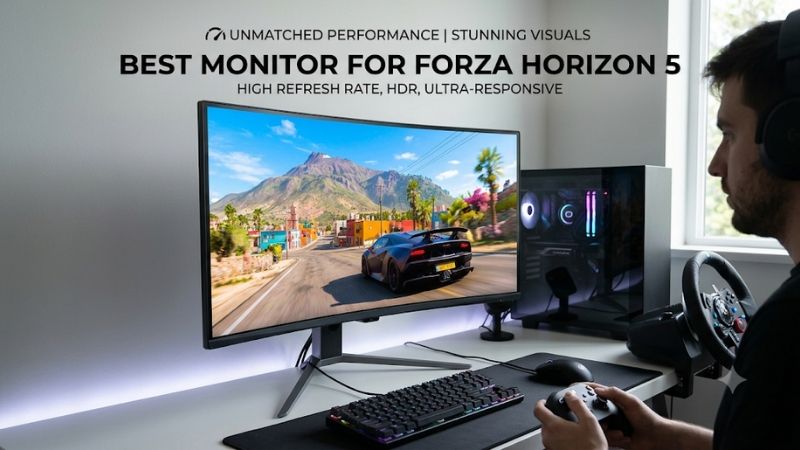
Best monitor for Forza Horizon 5: quick verdict
For most PC players, a 34-inch ultrawide OLED is the most immersive option because the game officially supports 21:9 presentation. If you prefer sharper 4K graphics and a more versatile display, the ASUS ROG Swift OLED PG32UCDM Gen3 is the stronger all-around choice.
Console players should prioritize 4K resolution, HDR, and good motion handling instead of paying extra for ultrawide functionality or extremely high refresh rates.
| Monitor | Best for | Resolution | Refresh rate | Main advantage |
|---|---|---|---|---|
| ASUS ROG Swift OLED PG32UCDM Gen3 | Best overall | 4K | 240Hz | Excellent OLED HDR and detail |
| ASUS ROG Swift OLED PG34WCDN | Best ultrawide for PC | 3440 x 1440 | 360Hz | Immersive 21:9 QD-OLED |
| LG UltraGear 32GX870B-B | Best dual-mode OLED | 4K | 240Hz / 480Hz dual mode | Large screen and excellent motion |
| TCL 32R84 | Best bright-room HDR | 4K | 165Hz | 1,400-zone Mini LED |
| Acer Nitro XV275K P5biipruzx | Best versatile Mini LED | 4K | 160Hz / 320Hz dual mode | Bright HDR and HDMI 2.1 |
| AOC Q27G3XMN | Best lower-cost HDR option | 1440p | 180Hz | Mini LED at a more accessible price |
These picks serve different setups. The ultrawide ASUS is specifically a PC recommendation, while the 4K displays provide more straightforward compatibility across PC and console platforms.
How we selected these Forza Horizon 5 monitors
Forza Horizon 5 is not a conventional competitive shooter. Its visual appeal comes from the open-world environment, vehicle details, dynamic lighting, weather, changing road surfaces, and high-speed movement.
That changes how a monitor should be evaluated.
A display with a very high refresh rate but mediocre contrast may be less enjoyable for this game than a slightly slower monitor with excellent HDR and color reproduction.
The selection process focuses on four areas.
-
Image quality: Resolution, color gamut, contrast, HDR brightness, and local dimming affect how convincing the game’s environments look.
-
Motion performance: Fast pixel transitions help maintain image clarity when driving at high speeds or making rapid camera movements.
-
Platform compatibility: PC users benefit from unlocked frame rates and ultrawide support, while console players need suitable HDMI modes.
-
Ownership considerations: OLED burn-in, panel coatings, stand adjustments, screen size, and connectivity affect long-term usability.
We prioritized exact models with independent reviews from RTINGS and reputable display reviewers. Manufacturer documentation was used to verify panel technology, resolution, refresh rate, connectivity, and other specifications.
One important limitation is that monitor performance does not determine the game’s frame rate. A 240Hz monitor cannot make a GPU render 240 FPS if the graphics card cannot produce those frames. Similarly, a console running Forza Horizon 5 at 60 FPS cannot take advantage of the monitor’s full 240Hz refresh rate for that title.
The recommendations below are therefore based on display characteristics and platform capabilities, not invented Forza FPS benchmarks.
Individual monitor recommendations for Forza Horizon 5
ASUS ROG Swift OLED PG32UCDM Gen3: Best overall
The ASUS ROG Swift OLED PG32UCDM Gen3 is an excellent choice for players who want to experience Forza Horizon 5 with detailed 4K graphics, vibrant colors, and strong HDR performance.
It uses a 31.5-inch Tandem QD-OLED panel with a native resolution of 3840 x 2160 and a 240Hz refresh rate. ASUS specifies a 0.03ms gray-to-gray response time and a peak HDR brightness rating of 1,000 cd/m² under its specified test conditions.
The fourth-generation Tandem QD-OLED panel is one of its biggest advantages. It produces deep blacks and vivid colors, helping the game’s landscapes, colorful vehicles, and sunset lighting stand out.
Forza Horizon 5 includes numerous bright outdoor environments and nighttime driving sequences. The OLED panel can display dark nighttime scenes without the typical gray glow associated with conventional LCD backlighting.
Its HDR capabilities are equally appealing. Bright highlights can stand out against darker surroundings, creating a more convincing visual experience than a basic IPS gaming monitor.
Connectivity is particularly strong. ASUS provides two HDMI 2.1 ports, DisplayPort 2.1a with UHBR20 bandwidth, and USB-C with 90W Power Delivery. It also supports Dolby Vision, which is useful for compatible Xbox content beyond the game itself.
RTINGS independently researched the exact PG32UCDM Gen3 and found that it delivers outstanding PC and console gaming performance. It supports 4K at 120Hz on modern consoles, has sharp motion, and provides strong HDR picture quality.
There are some compromises.
First, QD-OLED black levels can look gray in brightly illuminated rooms because ambient light affects the panel’s perceived black level. Second, the monitor is expensive compared with conventional 4K IPS alternatives.
RTINGS also measured somewhat higher input lag at 120Hz than at 60Hz. This is worth understanding, although the monitor remains responsive for general gaming.
Burn-in is another consideration. ASUS includes OLED Care Pro and a Neo Proximity Sensor that turns the display off when the user moves away. Its US product documentation specifies a three-year warranty that includes panel burn-in coverage.
Buy if you want a premium 4K display for Forza, other cinematic games, and high-performance PC gaming.
Skip if you have a limited budget or primarily play in a brightly illuminated room.
ASUS ROG Swift OLED PG34WCDN: Best ultrawide monitor for PC racing
The ASUS ROG Swift OLED PG34WCDN is arguably the most exciting option for players who want a more immersive Forza Horizon 5 experience on PC.
Its 34-inch curved QD-OLED panel features a 3440 x 1440 resolution and a 21:9 aspect ratio. The maximum refresh rate is 360Hz, while ASUS specifies a 0.03ms GTG response time and VESA DisplayHDR True Black 500 certification.
The most important feature for this game is not its 360Hz refresh rate. It is the ultrawide aspect ratio.
Forza Horizon 5 officially supports 21:9 ultrawide displays on PC. This allows players to see a wider horizontal portion of the environment compared with a standard 16:9 monitor.
That additional viewing area can make high-speed driving more immersive. Players can see more of the road, surrounding scenery, and approaching turns without relying entirely on camera movement.
The curved screen also helps bring the edges into the player’s peripheral vision. This is particularly useful for someone sitting relatively close to a 34-inch monitor.
The fifth-generation QD-OLED panel is another major attraction. RTINGS describes its RGB Stripe subpixel arrangement and finds that it provides excellent image quality, very fast motion handling, and low input lag. The monitor also avoids the distracting VRR flicker observed on some competing OLED models.
Connectivity includes two HDMI 2.1 ports, DisplayPort 2.1, USB-C with 90W Power Delivery, and a USB hub. ASUS also advertises three-year warranty coverage that includes burn-in.
However, there is a major platform limitation.
This monitor’s 21:9 advantage is specifically for PC gaming. PS5 and Xbox consoles output conventional 16:9 gaming images, so console owners should not purchase an ultrawide expecting the same expanded field of view.
There is also the price. ASUS lists the PG34WCDN at $1,299 on its US store, making it a premium enthusiast purchase rather than a practical choice for most casual players.
Buy if you play FH5 on PC and want a wide OLED display that emphasizes immersion.
Skip if you primarily use a console or prefer native 4K resolution.
LG UltraGear 32GX870B-B: Best large dual-mode OLED
The LG UltraGear 32GX870B-B is a strong alternative for gamers who prefer a large 16:9 display rather than an ultrawide monitor.
It uses a 31.5-inch fourth-generation Tandem WOLED panel with a native resolution of 3840 x 2160 and a 240Hz refresh rate.
Its Dual Mode feature allows users to switch to Full HD at up to 480Hz. The display also includes HDMI 2.1, DisplayPort 2.1, USB-C with DisplayPort Alt Mode and 90W Power Delivery, and VRR support.
For Forza Horizon 5, the native 4K mode is the primary attraction.
The larger screen makes vehicle interiors and environmental details easier to appreciate. Its OLED technology also delivers excellent contrast, which is especially useful when driving through dark roads, tunnels, and nighttime environments.
Unlike the ASUS PG34WCDN, this is a conventional widescreen display. That makes it easier to recommend for people who switch between PC gaming, consoles, movies, and productivity applications.
RTINGS independently researched the exact LG 32GX870B-B and found that it performs exceptionally well for both PC and console gaming. Its response time is nearly instantaneous, input lag is low, and it supports 4K/120Hz console signals.
The main picture-quality distinction is its WOLED technology.
Compared with the ASUS Tandem QD-OLED PG32UCDM Gen3, the LG does not produce colors with the same level of vividness. RTINGS also identified noticeable VRR flicker in dark scenes.
Another limitation is Dolby Vision. The LG does not support this format, which may matter to Xbox owners who use compatible Dolby Vision content.
OLED burn-in remains a long-term consideration, especially if the monitor also displays static desktop interfaces for extended periods.
Buy if you want a large 4K OLED monitor with a useful dual-mode feature and excellent motion handling.
Skip if you prioritize the most vivid QD-OLED colors or need Dolby Vision support.
TCL 32R84: Best Mini LED monitor for bright-room gaming
The TCL 32R84 is a compelling option for players who want excellent HDR brightness without choosing OLED.
It uses a 31.5-inch 4K VA panel with quantum-dot technology and Mini LED backlighting. The native refresh rate is 165Hz, and TCL specifies 1,400 local-dimming zones and DisplayHDR 1400 certification.
The screen also covers 96% of the DCI-P3 color gamut according to TCL’s US product documentation. Its connectivity includes HDMI 2.1 and USB-C with 90W power delivery.
The combination of a VA panel and Mini LED backlighting is particularly attractive for Forza Horizon 5.
VA technology provides stronger native contrast than most conventional IPS displays. Mini LED adds more precise backlight control, allowing the monitor to create darker areas next to bright highlights.
This is useful when driving through sunny environments, illuminated cities, and areas with mixed lighting.
TCL’s monitor can also become very bright in HDR, making it suitable for gaming in rooms where some ambient light is unavoidable.
RTINGS tested the exact 32R84 and found that it performs very well for both PC and console gaming. It accepts 4K/120Hz console signals and supports HDR and VRR with PS5 and Xbox Series X|S. Its low input lag and relatively fast response time are additional advantages.
However, the monitor has some visual compromises.
RTINGS identified black smearing behind fast-moving objects in dark scenes. This is associated with VA pixel transitions and may become noticeable during nighttime driving.
The local-dimming system also produces haloing around bright objects against dark backgrounds. VRR flicker can be distracting in darker scenes as well.
TCL lists the monitor at $649.99 on its US product page, compared with a displayed reference price of $999.99 during research. That is a retailer/manufacturer promotion observation, not a guaranteed future selling price.
Buy if you want strong HDR brightness, high native contrast, a large 4K panel, and no OLED burn-in concern.
Skip if you prioritize perfectly clean dark-scene motion or need Dolby Vision with Xbox.
Acer Nitro XV275K P5biipruzx: Best versatile 4K Mini LED monitor
The Acer Nitro XV275K P5biipruzx is a more compact alternative for gamers who want 4K resolution and Mini LED backlighting.
Its 27-inch IPS panel has a native resolution of 3840 x 2160 and a 160Hz refresh rate. The Dual Mode feature allows it to switch to 1080p at up to 320Hz for compatible PC games.
Acer uses 1,152 local-dimming zones, while connectivity includes two HDMI 2.1 ports and DisplayPort 1.4. Its USB-C connection supports DisplayPort Alt Mode, and the stand provides height and swivel adjustment.
Forza Horizon 5 can look particularly sharp on this display.
The 4K resolution provides detailed vehicle textures and environmental elements, while the local-dimming zones improve HDR contrast and brightness.
The IPS technology also provides wider viewing angles than conventional VA monitors. This is useful if the display is shared with someone sitting beside you.
RTINGS tested the exact P5biipruzx revision and found that it supports 4K/120Hz signals from modern consoles, including VRR with PS5 and Xbox Series X|S.
Its motion performance is consistently fast, and input lag is low. These characteristics make it a responsive gaming monitor despite the absence of an OLED panel.
Its Mini LED system has some shortcomings. Bright highlights can produce haloing, while black crush can remove details from dark areas. In addition, the local-dimming system is available in HDR rather than SDR, so black levels are less impressive when local dimming is unavailable.
RTINGS also identified inverse ghosting behind fast-moving objects. This can create visible trails when overdrive settings are too aggressive.
The Acer is particularly useful for players who alternate between detailed 4K games and high-refresh competitive PC titles. However, the 320Hz mode operates at 1080p and is not necessary for Forza Horizon 5 on consoles.
Buy if you want 4K gaming, Mini LED HDR, and flexibility for several gaming genres.
Skip if you want perfect OLED black levels or are sensitive to inverse ghosting.
AOC Q27G3XMN: Best more affordable HDR option
The AOC Q27G3XMN is worth considering if you want better HDR than a conventional inexpensive IPS monitor without moving into the premium 4K price range.
It uses a 27-inch VA panel with a 2560 x 1440 resolution and a 180Hz maximum refresh rate. Its Mini LED backlight includes 336 local-dimming zones, and the monitor carries VESA DisplayHDR 1000 certification.
Forza Horizon 5 benefits from its strong HDR capabilities.
The local-dimming system helps produce more convincing contrast than a conventional edge-lit display. Its VA panel also provides a relatively high native contrast ratio, which helps dark environments appear deeper.
This makes the AOC particularly interesting for players who want to enjoy sunset lighting, illuminated vehicles, and darker road environments without spending several hundred dollars more on OLED.
RTINGS’ independent testing found that the monitor delivers excellent HDR picture quality for its price category. It also provides good responsiveness for general gaming.
Its limitations are important, however.
The VA panel can produce black smearing behind dark moving objects. This can become visible when rapidly changing camera angles during nighttime races.
The monitor also uses HDMI 2.0 rather than HDMI 2.1. It is appropriate for 1440p gaming, but buyers should not expect full 4K/120Hz console input support.
The AOC US product page listed pricing from $218.49 during research. Actual retailer pricing and stock can vary, so it makes sense to compare the final cost with entry-level 4K alternatives.
Buy if you want 1440p HDR and stronger contrast on a more accessible budget.
Skip if you prioritize 4K resolution, HDMI 2.1, or clean motion in dark scenes.
Buying guide: choosing the best monitor for Forza Horizon 5
Choose 4K for detail or ultrawide for immersion
These are two different ways to improve the racing experience.
A 4K monitor displays 3840 x 2160 pixels, providing sharper image detail than 1440p. This is particularly useful for players who enjoy inspecting vehicle interiors, road textures, distant buildings, and detailed scenery.
A 21:9 ultrawide monitor provides additional horizontal screen space. Rather than increasing vertical pixel count, it widens the displayed environment.
Forza’s official PC support documentation specifically identifies 21:9 as a supported format. This makes a 34-inch ultrawide a genuine game-specific advantage rather than a feature that depends on stretching a conventional image.
Choose 4K if you want the sharpest conventional widescreen image.
Choose ultrawide if you primarily play on PC and want greater peripheral immersion.
Understand HDR and panel technology
HDR is valuable in Forza because the game contains many environments with significant differences in brightness.
For example, bright sunlight, reflections from vehicle paint, nighttime roads, and illuminated buildings all benefit from better contrast and highlight reproduction.
OLED generally produces the best black levels because individual pixels can turn off completely.
QD-OLED adds quantum-dot color reproduction, which helps produce vivid colors. Tandem WOLED is another premium OLED implementation with strong brightness and contrast characteristics.
Mini LED is a practical alternative. It uses many smaller backlight zones to improve contrast and HDR brightness without relying on OLED pixels.
However, local dimming is not perfect. Halos can appear around headlights, sunlight, and bright objects against dark backgrounds.
The right option depends on your preferences. OLED is attractive for cinematic image quality, while Mini LED is useful when brightness and static-content concerns matter more.
Match refresh rate to your gaming platform
Forza Horizon 5 benefits from high refresh rates on PC because the game supports unlocked frame rates.
A 144Hz or 165Hz monitor can provide a smooth experience when your graphics card can generate enough frames.
240Hz and 360Hz displays offer additional headroom, but they make less difference when the hardware cannot consistently produce high frame rates.
On consoles, the distinction is much simpler. Since FH5 targets up to 60 FPS on current mainstream console versions, a 120Hz-capable display already provides sufficient refresh-rate headroom for this game.
Do not pay an additional premium for 480Hz or 540Hz specifically for console Forza gameplay.
Consider screen size and viewing distance
A 27-inch monitor is a practical option for smaller desks and players sitting relatively close to the screen.
A 32-inch monitor creates a larger viewing area and works well for detailed 4K gaming.
A 34-inch ultrawide provides more horizontal space, but it requires additional desk width.
For a racing setup with a steering wheel, check the available desk depth and distance between your eyes and the screen. A display positioned too close can make it difficult to follow the entire scene comfortably.
Also consider whether you will use the monitor for other games. A 32-inch 4K display is more flexible if you regularly switch between racing, first-person shooters, and productivity.
Check PC performance before buying a premium display
Forza Horizon 5 can run at high resolutions and unlocked frame rates, but the graphics card determines how much of a monitor’s potential you can use.
A powerful GPU is necessary to take advantage of 4K high-refresh gaming with demanding graphics settings.
A 1440p ultrawide also requires additional GPU resources compared with a standard 2560 x 1440 display because it contains more pixels.
If your current graphics card cannot deliver the frame rate you want, consider buying a better-balanced display instead of spending more on an extremely high-refresh model.
Upscaling and resolution scaling can help, but native rendering, upscaled output, and frame generation should not be treated as identical experiences.
Frequently asked questions
Is an ultrawide monitor worth buying for Forza Horizon 5?
Yes, particularly for PC gamers.
Forza Horizon 5 officially supports 21:9 ultrawide displays, allowing players to see a wider portion of the environment.
This can make racing more immersive, especially when using a cockpit or dashboard camera.
However, console players should generally choose a 16:9 monitor because PS5 and Xbox versions do not offer the same native ultrawide experience.
Is 4K better than 1440p for Forza Horizon 5?
4K provides sharper images and more detailed scenery, particularly on a 32-inch screen.
1440p is easier to drive and can be a better choice for players whose graphics cards prioritize high frame rates.
For a visually focused racing game, 4K is attractive when the hardware can handle it.
Does Forza Horizon 5 support HDR?
Yes. The PC version officially supports HDR, and compatible console setups can also use HDR output.
A good HDR monitor can improve the presentation of bright environments, vehicle reflections, and darker nighttime sequences.
However, HDR support alone does not guarantee strong HDR picture quality. Look for meaningful brightness, contrast, wide color reproduction, and effective local dimming or OLED technology.
Do I need a 240Hz monitor for Forza Horizon 5?
No. A 240Hz monitor is mainly useful for PC players with hardware capable of delivering high frame rates.
For current console versions, Forza Horizon 5 targets up to 60 FPS, so the additional refresh capacity does not increase its frame rate.
A good 120Hz or 144Hz display is already sufficient for the console version.
Is OLED or Mini LED better for racing games?
OLED generally offers better black levels, very fast pixel transitions, and excellent contrast.
Mini LED can offer higher sustained brightness and avoids the same OLED burn-in concerns.
Forza Horizon 5 benefits from both technologies. OLED is particularly attractive for cinematic nighttime driving, while Mini LED is useful for bright environments and HDR highlights.
Final verdict
The ASUS ROG Swift OLED PG32UCDM Gen3 is the best overall choice for players who want 4K detail, vivid HDR, and excellent motion handling. The ASUS PG34WCDN is the more immersive option for PC gamers who want to take advantage of Forza Horizon 5’s official 21:9 support.
The LG 32GX870B-B offers a strong alternative with its 32-inch dual-mode OLED panel, while the TCL 32R84 and Acer Nitro XV275K P5biipruzx provide compelling Mini LED alternatives.
For buyers with a tighter budget, the AOC Q27G3XMN provides a useful combination of 1440p resolution and HDR brightness.
Ultimately, choose a monitor that matches your platform, graphics hardware, and preferred driving perspective. Forza Horizon 5 is a visually rich racing game, so image quality and immersion deserve at least as much attention as maximum refresh rate.









