VRAM safety tips matter when a graphics card looks powerful on a spec sheet but its memory, heat, or power demand becomes the weakest point. This guide focuses on four current GPUs, showing how much VRAM headroom they provide, where each fits best, and which limits buyers should understand before building or upgrading a PC.
How to Choose a Graphics Card
Good VRAM safety tips start by matching memory capacity to the games or creative workloads you actually run. Capacity is only one part of the picture, so this review also weighs resolution, power, cooling, and physical fit. The goal is simple: avoid memory-related slowdowns without paying for hardware you will not use.
VRAM Capacity
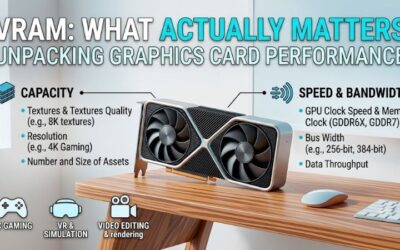
VRAM capacity is the amount of graphics memory available for textures, frame buffers, ray-tracing data, and other assets. More capacity can prevent stutter when a workload exceeds a smaller buffer, especially at 4K or in large projects. For vram safety tips that prioritize headroom, the RTX 5090 is the strongest option here.
Don’t treat a larger VRAM number as a guarantee of greater frame rates. A 16GB card can be better matched when its GPU power matches your display and settings, while a flagship may consume unnecessary budget and electricity. For balanced memory headroom, the RTX 5080 and RTX 5070 Ti are well-rounded, well-balanced choices.
Resolution And Workload
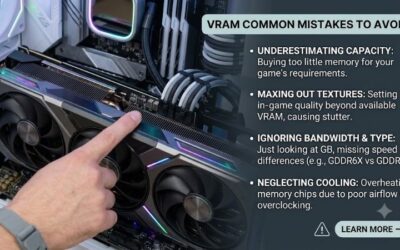
Resolution and texture settings can push VRAM use much faster than a basic FPS target suggests. Ultra textures, path tracing, high-resolution mods, and large creative timelines can create spikes that appear only in demanding scenes. For serious 4K work, the RTX 5090 gives the widest margin, while 16GB cards suit lighter workloads.
Use VRAM capacity as a ceiling to plan around, not memory you must fill. Dropping one texture tier can be more sensible than forcing every setting to maximum, particularly on 1440p. The RTX 5070 Ti is a practical match when you want strong performance with useful memory headroom and lower power needs than the flagship.
Power And Cooling
Power and cooling matter because VRAM sits on a high-power modern graphics board and shares the same thermal environment. Restricted airflow, an undersized PSU, or aggressive tuning can create instability that can closely resemble a memory issue. Among these, the RTX 5060 Ti 16GB is the easiest of the group to cool and power safely.
A safer setup starts with the manufacturer’s power guidance, clear case airflow, and sensible fan behavior before overclocking. Higher-capacity cards remain reliably safe when the system is designed for them, but the margin changes quickly. The RTX 5080 is the middle ground for buyers prepared for an 850W-class platform.
Bandwidth And Fit
Bandwidth, architecture, and physical fit determine how well a GPU can use its VRAM. Two cards with the same capacity may behave differently because their memory bus, compute resources, and cooling design differ. The RTX 5070 Ti combines 16GB with a 256-bit interface, making it a strong balance for demanding 1440p builds.
Also check exact card dimensions and connector requirements instead of assuming every version follows the reference design. A stable system needs enough chassis space and appropriate power cabling. For compact or moderate-power builds, the RTX 5060 Ti 16GB is the straightforward pick, while the RTX 5090 is better for oversized performance systems.
Top Picks
The four picks below turn vram safety tips into practical choices for different builds rather than pretending one graphics card fits every workload. The RTX 5080 is the best overall balance, the RTX 5060 Ti 16GB is the value choice, while the RTX 5090 and RTX 5070 Ti target buyers who need specific levels of VRAM headroom.
| Product | Best For | Key Spec | Watch Out For |
|---|---|---|---|
| NVIDIA GeForce RTX 5080 | Best Overall | 16GB GDDR7, 256-bit, 360W (NVIDIA) | 850W recommended system power |
| NVIDIA GeForce RTX 5060 Ti 16GB | Best Value | 16GB GDDR7, 128-bit, 180W (NVIDIA) | Lower compute performance |
| NVIDIA GeForce RTX 5090 | Best For 4K Enthusiasts | 32GB GDDR7, 512-bit, 575W (NVIDIA) | 1000W recommended system power |
| NVIDIA GeForce RTX 5070 Ti | Best For High-Refresh 1440p | 16GB GDDR7, 256-bit, 300W (NVIDIA) | Needs serious airflow and power planning |
NVIDIA GeForce RTX 5080 — Best Overall
The NVIDIA GeForce RTX 5080 is my Best Overall pick because its 16GB GDDR7 and 256-bit interface provide headroom for demanding gaming workloads. It also supports current NVIDIA DLSS features and carries 360W total graphics power, giving it substantial rendering performance without the RTX 5090’s extreme platform demands.
The drawback is that 16GB can still become a limit for unusually heavy 4K textures, large AI models, or future workloads that exceed current gaming requirements. NVIDIA recommends an 850W system power level, so this card is not a casual upgrade for a much older desktop PC with a weak or aging desktop-class power supply.
NVIDIA GeForce RTX 5060 Ti 16GB — Best Value
The NVIDIA GeForce RTX 5060 Ti 16GB is the Best Value choice for buyers who want useful extra memory capacity without a flagship platform. Its Blackwell GPU offers 16GB GDDR7 on a 128-bit interface, with 180W total graphics power, making it comparatively simple to integrate into a mainstream desktop with reasonable cooling.
Its trade-off is overall compute strength: 16GB does not make it a 4K flagship, and the narrower memory interface reflects its lower overall graphics performance tier. It makes the most sense for 1080p or 1440p users who value memory headroom for demanding textures and creator work more than maximum rendering throughput.
NVIDIA GeForce RTX 5090 — Best For 4K Enthusiasts
The NVIDIA GeForce RTX 5090 is the Best For 4K Enthusiasts because its 32GB GDDR7 and 512-bit interface leave substantially more headroom for demanding assets, high-resolution rendering, and memory-heavy workloads. For vram safety tips centered on avoiding capacity limits, it offers the largest cushion in this shortlist.
The downside is system demand. NVIDIA rates it at 575W total graphics power and recommends a 1000W system power supply, so airflow, cabling, and PSU quality deserve very close attention. Its extra VRAM is valuable, but paying for that headroom makes little sense when your games and projects stay well below the capacity.
NVIDIA GeForce RTX 5070 Ti — Best For High-Refresh 1440p
The NVIDIA GeForce RTX 5070 Ti is the Best For High-Refresh 1440p because it integrates 16GB GDDR7 with a 256-bit interface and 300W total graphics power. That balance provides highly demanding gamers VRAM headroom for demanding texture loads while still avoiding the considerably larger power commitment of the RTX 5090.
The limitation is that 16GB remains a finite ceiling, and 300W still calls for deliberate cooling and power planning. It suits users who want strong 1440p performance with room for heavier settings, rather than buyers chasing maximum memory capacity or absolute GPU throughput. For vram safety tips, that balance is practical.
Frequently Asked Questions
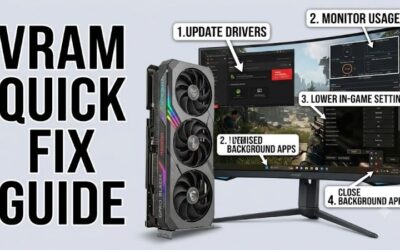
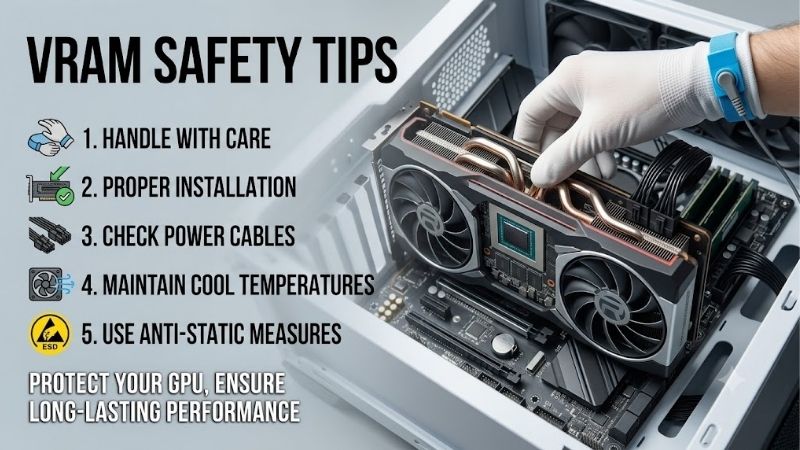
Questions behind vram safety tips often arise because VRAM problems are confused with GPU temperature, system RAM shortages, driver issues, or normal game-engine behavior. The safest approach is to treat VRAM as one part of the complete system, then use workload, temperature, power, and settings together when judging stability.
Is High VRAM Usage Dangerous?
High VRAM usage is not automatically dangerous because graphics cards are designed to allocate memory when a workload needs it. Problems usually appear when the requested workload exceeds practical capacity or when heat, power delivery, or software instability enters the picture, so high usage by itself is not a warning sign.
The useful habit is to watch behavior instead of chasing an arbitrary percentage. Sudden stutter, texture pop-in, crashes, or severe frame-time spikes during the same scene are more informative than seeing memory nearly full. A 16GB card such as the RTX 5080 can therefore operate normally while showing heavy VRAM utilization.
Do You Need The Most VRAM Possible?
You shouldn’t buy the GPU with the highest VRAM unless your workload can use it. Extra memory is most valuable when games, mods, rendering scenes, AI models, or high-resolution projects regularly approach a smaller card’s capacity. Otherwise, GPU compute and total platform cost may matter more than the headline memory number.
For example, the RTX 5090’s 32GB is justified by specialized 4K creator workloads, while the RTX 5060 Ti 16GB can be a stronger fit when sustained memory pressure matters more than maximum rendering speed. Matching capacity to real-world use helps prevent spending unnecessary money on headroom that remains largely unused.
Is VRAM Overclocking Safe?
Overclocking VRAM is not a safety feature and should be treated as optional tuning. Higher memory clocks can add performance, but they can also introduce errors, crashes, visual artifacts, or extra heat that is difficult to diagnose. The stable factory configuration should remain your baseline before experimenting with any memory setting.
A cautious testing pattern is to change settings one at a time, stress-test workloads, and return to stock behavior during instability. The same principle applies to undervolting, where a failed setting can look like a driver or memory problem. These vram safety tips favor repeatable stability over tiny benchmark gains.
How Should You Monitor VRAM Temperature?
VRAM temperature deserves attention, but the exact safe range depends on the board design and sensor reporting. Monitor reported temperatures, watch for persistent throttling or instability, and keep the card’s airflow path clear instead of chasing one universal number. That is practical prevention, not a reason to panic.
Remember that board temperatures vary across models, coolers, room conditions, and fan curves, so compare behavior against the manufacturer’s guidance. The RTX 5070 Ti and RTX 5080 both need proper airflow despite different power levels, while the RTX 5060 Ti is generally easier to manage thermally because its board power is lower.
Final Thoughts
VRAM safety tips are most useful when they lead to a buying decision: enough memory for the workload, enough GPU power for the target resolution, and enough cooling and power capacity for reliable operation. For buyers, the RTX 5080 is the balanced pick; choose the RTX 5090 for extreme 4K and the 5060 Ti 16GB for value.