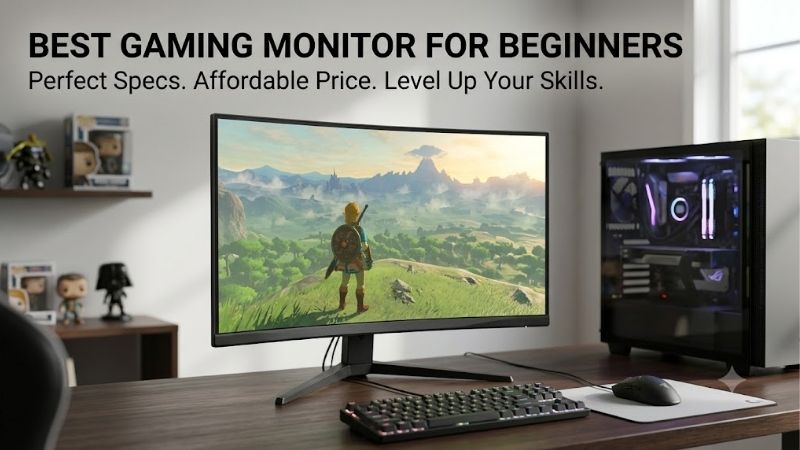
Best gaming monitor for beginners should simplify first-time setup, not force you to decode confusing specifications before play. The strongest choices balance resolution, refresh rate, adaptive sync, image quality, and practical adjustments, so your budget goes toward features you will actually notice from the first gaming session.
Quick answer: For most people in 2026, the best gaming monitor for beginners is the Dell G2724D — our #1 rated choice. See the full ranked comparison, alternatives and buying advice below.
How to Choose a Gaming Monitor
A first gaming display gets tricky amid claims about pixel-response behavior, refresh frequencies, HDR capabilities, and gaming-oriented modes. For best gaming monitor for beginners, the sensible target is a 27-inch IPS monitor with QHD resolution and adaptive sync, unless your PC favors 1080p for higher sustained frame rates.
Resolution And Screen Size
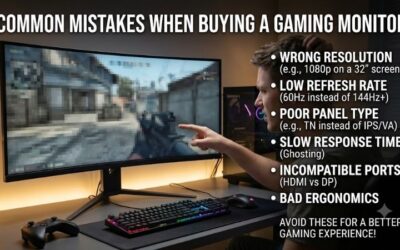
Screen resolution controls perceived detail, while size changes density. At 27 inches, 2560 x 1440 is a sensible middle ground: sharper than 1080p without pushing your graphics card nearly as hard as 4K. It also leaves room for readable desktop typography and crisp interfaces without feeling visually cramped in practice.
QHD is not automatically the best answer for every newcomer. A modest GPU may deliver higher frame rates at 1080p, while a stronger card benefits from sharper 1440p output. For mainstream PCs, 27-inch QHD is a sensible target with enough graphics headroom for modern titles, making Dell G2724D and AOC Q27G4 the clearest fits.
Refresh Rate And VRR
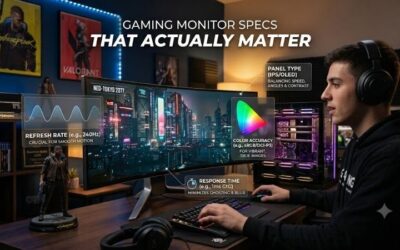
Refresh rate determines screen update frequency, so 144Hz, 165Hz, and 180Hz can look noticeably smoother than 60Hz. Variable refresh rate is equally important because it lets the display follow changing frame rates, reducing tearing when your GPU cannot maintain a fixed target. This is most obvious during fast movement.
Beginners do not need the highest number on the box, but a higher ceiling gives competitive games more headroom. Dell G2724D reaches 165Hz through DisplayPort, while ASUS TUF Gaming VG27AQ3A reaches 180Hz. This suits fast competitive play, making Dell G2724D and ASUS TUF Gaming VG27AQ3A the clearest motion-oriented fits.
Panel Quality And HDR
Panel type shapes the look and feel of a monitor. IPS is usually the safer default because it combines fast pixel response with wide viewing angles and consistent color reproduction. HDR support can add highlights, but entry-level HDR should not be treated as a replacement for a genuinely high-contrast display in dark scenes.
For newcomers playing shooters, RPGs, and everyday PC games, prioritize a good IPS panel before chasing HDR labels. AOC Q27G4 uses a Fast IPS panel with DisplayHDR 400, while MSI G274QPF E2 pairs Rapid IPS with DisplayHDR 400. That makes AOC Q27G4 and MSI G274QPF E2 the clearest IPS-focused picks when HDR is not the main buying priority.
Stand And Connectivity
A good stand matters more than many first-time buyers expect because screen position affects comfort every session. Height, tilt, swivel, and pivot adjustment make it easier to center the display without stacking books underneath. Ports also matter when connecting multiple devices or adding a laptop to the same desk. daily.
Dell G2724D offers height, swivel, pivot, and tilt adjustment, while MSI G274QPF E2 adds height, swivel, pivot, and USB-C DisplayPort input with 15W power delivery. Those differences make Dell G2724D and MSI G274QPF E2 strong matches for adjustable, connection-friendly workspaces during long gaming sessions and daily use.
Top Picks
The best gaming monitor for beginners need not be the costliest model available today. These four picks cover balanced performance, value-oriented hardware, high-refresh motion, and versatile connectivity, letting your decision reflect your PC system, gaming habits, and workspace requirements instead of marketing extras.
| Product | Best For | Key Spec | Watch Out For |
|---|---|---|---|
| Dell G2724D | Best Overall | 27-inch QHD Fast IPS, 165Hz DP, 1ms GtG, DisplayHDR 400 | No built-in speakers or USB hub |
| AOC Q27G4 | Best Value | 27-inch QHD Fast IPS, 180Hz, 1ms GtG, DisplayHDR 400 | Only one HDMI and one DisplayPort |
| ASUS TUF Gaming VG27AQ3A | Best For Fast-Paced Games | 27-inch QHD Fast IPS, 180Hz, 1ms GtG, HDR10, ELMB Sync | No height adjustment |
| MSI G274QPF E2 | Best For Flexible Connections | 27-inch QHD Rapid IPS, 180Hz, 1ms GtG, USB-C DP Alt with 15W PD | 75 x 75mm VESA mount |
Dell G2724D: Best Overall
Dell G2724D is the Best Overall choice for a beginner who wants a straightforward 27-inch QHD gaming monitor. It uses a Fast IPS panel, runs at up to 165Hz over DisplayPort, supports Adaptive-Sync, FreeSync Premium, and G-SYNC compatibility, and carries DisplayHDR 400 certification, making it a best gaming monitor for beginners top choice.
Its strongest practical advantage is the stand: height, swivel, pivot, and tilt adjustments are genuinely useful when setting up a first desk setup. The drawback is simple: there are no built-in speakers or USB hub, so a beginner wanting integrated audio or extra desktop ports will need separate hardware at the workstation.
AOC Q27G4: Best Value
AOC Q27G4 is the Best Value pick for beginners who want QHD resolution and a fast panel without unnecessary extras. Its 27-inch Fast IPS display runs at 180Hz, reaches 1ms GtG, supports Adaptive-Sync, and is G-SYNC compatible, with DisplayHDR 400 for supported content. It makes a strong best gaming monitor for beginners option for mainstream play.
Its main advantage is concentrated gaming hardware, including a 180Hz ceiling and DisplayPort 1.4. The compromise is connectivity: AOC specifies one HDMI 2.0 and one DisplayPort 1.4, plus headphone out, so it is less convenient for a multi-device desk. That matters with multiple video sources, especially for console owners.
ASUS TUF Gaming VG27AQ3A: Best For Fast-Paced Games
ASUS TUF Gaming VG27AQ3A is the Best For Fast-Paced Games choice for a beginner focused on motion clarity and simple gaming features. It combines a 27-inch Fast IPS panel, 2560 x 1440 resolution, 180Hz refresh rate, 1ms GtG response, Adaptive-Sync, ELMB Sync, and HDR10 support, keeping this best gaming monitor for beginners pick speed-focused.
Its advantage is flexibility in gaming settings, including GameVisual modes, GamePlus tools, Shadow Boost, and a low-blue-light feature. The notable limitation is the stand, which supports tilt and swivel but has no height adjustment. That makes desk ergonomics more dependent on your chair and monitor position, especially during long sessions.
MSI G274QPF E2: Best For Flexible Connections
MSI G274QPF E2 is the Best For Flexible Connections pick for beginners adding a laptop or USB-C device later. It uses a 27-inch Rapid IPS panel at 2560 x 1440 and 180Hz, with 1ms GtG, Adaptive-Sync, and DisplayHDR 400 support for a strong all-round specification and practical best gaming monitor for beginners setup overall.
Its standout feature is USB-C input, supporting DisplayPort Alt Mode and up to 15W power delivery, alongside DisplayPort 1.4 and two HDMI 2.0 ports. The catch is the smaller 75 x 75mm VESA pattern, which offers less universal compatibility than 100 x 100mm mounting used by several competing picks, so check your monitor arm.
Frequently Asked Questions
Buying best gaming monitor for beginners creates four genuinely practical questions: how much resolution you need, whether 180Hz matters, which panel type makes sense, and which additional features deserve money. The explanations focus on those decisions instead of treating every gaming feature as equally significant for an initial setup.
Is 1440p Too Much For A First Gaming Monitor?
Is 1440p too much for a first gaming monitor? Usually no, especially at 27 inches, because QHD gives finer detail than 1080p while remaining easier to drive than 4K. The bigger question is your GPU: if it struggles to sustain useful frame rates, 1080p can still be the smarter first choice for smoother settings in demanding games.
Match the monitor to the graphics card you own instead of assuming a future upgrade. A well-equipped midrange-or-better gaming PC can use 1440p comfortably, and Dell G2724D, AOC Q27G4, ASUS TUF Gaming VG27AQ3A, and MSI G274QPF E2 fit that target when games sustain consistent frame rates for demanding modern titles too.
Is 180Hz Worth It For Beginners?
Is 180Hz worth it for beginners? Yes for shooters, racing games, and other fast-paced titles when your PC can produce well above 100 fps. The improvement over 144Hz is real but modest, so it should not outweigh a better panel, stand, or connectivity package when budgets are tight or the rest of the build remains basic.
Treat 180Hz as headroom, not a requirement. If your system spends most of its time around 80 to 120 fps, adaptive sync may matter more than the last few hertz. That is why the AOC Q27G4 and ASUS TUF Gaming VG27AQ3A are sensible motion-focused choices, not automatic winners for every beginner seeking a high-refresh display.
Should A Beginner Buy IPS Or VA?
Should a beginner buy IPS or VA? IPS is the safer default for mixed gaming because it generally provides strong viewing angles, fast response behavior, and consistent color across the screen. VA can produce deeper blacks, but its motion behavior varies by model and can be harder to judge from a specification sheet alone.
For a first purchase, choose based on the games you play and the room you use. A bright room and mixed desktop work favor IPS, while dark-room movie watching can make stronger black levels appealing. The Dell G2724D and MSI G274QPF E2 are especially straightforward IPS choices for a general-purpose gaming desk with varied everyday use.
Do Beginners Need HDR And USB-C?
Do beginners need HDR and USB-C? No. HDR is a meaningful bonus on mainstream gaming monitors, while USB-C matters mainly with a compatible notebook or when one cable should carry video and some power. Neither feature is essential for a solid first-time gaming experience, so both can remain secondary upgrade priorities.
Spend first on foundational features used every session: appropriate resolution, useful refresh rate, adaptive sync, and an ergonomic stand. Then add extras matching hardware. MSI G274QPF E2 makes more sense for USB-C users, while Dell G2724D prioritizes height adjustment, comfortable positioning, and straightforward desk integration.
Final Thoughts
For most first-time buyers, best gaming monitor for beginners should be a balanced 27-inch QHD IPS model with adaptive sync and at least a 144Hz-class refresh rate. Dell G2724D is the easiest overall recommendation, while AOC Q27G4, ASUS TUF Gaming VG27AQ3A, and MSI G274QPF E2 each make stronger sense for specific priorities.
Ready to decide? Our #1 pick for 2026 is the Dell G2724D.
Live price & availability on Amazon.