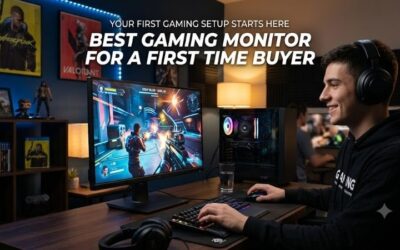
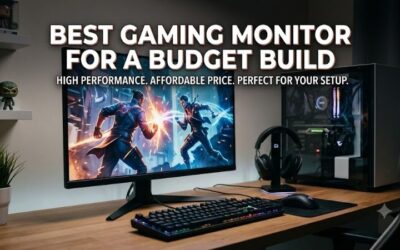
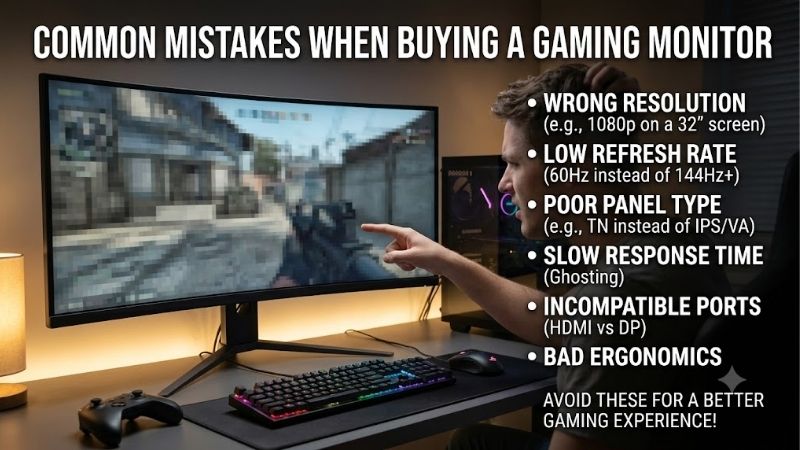
Common mistakes when buying a gaming monitor include excessive resolution for your GPU, trusting response-time claims, and overlooking the stand. Impressive listings can conceal disappointing everyday desk performance. These four gaming monitors show how to match useful features to actual needs without unnecessary upgrades.
Quick answer: Our top pick in 2026 is the AOC 24G4 — our #1 rated choice. See the full ranked comparison, alternatives and buying advice below.
How to Choose Gaming Monitors
This guide explains common mistakes when buying a gaming monitor through four choices with different strengths. Learn how resolution, refresh behavior, stand adjustment, and connections affect purchasing decisions. Each recommendation addresses a specific buying problem, with clear tradeoffs rather than a promise that one screen suits everyone.
Match Resolution to Real Graphics Performance
Resolution affects image detail and rendering demands, so choosing the highest number without checking your GPU can backfire. 1440p produces approximately 78% more pixels per frame than 1080p. That cannot predict precise performance losses, but demanding games may require reduced settings. The Dell G2724D suits hardware prepared for that load.
Among common mistakes when buying a gaming monitor, planning around an unfunded GPU upgrade can prove costly. Examine current-hardware benchmarks at your preferred settings. A 27-inch 1440p panel helps with fine detail and desktop space; 1080p preserves an easier workload. Choose the Dell G2724D when current performance justifies higher resolution.
Separate Refresh Rate From Response-Time Marketing
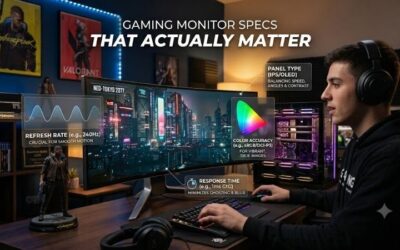
Refresh rate describes panel update frequency; pixel response describes individual transitions. A headline 1ms claim cannot establish uniformly clean motion or minimal system latency. Compare the intended refresh tier against achievable frame rates before spending extra. The MSI G244F E2 offers a 1080p, 180Hz combination for competitive games.
Adaptive sync addresses tearing during supported fluctuations, while overdrive changes pixel transition behavior. Aggressive overdrive can create bright trails, making maximum settings counterproductive. Buyers targeting responsive competitive play should favor refresh capacity over marketing claims. Consider the MSI G244F E2 for that role.
Include Stand Adjustment in the Total Price
A low price loses appeal when fixed-height stands create uncomfortable positioning. Height adjustment controls vertical placement, swivel supports angled seating, and pivot enables portrait use. These controls matter most at shared desks or workstations with restricted seating. The AOC 24G4 includes all three without extra mounting hardware.
Overlooking ergonomics is one of the common mistakes when buying a gaming monitor because accessories introduce unexpected expenses. MSI and ASUS supply tilt-only stands, suited to compatible desk heights. Compare complete setups rather than isolated screens. Choose the AOC 24G4 when flexible placement avoids an additional purchase.
Check Inputs and Everyday Audio Requirements
Connections determine device compatibility and available display modes. Two HDMI inputs help for switching between connected devices, while DisplayPort serves many desktop graphics cards. Built-in speakers simplify basic videos and calls without external audio equipment. The ASUS TUF Gaming VG249Q3A combines those connections with integrated sound.
Port labels alone do not guarantee identical refresh limits across inputs. Confirm the exact model’s supported modes and source-device output before checkout. Account for audio: the Dell lacks speakers, while ASUS provides two 2W units for modest needs. Choose the ASUS TUF Gaming VG249Q3A for suitable audio and connectivity requirements.
Top Picks
Avoiding common mistakes when buying a gaming monitor means selecting purposeful features rather than extensive marketing checklists. These four picks prioritize adjustable placement, conditional value, sharper gaming, or basic integrated audio. Current prices and stock change relative value, so compare complete purchases and seller terms.
| Product | Best For | Key Spec | Watch Out For |
|---|---|---|---|
| AOC 24G4 | Best Overall | 23.8-inch IPS, 1080p, 180Hz; adjustable stand | Less workspace than 1440p |
| MSI G244F E2 | Best Value | 23.8-inch Rapid IPS, 1080p, 180Hz | Tilt-only stand |
| Dell G2724D | Best For 1440p Gaming | 27-inch Fast IPS; 165Hz DisplayPort, 144Hz HDMI | Limited stock; no speakers |
| ASUS TUF Gaming VG249Q3A | Best For Basic Integrated Audio | 23.8-inch IPS, 1080p, 180Hz; two 2W speakers | Fixed stand height; 250-nit brightness |
AOC 24G4: Best Overall
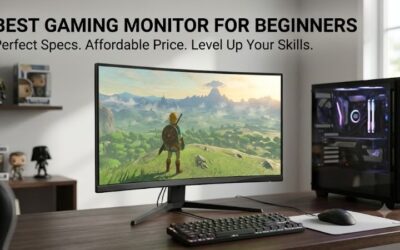
The AOC 24G4 is the overall recommendation for buyers seeking versatile 1080p gaming without aftermarket arm expenses. Its 23.8-inch IPS panel supports 180Hz, while height, swivel, and pivot controls accommodate different desk arrangements. That combination addresses a practical problem: purchasing capable displays with unsuitable positioning.
The compromise involves resolution rather than ergonomics. Its 1080p panel offers less workspace and fine-detail clarity than the Dell’s 1440p display. Buyers prioritizing document work or detailed game environments should evaluate that limitation. For everyday gaming with manageable GPU demands, consider AOC when total costs remain competitive.
MSI G244F E2: Best Value
The MSI G244F E2 earns its value role when discounted below AOC and positioned comfortably without accessories. Its 23.8-inch Rapid IPS panel supports 1920 x 1080 at maximum 180Hz through HDMI or DisplayPort. That provides a useful competitive-gaming specification without unnecessary spending on extensive ergonomic adjustment.
Overlooking accessory expenses contributes to common mistakes when buying a gaming monitor. MSI’s tilt-only stand may require a riser or arm, and its 75 x 75mm VESA pattern requires compatible mounting. Purchase this model without those additional expenses; otherwise, an adjustable alternative may deliver stronger overall value.
Dell G2724D: Best for 1440p Gaming
The Dell G2724D suits buyers prioritizing sharper gaming and expanded workspace over minimal GPU demands. Its 27-inch Fast IPS panel offers 2560 x 1440 resolution, reaching 165Hz through DisplayPort and 144Hz through HDMI. Height, swivel, tilt, and pivot adjustment accommodate gaming and productivity without additional positioning accessories.
Drawbacks include higher rendering demands, absent built-in speakers, and uncertain remaining inventory. Dell currently lists unavailable US-store inventory, so reseller pricing deserves scrutiny. Scarcity cannot justify inflated purchasing prices. Choose the G2724D when reputable inventory, suitable GPU performance, and competitive pricing align.
ASUS TUF Gaming VG249Q3A: Best for Basic Integrated Audio
The ASUS TUF Gaming VG249Q3A suits compact setups needing convenient audio for everyday entertainment. Its 23.8-inch IPS panel combines 1920 x 1080 resolution with maximum 180Hz refresh support. Two HDMI inputs, one DisplayPort input, and two 2W speakers accommodate multiple devices without additional speaker expenses for basic entertainment.
The speakers offer convenience rather than rich bass or accurate positional detail in fast games. Tilt-only adjustment restricts vertical positioning, while specified typical brightness is 250 nits. Strong room glare therefore requires consideration. Choose this ASUS when modest audio needs and suitable desk geometry outweigh adjustable ergonomics.
Frequently Asked Questions
The common mistakes when buying a gaming monitor often arise from oversimplified purchasing advice. Resolution depends on hardware, refresh premiums depend on games, and display size depends on viewing needs. These answers clarify decisions and challenge misleading assumptions before choosing a model or accepting a marketplace discount.
Is a 27-Inch Monitor Always Better Than a 24-Inch Monitor?
No, a larger screen is not automatically better because resolution and viewing distance influence practical benefits. A 27-inch 1440p panel expands workspace and detail, while a 23.8-inch 1080p display keeps graphics demands manageable. Compare your desk depth and primary games before assuming larger dimensions justify additional spending.
For competitive gaming at a compact desk, a smaller display may suit comfortable viewing better. Productivity-focused buyers may instead appreciate the Dell’s larger, higher-resolution workspace. Measure the available desk area, including the stand footprint, before checkout; panel size alone cannot establish the complete installation footprint.
Will a 180Hz Monitor Make Every Game Run at 180 FPS?
No, a 180Hz monitor cannot guarantee 180 frames per second. The GPU, processor, game engine, and selected settings determine rendering performance. The display establishes update capacity rather than guaranteed rendering performance. Benchmark your main games before paying a substantial premium for refresh capacity without practical benefits.
A high-refresh display remains useful with fluctuating frame rates, particularly with supported adaptive sync. However, demanding single-player games may benefit more from balanced image quality than extreme refresh targets. Prioritize your actual game library, not performance numbers from unrelated lightweight competitive games.
Should I Buy a Monitor Mainly for Its HDR Label?
No, an HDR label alone cannot establish purchasing value because signal support cannot establish convincing contrast or highlight performance. Treating HDR branding as premium-quality proof ranks among common mistakes when buying a gaming monitor. Examine the display capabilities instead of interpreting badges as premium-performance guarantees.
If dramatic HDR presentation is your main priority, this shortlist is not a premium-HDR recommendation. These selections emphasize affordable gaming specifications and practical features. For a restrained budget, prioritize dependable SDR use and appropriate resolution; avoid sacrificing useful stand controls or GPU funding merely for HDR branding.
What Should I Check When the Monitor Arrives?
Check for damaged packaging, visible defects, stuck pixels, and reliable connections while the return window remains open. Select intended resolution and refresh through your operating system’s display settings. Initial configuration may restrict maximum refresh, so confirm configuration before questioning advertised refresh specifications.
Keep original packaging throughout testing, and confirm the seller’s return process before replacement becomes urgent. Evaluate normal content as well as uniform screens to assess how distracting defects actually appear. Photograph visible faults and retain order details; clear documentation supports replacement requests and warranty discussions.
Final Thoughts
Avoid common mistakes when buying a gaming monitor by matching hardware and resolution while comparing complete costs. Choose AOC 24G4 for flexible placement, MSI G244F E2 for conditional savings, Dell G2724D for fairly priced 1440p inventory, or ASUS TUF Gaming VG249Q3A for basic audio. Favor concrete requirements over headline specifications.
Ready to decide? Our #1 pick for 2026 is the AOC 24G4.
Live price & availability on Amazon.