Best external ssd for a first time buyer searches usually begin with a full laptop and unclear claims. The Samsung T7 Shield is the strongest starting point here: USB performance and a protected enclosure. Choose differently when pricing, compactness, or verified interface performance matters more, and maintain independent backups.
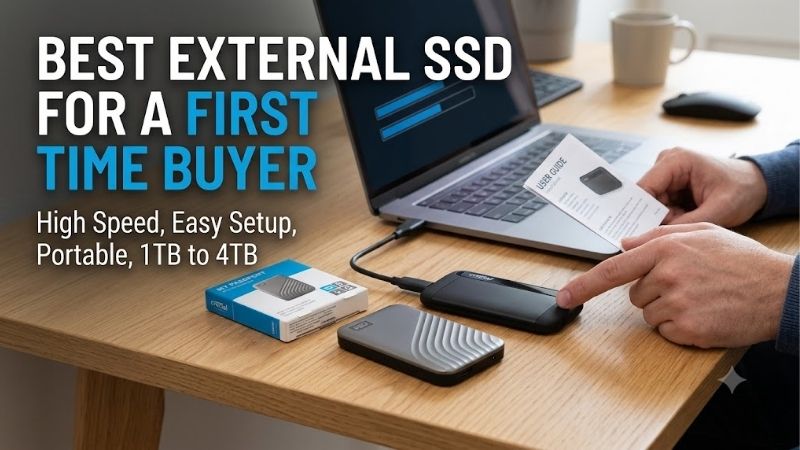
Quick answer: For most people in 2026, the best external ssd for a first time buyer is the Samsung T7 Shield — our #1 rated choice. See the full ranked comparison, alternatives and buying advice below.
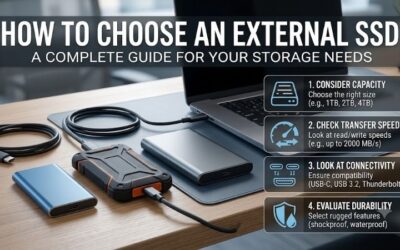
How to Choose an External SSD
Finding the best external ssd for a first time buyer means matching storage with hardware before shopping. This guide separates capacity, connection speed, physical protection, and ownership value, then evaluates four recommendations. Manufacturer speed ratings describe ideal conditions, not guaranteed file-transfer results.
Choose Useful Capacity
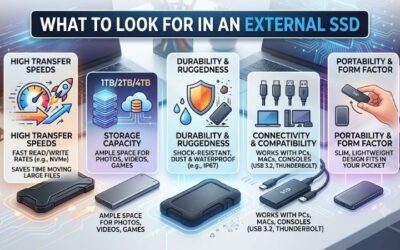
Capacity determines how much you can store before reorganizing folders or replacing storage. Start with the size of your photo collection, documents, game library, or video projects, then allow reasonable growth headroom. Buying excessive capacity raises upfront cost, while buying barely enough complicates storage management.
A 1TB model is a sensible starting point for documents and photos; large video collections can justify 2TB or more. Usable space appears lower after formatting and differences in capacity reporting. The Kingston XS1000 offers 1TB and 2TB choices, making it a straightforward candidate when your capacity requirements remain within that range.
Match Connection Speed
USB-C identifies connector shape, not transfer performance. Check the computer’s documented USB data rate and the cable’s specification before choosing a faster SSD. The Samsung T9 requires USB 3.2 Gen 2×2 to approach its advertised ceiling; a compatible physical socket alone does not establish the necessary Gen 2×2 compatibility.
For the best external ssd for a first time buyer, faster specifications should follow a verified need. A 10Gbps connection suits routine backups and transfers without a 20Gbps host. Choose the Samsung T7 Shield for that practical tier, or the Samsung T9 when your verified Gen 2×2 port and frequent large transfers justify it.
Assess Physical Protection
Protection ratings matter when drives travel beside cameras or outdoor equipment. An IP rating describes tested dust-and-water resistance; it does not guarantee survival after accidental damage. Protective materials also add weight and bulk. Desk-bound buyers can prioritize compactness, while commuters benefit from a guarded enclosure.
The Samsung T7 Shield offers IP65 protection, while the Crucial X9 Pro provides IP55 protection in a smaller footprint. Neither rating permits underwater use or replaces a separate backup. Choose the T7 Shield when enclosure protection is the priority, or the Crucial X9 Pro when portability matters more than maximum dust resistance.
Compare Ownership Value
Value includes usable capacity, included connection accessories, warranty terms, and useful features. Compare identical capacities rather than assuming the lowest sticker price represents value. Rugged housings and higher-speed interfaces can justify extra spending, but they also become unnecessary costs for indoor backups.
The best external ssd for a first time buyer should leave enough budget for another backup. A premium enclosure cannot protect against deletion, theft, or every hardware failure. Choose the Kingston XS1000 when its price undercuts protected models, or the Crucial X9 Pro when pocketable construction earns its additional cost.
Top Picks
The best external ssd for a first time buyer is usually a straightforward 10Gbps model with sufficient capacity and protection. These recommendations address distinct requirements rather than assuming universal maximum-speed needs. The table summarizes manufacturer specifications; subsequent sections explain advantages and purchasing compromises.
| Product | Best For | Key Spec | Watch Out For |
|---|---|---|---|
| Samsung T7 Shield | Best Overall | Up to 1,050 MB/s reads; IP65 | Larger and heavier than compact alternatives |
| Kingston XS1000 | Best Value | Up to 1,050 MB/s reads; 28.7 grams | No advertised IP dust-and-water rating |
| Crucial X9 Pro | Best For Compact Travel | Up to 1,050 MB/s reads and writes; IP55 | Limited to the 10Gbps performance tier |
| Samsung T9 | Best For Large Transfers | Up to 2,000 MB/s reads; USB 3.2 Gen 2×2 | Requires compatible 20Gbps hardware for peak performance |
Samsung T7 Shield: Best Overall
The Samsung T7 Shield is the best overall choice here for beginners wanting storage for backups and travel. Samsung rates sequential reads up to 1,050 MB/s and writes up to 1,000 MB/s over USB 3.2 Gen 2. Its protective construction provides tangible advantages without requiring a specialized 20Gbps connection on compatible computers. news.samsung.com
Its drawback is portability compared with smaller alternatives: it weighs about 98 grams and occupies more space than the Kingston or Crucial options. That tradeoff suits frequent transport better than light packing. Choose it for balanced protection and connection requirements, rather than expecting this group’s highest-performance interface.
Kingston XS1000: Best Value
The Kingston XS1000 is the best value candidate for indoor backups when pricing undercuts environmentally protected alternatives. Kingston specifies reads up to 1,050 MB/s, writes up to 1,000 MB/s, and a 28.7-gram enclosure. Its compact dimensions simplify transporting documents between workplaces without excessive additional weight. Kingston Technology
For the best external ssd for a first time buyer, the XS1000 suits basic storage over environmental protection. Its disadvantage is the absence of an advertised IP dust-and-water rating. Keep it protected during transport, and select another recommendation if outdoor exposure is a frequent requirement in your workflow.
Crucial X9 Pro: Best for Travel
The Crucial X9 Pro is the best for compact travel storage, combining a small enclosure with IP55 protection. Crucial advertises sequential reads and writes up to 1,050 MB/s and a 65-by-50 mm footprint. Those characteristics accommodate photographers and mobile professionals who want protected storage without bulkier protective enclosures. crucial.com
Its advantage is compact dimensions and environmental resistance; its limitation is the 10Gbps performance tier. Buyers with supported 20Gbps ports and frequent large transfers may prefer the T9 instead. Choose the X9 Pro for mobility, especially when a small gear pouch offers little space for storage and connection cables.
Samsung T9: Best for Large Transfers
The Samsung T9 suits large-file transfers on a confirmed USB 3.2 Gen 2×2 computer. Samsung lists sequential reads up to 2,000 MB/s. The 1TB and 2TB versions have writes up to 1,950 MB/s, while the 4TB version reaches up to 2,000 MB/s. Its faster interface earns value when repetitive transfers interrupt productivity. download.semiconductor.samsung.com
The drawback is host dependence: slower ports prevent access to its full interface performance. That makes it a questionable beginner purchase without verified interface compatibility. Choose it for supported hardware and clearly defined transfer workloads, rather than assuming headline specifications guarantee accelerated routine backups.
Frequently Asked Questions
For the best external ssd for a first time buyer, setup and backup habits matter alongside hardware. These answers address capacity, computer compatibility, slower-than-advertised transfers, and file protection. They help distinguish normal behavior from purchasing mistakes before you move irreplaceable files onto portable storage.
Is 1TB Enough?
Yes, 1TB is enough for many first purchases involving documents, photographs, and projects. It becomes restrictive when you want several large game installations or substantial video archives. Measure the folders for storage before ordering, rather than estimating from file counts or assuming photo collections occupy similar space.
Choose 2TB when current files already approach the smaller capacity or growth is substantial. Larger capacity reduces project relocation requirements, but it does not create an independent backup. Allocate your budget across usable space and another copy instead of buying the largest SSD while leaving irreplaceable files lacking redundancy.
Does It Support Windows and Mac?
Yes, an external SSD can work with both Windows and macOS when its filesystem supports both platforms. ExFAT is a common choice for shared file storage. Platform-specific backup tools may require another format, so determine whether the drive will move files across platforms or serve as a dedicated system-backup destination.
Formatting erases existing contents, so copy important files elsewhere before changing the filesystem. Use a supported formatting utility and verify the destination before proceeding. If you need both shared storage and dedicated backup functions, separate drives can simplify management and reduce conflicting format requirements.
Why Are Transfers Slower?
No, transferring below the advertised maximum does not automatically mean the SSD is defective. The slowest element in the transfer path sets the practical limit, including source storage, connection, and workload. Thousands of small files also create different demands from a single large sequential transfer demonstrating peak performance.
Compare a large test file using a supported direct connection before evaluating performance. Slow source storage cannot supply data at maximum rate, and background activity can distort results. Record consistent workloads during comparative evaluations; otherwise, differences in file mix may create misleading hardware-performance impressions.
Is One SSD a Backup?
No, an external SSD alone is not a complete backup plan when it holds unique originals. Moving files off a full laptop creates extra storage, but it does not preserve redundancy if the originals disappear. Maintain independent copies of important data, because portable drives remain vulnerable to failure, misplacement, and accidental deletion.
Preserve recoverable copies through a backup process rather than relying solely on manual transfers. Periodically restore a sample file to verify recoverability, and safely eject the drive after transfers complete. Warranty coverage addresses qualifying hardware issues; it should never be treated as a promise to recover photographs or documents.
Final Thoughts
The best external ssd for a first time buyer is the Samsung T7 Shield for everyday use. Choose Kingston XS1000 for price-led indoor storage, Crucial X9 Pro for compact protected travel, or Samsung T9 for verified 20Gbps transfers. Match capacity to your files, confirm the host connection, and preserve another copy before removing originals.
Ready to decide? Our #1 pick for 2026 is the Samsung T7 Shield.
Live price & availability on Amazon.