Best cpu cooler for a high end build decisions become difficult when a powerful CPU shares a case with a hot graphics card. A cooler can disappoint if clearance, airflow, or workload assumptions are wrong. Start with your CPU demands and verified fit, then choose between radiator capacity and the simplicity of air cooling.
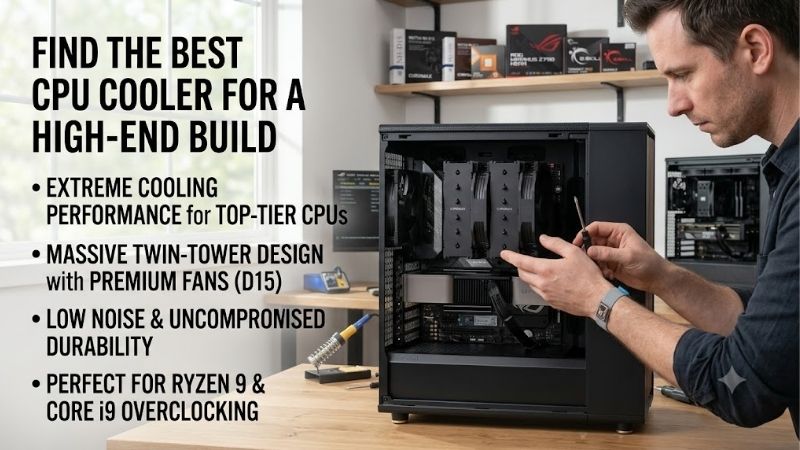
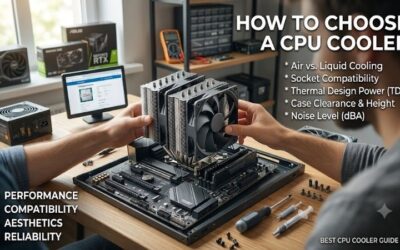
How to Choose a CPU Cooler
This guide identifies the best cpu cooler for a high end build through four options serving priorities: sustained workloads, budget discipline, premium air cooling, and coordinated RGB control. Recommendations follow specs and mounting requirements; no temperatures, noise measurements, or benchmark victories are invented.
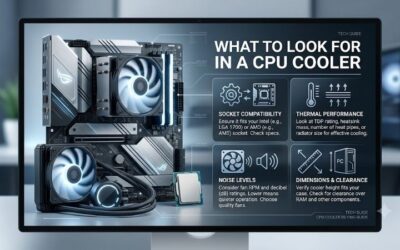
CPU Workload and Cooling Capacity
A processor’s marketing tier does not establish its cooling requirement. Rendering jobs stress cooling differently from games that leave cores lightly loaded. Compare sustained package power and CPU-specific thermal behavior before buying, because a flagship gaming system does not automatically require the largest liquid cooler.
Cooling capacity should match the daily workload you sustain, at your preferred noise level. Avoid treating cooler wattage claims as interchangeable ratings. For a workstation handling long multicore loads, ARCTIC Liquid Freezer III Pro 360 supplies a large radiator format without spending the budget on decorative lighting.
Case Clearance and Component Fit
Case compatibility includes radiator thickness, motherboard clearance, and cooler height, not just fan sizes. A roof labeled for 360mm radiators may still conflict with tall memory or nearby heatsinks. Air coolers also need clearance above their fans, which can exceed the heatsink’s published height when adjustments are necessary.
Measure the installation envelope before selecting the best cpu cooler for a high end build. A compatible socket cannot solve a collision with the side panel or memory. For an enclosure with limited tower clearance, Thermalright Phantom Spirit 120 SE offers a 154mm heatsink, provided the fan position fits your components.
Noise and Fan Control
Acoustics depend on the entire system, including pump tone, fan speed, intake restrictions, and ambient temperature. Manufacturer fan-noise specifications cannot establish a complete cooler’s sound level inside your case. Air cooling removes pump noise, although its fans still become audible when workloads require higher speed.
For a workstation beside your desk, compare cooling at equivalent noise levels instead of choosing the highest RPM. Fan quality and a control curve matter more than simply increasing speed. Noctua NH-D15 G2 provides dual 140mm fans and a pump-free layout for buyers prioritizing premium air cooling over radiator installation.
Wiring and Software Requirements
Controls affect wiring, software requirements, and component replacement. PWM connections suit builders who prefer motherboard-based management, whereas a proprietary ecosystem can simplify coordinated lighting. Neither arrangement guarantees lower temperatures, so choose according to components planned for your system.
Check USB availability, controller power connections, and cables before choosing software-managed cooling. A matched lighting system can be convenient, but it creates dependencies that plain motherboard control avoids. For a build using compatible devices, Corsair iCUE LINK TITAN 360 RX RGB provides integrated ecosystem control.
Top Picks
The best cpu cooler for a high end build depends on your priorities: heat handling, cost, pump-free operation, or lighting. These selections occupy distinct roles rather than claiming equal strengths. Verify socket kits and chassis compatibility before ordering; specifications alone cannot guarantee performance in your system.
| Product | Best For | Key Spec | Watch Out For |
|---|---|---|---|
| ARCTIC Liquid Freezer III Pro 360 | Best Overall | 398 x 120 x 38mm radiator; three P12 Pro fans | At least 63mm radiator-and-fan clearance |
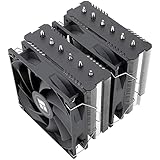
| Thermalright Phantom Spirit 120 SE | Best Value | Seven 6mm heatpipes; 154mm heatsink height | Tall RAM can require raising the front fan |
| Noctua NH-D15 G2 | Best For Premium Air Cooling | Eight heatpipes; dual 140mm fans; 168mm height | Large footprint and memory clearance |
| Corsair iCUE LINK TITAN 360 RX RGB | Best For RGB Showcase Builds | 396 x 120 x 27mm radiator; three RX120 RGB fans | Proprietary controller and connection requirements |
ARCTIC Liquid Freezer III Pro 360: Best Overall
ARCTIC Liquid Freezer III Pro 360 earns Best Overall for a spacious system where a large radiator is welcome. Its radiator measures 398 x 120 x 38mm, and three P12 Pro fans provide a specified 600–3000 RPM range. Separate control options for the pump, radiator fans, and VRM fan make its operating behavior configurable.
The drawback is installation clearance: ARCTIC specifies at least 63mm for the radiator-and-fan assembly. Oversized SSD heatsinks can also interfere with the pump area. This choice favors hardware and control flexibility, but buyers with cramped roof mounts should choose another layout rather than forcing installation.
Thermalright Phantom Spirit 120 SE: Best Value
Thermalright Phantom Spirit 120 SE earns Best Value when its price undercuts premium options. Its dual-tower heatsink uses seven 6mm heatpipes and stands 154mm tall. The pump-free design suits a high-end gaming build where controlling cooling costs leaves more money for graphics hardware without adding liquid-loop components.
Memory clearance is the compromise: the front fan can overlap tall modules, and raising it increases installed height. Buyers seeking the best cpu cooler for a high end build should evaluate CPU workloads before assuming this option covers every scenario. Its value depends on fitting the configuration, not merely costing less.
Noctua NH-D15 G2: Best For Premium Air Cooling
Noctua NH-D15 G2 earns Best For Premium Air Cooling through an eight-heatpipe design, two 140mm NF-A14x25r G2 PWM fans, and a six-year warranty. It suits owners who prefer a tower with replaceable fans and no pump. Included mounting tools and thermal compound also reduce the number of installation items you need to purchase.
The drawback is physical bulk: its installed dimensions are 168 x 150 x 152mm, and taller memory can require further clearance. That footprint excludes many narrower cases and complicates access around the socket. Choose the standard G2 carefully; the HBC and LBC variants have different base profiles for specific contact conditions.
Corsair iCUE LINK TITAN 360 RX RGB: Best For RGB Showcase Builds
Corsair iCUE LINK TITAN 360 RX RGB earns Best For RGB Showcase Builds with three RX120 RGB fans and integrated iCUE LINK connections. Its 396 x 120 x 27mm radiator is thinner than the ARCTIC radiator, although fans still add installation depth. Buyers coordinating Corsair components gain unified lighting and cooling management.
The compromise is reliance on the iCUE LINK hub and associated connections, creating more setup needs than conventional PWM cooling. For the best cpu cooler for a high end build centered on synchronized lighting, that tradeoff can be worthwhile. Optional CapSwap modules cost extra, so evaluate the configuration before buying accessories.
Frequently Asked Questions
Selecting the best cpu cooler for a high end build raises questions beyond specifications. Buyers need to know when liquid cooling helps, whether a radiator fits, how temperatures relate to processor behavior, and what ownership requires. These answers address purchase mistakes without promising universal temperatures or silent operation.
Does a High-End PC Need Liquid Cooling?
No, a high-end PC does not automatically require liquid cooling. An air cooler can be appropriate when CPU demand, chassis airflow, and acoustic expectations align. The relevant distinction is workload, not total system price: a gaming-focused machine and a rendering workstation can have different cooling requirements.
A 360mm AIO becomes attractive when prolonged CPU work benefits from radiator capacity and the enclosure accommodates it comfortably. Liquid cooling also moves the heat exchanger away from the socket. However, the pump adds a component and sound source, so choose it for a thermal or layout requirement rather than appearance alone.
Will Every 360mm AIO Fit My Case?
No, a case advertising 360mm support does not guarantee compatibility with every 360mm cooler. The designation describes the fan format, while radiator length, thickness, fittings, and offsets differ. Consult chassis drawings and cooler measurements, including space occupied by fans, motherboard heatsinks, and nearby cable connections.
If top mounting is obstructed, front mounting may work, but it can reduce graphics card clearance and introduce warmer intake air. Follow the cooler’s orientation instructions and keep the pump from becoming the loop’s highest point. Verify tube routing without tension, and never substitute longer radiator screws without manufacturer approval.
What CPU Temperature Should You Target?
No single temperature suits every CPU. Evaluating the best cpu cooler for a high end build requires checking CPU-specific thermal limits and boost behavior. A hot reading alone cannot establish cooler failure. Compare limits with clock behavior, package power, and workload duration before deciding that replacement cooling is necessary.
Unexpected shutdowns, throttling, or sudden temperature changes deserve investigation first. Check mounting pressure, fan operation, pump reporting where applicable, and dust buildup with power disconnected for physical work. A comparison using the same workload and room conditions is more informative than online screenshots.
Do AIO Coolers Need Refilling?
No, a sealed AIO requires no user refilling, and it should remain sealed unless its manual permits servicing. Routine care involves checking fans and removing dust from accessible surfaces. Disconnect power before physical maintenance, and follow the manufacturer’s instructions rather than opening tubing or electrical assemblies.
Air cooling avoids pump wear and coolant-related aging, while an AIO may eventually require replacement if its sealed loop fails. Warranty length describes coverage rather than a guaranteed operating lifespan. Keep receipts and check replacement terms if your workstation cannot remain unavailable while a cooler is being serviced.
Final Thoughts
The best cpu cooler for a high end build is the one that matches workload and clearance. Choose ARCTIC for a spacious performance build, Thermalright for budget-conscious gaming, Noctua for premium pump-free cooling, or Corsair for coordinated RGB. Spend on features your system uses, and confirm mounting requirements before ordering.