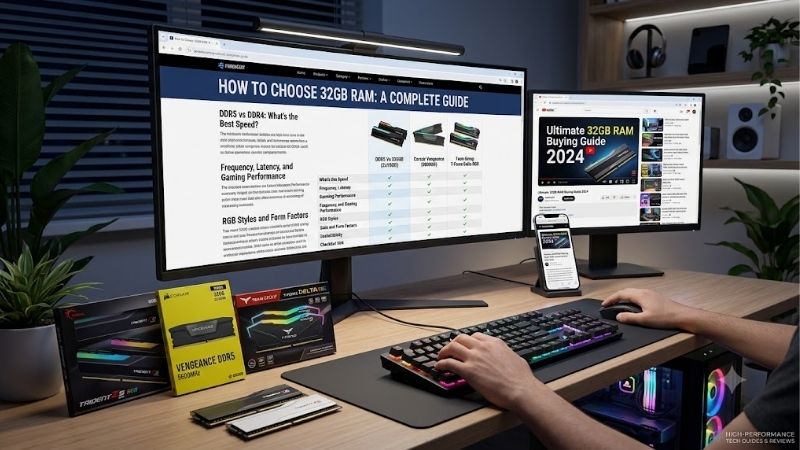
How to choose 32gb ram starts with compatibility, not brand. A 32GB kit fits a new DDR5 PC or an older DDR4 platform, but the wrong generation, speed profile, or module layout can waste money. This guide covers essential checks before buying, then compares four kits by platform, workload, and upgrade path for most new systems too.
Quick answer: Our top pick in 2026 is the Corsair Vengeance LPX 32GB CMK32GX4M2E3200C16 — our #1 rated choice. See the full ranked comparison, alternatives and buying advice below.
How to Choose 32GB RAM
Buying 32GB sounds simple until a motherboard lists several memory generations, speeds, and profiles. The practical answer in how to choose 32gb ram is to match the RAM type to the board first, then compare the 2×16GB kit’s speed, latency, profile support, and physical fit. The four picks make those trade-offs concrete.
DDR Generation And Platform
Memory generation is non-negotiable: DDR4 and DDR5 use different slots and cannot be mixed. Existing DDR4 boards need DDR4, while new AM5 systems need DDR5. Corsair Vengeance LPX and G.Skill Ripjaws V suit DDR4 platforms, while Corsair Vengeance DDR5 and Kingston FURY Beast fit newer DDR5 builds for current systems.
Check the motherboard specification before comparing MT/s numbers, because a faster kit cannot overcome a physical generation mismatch. This is the first filter in how to choose 32gb ram, and it can save the cost of replacing compatible parts. For an existing DDR4 PC, Corsair Vengeance LPX or G.Skill Ripjaws V keeps the upgrade simple.
Speed And Latency
Speed is measured in MT/s, while CAS latency, or CL, describes cycles before data can begin responding. Higher transfer rates increase bandwidth, but lower latency at the same rate is generally preferable. The DDR4 picks run at 3200 CL16 and 3600 CL18; the DDR5 picks both reach 6000 CL30 for direct platform comparison.
Look at speed and timing instead of the largest number. A DDR4 system can use 3200 or 3600 depending on CPU and board, while these DDR5 kits target 6000 CL30. For lower-latency DDR4, G.Skill Ripjaws V leads; for DDR5, Corsair Vengeance and Kingston FURY Beast share the tighter target. This is why how to choose 32gb ram matters.
Kit Layout And Capacity
A matched 2×16GB kit is the cleanest 32GB layout for most desktops because both modules are sold and tested as a set. Two sticks leave more room for future expansion than filling four slots with smaller modules. Corsair Vengeance LPX and Kingston FURY Beast use matched 2×16GB kits for easier upgrades on mainstream boards.
Do not assume a spare stick from another kit will behave identically, even when the model family looks similar. G.Skill advises against mixing memory kits, while Kingston sells FURY Beast as a matched pair. All four picks use the same 2×16GB approach, making this choice predictable for mainstream desktop builds.
Profiles, Height, And Voltage
Profile support affects how easily a kit reaches its advertised setting. Intel XMP and AMD EXPO store tested memory values selected in compatible BIOS firmware, but final speed still depends on the CPU and motherboard. Corsair Vengeance DDR5 and Kingston FURY Beast support both, while Corsair LPX and G.Skill Ripjaws V use XMP 2.0.
Physical height matters with a large air cooler beside the DIMM slots, while rated voltage matters when comparing close specifications. Corsair Vengeance DDR5 is about 35mm tall, Kingston FURY Beast is 34.9mm, and G.Skill Ripjaws V is 42mm. For tighter clearance, the 35mm Corsair Vengeance DDR5 has the practical edge today.
Top Picks
The four picks cover two buying situations: extending a DDR4 system and building a new DDR5 machine. The best choice is not universal. Match the product to your platform, then use speed, latency, profiles, and module size to narrow the field. That is how to choose 32gb ram without guesswork for a planned build.
| Product | Best For | Key Spec | Watch Out For |
|---|---|---|---|
| Corsair Vengeance LPX 32GB CMK32GX4M2E3200C16 | Best Value | DDR4-3200 CL16, 2×16GB, 1.35V, XMP 2.0 | DDR4 platforms only |
| G.Skill Ripjaws V 32GB F4-3600C18D-32GVK | Best For DDR4 Gaming | DDR4-3600 CL18, 2×16GB, 1.35V, XMP 2.0 | 42mm height |
| Corsair Vengeance 32GB CMK32GX5M2B6000Z30 | Best Overall | DDR5-6000 CL30, 2×16GB, 1.40V, EXPO/XMP | Rated speed depends on system support |
| Kingston FURY Beast 32GB KF560C30BBEK2-32 | Best For AM5 Builds | DDR5-6000 CL30, 2×16GB, 1.40V, EXPO/XMP | 34.9mm height and 1.4V profile |
Corsair Vengeance LPX 32GB — Best Value
Corsair Vengeance LPX 32GB (2×16GB) DDR4-3200 C16 is Best Value for an existing DDR4 desktop. It runs at 3200 MT/s with 16-20-20-38 timings at 1.35V and supports XMP 2.0. Its aluminum heatspreader makes it a straightforward capacity-upgrade choice without a motherboard replacement for established DDR4 desktops.
The limitation is the DDR4 platform itself: this kit is not for a DDR5 motherboard, and its rated 3200 setting may require BIOS configuration. For buyers learning how to choose 32gb ram around an older PC, that is a strength and a boundary. It makes sense when the system already uses DDR4 and remains serviceable long-term.
G.Skill Ripjaws V 32GB — Best For DDR4 Gaming
G.Skill Ripjaws V 32GB (2×16GB) DDR4-3600 CL18 is Best For DDR4 Gaming Builds. The F4-3600C18D-32GVK kit reaches 3600 MT/s at 18-22-22-42 and 1.35V with Intel XMP 2.0. Its higher transfer rate adds DDR4 bandwidth while retaining 32GB for gaming, streaming, and multitasking for established DDR4 gaming platforms today.
Its trade-off is a 42mm module height and a platform-focused XMP profile, so it needs more attention to cooler clearance and motherboard support than a compact DDR5 option. The kit fits best when the board and CPU use DDR4, can run 3600 MT/s, and need a memory-focused upgrade with verified support with cooler-aware installation.
Corsair Vengeance 32GB DDR5 — Best Overall
Corsair Vengeance 32GB (2×16GB) DDR5-6000 CL30 is Best Overall for a new DDR5 desktop. Model CMK32GX5M2B6000Z30 is rated at 6000 MT/s, 30-36-36-76, and 1.40V, with AMD EXPO and Intel XMP. Its roughly 35mm height suits many air coolers in compact cases without tall RGB heatspreaders for compact air-cooler builds.
The main drawback is that 6000 MT/s is a tested overclocked setting, not the basic JEDEC speed; Corsair lists 4800 MT/s as the SPD speed. The result depends on the complete system. Buyers should treat this as a platform decision, not simply a speed purchase, because motherboard and CPU support still matters across systems.
Kingston FURY Beast 32GB — Best For AM5
Kingston FURY Beast 32GB (2×16GB) DDR5-6000 CL30 is Best For AM5 Builds. The KF560C30BBEK2-32 kit uses 30-36-36 timings at 1.4V and includes AMD EXPO and Intel XMP profiles. Its 34.9mm heatspreader stays near standard-height DDR5 while targeting tight latency for modern gaming and productivity.
The compromise is the same 1.4V class as the Corsair DDR5 kit, plus a different physical profile that deserves a cooler-clearance check. Kingston lists a JEDEC DDR5-4800 fallback and 6000 profiles, so confirm board support before expecting the top setting, especially on an unfamiliar platform. This is how to choose 32gb ram for practical compatibility.
Frequently Asked Questions
Most 32GB questions come down to three checks: motherboard fit, rated-profile support, and sensible speed and latency. In practice, how to choose 32gb ram means checking the board before the RAM label, then confirming the workload benefits from the chosen speed. The next answers cover capacity, DDR generation, 6000 MT/s, and cooler clearance.
Is 32GB Enough For Gaming PCs?
Yes, 32GB is enough for most gaming PCs today, especially in a 2×16GB configuration. It gives modern games and multitasking more headroom than 16GB while keeping the purchase simple. The key is buying the correct DDR generation for the motherboard rather than chasing capacity alone. That leaves room for background apps.
Heavy video editing, large virtual machines, professional 3D workloads, or unusually large creative projects can justify 48GB or 64GB. For a conventional gaming build, 32GB leaves budget room for the CPU or graphics card, where workload-dependent gains can be more significant than extra memory. The balance varies by software and workload.
Is DDR5-6000 Worth Buying?
Yes, DDR5-6000 is a sensible target for many current DDR5 desktop builds, but it is not universal. A 6000 MT/s kit provides higher bandwidth than common DDR5 defaults, while CL30 keeps the latency target tight. Corsair Vengeance and Kingston FURY Beast represent that combination when the platform supports it in practice.
Do not treat the printed 6000 number as guaranteed on every machine. CPU memory controllers and motherboard firmware affect stability, and the kits have lower JEDEC fallback settings. Check the board’s supported memory list and use the rated profile only when the complete system can handle it; otherwise, select a supported lower setting.
Should I Choose DDR4 Or DDR5?
Choose DDR4 when your motherboard and CPU already use DDR4; choose DDR5 when the platform requires DDR5. The generations are electrically and physically different, so buying a faster generation does not create an upgrade path. Corsair Vengeance LPX and G.Skill Ripjaws V target DDR4, while both DDR5 picks target newer boards.
A platform change can make DDR5 more expensive overall because the motherboard and sometimes the processor also need changing. An existing DDR4 owner should compare the full upgrade cost, not just memory price. For a new build, decide the motherboard first, then order RAM, so compatibility does not become an expensive surprise.
Does RAM Height Matter With Large Coolers?
Yes, module height can matter with large tower air coolers, especially when the cooler fan overlaps the DIMM slots. Corsair lists Vengeance DDR5 at 35mm, Kingston lists FURY Beast at 34.9mm, and G.Skill lists Ripjaws V at 42mm. Those measurements can change how the cooler fits and where its front fan sits.
The practical tip is to compare RAM height with the cooler’s DIMM-clearance specification before assembly. A taller heatspreader is not automatically better or faster. For compact builds, the roughly 35mm Corsair Vengeance DDR5 and 34.9mm Kingston FURY Beast are easier starting points than the 42mm G.Skill kit when clearance is tight in tight cases.
Final Thoughts
Learning how to choose 32gb ram comes down to four filters: generation, speed and latency, matched 2×16GB layout, and profile plus physical compatibility. Start with the motherboard, then compare the four verified options above. DDR4 owners can stay economical, while new DDR5 builders can focus on 6000 CL30 when their platform supports the setting.
Specification verification is based on the manufacturers’ published specifications for Corsair Vengeance LPX, G.Skill Ripjaws V, Corsair Vengeance DDR5, Kingston FURY Beast, plus AMD’s EXPO documentation.
Ready to decide? Our #1 pick for 2026 is the Corsair Vengeance LPX 32GB CMK32GX4M2E3200C16.
Live price & availability on Amazon.