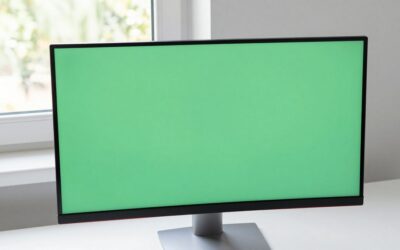
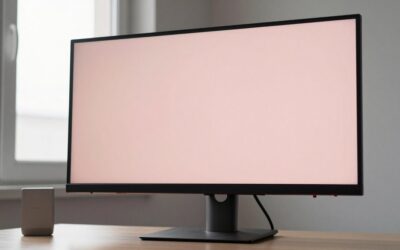
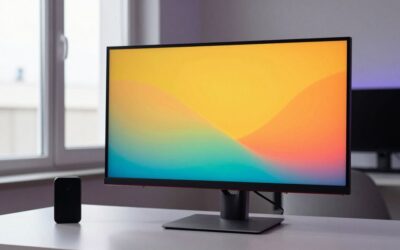
- Top Pick: Philips 24 Inch Computer Monitor FHD 100Hz VA VESA Flicker-Free, 241V8LB
- Best Value: Sceptre New 22-Inch Gaming Monitor, FHD 1080p, Up to 144Hz, HDMI, DisplayPort, Built-in Speakers, Machine Black (E225W-FW144 Series, 2026)
- Premium Choice: Samsung 27" Essential S3 (S36GD) Series FHD 1800R Curved Computer Monitor
Choosing an HD monitor in 2026 means navigating a crowded budget segment where panel type, refresh rate, and build quality diverge sharply despite similar price tags. Most buyers need a single 1080p display that handles work documents, video calls, and casual or competitive gaming without forcing a compromise they will regret within a year. The frustration comes from spec sheets that look comparable on paper while real-world owners report everything from washed-out colors to wobbly stands and missing cables.
What separates a worthwhile HD monitor from a forgettable one usually comes down to three things: whether the panel technology suits your viewing angles and content, whether the refresh rate is consistent without ghosting, and whether the stand or VESA mount option fits your desk reality. This roundup compares published specifications and aggregated owner feedback across eight current models that dominate the value tier, from sub-$70 entry screens to a 32-inch flat panel under $170.
As an Amazon Associate we earn from qualifying purchases at no extra cost to you.





Quick Picks
| Product | Best for | Price |
|---|---|---|
| Philips 241V8LB | Office and home office | Check on Amazon |
| Sceptre E225W-FW144 | Tight-budget gaming | Check on Amazon |
| Samsung Essential S3 (S36GD) | Immersive curved viewing | Check on Amazon |
| Acer KB272 G0bi | Versatile work-and-play | Check on Amazon |
| Philips 221V8LB | Small desks, basic tasks | Check on Amazon |
| Dell SE2426H | Gaming on a budget | Check on Amazon |
| Dell S2425HSM | Ergonomic flexibility | Check on Amazon |
| Samsung 32-inch Flat | Screen real estate | Check on Amazon |
How We Compared
We narrowed this list by weighing panel technology (IPS for color accuracy and viewing angles versus VA for contrast), refresh rate consistency, connectivity breadth (DisplayPort availability matters for multi-monitor rigs), and ergonomic options including VESA compatibility. Price-per-inch and long-term owner reports on backlight uniformity and stand stability served as secondary filters. Every model below carries a full HD 1920×1080 resolution, making this a focused look at the value segment rather than a premium comparison.
The 8 Best Hd Monitor in 2026
Philips 241V8LB
Best for anyone who wants a dependable office HD monitor with flicker-free comfort during long sessions. The 100Hz VA panel on a 24-inch canvas delivers deeper blacks than budget IPS rivals, and VESA support means you are not locked into the included stand. Owners frequently praise the LowBlue Mode and the clean bezel design.
- Pro: VA contrast ratio produces richer dark tones for spreadsheets and media.
- Pro: VESA 100×100 mount compatibility at under $75 is uncommon in this tier.
- Con: Only one HDMI input and no DisplayPort, limiting multi-source setups.
Skip it if you need 144Hz or higher for competitive gaming, or if you require multiple digital inputs for a docked laptop plus a console.
Sceptre E225W-FW144
At just under $65, this 22-inch HD monitor is the most affordable 144Hz option with both HDMI and DisplayPort included in the box. Gamers on tight budgets appreciate the built-in speakers as a space saver, and the 1080p resolution on 22 inches yields a noticeably crisp image. The machine black finish blends into darker desk setups.
- Pro: Ships with both HDMI and DisplayPort, rare at this price.
- Pro: Integrated speakers eliminate the need for separate audio.
- Con: Small screen size limits multitasking comfort for window-heavy workflows.
Skip it if you work with large spreadsheets or prefer a screen over 24 inches; the 22-inch form factor can feel cramped for productivity.
Samsung Essential S3 (S36GD)
The 1800R curve on this 27-inch HD monitor wraps the image around your peripheral vision, reducing eye strain during extended use. Samsung’s panel uniformity is a consistent highlight in owner reviews, and the S3 line benefits from the brand’s warranty infrastructure. It suits anyone prioritizing comfort over raw gaming speed.
- Pro: Curved 1800R geometry minimizes glare and distortion at the edges.
- Pro: 27-inch canvas provides generous workspace without demanding 1440p.
- Con: No height-adjustable stand; you will need a separate arm for proper ergonomics.
Skip it if you need adjustable stand height out of the box or if you are a fast-pace competitive gamer who requires 144Hz or more.
Acer KB272 G0bi
This 27-inch IPS HD monitor bridges the gap between office productivity and moderate gaming with its 120Hz refresh rate. IPS technology ensures color consistency across wide viewing angles, making it a solid choice for content reviewers who share their screen. The 1920×1080 resolution on 27 inches is a known trade-off that most owners accept for the size advantage.
- Pro: IPS panel delivers accurate color reproduction for media and creative tasks.
- Pro: 120Hz refresh feels smooth without requiring top-tier GPU output.
- Con: Pixel density on 27 inches at 1080p produces visible grain up close.
Skip it if you sit less than two feet from the screen or if text sharpness matters more than size; a 24-inch panel at the same resolution renders crisper.
Philips 221V8LB
The compact sibling to the 241V8LB, this 22-inch HD monitor fits where larger displays cannot. It shares the same 100Hz VA panel, flicker-free backlighting, and VESA mount support, making it ideal for dorm rooms, kiosks, or secondary positions. Owners note it runs cool and quiet, with no fan noise or coil whine complaints.
- Pro: VESA compatible at a sub-$72 price point.
- Pro: Flicker-free and LowBlue Mode reduce fatigue across all-day use.
- Con: 100Hz refresh falls short of the 144Hz baseline many gamers now expect.
Skip it if your primary use is competitive gaming or if you need a primary display for multitasking; the 22-inch footprint is best as a utility or secondary screen.
Dell SE2426H
Dell brings 144Hz and AMD FreeSync to a 23.8-inch IPS HD monitor at $100, with a 1ms response time that targets gamers who also do daytime work. The dual HDMI ports with TUV 3-Star certification signal solid signal integrity, and the tilt stand is a modest but welcome ergonomic touch at this price.
- Pro: 144Hz with FreeSync eliminates tearing without requiring a GPU unlock.
- Pro: IPS panel keeps colors consistent when viewed off-angle on a shared desk.
- Con: Tilt-only stand; no height, swivel, or pivot adjustment.
Skip it if you need full ergonomic adjustment from the stand itself or if you require a DisplayPort input for a specific GPU or docking station.
Dell S2425HSM
This Plus-tier model adds height, tilt, pivot, and swivel adjustment to the same 23.8-inch 144Hz IPS HD monitor platform, plus dual 3W speakers. The Ash White finish stands out on bright desks. For buyers who want a single purchase that covers both gaming performance and ergonomic longevity, this is the strongest all-around package under $120.
- Pro: Full four-axis stand adjustability rivals monitors twice the price.
- Pro: Integrated speakers are adequate for calls and casual media.
- Con: $20 premium over the SE2426H is noticeable if you already own a VESA arm.
Skip it if you will mount the display on an existing arm; the SE2426H gives you identical panel performance for less.
Samsung 32-inch Flat
At $170, this flat HD monitor offers the most physical screen real estate in the lineup. For anyone who has been running multiple small monitors and wants to simplify, a single 32-inch 1080p panel is a valid path despite the lower pixel density. Samsung’s design language keeps it looking sharp on any desk.
- Pro: 32 inches of screen space replaces a dual-monitor setup at lower cost.
- Pro: Flat panel avoids the glare issues some curved models introduce near windows.
- Con: 1080p on 32 inches results in coarse pixel pitch visible from typical sitting distances.
Skip it if text clarity or image sharpness matters for your workflow; consider 1440p at this size if your budget allows any stretch.
Buying Guide
Panel Type Determines Your Experience More Than Brand
VA panels like the Philips models produce higher contrast ratios, meaning deeper blacks and more vivid dark scenes, but colors shift noticeably when viewed off-center. IPS panels such as those on the Dell and Acer options hold color fidelity across wide angles at the cost of some backlight glow. For a single-user desk setup, IPS is the safer default; for media consumption in a dark room, VA wins.
Refresh Rate and Response Time Work as a Pair
A 144Hz HD monitor paired with a slow response time still shows ghosting behind moving objects. Look for models advertising both high refresh and a stated 1ms (GtG or MPRT) response, as the Dell SE2426H and S2425HSM do. A 100Hz panel without a specified response time may feel perfectly smooth for office use but can smear in fast games.
Connectivity and Mounting Decide Long-Term Flexibility
At under $120, many buyers overlook whether a DisplayPort input is included, then discover their GPU or dock requires it. Similarly, VESA compatibility determines whether you are committed to the stock stand for the monitor’s lifetime. If you plan to upgrade to a monitor arm within a year, prioritize VESA support over stand adjustability.
Our Verdict
For most readers, the Dell S2425HSM is the top pick: 144Hz, IPS color accuracy, FreeSync, full stand adjustment, and integrated speakers in one package. The budget pick goes to the Sceptre E225W-FW144, which delivers 144Hz and DisplayPort connectivity at a price no competitor matches. However, if you already own a VESA arm and care only about panel performance, the Dell SE2426H delivers identical specs for $20 less, making it the smarter buy in that specific scenario.
FAQ
Is 1080p still sufficient on a 27-inch HD monitor?
It depends on viewing distance. At roughly 26 to 30 inches, most users find text readable and media acceptable, though fine detail and small fonts lose sharpness compared to a 24-inch panel at the same resolution. If you sit closer than 24 inches, a smaller screen or a 1440p upgrade is advisable.
Do I need a DisplayPort input on a budget HD monitor?
DisplayPort remains the most reliable path to achieving the maximum refresh rate a monitor supports, particularly when paired with older GPUs or specific docking stations. If your setup is strictly HDMI 2.0 or newer, the omission may not affect you, but including the port future-proofs the purchase.
Are built-in speakers on a gaming monitor actually useful?
They work adequately for video calls, system sounds, and casual media in a quiet room. For gaming or anything involving sustained audio, they are underpowered compared to even entry-level external speakers or a headset. Treat them as a convenience feature rather than a reason to choose one monitor over another.
What is the difference between 100Hz and 144Hz in daily use?
On a 100Hz HD monitor, desktop scrolling and cursor movement feel smooth for general productivity. The jump to 144Hz becomes noticeable primarily in fast-motion gaming or on displays where the GPU can consistently push frames above 100. For non-gaming use, the difference is marginal enough that other factors should drive the decision.
Top picks from this guide
 SceptreSceptre New 22-Inch Gaming Monitor, FHD 1080p, Up to 144Hz,…$65 \xc2\xb7 99/100
 Philips Computer MonitorsPhilips 24 Inch Computer Monitor FHD 100Hz VA VESA Flicker-Free,…$80 \xc2\xb7 98/100
 DellDell 24 Monitor - SE2426H - 23.8-inch FHD (1920x1080) 144Hz…$90 \xc2\xb7 98/100
 SamsungSamsung 27" Essential S3 (S36GD) Series FHD 1800R Curved Computer…$130 \xc2\xb7 98/100