- Top Pick: Computer PC Power Supply Tester | 1.8'' LCD Screen, Aluminum Alloy Enclosure, ATX/ITX/IDE/HDD/SATA/BYI Connectors Power Supply Tester
- Best Value: ATX Power Supply Tester, 20/24 4/6/8 Pin Computer Host Inspection and Maintenance Tester Tool, with Buzzer and LCD Display, for ATX, ITX, BTX, PCI E, SATA, HDD
- Premium Choice: Rack Mount Power Strip – 240V 30A Single Phase PDU with Built-in Surge Protector, Volt & Amp Meter for Data Center – 19” Metal Housing, Ears & Fittings Included, 6’ Cable, 6 Outlets
Picking the right power supply wattage is one of the most misunderstood parts of a build. Undersize it and your PC shuts off mid-game or refuses to boot; wildly oversize it and you waste money and run less efficiently. The goal in 2026 is to match your components’ real draw with sensible headroom, not to buy the biggest number on the shelf.
This guide shows you how to calculate your actual wattage need, pick the right efficiency and modularity, and verify a used or suspect unit with a PSU tester before you trust it with expensive parts. A simple ATX power supply tester with an LCD readout catches a dying unit before it takes your GPU down with it.
As an Amazon Associate we earn from qualifying purchases at no extra cost to you.


⚡ Save on Your Next PC — Amazon Prime
Prime members get fast free shipping on the systems above, plus early access to Prime Day & Black Friday PC deals. New members get a 30-day free trial.
Watch: How to Pick the Right PSU Wattage — Video Review
Calculate Your Real Power Draw
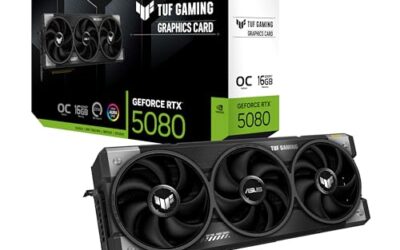
Add the peak draw of your CPU and GPU, then pad for everything else. A Ryzen 7 or Core i7 pulls 105-150W under load; an RTX 5070 pulls around 250W, an RTX 5080 around 360W. Add roughly 100W for the motherboard, drives, RAM, and fans. So a 5080 build draws about 610W at peak, and you want a PSU rated above that.
Add the Right Headroom
- Target 60-70% of the PSU’s rated wattage at full load; that is where efficiency and fan noise are best.
- For the 610W example, a 850W unit sits at a comfortable 72% and leaves room for a future GPU upgrade.
- Modern GPUs spike transiently far above their rated draw, so headroom prevents shutdowns during those microsecond peaks.
Choose Efficiency and Modularity
Look for at least 80 Plus Gold; it wastes less power as heat and usually signals better internal components. Fully modular units let you use only the cables you need for cleaner airflow. Confirm the unit has the native 12V-2×6 (12VHPWR) connector if you are running a current-gen Nvidia card, so you avoid daisy-chained adapters.
Match the Form Factor
Standard ATX towers take an ATX PSU; small-form-factor cases need an SFX or SFX-L unit. Measure your case’s PSU bay depth before buying a long high-wattage unit, since some 1000W models are physically longer and can foul cable routing or drive cages.
Test Before You Trust It
If you buy used or suspect a flaky unit, a dedicated power supply tester like an ATX 20/24-pin tester with an LCD screen confirms every rail outputs correct voltage before you connect it to your components. It is a cheap insurance step that beats troubleshooting a no-boot PC by swapping parts blindly.
Tips
- Buy from a reputable brand with a 7-10 year warranty; the PSU protects everything else.
- Do not reuse the cables from a different PSU model, even same-brand; pinouts differ and can fry parts.
- Leave 150-200W of headroom if you plan a GPU upgrade within two years.
- A PSU tester verifies rails but not full-load stability; still stress-test the finished build.
Frequently Asked Questions
Is a higher-wattage PSU always safer?
Not always. A quality 850W Gold unit is better than a cheap 1200W one. Efficiency, build quality, and warranty matter more than raw wattage above your actual need.
What happens if my PSU is too weak?
Random shutdowns under load, failure to boot, or an instant power-off when the GPU spikes. It can also stress the unit into early failure.
Do I need the 12VHPWR connector?
Yes if you run a current-generation Nvidia GPU. A native connector is safer than a bundle of adapters and avoids the seating issues those adapters can cause.
How do I know a used PSU is good?
Test it with a PSU tester for correct rail voltages, check for a recent manufacture date, and stress-test the assembled system. A tester catches dead rails instantly.
Conclusion
Right-sizing a PSU means calculating your peak draw, adding 30-40% headroom, and choosing an 80 Plus Gold unit with the correct connectors. Skip the temptation to buy the biggest number, verify any questionable unit with a tester, and your build will run cool, quiet, and reliably for years.