Choosing a prebuilt gaming PC isn’t just about specs on a page. The company behind the build determines your cable management, thermal design, component quality, and how painless the warranty experience will be if something goes wrong. A great spec sheet from a careless assembler can still translate into a noisy, throttling machine.
- Watch: Best Pre Built Gaming PC Company — Video Review
- How to Choose a Prebuilt PC Company
- The Best Prebuilt Gaming PCs Reviewed
- What to Look For in a Prebuilt Gaming PC Company
- Which One Should You Buy?
- Common Mistakes When Buying From a Prebuilt PC Company
- What to Check in the First Week
- Reading a Listing Line by Line
- Questions to Ask a Seller Before Buying
- Frequently Asked Questions
- Final Thoughts
- Related Articles
- Related Guides
To help you buy from a maker you can trust, we’ve highlighted standout systems from the most reliable prebuilt brands across a range of budgets. Below you’ll find our picks, a practical framework for evaluating any prebuilt company, and honest reviews of each system.



🎮 Get More From Your Setup — Free
Prime Gaming gives you free PC games every month, in-game loot, and a free Twitch channel sub — plus fast free shipping on all the gear above. New members get a 30-day free trial.
Watch: Best Pre Built Gaming PC Company — Video Review
How to Choose a Prebuilt PC Company
- Component transparency: Reputable builders name the exact PSU, motherboard, and cooler. Vague listings often hide the weakest links in the system.
- Thermal design: Look for real airflow or liquid cooling, not just RGB fans. Good thermals protect the performance you paid for.
- Warranty and support: A solid warranty and responsive support matter most on a prebuilt, since you’re trusting someone else’s assembly.
- Upgrade friendliness: A capable PSU and standard parts make future GPU or storage swaps easy. Proprietary designs can lock you in.
- Value at your budget: Compare the GPU and CPU pairing against the price. The best companies balance components rather than overspending in one area.
The Best Prebuilt Gaming PCs Reviewed
KOTIN RTX 5070 + Ryzen 7 9700X
This KOTIN flagship pairs a powerful RTX 5070 with a current-gen Ryzen 7 9700X, 32GB of DDR5, and a 1TB SSD. It’s a high-performance build from a company known for clean assembly and strong cooling.
ZOTAC MEK RTX 5080 + Ryzen 7 9800X3D
ZOTAC’s MEK line represents boutique-grade prebuilts, and this RTX 5080 configuration with the gaming-focused 9800X3D is a genuine enthusiast machine. It’s our pick when performance is the priority.
KOTIN Ryzen 5 9600X + RTX 5060 Ti
A more accessible KOTIN build, this pairs a Ryzen 5 9600X with an RTX 5060 Ti and 16GB of DDR5. It’s a well-balanced mid-range system that delivers excellent 1440p frames for the money.
ZOTAC MEK RTX 5060 Ti 16GB
This MEK configuration leans on the 16GB RTX 5060 Ti and a Ryzen 7 9700X, offering generous VRAM for future titles. ZOTAC’s build quality makes it a dependable long-term choice.
OKAMUS Budget i5 Starter
The entry point here, this OKAMUS uses an i5 with integrated graphics and a 400W PSU. It’s aimed at light or esports gaming and buyers who plan to add a dedicated GPU down the line.
What to Look For in a Prebuilt Gaming PC Company
The brand name matters less than what the builder discloses and how the machine is assembled. These checks separate a dependable seller from a risky one.
A Complete, Named Parts List
A trustworthy listing names the motherboard, power supply, memory, and storage, not just the processor and graphics card. Vague phrases such as “fast RAM” or “high-end GPU” make it impossible to judge quality. If the power supply brand and efficiency rating are missing, assume the worst, since unbranded units may lack basic over-voltage and over-current protection.
Memory Configuration
Many budget systems ship with a single memory stick, which runs in single-channel mode and can lose roughly 10 to 30 percent of frame rate in some games, depending on the source. Even with two sticks, they must sit in the correct slots to run in dual-channel. Look for two matched modules and for XMP or EXPO support.
Standard Parts Versus Proprietary Ones
Large OEM brands sometimes use non-standard motherboard sizes and power connectors, which makes later upgrades harder. System builders that use off-the-shelf components leave you free to swap a graphics card, power supply, or case. Check whether a standard ATX power supply and a standard motherboard are listed.
Warranty and Support
Read the warranty length and what it covers: parts, labor, and shipping. A company that replaces failed components quickly is worth more than a longer warranty that is slow to respond. Look for a clear return window and a physical support contact.
Matching the Machine to Its Job
A strong graphics card paired with a weak processor, or the other way round, wastes the spend. Balanced pairings such as a mid-range card with a modern six or eight-core processor generally deliver more consistent results than a flagship card on a very old chip.
Which One Should You Buy?
| If you… | Choose… |
|---|---|
| want a flagship-class build with an RTX 5080 and a 3D V-Cache processor | ZOTAC MEK RTX 5080 + Ryzen 7 9800X3D |
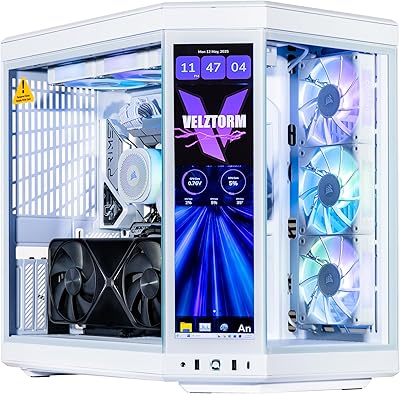
| want high-end graphics with a custom-built look and a touch screen | Velztorm LCD White Praetix Custom Built Y70 Touch Gaming Desktop PC |
| need lots of storage alongside top-tier parts | CLX Set Gaming PC (Core i9 14900KF, RTX 5080, 2TB NVMe M.2 SSD, 4TB HDD) |
| want a mid-to-high graphics tier on a more moderate build | KOTIN RTX 5070 + Ryzen 7 9700X |
| want a balanced mid-range system with 16 GB of graphics memory | ZOTAC MEK RTX 5060 Ti 16GB |
| want a current-generation six-core processor paired with a 5060 Ti | KOTIN Ryzen 5 9600X + RTX 5060 Ti |
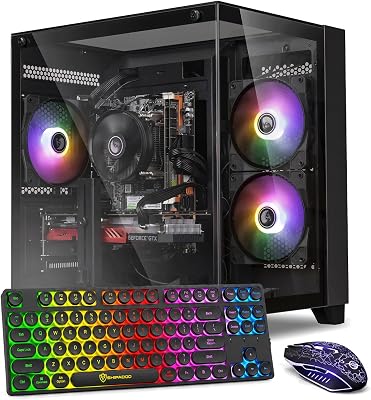
| need a basic machine for light games and everyday tasks | suevery Pre Built Gaming PC or suevery Black Desktop Computer |
| need the simplest entry system with integrated graphics for office use | GPVHOSO Prebuilt Gaming PC Desktop (Ryzen 3 3200G) |
Common Mistakes When Buying From a Prebuilt PC Company
- Judging by the graphics card name alone. The rest of the system decides stability, noise, and upgrade options.
- Ignoring the power supply. A weak or unnamed unit can cause crashes and, in the worst case, damage other parts.
- Overlooking storage details. Small drives fill fast, and low-grade drives can slow loading. Look for a stated NVMe capacity from a named maker.
- Buying a flagship graphics card with minimal memory. Match the memory amount to the card. Systems with 8 GB of system RAM or an older entry processor limit even a good card.
- Skipping return and warranty terms. A defect found in the first week is easiest to fix when the return window is long and clear.
- Assuming a custom-looking case means quality airflow. Check fan count and placement, because glass panels and tight layouts can trap heat.
What to Check in the First Week
- Open the system information tool and confirm the processor, memory amount, and memory speed match the listing.
- Verify that the memory runs in dual-channel mode and that XMP or EXPO is enabled in the BIOS.
- Update the graphics driver and the BIOS, then run a demanding game for an hour while watching temperatures.
- Check that all fans spin and that the case has no loose cables touching them.
- Photograph the build and keep proof of purchase for the warranty claim.
Reading a Listing Line by Line
| Listing field | What good looks like | Warning sign |
|---|---|---|
| Processor and graphics card | Exact model names | Only a series name or “latest generation” |
| Memory | Two modules, capacity and speed listed | A single stick, or no speed given |
| Storage | NVMe SSD with stated capacity | A vague “fast storage” claim |
| Power supply | Named brand, wattage, and efficiency rating | Missing or listed as “generic” |
| Motherboard | Named model and chipset | Not mentioned at all |
| Cooling | Cooler type and fan count shown | No information on thermals |
A seller that fills in every row with specifics is easier to trust, because accountability starts with disclosure. When several rows are missing, it is usually wiser to move to a different listing.
Questions to Ask a Seller Before Buying
- Which exact power supply and motherboard model ship in this configuration?
- Is the memory installed as two modules, and does it run at its rated speed?
- Does the warranty cover parts, labor, and return shipping, and for how long?
- Can the BIOS and drivers be updated without voiding support?
Frequently Asked Questions
Are prebuilt PCs worth it compared to building?
Yes for most people. Prebuilts save time, include warranties, and eliminate troubleshooting, though experienced builders can sometimes match the specs for less.
Which prebuilt brand is the most reliable?
Reliability comes down to transparent components and good support rather than a single name. Brands like ZOTAC and KOTIN consistently earn trust for clean, well-cooled builds.
Can I upgrade a prebuilt gaming PC?
Most of these use standard parts, so GPU, RAM, and storage upgrades are straightforward. Check the PSU wattage first to ensure it supports a bigger card.
Do prebuilts come with a warranty?
Reputable prebuilt companies include a warranty covering parts and assembly, which is one of the main advantages over building your own system.
Final Thoughts
For enthusiasts, the ZOTAC MEK RTX 5080 with 9800X3D is the standout for its boutique build quality and raw power. The KOTIN RTX 5070 with Ryzen 7 9700X is our best all-around pick, while the KOTIN Ryzen 5 9600X with RTX 5060 Ti offers the smartest value for mainstream 1440p gaming.