
Storage is the easiest place to save money on a build, and in 2026 the best cheap SSD options deliver speeds that would have cost a fortune just a few years ago. Whether you are adding a fast game drive, upgrading an aging laptop, or building on a budget, this guide ranks the value SSDs that offer the best gigabytes-per-dollar without sacrificing reliability.
As an Amazon Associate I earn from qualifying purchases.
As an Amazon Associate we earn from qualifying purchases at no extra cost to you.


Each drive below was judged on real-world speed, endurance rating, warranty, and price. The table compares the best cheap SSD picks across NVMe and SATA form factors so you can match the right drive to your system and budget.
| Product | Key Spec | Best For | Rating |
|---|---|---|---|
| Crucial P3 Plus | PCIe 4.0 NVMe, up to 5000MB/s | Best overall value | |
| WD Blue SN580 | PCIe 4.0 NVMe, up to 4150MB/s | Reliable everyday drive | |
| Kingston NV2 | PCIe 4.0 NVMe, up to 3500MB/s | Cheapest per GB | |
| Samsung 990 EVO | PCIe NVMe, up to 5000MB/s | Brand reliability | |
| TeamGroup MP44 | PCIe 4.0 NVMe, up to 7400MB/s | Fast on a budget | |
| Silicon Power UD90 | PCIe 4.0 NVMe, up to 5000MB/s | Value bulk storage | |
| Crucial BX500 | SATA 2.5″, up to 540MB/s | Old laptop revival |
Jump to: NVMe vs SATA · Top picks · Capacity advice · How to choose · DRAM-less drives · FAQ.
🛒 Best Price Today on Amazon
Prime members get fast, free shipping on everything above, plus member-only deals. New members get a 30-day free trial — cancel anytime.
NVMe or SATA: which best cheap SSD fits you?
The first decision is form factor. NVMe drives use the M.2 slot on modern motherboards and are dramatically faster than SATA, while SATA 2.5-inch drives connect via a cable and cap out around 550MB/s. For any recent desktop or laptop with an M.2 slot, an NVMe drive is the best cheap SSD choice because the price gap has all but disappeared. Reserve SATA drives for older machines that lack M.2 support.
The best cheap SSD picks for 2026
The Crucial P3 Plus is our overall value champion, delivering PCIe 4.0 speeds around 5000MB/s at some of the lowest prices per gigabyte in the category. The WD Blue SN580 is a close second, trading a little peak speed for excellent sustained performance and rock-solid reliability that makes it a safe everyday pick.
Cheapest options that still perform
The Kingston NV2 and Silicon Power UD90 routinely rank as the cheapest usable NVMe drives, making them ideal for bulk game storage where you want maximum capacity per dollar. They are DRAM-less, so heavy sustained writes slow down, but for gaming and general use they feel just as fast as pricier drives.
Fast value and legacy upgrades
If you want speed without a premium, the TeamGroup MP44 hits an eye-popping 7400MB/s at a mid-budget price, making it the best cheap SSD for anyone who wants near-flagship numbers. For old laptops and desktops stuck on hard drives, the Crucial BX500 SATA drive remains the simplest, most affordable upgrade that transforms a sluggish system.
How much capacity do you actually need?
With modern games routinely exceeding 100GB, capacity matters as much as speed. A 1TB drive is the current sweet spot for the best cheap SSD, comfortably holding your operating system and a healthy library of games. If you install many large titles, a 2TB drive costs only modestly more per gigabyte and saves you from constantly juggling installs. Avoid 256GB drives except for the smallest secondary uses—they fill up almost immediately.
Are DRAM-less drives a problem?
Most best cheap SSD options are DRAM-less, meaning they lack a dedicated cache chip and instead borrow system memory through a feature called Host Memory Buffer. For gaming, boot drives, and everyday tasks, the difference is imperceptible. DRAM-less drives only show weakness during very large sustained file transfers, which most users rarely perform, so they remain an easy recommendation for budget builds.
How to choose the best cheap SSD
Start by confirming your system’s M.2 slot supports PCIe 4.0—almost all recent boards do, and a 4.0 drive is backward compatible with 3.0 slots anyway. Match capacity to your needs, favoring 1TB or 2TB for gaming. Compare the endurance rating (TBW) and warranty length, since longer warranties signal manufacturer confidence. Finally, do not overpay for PCIe 5.0 drives, which run hotter and cost more while offering little real-world benefit over a good PCIe 4.0 best cheap SSD in typical use.
Watch for QLC versus TLC NAND
Budget drives often use QLC NAND, which is cheaper and denser but slower during heavy writes and has lower endurance than TLC. For most users the difference is invisible, but if you plan constant large transfers, a TLC-based value drive is worth the small premium. For gaming and general use, QLC is perfectly acceptable.
What to Look For Beyond the Headline Speed
Check the Slot Before the Spec Sheet
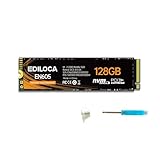
Two of the drives in this lineup, the fanxiang S501 and the Ediloca EN605, are M.2 NVMe sticks, while the KingSpec, PNY CS900, Patriot P210 and fanxiang S101 are 2.5-inch SATA drives. Mixing them up is the costliest slip with entry-level storage. NVMe sticks carry a single M-key notch, and many M.2 SATA drives use a B+M key with two notches. A B+M SATA drive can physically seat in an M-key slot that is wired only for PCIe, and it will simply not be detected. Open the motherboard or laptop manual and confirm whether the slot supports NVMe, SATA or both.
What “Up To” Speeds Really Describe
SATA III runs at 6 Gb/s, which works out to roughly 550MB/s of usable throughput, so the 500 to 550MB/s figures on the KingSpec, PNY and Patriot cards are close to the ceiling of the interface. The listed 1,100MB/s on the fanxiang S501 and about 1,130MB/s read on the Ediloca EN605 are different: a PCIe Gen3 x4 link can carry nearly 4,000MB/s, so these drives are limited by their controller and flash, not the connection. Write figures are usually lower, and the Ediloca lists 400MB/s writes against its read number.
Cache Behavior and Free Space
Entry-level drives lean on a pseudo-SLC cache, a portion of the flash that temporarily acts as faster single-bit storage. When that cache fills, writes drop to the native speed of the flash, which on budget drives can be far lower than the box suggests. The cache also shrinks as the drive fills up, so a common guideline is to leave 10 to 20 percent of capacity unused. On a 128GB drive that rule leaves little room to work with.
Capacity Floors for Windows and Games
Windows 11 lists 64GB of storage as its minimum, but that figure covers the install alone. Updates, temporary files and one large game can consume the remainder of a 128GB drive quickly. The 128GB models make sense as a boot drive for an old laptop or a secondary drive for light use. For a primary drive, the 256GB Patriot, the 250GB PNY or the 512GB KingSpec leave far more breathing room.
Which One Should You Buy?
| If you… | Choose… |
|---|---|
| Are reviving an older laptop or desktop with only a SATA bay | PNY CS900 250GB or Patriot P210 256GB |
| Want the most SATA storage in this list for a single drive | KingSpec 512GB |
| Need a tiny boot drive and will store files elsewhere | Patriot P210 128GB, KingSpec 128GB or fanxiang S101 128GB |
| Have a free M.2 slot that supports NVMe | fanxiang S501 128GB or Ediloca EN605 128GB |
| Care about a documented warranty and endurance spec from a familiar brand | PNY CS900 or Patriot P210 |
Common Mistakes When Buying a Cheap SSD
- Assuming every M.2 drive is NVMe. SATA drives also come in M.2 form, and they run at SATA speed even in a fast slot.
- Buying the smallest capacity to save money. A full drive slows down, and the cost of replacing it soon erases the saving.
- Comparing only read speed. Sustained write speed and cache size show how the drive behaves during big installs.
- Forgetting the bracket or spacer. A 7mm 2.5-inch drive may need a spacer for a 9.5mm bay, and a desktop may need a mounting adapter.
- Skipping the data move. Plan to clone or reinstall, and back up first.
Frequently Asked Questions
Is the best cheap SSD fast enough for gaming?
Yes, the best cheap SSD options with PCIe 4.0 NVMe speeds are more than fast enough for gaming, dramatically cutting load times compared to hard drives. Games are limited more by the CPU and GPU during play than by storage speed, so a value NVMe drive delivers virtually the same gaming experience as an expensive flagship SSD.
How much should I spend on a cheap SSD?
A good best cheap SSD in the 1TB NVMe range should cost only a modest amount in 2026, thanks to falling flash prices. Buying during sales lowers the cost further. Spending more only makes sense if you need very high sustained write speeds or larger capacities, which most gamers and everyday users do not require.
Does a cheap SSD hurt performance versus a premium one?
For typical use, the best cheap SSD performs nearly identically to premium drives in boot times, game loading, and application launches. The gap only appears during extended large file transfers, where DRAM-less budget drives slow down. Unless you are a video editor or move huge datasets regularly, a value SSD will feel just as fast in daily use.
Can I use the best cheap SSD in a laptop?
Most laptops accept either an M.2 NVMe or a 2.5-inch SATA SSD, and the best cheap SSD in the correct form factor is an excellent laptop upgrade. NVMe drives suit modern laptops, while the SATA form factor revives older machines. Always check your laptop’s manual for the supported slot type and physical size before buying.
Do cheap SSDs fail sooner than expensive ones?
Modern budget SSDs are very reliable, and the best cheap SSD models carry multi-year warranties and endurance ratings that far exceed typical consumer workloads. While premium drives may offer higher endurance for professional use, a value SSD used for gaming and everyday tasks will typically outlast the rest of the computer without issue.











