
Jumping into PC gaming for the first time in 2026 can be a lot to take in — dozens of PC brands, monitor specs, and peripheral choices to sort through with nothing to compare them to. This beginner’s guide cuts the noise and tells you exactly what to buy at each budget tier: $800, $1,000, and $1,500. No jargon, no upgrades you don’t need — just the right gear to start playing today.
As an Amazon Associate we earn from qualifying purchases at no extra cost to you.


| Budget | PC | Monitor | Performance |
|---|---|---|---|
| $800 starter | Skytech Archangel $829 | ASUS TUF 24″ $156 | 1080p/60fps in AAA, 120fps in esports |
| $1,000 mid | Skytech Nebula $779 | ASUS TUF 24″ $156 | 1080p/100fps+ in AAA titles |
| $1,500 recommended | KOTIN G60B $1,899 (stretch) | Acer 1440P $159 | 1440p/100fps in AAA, esports 200fps+ |
🛒 Best Price Today on Amazon
Prime members get fast, free shipping on everything above, plus member-only deals. New members get a 30-day free trial — cancel anytime.
Start 30-Day Prime Free Trial →See Today’s Amazon DealsPC Gaming vs Console Gaming: What Changes?
Coming over from PlayStation or Xbox? Here’s what’s different on PC: (1) Better graphics — modern PC games at medium-high already look better than the console version, and ultra is in another league. (2) Higher frame rates — 60fps is the starting line; 120–240fps changes how a game feels in your hands. (3) Free online play — no PlayStation Plus or Xbox Game Pass needed to play online (and the games themselves are often cheaper). (4) Mods — PC games support community mods that add content, fix bugs, and keep games alive for years. (5) Upgradeability — unlike a console, you can upgrade a PC over time.
Do You Need to Know How to Build a PC?
No — prebuilt gaming PCs in 2026 ship assembled, tested, and ready to play. Every system in this guide is a complete, pre-built machine that only needs a monitor, keyboard, mouse, and power cable plugged in. The big perk of a prebuilt for beginners is warranty support: if something dies, you call one manufacturer instead of chasing 10 separate component vendors. Skytech, CyberpowerPC, and KOTIN all back their gaming desktops with 1-year or better warranties.
Beginner Setup Recommendations by Budget
$800 Starter Setup: Skytech Archangel + ASUS TUF Monitor ($985 complete)
The Skytech Archangel at $829 alongside the ASUS TUF Gaming 24″ 1080P 280Hz monitor ($156) makes a complete starter setup for roughly $985. The Archangel’s Ryzen 5 5500 CPU and discrete GPU handle 1080p gaming with ease across all the popular titles. Fortnite, Apex Legends, Minecraft Java, and esports games run at 100–200fps; newer AAA games like Elden Ring and Forza Horizon 5 land at 60–90fps on 1080p High. The 280Hz monitor keeps things smooth at whatever framerate the system pumps out.
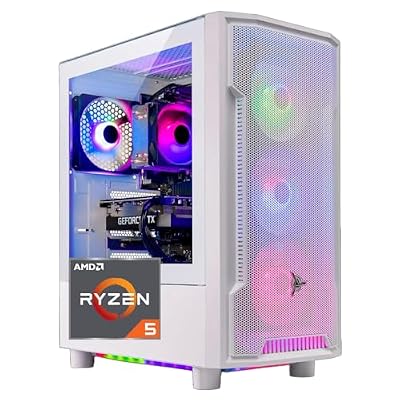
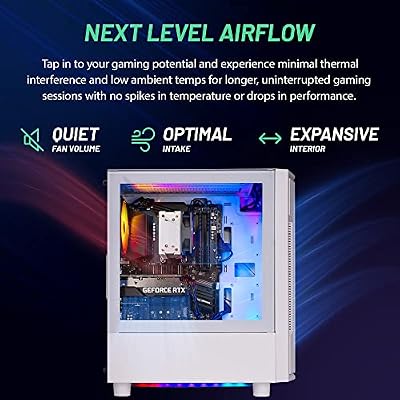
Skytech Archangel Gaming PC Desktop, Ryzen 5 5500 3.6 GHz (4.2GHz Turbo Boost), NVIDIA RTX 3050 (6GB) 6GB GDDR6, 1TB SSD, 16GB DDR4 RAM 3200, 650W Gold PSU, Wi-Fi, Win 11 Home




As an Amazon Associate we earn from qualifying purchases. Product prices and availability are accurate as of the date/time indicated.
$1,000 Mid Setup: Skytech Nebula + ASUS TUF Monitor (~$935 complete)
The Skytech Nebula at $779 runs the quicker Ryzen 5 5600 (with PCIe 4.0 for down-the-road GPU upgrades) and matches the Archangel’s gaming performance for less money, thanks to promo configs. Paired with the ASUS TUF 280Hz monitor it comes to about $935 — leaving $65 of wiggle room for peripherals inside a $1,000 budget. A great pick for beginners who want room left over for a headset or keyboard.

Skytech Nebula Gaming PC Desktop, Ryzen 5 5600 3.5 Ghz (4.4GHz Turbo Boost), NVIDIA RTX 3050 (6GB) 6GB GDDR6, 1TB SSD, 16GB DDR4 RAM 3200, 650W Gold PSU, Wi-Fi, Win 11 Home


As an Amazon Associate we earn from qualifying purchases. Product prices and availability are accurate as of the date/time indicated.
Essential Peripherals for PC Gaming Beginners
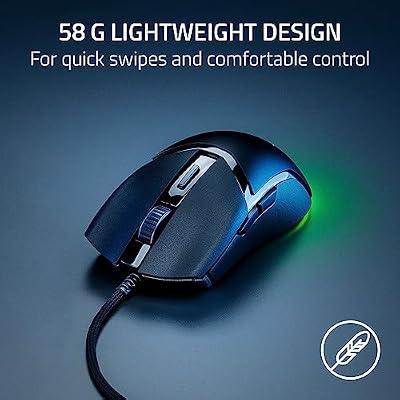
Past the PC and monitor, every setup still needs: (1) Gaming keyboard — even a $30–$40 membrane or mechanical board is plenty to get going. The HyperX Alloy Core RGB at $32 is a dependable starter. (2) Gaming mouse — a $25–$35 wired gaming mouse with an optical sensor covers it. The Razer Cobra at $29 is a great first mouse. (3) Headset or headphones — a $35–$50 gaming headset for comms and positional audio. (4) Optional: mousepad — a big desk mat ($20–$40) gives keyboard and mouse a clean surface to work on.

HyperX Alloy Core RGB – Membrane Gaming Keyboard, Comfortable Quiet Silent Keys with RGB LED Lighting Effects, Spill Resistant, Dedicated Media Keys, Compatible with Windows 10/8.1/8/7 – Black


As an Amazon Associate we earn from qualifying purchases. Product prices and availability are accurate as of the date/time indicated.

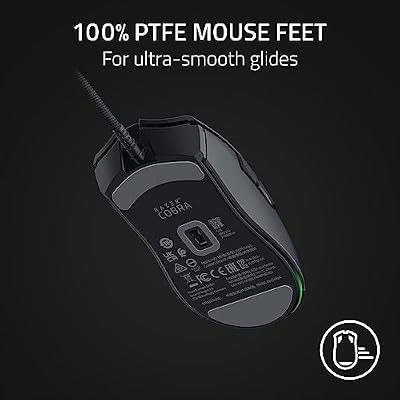
Razer Cobra Wired Gaming Mouse, Gen-3 Optical Switches, 58g, Black | Chroma RGB Lighting with Underglow, Precise 8500 DPI Optical Sensor, 100% PTFE Mouse Feet




As an Amazon Associate we earn from qualifying purchases. Product prices and availability are accurate as of the date/time indicated.
PC Gaming Beginner Mistakes to Avoid
The usual first-time PC gaming slip-ups: (1) Buying a “gaming” PC that’s actually running integrated graphics — always confirm there’s a dedicated/discrete GPU. (2) Buying a monitor with no listed refresh rate (almost always 60Hz) — shoot for 144Hz minimum. (3) Buying a PC with just 8GB RAM in 2026 — that’s a recipe for stutter and poor performance. Go 16GB minimum, 32GB ideally. (4) Buying a PC with only a 256GB SSD — modern games run 60–150GB each, so you’ll fill it instantly. 1TB minimum. (5) Forgetting to budget for the monitor — a good setup needs both a capable PC and a good display.
Frequently Asked Questions
How much should a beginner spend on a first gaming PC?
Around $800 to $1000 buys a solid 1080p to 1440p gaming PC that runs modern titles at high settings. This range balances a capable GPU, a modern CPU, 16GB or 32GB of RAM, and an SSD, giving beginners strong performance without overspending on features they may not need yet.
What do I need besides the PC itself?
Budget for a monitor, keyboard, mouse, and a headset, since a tower alone will not get you playing. A 1080p 144Hz monitor, a mechanical or membrane keyboard, a comfortable mouse, and a decent headset complete the setup, so factor these peripherals into your total starting budget.
Is a prebuilt better than building for a first-timer?
For most beginners, yes. A prebuilt arrives ready to play with a warranty and support, removing the risk and learning curve of assembly. Building saves money and teaches valuable skills, but a reputable prebuilt is the lower-stress path if you just want to start gaming quickly.
How much RAM does a beginner PC need?
16GB of DDR5 runs nearly all current games well and is a fine starting point on a tight budget. 32GB adds future headroom for newer titles and multitasking, and since many platforms let you add sticks later, you can start at 16GB and upgrade when needed.
Do I need an SSD or is a hard drive fine?
An SSD is essential today. NVMe or SATA solid-state drives load Windows and games dramatically faster than a hard drive, making the whole system feel responsive. Use an SSD for your operating system and most-played games, and add a cheap hard drive only for bulk storage.
Ready to decide? Our #1 pick for 2026 is the $800 starter.
Live price & availability on Amazon.
Top picks from this guide
 YAWYOREYAWYORE Gaming PC Desktop Computer AMD R5 5600GT 16GB 1TB…$660 \xc2\xb7 99/100RazerRazer Cobra Wired Gaming Mouse, Gen-3 Optical Switches, 58g, Black…$30 \xc2\xb7 99/100
 CyberpowerPCCyberPowerPC Gaming PC, Intel Core i5-14400F, GeForce RTX 5060 8GB…$1,268 \xc2\xb7 97/100
 STGAubronSTGAubron Gaming PC Desktop,Core I5,RX 550 4G,16G RAM,512G SSD |…$370 \xc2\xb7 97/100








