
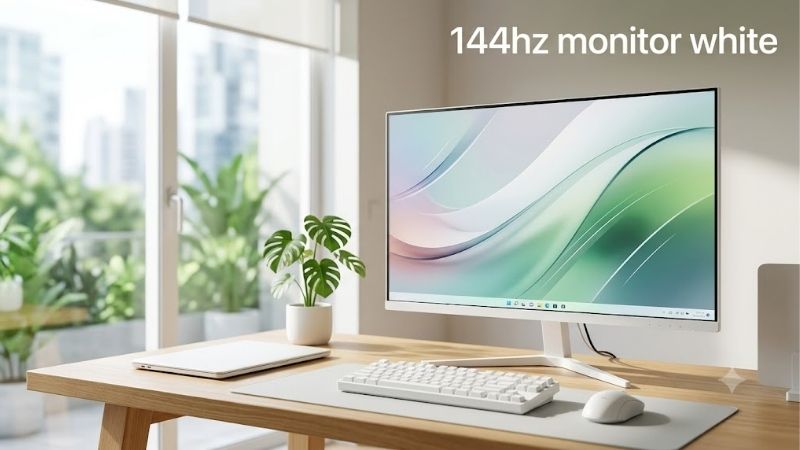
Finding a 144hz monitor white setup that combines responsive gaming with clean aesthetics is easier when you consider monitors running at 144Hz or faster. A white gaming monitor should deliver smooth motion, suitable resolution, reliable connectivity, and a finish that complements your PC rather than sacrificing essential features for appearance. The Pixio PX278 Wave is a strong starting point for balanced 1440p gaming, while the PX248 Wave suits smaller desks and competitive 1080p setups. Buyers who prioritize sharper 4K visuals should consider the PX27U Wave instead.
- Quick verdict: Best white 144Hz monitors to consider
- How we selected these white gaming monitors
- Best white 144Hz monitors reviewed
- What to look for when buying a 144Hz monitor white setup
- Common mistakes when choosing a white gaming monitor
- Frequently asked questions about white 144Hz monitors
- Final verdict: Which white gaming monitor should you buy?
Quick verdict: Best white 144Hz monitors to consider
The best choice depends on whether you prioritize resolution, competitive speed, desk space, or display adjustment.
-
Best overall for 1440p gaming: Pixio PX278 Wave — A 27-inch QHD monitor with a 180Hz Fast IPS panel.
-
Best for compact gaming desks: Pixio PX248 Wave — A 23.8-inch Full HD monitor with a 200Hz refresh rate.
-
Best for 4K gaming and productivity: Pixio PX27U Wave — A 27-inch 4K Fast IPS display operating at 160Hz.
-
Best for high-refresh competitive gaming: Pixio PX279 Wave — A 27-inch 1080p monitor with a 240Hz refresh rate.
-
Best alternative with adjustable positioning: MSI MAG 274PFW — A white 27-inch Full HD Rapid IPS monitor with a 180Hz refresh rate.
All five models offer refresh rates above 144Hz, so they remain relevant to buyers searching for a white 144Hz display. However, they are not interchangeable. The resolution differences have a greater practical impact than their relatively small refresh-rate gaps in many games.
Quick comparison table
| Monitor | Resolution | Refresh rate | Panel | Main consideration |
|---|---|---|---|---|
| Pixio PX278 Wave | 2560 × 1440 | 180Hz | Fast IPS | Balanced gaming and desktop clarity |
| Pixio PX248 Wave | 1920 × 1080 | 200Hz | Fast IPS | Compact competitive setup |
| Pixio PX27U Wave | 3840 × 2160 | 160Hz | Fast IPS | High-resolution gaming |
| Pixio PX279 Wave | 1920 × 1080 | 240Hz | Fast IPS | Refresh-rate priority |
| MSI MAG 274PFW | 1920 × 1080 | 180Hz | Rapid IPS | Ergonomic stand |
Manufacturer specifications establish the listed resolutions, panel types, and maximum refresh rates. The recommendations are based on documented features and intended use rather than original detailed research.
How we selected these white gaming monitors
A monitor qualifies for this roundup only when its documented color option is white and its specified refresh rate is at least 144Hz. A black monitor with a white screen image or a separately purchased white monitor arm does not meet that requirement.
Resolution was the next priority. Full HD displays require less rendering work than QHD or 4K monitors, which makes them practical for systems focused on high frame rates. QHD provides more desktop detail without the demanding GPU requirements of 4K. Higher resolutions can improve text sharpness and the visibility of fine game details, provided the display is viewed at a suitable distance.
Panel technology, adaptive synchronization, connectivity, mounting options, and stand adjustment also influence purchasing decisions. A visually attractive monitor can become inconvenient if its fixed-height stand places the screen below a comfortable viewing position.
The shortlist also accounts for limitations. Manufacturer response-time specifications are not substitutes for independent measurements of actual pixel transitions, overshoot, or input lag. Likewise, advertised HDR support does not automatically establish meaningful HDR performance.
Best white 144Hz monitors reviewed
Pixio PX278 Wave — Best overall for balanced 1440p gaming
The Pixio PX278 Wave is the most balanced starting point for gamers who want a white display without choosing between screen sharpness and high refresh rates.
Its 27-inch Fast IPS panel provides 2560 × 1440 resolution at up to 180Hz. This combination works particularly well for gamers who divide their time between multiplayer titles, single-player adventures, web browsing, and everyday productivity.
Compared with a 27-inch 1080p monitor, the PX278 Wave produces smaller individual pixels and a noticeably higher pixel density. That difference matters for reading text, viewing interface elements, and examining distant objects in games.
At approximately 109 pixels per inch, the screen offers a useful middle ground between desktop readability and graphical workload.
A 180Hz refresh rate also exceeds the traditional 144Hz target. The improvement is relatively modest compared with the jump from 60Hz to 144Hz, but it gives a capable gaming PC additional room to display frames.
The important compromise is graphics performance. Rendering at 1440p involves approximately 78% more pixels per frame than 1080p. Players using an entry-level GPU may need to reduce selected graphics settings to maintain high frame rates.
Buy if: You want one white monitor for gaming, work, and general PC use, and your graphics card can handle QHD gaming.
Skip if: Your primary goal is extremely high frame rates at the lowest practical GPU workload, or your system struggles with 1440p.
A 24-inch 1080p monitor is the more sensible alternative when desk space or rendering performance matters more than pixel density.
Pixio PX248 Wave — Best for compact white gaming setups
The Pixio PX248 Wave targets buyers who want a relatively small display that still delivers performance beyond 144Hz.
It uses a 23.8-inch 1920 × 1080 Fast IPS panel with a maximum 200Hz refresh rate. The manufacturer documents a 1ms gray-to-gray response-time specification, although that value should not be interpreted as guaranteed performance across every transition and overdrive setting.
Its main advantage is the relationship between screen size and resolution. At approximately 93 pixels per inch, the PX248 Wave produces a more compact desktop presentation than a 27-inch 1080p alternative.
The smaller screen also keeps more visual information within a relatively narrow field of view. Some competitive players prefer this arrangement because they can scan the display without making large eye movements.
Full HD resolution is practical for gaming PCs built around modest or midrange GPUs. It allows the system to prioritize frame rate instead of processing the additional pixels required by QHD or 4K.
Pixio lists a white color option, an adaptive-sync feature, and compatibility with standard mounting solutions. Buyers should verify the exact mounting hardware and included accessories before ordering.
The stand’s adjustment flexibility is more limited than that of a dedicated ergonomic display. A separate monitor arm may be useful for users who need to position the screen at a specific height.
Buy if: You play fast-paced games, prefer a smaller monitor, or want a compact white desk arrangement.
Skip if: You need a larger workspace for editing, spreadsheets, or extensive multitasking.
For most compact competitive systems, this model offers a more coherent specification balance than choosing a larger 1080p screen solely for its size.
Pixio PX27U Wave — Best white monitor for 4K gaming
The Pixio PX27U Wave is the strongest option in this shortlist for buyers who prioritize fine image detail alongside high refresh rates.
Its 27-inch Fast IPS panel provides 3840 × 2160 resolution at up to 160Hz. That means it exceeds the requested 144Hz refresh threshold while offering substantially more pixels than either Full HD or QHD alternatives.
At approximately 163 pixels per inch, the display can render small text, detailed graphics, and high-resolution images with impressive potential clarity. This makes it especially relevant to users who spend substantial time on productivity applications in addition to gaming.
The increased pixel count comes with meaningful hardware requirements. A 4K image contains four times as many pixels as a 1080p image. GPU performance therefore becomes an essential consideration, particularly in demanding modern games.
Players targeting consistently high frame rates at native 4K should evaluate graphics-card benchmarks for the specific games they intend to play. Upscaling technologies can reduce the rendering workload, but image quality and performance depend on the selected mode and game implementation.
The 160Hz refresh rate remains suitable for fast gaming. Its numerical disadvantage against a 200Hz or 240Hz monitor is unlikely to outweigh the resolution advantage for buyers who prioritize detailed visuals.
However, the PX27U Wave is not automatically the best option for professional color-sensitive work. Although its IPS panel and high pixel density make it appealing for content creation, validated color accuracy, calibration behavior, and uniformity should be assessed separately.
Buy if: You want a white display for high-resolution gaming, detailed desktop work, and sharp image presentation.
Skip if: Your GPU cannot comfortably support 4K gaming, or you prioritize competitive frame rates over visual detail.
For many users, QHD remains the more economical performance target. The PX27U Wave makes the most sense when the additional resolution delivers a clear everyday benefit.
Pixio PX279 Wave — Best for high-refresh competitive gaming
The Pixio PX279 Wave takes a different approach from the QHD and 4K models. Instead of increasing resolution, it emphasizes refresh rate.
This monitor combines a 27-inch Full HD Fast IPS panel with a 240Hz refresh rate. Pixio also identifies adaptive synchronization as a supported feature.
The higher refresh rate provides an opportunity for smoother motion when the graphics card produces enough frames. At 240Hz, one refresh interval lasts approximately 4.17 milliseconds, compared with approximately 6.94 milliseconds at 144Hz.
Those figures describe display refresh intervals, not measured total input latency. Actual responsiveness also depends on pixel transitions, display processing, the GPU rendering pipeline, and the game itself.
The defining compromise is pixel density. A 27-inch Full HD display provides approximately 82 pixels per inch, making individual pixels larger than on a similarly sized QHD screen.
This can result in less refined text and reduced apparent detail when viewed from a typical desktop distance. It is an important consideration if the monitor will also be used for reading, office applications, or creative work.
The larger display may nevertheless appeal to gamers who prefer more physically prominent interface elements or want a spacious-looking gaming setup.
The PX279 Wave is most defensible when achieving high frame rates is the primary purchasing objective. If gaming performance is limited to approximately 100–140 FPS, its 240Hz maximum provides less immediate benefit than it would with a system consistently delivering substantially higher frame rates.
Buy if: Competitive gaming is your main use case and your PC can regularly produce very high frame rates.
Skip if: You are sensitive to visible pixel structure or want sharper text on a 27-inch desktop display.
The PX278 Wave is a more balanced alternative for mixed gaming and productivity, while the PX248 Wave may be preferable for competitive players who want Full HD in a smaller form factor.
MSI MAG 274PFW — Best alternative for ergonomic positioning
The MSI MAG 274PFW is worth considering when a white finish and practical screen positioning are important purchasing criteria.
It uses a 27-inch 1920 × 1080 Rapid IPS panel with a maximum 180Hz refresh rate. MSI specifies a 1ms gray-to-gray response time and Adaptive-Sync support.
Unlike the Pixio models focused primarily on a minimalist presentation, the MAG 274PFW emphasizes an adjustable stand. This is a meaningful everyday advantage for users who need to accommodate different desk heights, chairs, or viewing positions.
A properly positioned screen can make long desktop sessions more comfortable by reducing the need to continuously tilt the head toward an inconveniently placed display. No particular posture or monitor arrangement should be treated as a guaranteed solution to physical discomfort, however.
The monitor also provides features aimed at gaming, including synchronization support and image adjustment options. MSI advertises HDR readiness, but the specification alone does not demonstrate the local dimming, contrast capabilities, or sustained brightness typically associated with more convincing HDR reproduction.
Its other limitation is the familiar 27-inch Full HD trade-off. The display offers a relatively large image, but pixel density is lower than on a 27-inch QHD alternative.
That makes it easier to recommend for gaming-focused users than for buyers who regularly work with small text or detailed graphics.
Another important detail is regional availability. MSI identifies the model as white in its official specification documentation, but buyers in the United States should confirm the specific product code, seller, warranty coverage, and current availability before purchasing.
Buy if: You want a white gaming monitor with an adjustable stand and do not require resolution above 1080p.
Skip if: QHD sharpness is a major priority or local availability cannot be verified.
For users comparing the MSI with a similarly priced QHD monitor, display sharpness may ultimately be more useful than the ergonomic advantage if they already own a suitable monitor arm.
What to look for when buying a 144Hz monitor white setup
Choose screen size and resolution together
Screen size alone does not determine image clarity. Resolution and pixel density are equally important.
A 24-inch Full HD monitor is a practical choice for compact desks and competitive gaming. A 27-inch QHD monitor generally provides a better balance for mixed desktop use.
A 27-inch 4K display offers a further improvement in pixel density, although operating-system scaling may be useful for keeping text and interface elements comfortable to read.
Consider how far you sit from the screen and what applications you use most frequently before choosing a size.
Understand the difference between 144Hz and higher refresh rates
Refresh rate determines how often a display can update its image each second.
| Refresh rate | Refresh interval |
|---|---|
| 60Hz | 16.67 ms |
| 120Hz | 8.33 ms |
| 144Hz | 6.94 ms |
| 160Hz | 6.25 ms |
| 180Hz | 5.56 ms |
| 200Hz | 5.00 ms |
| 240Hz | 4.17 ms |
Moving from 60Hz to 144Hz dramatically reduces the interval between refresh opportunities. Moving from 144Hz to 180Hz provides a smaller improvement.
A monitor operating above 144Hz is not necessarily better in every respect. Motion clarity also depends on pixel response behavior, while gaming smoothness depends on frame delivery and synchronization.
For most mixed-use gaming systems, resolution, panel quality, and price should carry at least as much weight as small refresh-rate differences.
Check HDMI and DisplayPort capabilities
A monitor’s maximum advertised refresh rate is only useful when the connected system can output the required display signal.
Different HDMI and DisplayPort versions offer different bandwidth capabilities. However, the connector version alone is not sufficient to establish support for every resolution, refresh rate, color format, and bit depth.
Buyers should check the manufacturer’s supported timing table for the exact model.
This matters particularly for 4K gaming, where transmitting a high-resolution signal at an elevated refresh rate can require substantial bandwidth.
Laptop owners should also examine the actual video-output capabilities of their USB-C, HDMI, or DisplayPort connections. A USB-C connector does not automatically guarantee DisplayPort video output.
Look beyond advertised response times
Manufacturers frequently promote response-time figures such as 1ms GtG.
Gray-to-gray response time describes transitions between pixel states. It does not necessarily establish average response performance across the entire transition range.
Aggressive overdrive settings may reduce certain transitions while introducing inverse ghosting or visible overshoot.
Motion performance is best assessed using independent testing that examines multiple overdrive modes, refresh rates, and real-world viewing conditions.
A manufacturer specification can help identify potential capabilities, but it should not be treated as a complete motion-clarity assessment.
Evaluate adaptive sync and frame-rate consistency
Adaptive synchronization allows compatible displays to coordinate refresh timing with frame delivery from the graphics system.
This can reduce tearing and certain types of stuttering when gaming performance varies.
However, compatibility depends on the monitor, graphics hardware, connection type, and supported refresh range.
Buyers should distinguish between general Adaptive-Sync support, AMD FreeSync certification, and verified NVIDIA G-SYNC compatibility.
For variable-performance games, a well-functioning adaptive-sync implementation may improve the experience more than a small increase in maximum refresh rate.
Consider white aesthetics and mounting requirements
White gaming monitors are not necessarily identical in appearance.
Some use white rear housings and stands while retaining dark front bezels. Others combine white components with silver or contrasting accents.
The monitor’s appearance from the seated viewing position may therefore differ from promotional photographs showing the rear housing.
Check product images of the exact color variant before ordering.
For monitor-arm installations, verify VESA mounting dimensions, weight limits, mounting clearance, and whether special adapters are included or required.
A white arm can improve visual consistency, but secure mounting and proper compatibility should always take priority over appearance.
Common mistakes when choosing a white gaming monitor
One common mistake is purchasing a 27-inch Full HD display expecting the same sharpness as a 27-inch QHD monitor. Although both screens are physically similar in size, the difference in pixel density is substantial.
Another mistake is prioritizing advertised response times without considering independently measured motion behavior. A claimed 1ms response does not establish that every transition completes within one millisecond.
Buyers should also avoid assuming that an HDR label guarantees substantial improvement in highlight brightness or dark-scene contrast.
Finally, do not overlook the graphics card. Purchasing a 4K high-refresh monitor for a system that struggles at 1440p may require major compromises in graphics settings.
A monitor should complement the performance characteristics of the complete PC rather than simply offering the largest specification numbers.
Frequently asked questions about white 144Hz monitors
Is a 144Hz monitor good enough for competitive gaming?
Yes. A 144Hz display can provide responsive gaming when combined with appropriate frame rates, low processing latency, and acceptable pixel response performance.
Higher refresh rates can offer additional improvements, but they are not essential for every competitive player.
Is a white 180Hz monitor better than a white 144Hz monitor?
Not automatically. A 180Hz monitor has a shorter refresh interval, but panel quality, resolution, response behavior, synchronization, and price may matter more.
A well-performing 144Hz QHD monitor can be a better overall purchase than a 180Hz Full HD alternative for mixed-use buyers.
Should I choose 1080p or 1440p for a white gaming setup?
Choose 1080p when affordable high frame rates and lower GPU demands are priorities.
Choose 1440p when you want sharper graphics and more useful desktop space, particularly on a 27-inch screen.
Can I use a 144Hz white gaming monitor with a laptop?
Yes, provided the laptop has a compatible video output and supports the required display mode.
Check the laptop’s actual port specifications, supported resolution, refresh rate, and any adapter limitations.
Do white gaming monitors become yellow over time?
Some white plastic materials can discolor with age, environmental exposure, and ultraviolet light. The extent depends on the materials and manufacturing processes.
There is insufficient model-specific aging evidence to predict how the monitors in this shortlist will change in appearance over time.
Are white gaming monitors more expensive than black models?
Sometimes, but a universal premium cannot be established without comparing matching configurations and current seller prices.
Color availability, promotions, regional inventory, and model differences can all influence pricing.
Final verdict: Which white gaming monitor should you buy?
For a balanced gaming PC, the Pixio PX278 Wave is the most versatile choice in this shortlist. Its 1440p resolution, 180Hz refresh rate, and 27-inch form factor address both gaming performance and everyday desktop clarity.
The PX248 Wave is preferable for compact competitive setups, while the PX279 Wave suits buyers who specifically prioritize 240Hz gaming. Users seeking high-resolution visuals should evaluate the PX27U Wave alongside their GPU’s actual 4K capabilities.
The MSI MAG 274PFW is a useful alternative for buyers who value stand adjustment, although its Full HD resolution remains an important compromise at 27 inches.
The most effective white gaming setup is not necessarily built around the highest refresh rate. Choose the display whose resolution, dimensions, connectivity, adjustment options, and performance requirements match how you actually use your PC.









