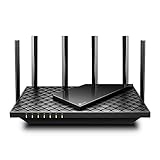
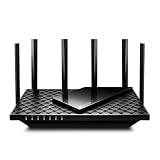
- Top Pick: TP-Link Tri-Band BE9700 WiFi 7 Router (Archer BE600) – 10G Port, 2.5G Port, 3× 2.5G LAN, 320MHz Channel, Covers up to 2,600 sq. ft., 120 Devices, VPN, HomeShield Security
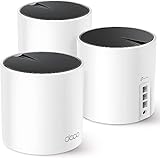
- Best Value: TP-Link Tri-Band BE9300 WiFi 7 Router (Archer BE550) – 6-Stream, Full 2.5G Ports, 6 Internal Antennas, Up to 2,000 sq. ft., EasyMesh Expansion, VPN
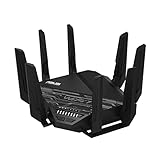
- Premium Choice: TP-Link Archer BE12000 | Tri-Band Wi-Fi 7 Router | Includes Latest 6GHz Wi-Fi Band | New Wi-Fi 7 Features | 10G Connectivity | Compatible with Alexa and Google Assistant (Archer BE670)
A tri-band WiFi 7 router is the upgrade that finally future-proofs a busy home network. By adding the 6GHz band alongside the traditional 2.4GHz and 5GHz frequencies, and layering in WiFi 7 features like Multi-Link Operation and 320MHz channels, these routers deliver lower latency, higher throughput, and the headroom to keep dozens of devices happy at once. For gamers and streaming households, it’s a meaningful leap over WiFi 6.
This review covers the best tri-band WiFi 7 routers available now, weighing coverage, port speeds, features, and value. We reference popular models from TP-Link’s Archer line and ASUS to help you pick a router that matches your home size and your appetite for cutting-edge speed.
As an Amazon Associate we earn from qualifying purchases at no extra cost to you.





🎮 Get More From Your Setup — Free
Prime Gaming gives you free PC games every month, in-game loot, and a free Twitch channel sub — plus fast free shipping on all the gear above. New members get a 30-day free trial.
Watch: Wi-Fi 7 Router Tri Band — Video Review
Design & Build
Tri-band WiFi 7 routers tend to be larger than their predecessors, with prominent antenna arrays or internal antenna designs housed in wide, ventilated chassis. TP-Link’s Archer BE550 uses six internal antennas for a cleaner look, while the BE600 and BE550 Pro sport external antennas for maximum reach. The ASUS RT-BE92U keeps a familiar gaming-router aesthetic. Build quality is solid across these picks, and crucially, all include multi-gig ports: 10G and 2.5G options on the higher-end models ensure the router itself doesn’t bottleneck a fast internet plan or wired backhaul.
Performance
WiFi 7’s headline benefit is Multi-Link Operation, which lets compatible devices use multiple bands simultaneously for lower latency and steadier throughput, a real advantage for online gaming and video calls. The tri-band Archer BE9700 and BE9300 models deliver strong real-world speeds and cover up to 2,000 to 2,600 square feet, handling 100-plus devices without strain. The 320MHz channels on the 6GHz band unlock the fastest possible wireless speeds for nearby WiFi 7 clients. Even on older WiFi 6 and 5 devices, these routers improve stability thanks to their powerful processors and smart band management.
Pros & Cons
- 6GHz band adds a clean, high-speed lane for new devices.
- Multi-Link Operation lowers latency for gaming and calls.
- Multi-gig ports including 10G and 2.5G on premium models.
- Strong coverage for large homes and many devices.
- WiFi 7 benefits require WiFi 7 client devices to fully realize.
- Premium pricing versus mature WiFi 6 routers.
- Large physical footprint that needs open placement.
Alternatives to Consider
If your home is large or has dead zones, a WiFi 7 mesh system covers more ground reliably than a single router. Households without WiFi 7 devices yet can save considerably with a proven WiFi 6E router and upgrade later. And gamers who want dedicated QoS features and aggressive styling may prefer a gaming-focused ASUS ROG router over the more understated Archer models.
Related Guides
- Router For Streaming (2026)
- Best Ethernet For Gaming (2026)
- Wi-Fi 7 Router Tri Band (2026)
- Best Router For Tmobile Home Internet (2026)
- ASUS Rt be96u Router (2026)
Frequently Asked Questions
Do I need WiFi 7 devices to benefit?
The biggest gains, like Multi-Link Operation and 6GHz speeds, require WiFi 7 clients. However, a WiFi 7 router still improves stability and management for your existing WiFi 6 and 5 devices.
What is Multi-Link Operation?
MLO lets a compatible device connect across multiple bands at once, combining them for higher throughput and lower, more consistent latency, which is ideal for gaming and video conferencing.
How much area does a tri-band router cover?
Models like the Archer BE600 and BE550 cover roughly 2,000 to 2,600 square feet. For larger homes, consider a mesh system to eliminate dead spots.
Why do the multi-gig ports matter?
A 2.5G or 10G port ensures the router can pass through fast internet plans and support high-speed wired backhaul, so your network isn’t limited by an old 1G bottleneck.
Verdict
A tri-band WiFi 7 router is a smart investment for households ready to embrace faster, lower-latency wireless. The TP-Link Archer BE550 is a superb balance of features and value, the BE600 adds a 10G port for the fastest plans, and the ASUS RT-BE92U suits those wanting tri-band mesh-ready flexibility. Match the coverage rating to your home and enjoy a network built for years to come.