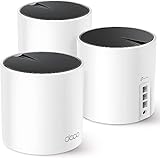
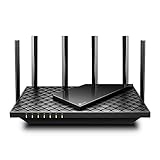
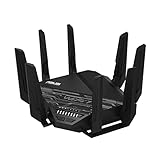
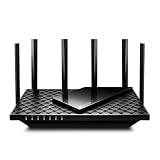
The best mesh WiFi system for most homes in 2026 is the TP-Link Deco X55 AX3000 three-pack. It covers a typical 2,000–3,000 sq ft house with a handful of interior drywall walls, runs Wi-Fi 6 on both bands, and puts three Gigabit Ethernet ports on every node, which means you can add wired backhaul later without replacing hardware. If your budget matters more than your floor plan, the Tenda Nova MW5G three-pack is the cheapest sensible way to blanket around 3,500 sq ft, and if you already pay for a multi-gigabit plan or move large files between rooms, the NETGEAR Orbi 770 Series (Wi-Fi 7, up to 8,000 sq ft, three nodes) is the premium pick that will not bottleneck you for years. Everything below is matched against the six variables that actually decide whether a mesh system works in your house: square footage, wall density, internet plan speed, wired-backhaul options, device count, and roaming behaviour. Skim the comparison table, then jump straight to the section that matches your situation.
- Top 3 Picks
- Quick Comparison
- How We Chose
- 1. TP-Link Deco X55 (3-Pack) – Best for Most Homes Up to About 3,000 sq ft
- 2. TP-Link Deco S4 AC1900 (3-Pack) – Best for Large Coverage on a Wi-Fi 5 Budget
- 3. TP-Link Deco XE75 AXE5400 (3-Pack) – Best for Congested Areas and Wireless Backhaul
- 4. NETGEAR Orbi 370 Series (3-Pack) – Best for Wi-Fi 7 in a Mid-Size Home
- 5. eero 6+ (3-Pack) – Best for Gigabit Plans with App-Only Simplicity
- 6. TP-Link Deco X15 AX1500 (3-Pack) – Best for Budget Wi-Fi 6 in Apartments and Small Homes
- 7. TP-Link Deco S4 (2-Pack) – Best for Flats and Two-Floor Apartments
- Related Guides
Top 3 Picks
Best overall: TP-Link Deco X55 (3-Pack)
The Deco X55 is the safest default in this list because it gets the boring things right: Wi-Fi 6 on both bands, three Gigabit Ethernet ports on every node, and reliable mesh roaming without any tuning. It suits a 2,000–3,000 sq ft home on a 300 Mbps to 1 Gbps plan with 20–60 devices, and it is the system most people should buy before they start researching tri-band radios they may not need.
Best budget: Tenda Nova MW5G (3-Pack)
At the bottom of the market, the Nova MW5G is the system that still gives you Gigabit Ethernet ports on each node and true mesh handoff rather than a repeater-style setup. It is Wi-Fi 5, so it is the wrong choice for a Gigabit plan or a house full of 4K streams, but for a sub-300 Mbps connection and a few dozen devices it covers roughly 3,500 sq ft for less than most two-node kits.
Best premium: NETGEAR Orbi 770 Series (3-Pack)
The Orbi 770 is a tri-band Wi-Fi 7 mesh rated for up to 8,000 sq ft across three nodes, with 2.5 Gbps-class Ethernet so a multi-gigabit plan is not throttled at the router. It is the pick for large homes, heavy wired backhaul plans, and anyone who wants to buy once and not think about Wi-Fi again until the next standard arrives.
Quick Comparison
The table below maps every system in this roundup to the situation it handles best. Price tiers are relative to the category, not fixed figures — listings move daily, and three-packs are frequently discounted against two-packs.
| Product | Best for | Key specs | Price tier |
|---|---|---|---|
| TP-Link Deco X55 (3-Pack) | Most homes up to ~3,000 sq ft | Wi-Fi 6 dual-band AX3000, 3 nodes, 3× Gigabit ports each, wired backhaul | Mid-range |
| TP-Link Deco S4 AC1900 (3-Pack) | Large coverage on a Wi-Fi 5 budget | Wi-Fi 5 AC1900, 3 nodes, 2× Gigabit ports each, up to ~5,500 sq ft claimed | Mid-range |
| TP-Link Deco XE75 AXE5400 (3-Pack) | Congested areas and wireless backhaul | Wi-Fi 6E tri-band with 6 GHz, 3 nodes, 3× Gigabit ports each, up to ~7,200 sq ft claimed | Mid-range |
| NETGEAR Orbi 370 Series (3-Pack) | Wi-Fi 7 in a mid-size home | Wi-Fi 7 dual-band, 3 nodes, up to ~6,000 sq ft, multi-gig WAN class | Premium |
| eero 6+ (3-Pack) | Gigabit plans with app-only simplicity | Wi-Fi 6 dual-band, 3 nodes, up to ~4,500 sq ft, 2× Gigabit ports each | Premium |
| TP-Link Deco X15 AX1500 (3-Pack) | Budget Wi-Fi 6 in apartments and small homes | Wi-Fi 6 dual-band AX1500, 3 nodes, 2× Gigabit ports each | Mid-range |
| TP-Link Deco S4 (2-Pack) | Flats and two-floor apartments | Wi-Fi 5 AC1900, 2 nodes, up to ~3,800 sq ft claimed, Gigabit ports | Budget |
| NETGEAR Orbi 770 Series (3-Pack) | Large homes and multi-gig plans | Wi-Fi 7 tri-band, 3 nodes, up to ~8,000 sq ft, 2.5 Gbps-class ports | Premium |
| DBIT AX1800 (3-Pack) | Maximum claimed coverage per dollar | Wi-Fi 6 dual-band AX1800, 3 nodes, up to ~6,500 sq ft and 150+ devices claimed | Budget |
| Tenda Nova MW5G (3-Pack) | Cheapest whole-home coverage | Wi-Fi 5 AC1200, 3 nodes, up to ~3,500 sq ft, Gigabit ports | Budget |
| eero 6 (Single/Router) | Small homes and sub-900 Mbps plans | Wi-Fi 6 dual-band, up to ~1,500 sq ft per unit, 2× Gigabit ports | Budget |
| Deco 7 BE5000 (Wi-Fi 7) | Future-proofing without tri-band cost | Wi-Fi 7 dual-band BE5000, 4 streams, 240 MHz channel support | Premium |
How We Chose
This roundup is built from published manufacturer specifications, standard Wi-Fi standards behaviour, and the physics of radio propagation in homes — not from lab measurements. Every pick had to clear four filters. First, specification fit: the radio class, stream count, channel width support, and Ethernet port speed had to match the job the system is being sold for, because a tri-band system with Gigabit ports cannot deliver a multi-gigabit plan no matter how good its radios are. Second, category fit: each product is placed in the tier where it competes honestly, so a Wi-Fi 5 kit is judged against other Wi-Fi 5 kits rather than against Wi-Fi 7 hardware twice its price. Third, use-case fit: coverage claims are treated as marketing ceilings and re-mapped to realistic house sizes, wall types, and device counts, since a 6,500 sq ft claim assumes open-plan space. Fourth, upgrade path: systems that support wired Ethernet backhaul, accept additional nodes from the same family, and still receive firmware updates are favoured over sealed kits that lock you into a dead end. Prices are discussed only as market tiers, because they change weekly.
1. TP-Link Deco X55 (3-Pack) – Best for Most Homes Up to About 3,000 sq ft
If you want one system that handles a typical suburban house without a compromise you will actually notice, the Deco X55 three-pack is the safest default here. It is Wi-Fi 6 on both bands, it carries three Gigabit Ethernet ports on every node — unusually generous at this price point — and each node can be switched to run as a wired access point, so one Ethernet run to a back bedroom turns your weakest link into your strongest one.
Who it suits: three to six people, 2,000–3,000 sq ft, one or two interior drywall walls between rooms, an internet plan between 300 Mbps and 1 Gbps, and 20–60 connected devices. It also suits renters who cannot rewire, because the wireless backhaul is genuinely adequate at this size.
| Spec | Detail |
|---|---|
| Radio class | Dual-band Wi-Fi 6, AX3000 class (574 Mbps at 2.4 GHz + 2402 Mbps at 5 GHz) |
| Nodes | 3, all identical |
| Coverage claim | Up to 6,500 sq ft (manufacturer); plan on 2,500–3,500 sq ft in a normal home with walls |
| Ethernet | 3× Gigabit per node |
| Backhaul | Wireless or wired Ethernet |
| Security | WPA3, guest network, parental controls via app |
Strengths: the three-port design is the standout. Most mesh nodes give you one or two ports, and a second port is often wasted on the WAN side. With three, you can hardwire a console, a desktop, and a TV in one room while still using the node’s uplink. Wi-Fi 6 brings OFDMA and MU-MIMO, which matter when 40 devices are competing for airtime, and TP-Link’s app exposes channel selection and band steering without hiding everything behind an auto mode.
Pros
- Three Gigabit ports per node makes wired backhaul and wired devices easy
- Wi-Fi 6 with OFDMA and MU-MIMO handles dozens of devices well
- Same hardware at every node — no router/satellite performance mismatch
- Widely available, well documented, and frequently discounted as a three-pack
- Works as a plain router if you start with one node and expand later
Cons
- No 2.5 Gbps port, so a 2 Gbps internet plan is wasted on it
- Dual-band means node-to-node backhaul shares the 5 GHz airtime with clients
- No 6 GHz band, so it offers no relief in a congested apartment building
- Realistic coverage is well below the 6,500 sq ft marketing figure
Compared with the nearest alternative, the eero 6+ has a similar radio class and better automatic tuning, but the Deco X55 wins on ports and on price tier. Compared with the Deco XE75, the X55 gives up the 6 GHz band; if your neighbours have saturated 5 GHz, the XE75 is the upgrade that actually changes your experience, and the X55 is the one that saves you money.
2. TP-Link Deco S4 AC1900 (3-Pack) – Best for Large Coverage on a Wi-Fi 5 Budget
The Deco S4 three-pack is the value play for people whose bottleneck is coverage rather than speed. It is a Wi-Fi 5 AC1900 system, which sounds dated in 2026, but if your plan is 100–300 Mbps and your devices are phones, laptops, and a couple of streamers, Wi-Fi 5 delivers every bit of that. What you get instead of the newest radio is a very large coverage claim: up to 5,500 sq ft across three nodes.
Who it suits: a 3,000–4,000 sq ft home on a modest plan, a long single-storey layout where you need nodes at both ends, or a household upgrading from a single router that cannot reach the far end of the house. It also suits anyone who wants mesh roaming and a single network name without paying for Wi-Fi 6 radios they will not saturate.
- Radio class: dual-band Wi-Fi 5, AC1900 class (600 Mbps at 2.4 GHz + 1300 Mbps at 5 GHz)
- Nodes: 3 identical units
- Coverage claim: up to 5,500 sq ft
- Ethernet: 2× Gigabit per node
- Backhaul: wireless or wired Ethernet
- Device target: manufacturer marketing in the 100-device range
- Security: WPA3-class encryption via firmware, guest network, parental controls
Strengths: coverage per node is the whole point, and the S4 delivers it at a price tier below most Wi-Fi 6 three-packs. Setup is genuinely simple — plug in, name the network, done — and because the nodes are identical, roaming between floors is consistent. Wired backhaul is supported, which means the system can be rehabilitated later: run Ethernet to each node and even an ageing Wi-Fi 5 mesh will feel fast, because the backhaul is no longer competing for airtime.
Pros
- Very large coverage claim for the price tier
- Gigabit Ethernet on every node, with wired backhaul support
- Simple app setup and reliable roaming for a Wi-Fi 5 kit
- Ideal for extending coverage in older houses with thick walls
Cons
- Wi-Fi 5: no OFDMA, no 6 GHz, weaker under heavy device contention
- Cannot exploit a 500 Mbps-plus plan fully on wireless clients
- Two ports per node is limiting once you start wiring devices
- Firmware feature development for Wi-Fi 5 platforms is largely frozen
Against the Deco X15, the S4 offers more claimed coverage but an older radio standard. If your plan is under 300 Mbps and you need to reach a distant room, the S4 is the smarter spend; if you have any intention of moving to a 500 Mbps or 1 Gbps plan within two years, pay the small step up to a Wi-Fi 6 system instead and avoid buying twice.
3. TP-Link Deco XE75 AXE5400 (3-Pack) – Best for Congested Areas and Wireless Backhaul
The Deco XE75 is the system for people whose problem is not distance but interference. It is tri-band Wi-Fi 6E with a 6 GHz radio, and the 6 GHz band is where the value sits: it is wider, cleaner, and almost empty compared with 2.4 GHz and 5 GHz in a dense neighbourhood. That makes it the best wireless-backhaul option in this list, because the nodes can talk to each other on a band your neighbours are not using.
Who it suits: apartment and townhouse dwellers surrounded by dozens of networks, households of five or more people with 50–100 devices, homes where running Ethernet is impossible, and anyone who owns Wi-Fi 6E devices such as recent flagship phones and laptops. It is also the right pick for a 1 Gbps plan where you want wireless clients to see more than half the plan speed.
| Spec | Detail |
|---|---|
| Radio class | Tri-band Wi-Fi 6E, AXE5400 class (2.4 GHz + 5 GHz + 6 GHz) |
| Nodes | 3 identical units |
| Coverage claim | Up to 7,200 sq ft |
| Ethernet | 3× Gigabit per node |
| Backhaul | Wireless (6 GHz preferred) or wired Ethernet |
| Device target | Manufacturer marketing in the 200-device range |
| Security | WPA3, guest network, parental controls, IoT network separation |
Strengths: the dedicated 6 GHz backhaul is the headline. On a dual-band mesh, every byte a satellite sends back to the router consumes 5 GHz airtime that your clients also want. Moving that traffic to 6 GHz effectively gives clients the full 5 GHz band, which is why an XE75 can feel dramatically faster than a same-class dual-band system in the same house. The three Gigabit ports per node also make hybrid setups easy: wire the two hardest-to-reach nodes, leave the third wireless.
Pros
- 6 GHz backhaul relieves congestion on the client bands
- Excellent for apartment buildings and dense suburbs
- Three Gigabit ports per node supports wired backhaul and wired devices
- Large claimed coverage, so two nodes often suffice in a mid-size home
- Strong multi-device performance thanks to tri-band separation
Cons
- 6 GHz only benefits devices that support Wi-Fi 6E or Wi-Fi 7
- 6 GHz range is shorter than 5 GHz, so node placement is less forgiving
- Still Gigabit Ethernet — no multi-gig port for plans above 1 Gbps
- Costs more than a dual-band Wi-Fi 6 kit that would suit many homes equally well
Against the Deco X55, the XE75 is the answer to a specific problem: interference. If your 5 GHz band is crowded and your devices are modern, the extra band pays for itself immediately. If your house is quiet and your plan is 500 Mbps, the X55 delivers the same everyday experience for less, and the difference will mostly show up in speed tests rather than in real use.
4. NETGEAR Orbi 370 Series (3-Pack) – Best for Wi-Fi 7 in a Mid-Size Home
The Orbi 370 Series is the entry point into Wi-Fi 7 mesh hardware, rated for up to 6,000 sq ft across three nodes. It is a dual-band Wi-Fi 7 design rather than tri-band, which is the key thing to understand before buying: Wi-Fi 7 brings improvements such as multi-link operation and wider channel support, but without a third radio the node-to-node backhaul still shares airtime with your clients unless you wire the satellites.
Who it suits: a 2,500–4,000 sq ft home, a household buying into Wi-Fi 7 clients now or within a year, and a buyer who wants NETGEAR’s mesh software and a multi-gigabit-class WAN port without paying tri-band flagship prices. It is a sensible middle step for people who want modern radios but do not have a multi-gigabit internet plan.
- Radio class: dual-band Wi-Fi 7 mesh
- Nodes: 3 (router plus two satellites)
- Coverage claim: up to 6,000 sq ft
- Ethernet: multi-gigabit-class WAN on the router, Gigabit-class LAN ports, satellites with Gigabit LAN
- Backhaul: wireless or wired Ethernet
- Management: Orbi app with network security features and device management
Strengths: Wi-Fi 7 client support future-proofs the purchase, and Orbi’s mesh software has a reputation for stable roaming and straightforward band steering across a large floor plan. The router’s faster-than-Gigabit WAN port means a 1.5 or 2 Gbps plan is not immediately capped at the front door the way it would be on an all-Gigabit system. Satellite placement is also less fussy than a tri-band kit, because there is one fewer radio to keep in sync.
Pros
- Wi-Fi 7 radios support the newest phones, laptops, and TVs
- Multi-gigabit-class WAN port on the router
- Up to 6,000 sq ft claimed from three nodes
- Mature Orbi app with security and parental controls
- Wired backhaul supported for a future Ethernet upgrade
Cons
- Dual-band: no dedicated backhaul radio, so satellites halve your usable airtime when wireless
- No 6 GHz band, so no clean spectrum in congested areas
- Premium tier pricing for a two-band design
- Satellite Ethernet ports are Gigabit-class, not multi-gig
Against the Orbi 770, the 370 is the cheaper, simpler sibling: less coverage, fewer radios, and no tri-band separation. If your home is under about 3,500 sq ft and you can wire the satellites, the 370 is the better value. If you cannot wire them and your house is large, the 770’s tri-band design solves a problem the 370 cannot.
5. eero 6+ (3-Pack) – Best for Gigabit Plans with App-Only Simplicity
The eero 6+ is built for people who want Wi-Fi to behave like a utility. It supports internet plans up to a Gigabit, covers up to about 4,500 sq ft across a three-pack, and manages itself: channel selection, band steering, and roaming are handled automatically with almost no settings to break. That is a real feature, not a limitation, for households where nobody wants to log into a router interface.
Who it suits: a 2,000–3,000 sq ft home on a 500 Mbps or 1 Gbps plan, households with a mix of iOS, Android, and smart-home gear, and anyone who values a clean app over granular controls. It is also a strong choice for people who expect to add nodes over time, since eero nodes are designed to be interchangeable and expandable.
| Spec | Detail |
|---|---|
| Radio class | Dual-band Wi-Fi 6 |
| Plan support | Internet plans up to a Gigabit |
| Nodes | 3 (or fewer, depending on the kit) |
| Coverage claim | Up to 4,500 sq ft for the three-pack |
| Ethernet | 2× Gigabit per unit |
| Backhaul | Wireless or wired Ethernet |
| Management | App-only; optional subscription for advanced security and controls |
Strengths: the automatic tuning is genuinely good, and the two Gigabit ports per unit make wired backhaul realistic without buying extra hardware. Roaming is one of eero’s strongest points — devices hand off between nodes without the sticky-client behaviour that plagues cheaper mesh kits, which matters if you take video calls while walking around the house. Firmware updates arrive automatically and quietly.
Pros
- Handles Gigabit plans without the Ethernet bottleneck of cheaper kits
- Best-in-class automatic channel and band management
- Clean roaming for calls and video meetings
- Expandable with additional eero nodes of the same family
- Compact, unobtrusive hardware that fits on a shelf
Cons
- App-only management; no web interface for advanced users
- Some security, filtering, and history features sit behind a paid subscription
- Dual-band, so backhaul competes with clients on a wireless setup
- No 6 GHz band for congested areas
- Premium tier pricing for a dual-band Wi-Fi 6 design
Against the Deco X55, the eero 6+ is easier to live with and slightly better at roaming, while the Deco gives you three Ethernet ports per node instead of two and usually costs less. If you enjoy tuning settings, the Deco wins; if you want to set it up once and forget it, the eero is the calmer system.
6. TP-Link Deco X15 AX1500 (3-Pack) – Best for Budget Wi-Fi 6 in Apartments and Small Homes
The Deco X15 is the cheapest sensible route into Wi-Fi 6 with three nodes. It is an AX1500 dual-band system — a modest radio class by 2026 standards — but it brings OFDMA and MU-MIMO, which is exactly what a small home with 20–40 devices needs. It is not built for Gigabit plans; it is built to make a 100–500 Mbps connection feel consistent in every room.
Who it suits: apartments, two-bedroom flats, small terraced houses, students, and anyone who wants mesh roaming and Wi-Fi 6 efficiency without paying tri-band prices. It is also a reasonable first mesh system for a rental where you cannot run cable.
- Radio class: dual-band Wi-Fi 6, AX1500 class (300 Mbps at 2.4 GHz + 1201 Mbps at 5 GHz)
- Nodes: 3 identical units
- Coverage claim: manufacturer marketing for the three-pack sits in the roughly 4,500–5,500 sq ft class; treat 1,500–2,500 sq ft as realistic with walls
- Ethernet: 2× Gigabit per node
- Backhaul: wireless or wired Ethernet
- Security: WPA3, guest network, parental controls via app
Strengths: Wi-Fi 6 efficiency is the point. OFDMA lets the access point serve multiple small packets to different devices in a single transmission window, which is precisely the traffic pattern of a modern home full of phones, smart speakers, and sensors. Two Gigabit ports per node also mean you can wire a console or desktop directly, and the app exposes enough control to separate IoT devices onto 2.4 GHz if you need to.
Pros
- Cheapest way to get three Wi-Fi 6 nodes from a major brand
- OFDMA and MU-MIMO help in device-dense apartments
- Two Gigabit ports per node for wired devices or backhaul
- Same app and roaming behaviour as TP-Link’s higher-tier Deco systems
Cons
- AX1500 is a low radio ceiling: wireless clients realistically top out well under 1 Gbps
- Only two Ethernet ports per node
- No 6 GHz band and no multi-gig ports
- Coverage claims are optimistic relative to real-world wall losses
Against the Deco X55, the X15 saves money and loses throughput headroom. The X55’s AX3000 radios roughly double the 5 GHz theoretical rate, which shows up when several people stream at once. If your plan is under 500 Mbps and your home is under 2,000 sq ft, the X15 is enough; above that, the X55 is the better long-term buy.
7. TP-Link Deco S4 (2-Pack) – Best for Flats and Two-Floor Apartments
The two-node Deco S4 is the right shape for a home that does not need three access points. Rated for up to about 3,800 sq ft, it is a Wi-Fi 5 AC1900 kit that trades radio generation for coverage per node and a low price tier. Two well-placed nodes beat three badly placed ones, and that is the argument for this kit.
Who it suits: a 1,200–2,000 sq ft flat or two-storey apartment where the router sits at one end, a household on a 100–300 Mbps plan, and buyers who want mesh roaming without a three-node installation. It is also the sensible pick if you live somewhere with a single thick structural wall between rooms rather than a long floor plan.
- Radio class: dual-band Wi-Fi 5, AC1900 class (600 Mbps at 2.4 GHz + 1300 Mbps at 5 GHz)
- Nodes: 2 identical units
- Coverage claim: up to about 3,800 sq ft
- Ethernet: 2× Gigabit per node
- Backhaul: wireless or wired Ethernet
- Security: guest network, parental controls, WPA3-class encryption where firmware supports it
Strengths: two nodes is often exactly right, and the second node can be wired back to the first using an existing Ethernet run or a pair of MoCA adapters over coaxial cable. Once wired, this system behaves like two access points with a shared network name, which is the most reliable Wi-Fi configuration available in a flat. The low price tier also means the S4 is a reasonable spare or gift system.
Pros
- Two nodes is the correct count for most apartments
- Low price tier for a branded mesh system
- Gigabit ports and wired backhaul support on both nodes
- Simple setup and reliable roaming
Cons
- Wi-Fi 5 only — no OFDMA, no 6 GHz
- Two nodes will not cover a large multi-storey house
- Wireless clients are limited to Wi-Fi 5 speeds on a per-device basis
- Less headroom for device-heavy households
Against the Tenda Nova MW5G, the S4 costs more but comes from a brand with a longer firmware track record and a better app. Against the Deco X15, the S4 gives up Wi-Fi 6 entirely. If your plan is 200 Mbps and your flat is under 1,800 sq ft, the S4 is a straightforward, low-risk purchase; anything larger points to a