Affiliate disclosure: As an Amazon Associate we earn from qualifying purchases. This post contains affiliate links — we may earn a small commission at no extra cost to you. This never affects our picks. Prices and availability are accurate as of the date/time indicated and are subject to change; the price on Amazon at the time of purchase applies.
- Top Tri-Band Router Picks at a Glance
- Best Tri Band Routers: Our Top 3 in Brief
- How Tri-Band Routers Work: What Each Band Does
- Common Tri-Band Router Mistakes
- Builder’s Checklist
- Quick Comparison Table
- 1. TP-Link AXE5400 Tri-Band WiFi 6E Router (Archer AXE75) – Best Value Tri-Band for Gaming
- 2. NETGEAR Nighthawk Tri-Band WiFi 7 Router (RS300) – Best for Easy Setup
- 3. TP-Link Tri-Band BE9700 WiFi 7 Router (Archer BE600) – Best for Fast Wired Connections
- 4. TP-Link Tri-Band BE9300 WiFi 7 Router (Archer BE550) – Best Budget Wi-Fi 7
- 5. GL.iNet GL-BE9300 (Flint 3) Tri-Band Wi-Fi 7 Router – Best for VPN Users
- More Tri-Band Routers Worth Considering
- Tri-Band Router Buying Guide: Thresholds That Matter
- Wi-Fi 6E vs Wi-Fi 7 Tri-Band Routers: Which Should You Buy?
- Which Tri-Band Router Fits Your Situation?
- Builder’s Buying Guide: Fitting It Into Your Rig
- Related Guides
- Related Articles
- More Tri-Band Router Questions
- Frequently Asked Questions
- Related Articles
Quick answer: For a 2026 build, the TP-Link AXE5400 Tri-Band WiFi 6E Router is the gaming router we would build around, while the GL.iNet GL-BE9300 (Flint 3) Tri-Band WiFi 7 is the budget-friendly choice.
Choosing the best tri band routers for a 2026 rig comes down to parts that play well together. Here we compare thirteen tri-band routers using manufacturer specifications, published documentation and recurring buyer feedback, judging each on Wi-Fi generation, port layout, coverage and price tier for gaming and everyday use.
Top Tri-Band Router Picks at a Glance

TP-Link AXE5400 Tri-Band WiFi 6E Router, 2025 PCMag Editors' Choice | 2.5Gbps WAN Port for Gaming & Streaming, 6GHz Band, 160MHz, OneMesh, Dual-Core CPU, VPN & WPA3 (Archer AXE75)
Included for '13 Best Tri Band Routers (2026 Build)' as a representative home product in this roundup; selection reflects the product set returned for this topic.
View on Amazon
TP-Link Tri-Band BE9700 WiFi 7 Router (Archer BE600) | 10G Port, 2.5G Port, 3× 2.5G LAN, 320MHz Channel, Covers up to 2,600 sq. ft., 120 Devices, VPN, HomeShield Security
Included for '13 Best Tri Band Routers (2026 Build)' as a representative home product in this roundup; selection reflects the product set returned for this topic.
View on Amazon
TP-Link Deco XE75 AXE5400 Tri-Band WiFi 6E System, 3-Pack | Wi-Fi up to 7200 Sq.Ft, Engadget Rated Best for Most People, Replaces WiFi Router & Extender, AI-Driven, 6GHz Band, WPA3
Included for '13 Best Tri Band Routers (2026 Build)' as a representative home product in this roundup; selection reflects the product set returned for this topic.
View on Amazon
TP-Link Tri-Band BE9300 WiFi 7 Router (Archer BE550) | 6-Stream, Full 2.5G Ports, 6 Internal Antennas, Up to 2,000 sq. ft., EasyMesh Expansion, VPN
Included for '13 Best Tri Band Routers (2026 Build)' as a representative home product in this roundup; selection reflects the product set returned for this topic.
View on Amazon
GL.iNet GL-BE9300 Flint 3 Tri-Band Wi-Fi 7 Router 5 x 2.5G VPN Router | Tri-Band Wi-Fi 7 with 6GHz, 9 Gbps wireless speed for smooth 8K streaming, low-latency gaming, and video calls
Included for '13 Best Tri Band Routers (2026 Build)' as a representative home product in this roundup; selection reflects the product set returned for this topic.
View on Amazon
TP-Link Deco XE75 AXE5400 Tri-Band WiFi 6E Mesh System, 2-Pack | Whole Home WiFi Router Replacement, Covers up to 5500 Sq.Ft, Gaming & Streaming WiFi, 6GHz Band, WPA3, AI-Driven
Included for '13 Best Tri Band Routers (2026 Build)' as a representative home product in this roundup; selection reflects the product set returned for this topic.
View on Amazon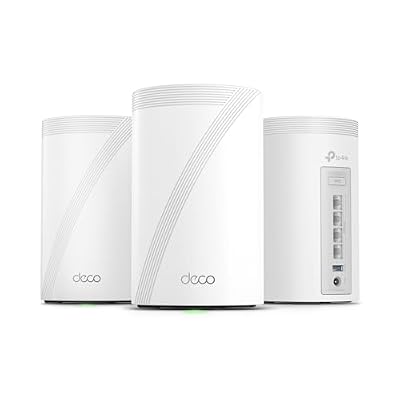
Deco 7 Pro Tri-Band WiFi 7 BE10000 Whole Home Mesh System 6-Stream 10 Gbps | 4 x 2.5G Ports Wired Backhaul, 4 x Smart Internal Antennas, Up to 7,600 Sq.ft, VPN, HomeShield, AI-Roaming (BE63 3-Pack)
Included for '13 Best Tri Band Routers (2026 Build)' as a representative home product in this roundup; selection reflects the product set returned for this topic.
View on Amazon
NETGEAR Nighthawk WiFi 7 Router , Up to 2,500 sq ft, 9.3 Gbps | 2.5Gb Router, Reliable Performance, Easy Set Up, 100 devices, 2× 2.5G + 2× Gigabit Ports, Tri Band, BE9300
Included for '13 Best Tri Band Routers (2026 Build)' as a representative home product in this roundup; selection reflects the product set returned for this topic.
View on AmazonBest Tri Band Routers: Our Top 3 in Brief
The best tri band routers for most gaming builds are the TP-Link AXE5400 Tri-Band WiFi 6E Router (Archer AXE75) for the lowest cost, the TP-Link Tri-Band BE9300 WiFi 7 Router (Archer BE550) for budget Wi-Fi 7 with full 2.5G ports, and the ASUS ROG Strix GS-BE12000 for a gaming-first setup with eight 2.5G ports. Pick by the Wi-Fi generation your devices support and the wired speeds you actually use.
How Tri-Band Routers Work: What Each Band Does
A standard dual-band router offers one 2.4GHz and one 5GHz network. A tri-band router adds a third band, which gives devices more room to spread out.
- 2.4GHz: longest range and best wall penetration, but slowest. Good for smart plugs, cameras and older devices.
- 5GHz: the main band for most laptops, phones and consoles. On a Wi-Fi 6 or Wi-Fi 7 tri-band router that does not use 6GHz, a second 5GHz band shares the load.
- 6GHz: found on Wi-Fi 6E and Wi-Fi 7 tri-band routers. Less crowded, with shorter range than 5GHz, and best for a gaming laptop or phone in the same room or one room away.
In mesh systems such as the TP-Link Deco XE75 and Deco 7 Pro, the third band can also carry traffic between nodes, which keeps the bands your devices use free. For a single PC on an Ethernet cable, the number of bands matters less than the router’s wired port speed.
Common Tri-Band Router Mistakes
- Paying for Wi-Fi 7 when none of your devices support it.
- Expecting the 6GHz band to cover a whole house through several walls.
- Ignoring the WAN port speed when your internet plan is faster than 1 Gbps.
- Buying a 10G-port router without a multi-gig PC, NAS or switch to use it.
- Mixing different brands in a mesh setup and losing features such as unified roaming.
Builder’s Checklist
How we chose: we did not run our own performance trials on these routers. We compared manufacturer specifications, published documentation and recurring buyer feedback, then weighed Wi-Fi generation, wired port speeds, coverage claims and price tier. Every router above suits a different budget and build for gaming and everyday use.
Quick Comparison Table
| Router | Wi-Fi standard | Best for | Key spec |
|---|---|---|---|
| TP-Link AXE5400 (Archer AXE75) | Wi-Fi 6E | Value tri-band for gaming | 2.5Gbps WAN port, 6GHz band |
| NETGEAR Nighthawk RS300 | Wi-Fi 7 (BE9300) | Easy setup | Up to 2,500 sq ft, up to 100 devices |
| TP-Link Archer BE600 | Wi-Fi 7 (BE9700) | Fast wired connections | 10G port plus 2.5G ports, 320MHz channels |
| TP-Link Archer BE550 | Wi-Fi 7 (BE9300) | Budget Wi-Fi 7 | Full 2.5G ports, 6 streams |
| GL.iNet GL-BE9300 (Flint 3) | Wi-Fi 7 (BE9300) | VPN and tinkering | 5 x 2.5G ports, VPN router |
| TP-Link Deco XE75 3-pack | Wi-Fi 6E mesh | Large homes | Up to 7,200 sq ft |
| TP-Link Deco XE75 2-pack | Wi-Fi 6E mesh | Mid-size homes | Up to 5,500 sq ft |
| TP-Link Deco 7 Pro (BE10000) | Wi-Fi 7 mesh | Wired-backhaul mesh | 10 Gbps class, 4 x 2.5G ports |
| NETGEAR Nighthawk BE9300 | Wi-Fi 7 (BE9300) | Gaming with 2.5G WAN | 2.5 Gigabit internet port, up to 2,500 sq ft |
| ASUS ROG Strix GS-BE12000 | Wi-Fi 7 (BE12000) | Hardcore gaming | 8 x 2.5G ports, up to 3,300 sq ft |
| TP-Link Archer BE670 | Wi-Fi 7 (BE12000) | Large homes | 12 Gbps class, 6GHz band |
| ASUS RT-BE9700 | Wi-Fi 7 (BE9700) | Security without a subscription | Dual WAN, up to 2,500 sq ft |
| eero Pro 7 | Wi-Fi 7 mesh | Easy mesh upgrades | Plans up to 5 Gbps, up to 2,000 sq ft per unit |
1. TP-Link AXE5400 Tri-Band WiFi 6E Router (Archer AXE75) – Best Value Tri-Band for Gaming
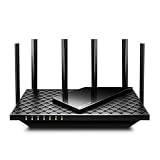
The TP-Link AXE5400 Tri-Band WiFi 6E Router (Archer AXE75) is the pick for builders who want a dedicated 6GHz band without Wi-Fi 7 pricing. The listing highlights a 2.5Gbps WAN port and the 6GHz band, which suits a gaming PC on a fast cable or fiber plan. Choose it if your devices top out at Wi-Fi 6E; skip it if your laptop and phone already support Wi-Fi 7.
- Pros: AXE5400 tri-band design with a 6GHz band
2.5Gbps WAN port
Lowest price tier among the full-size routers here - Cons: Wi-Fi 6E rather than Wi-Fi 7
LAN port speeds are not listed here, so check the maker page
TP-Link AXE5400 Tri-Band WiFi 6E Router, 2025 PCMag Editors' Choice | 2.5Gbps WAN Port for Gaming & Streaming, 6GHz Band, 160MHz, OneMesh, Dual-Core CPU, VPN & WPA3 (Archer AXE75)
Included for '13 Best Tri Band Routers (2026 Build)' as a representative home product in this roundup; selection reflects the product set returned for this topic.
View on Amazon2. NETGEAR Nighthawk Tri-Band WiFi 7 Router (RS300) – Best for Easy Setup
The NETGEAR Nighthawk Tri-Band WiFi 7 Router (RS300) targets households that want Wi-Fi 7 with a simple setup. The listing cites 9.3Gbps of wireless speed, coverage up to 2,500 sq ft and support for up to 100 devices. It fits apartments and mid-size homes with many phones, consoles and smart devices. Skip it if you want the most wired ports for the money.
- Pros: Wi-Fi 7 tri-band design
Up to 2,500 sq ft coverage
Up to 100 connected devices - Cons: Higher price tier than the Wi-Fi 6E pick
Wired port layout is not listed here, so confirm before buying
NETGEAR Nighthawk WiFi 7 Router RS300, Up to 2,500 sq ft, 9.3 Gpbs | Reliable Performance, Easy Set Up, 100 devices, 2× 2.5G + 2× Gigabit Ports, Tri Band, BE9300
Included for '13 Best Tri Band Routers (2026 Build)' as a representative home product in this roundup; selection reflects the product set returned for this topic.
View on Amazon3. TP-Link Tri-Band BE9700 WiFi 7 Router (Archer BE600) – Best for Fast Wired Connections
The TP-Link Tri-Band BE9700 WiFi 7 Router (Archer BE600) stands out for wired speed. The listing mentions a 10G port, a 2.5G port, three 2.5G LAN ports and 320MHz channel support. That makes it a good match for a PC or NAS with a multi-gig network card. Skip it if you only have a gigabit internet plan and gigabit devices, because you would not use the faster ports.
- Pros: BE9700 tri-band Wi-Fi 7
10G port plus 2.5G ports
320MHz channel support - Cons: Costs more than the Archer BE550
Benefits depend on having multi-gig devices
TP-Link Tri-Band BE9700 WiFi 7 Router (Archer BE600) | 10G Port, 2.5G Port, 3× 2.5G LAN, 320MHz Channel, Covers up to 2,600 sq. ft., 120 Devices, VPN, HomeShield Security
Included for '13 Best Tri Band Routers (2026 Build)' as a representative home product in this roundup; selection reflects the product set returned for this topic.
View on Amazon4. TP-Link Tri-Band BE9300 WiFi 7 Router (Archer BE550) – Best Budget Wi-Fi 7
The TP-Link Tri-Band BE9300 WiFi 7 Router (Archer BE550) is the budget route into Wi-Fi 7. The listing describes a 6-stream design, full 2.5G ports, six internal antennas and coverage up to about 2,000 sq ft. It suits small and mid-size homes where a mesh system would be overkill. Skip it if you need a 10G port or very large coverage.
- Pros: BE9300 tri-band Wi-Fi 7
Full 2.5G ports
Smaller coverage claim suits apartments - Cons: No 10G port
Not meant for very large homes
TP-Link Tri-Band BE9300 WiFi 7 Router (Archer BE550) | 6-Stream, Full 2.5G Ports, 6 Internal Antennas, Up to 2,000 sq. ft., EasyMesh Expansion, VPN
Included for '13 Best Tri Band Routers (2026 Build)' as a representative home product in this roundup; selection reflects the product set returned for this topic.
View on Amazon5. GL.iNet GL-BE9300 (Flint 3) Tri-Band Wi-Fi 7 Router – Best for VPN Users
The GL.iNet GL-BE9300 (Flint 3) Tri-Band Wi-Fi 7 Router is aimed at users who care about VPN support and customization. The listing mentions 9 Gbps of wireless speed, the 6GHz band and five 2.5G ports. It suits a gaming setup where a wired PC, console and NAS all need fast ports. Skip it if you want a polished mobile app and the simplest possible setup.
- Pros: BE9300 tri-band Wi-Fi 7 with 6GHz
Five 2.5G ports
Built for VPN use - Cons: Less mainstream than the big-brand routers
Settings can feel technical for beginners
GL.iNet GL-BE9300 Flint 3 Tri-Band Wi-Fi 7 Router 5 x 2.5G VPN Router | Tri-Band Wi-Fi 7 with 6GHz, 9 Gbps wireless speed for smooth 8K streaming, low-latency gaming, and video calls
Included for '13 Best Tri Band Routers (2026 Build)' as a representative home product in this roundup; selection reflects the product set returned for this topic.
View on AmazonMore Tri-Band Routers Worth Considering
These four routers round out the list with a gaming-focused model, a large-home option, a subscription-free security pick and an easy mesh-ready system. Specs come from the listing titles and maker descriptions, so confirm port layouts on the maker page before ordering.
ASUS ROG Strix GS-BE12000 – Best for Hardcore Gaming

ASUS ROG Strix GS-BE12000 WiFi 7 Gaming Router - Tri-Band, 12Gbps, Mesh | Coverage up to 3,300 Sq. Ft., 2.5G Port x8. Game Boost for Low Latency Gaming & Streaming. VPN support
Included for '13 Best Tri Band Routers (2026 Build)' as a representative home product in this roundup; selection reflects the product set returned for this topic.
View on AmazonThe ASUS ROG Strix GS-BE12000 is the most gaming-oriented router here. It is built for PC and console players who want many fast wired ports and a router that can join an AiMesh network later.
- Tri-band Wi-Fi 7 with up to 12Gbps of combined wireless speed
- Eight 2.5G ports
- Coverage up to 3,300 sq ft
- Mesh-capable
Pros: plenty of 2.5G ports for a PC, console and NAS; large coverage claim; gaming-focused feature set.
Cons: high price tier; more features than a casual user needs.
Skip it if you only have a few wireless devices and a gigabit plan.
TP-Link Archer BE670 – Best for Large Homes

TP-Link Archer BE12000 Tri-Band Wi-Fi 7 Router (Archer BE670) | 12 Gbps Tri Band WiFi 7 Router | latest 6GHz Wi-Fi band | 10G Connectivity | Works w/ Amazon Alexa & Google Assistant
Included for '13 Best Tri Band Routers (2026 Build)' as a representative home product in this roundup; selection reflects the product set returned for this topic.
View on AmazonThe TP-Link Archer BE670 steps above the BE9300 and BE9700 models for homes where one router has to cover more rooms. It targets people with many 6GHz-capable devices.
- BE12000 tri-band Wi-Fi 7 router
- Up to 12 Gbps of combined wireless speed
- Uses the 6GHz band
Pros: higher wireless ceiling than the Archer BE550 and BE600; suits busy multi-device homes.
Cons: costs more than the BE550; real speed depends on the devices you own.
Skip it if your devices only support Wi-Fi 6 or Wi-Fi 6E.
ASUS RT-BE9700 – Best for Security Without a Subscription

ASUS RT-BE9700 WiFi 7 Router - Tri-Band (6GHz), 9.7 Gbps, x2 WAN, Mesh | Coverage up to 2,500 Sq. Ft., Subscription Free Network Security, Parental Controls Included, 2.5G Port x4, VPN support
Included for '13 Best Tri Band Routers (2026 Build)' as a representative home product in this roundup; selection reflects the product set returned for this topic.
View on AmazonThe ASUS RT-BE9700 suits households that want built-in network security and flexible WAN options without paying a monthly fee.
- Tri-band Wi-Fi 7 including the 6GHz band
- 9.7Gbps of combined wireless speed
- Dual WAN support
- Mesh-capable
- Coverage up to 2,500 sq ft
Pros: subscription-free security features per the listing; dual WAN for a backup connection; mesh-capable.
Cons: mid-to-high price tier; fewer gaming extras than the ROG model.
Skip it if you want the most 2.5G ports for the money.
eero Pro 7 – Best for Easy Mesh Upgrades

Amazon eero Pro 7 tri-band mesh Wi-Fi 7 router - Supports internet plans up to 5 Gbps, Coverage up to 2,000 sq. ft., 1-pack
Included for '13 Best Tri Band Routers (2026 Build)' as a representative home product in this roundup; selection reflects the product set returned for this topic.
View on AmazonThe eero Pro 7 is the simplest option here for people who may add mesh nodes later and prefer app-based setup to a deep settings menu.
- Tri-band Wi-Fi 7 router
- Supports internet plans up to 5 Gbps
- Coverage up to 2,000 sq ft for a single unit
- Expandable into a mesh system
Pros: easy setup; scales into mesh; handles fast fiber plans.
Cons: less control than ASUS or GL.iNet routers; extra nodes add cost.
Skip it if you want advanced settings or many wired ports.
Tri-Band Router Buying Guide: Thresholds That Matter
A tri-band router adds a second 5GHz or a 6GHz band so devices spread out instead of competing. These thresholds help you pick the right tier.
- Wi-Fi generation: Wi-Fi 6E tri-band routers add the 6GHz band and are the lowest price tier. Wi-Fi 7 adds wider 320MHz channels and multi-link features, but you only benefit if your devices support it.
- Wired ports: look for a 2.5G WAN port if your plan is above 1 Gbps. Choose a 10G port only if you have a multi-gig PC or NAS.
- Coverage: up to 2,000 sq ft suits apartments and small homes; 2,500 to 3,500 sq ft suits larger single-router homes; above that, consider a mesh system.
- Device load: 25 or more active devices is where the extra band starts to help.
- Software: decide between an app-based setup and a full settings menu, and check that security features do not require a subscription.
Wi-Fi 6E vs Wi-Fi 7 Tri-Band Routers: Which Should You Buy?
Buy Wi-Fi 6E if your laptop, phone and console top out at Wi-Fi 6E and you want the lowest cost. Buy Wi-Fi 7 if you plan to keep the router for several years or already own Wi-Fi 7 devices. Wi-Fi 6E routers such as the TP-Link AXE5400 (Archer AXE75) already deliver a dedicated 6GHz band. Wi-Fi 7 models such as the TP-Link Archer BE550 and NETGEAR Nighthawk RS300 add wider channels and higher peak wireless speeds, but those peaks are only reached by Wi-Fi 7 devices close to the router.
Which Tri-Band Router Fits Your Situation?
- Cheapest tri-band for a gaming PC: TP-Link AXE5400 (Archer AXE75).
- Cheapest Wi-Fi 7: TP-Link Archer BE550.
- Multi-gig PC or NAS: TP-Link Archer BE600.
- Many wired gaming devices: ASUS ROG Strix GS-BE12000.
- VPN or custom setups: GL.iNet GL-BE9300 (Flint 3).
- Multi-floor homes: TP-Link Deco XE75 or Deco 7 Pro mesh systems, or the eero Pro 7.
Builder’s Buying Guide: Fitting It Into Your Rig
Check Compatibility First
Before buying, make sure the router suits your platform and everything else in your 2026 build — sockets, sizes, connectors, and clearances all have to add up.
Match It to Your Budget
Work out how big a slice of the budget this deserves by how much gaming and everyday performance depends on the router, then choose the tier that weighs cost against headroom.
Plan for Upgrades
A sensible router pick leaves headroom to grow, so go with one that won’t choke a later upgrade and keeps the build worth running for years.
Related Guides
Related Articles
Want to dig deeper into this topic? Have a look at the hand-picked guides below — each one follows the same research-based comparison method used in this review.
More Tri-Band Router Questions
Is a tri-band router worth it for gaming?
Yes, if many devices share your network. The extra band keeps phones, TVs and laptops off the band your gaming PC uses, which can reduce congestion. A wired connection still gives the lowest latency.
What is the difference between tri-band Wi-Fi 6E and Wi-Fi 7?
Wi-Fi 6E adds the 6GHz band to Wi-Fi 6. Wi-Fi 7 adds wider 320MHz channels and higher peak speeds on top of 6GHz, and benefits only Wi-Fi 7 devices.
Which tri-band router is best for a large house?
For one router, look at a 3,000+ sq ft coverage claim such as the ASUS ROG Strix GS-BE12000. For multi-floor homes, a mesh system such as the TP-Link Deco XE75 or Deco 7 Pro is usually the better fit.
Do I need a 2.5G WAN port?
You need one if your internet plan is faster than 1 Gbps. On a gigabit plan, a 2.5G port will not hurt but will not speed up your connection.
Frequently Asked Questions
What makes a router tri-band?
A tri-band router broadcasts three separate WiFi networks, typically one 2.4 GHz band and two 5 GHz bands, or on WiFi 6E adding a 6 GHz band. The extra band provides more capacity, letting the router spread devices across bands to reduce congestion and maintain faster speeds in busy, device-heavy households.
Do I need a tri-band router?
Tri-band benefits homes with many simultaneous devices, heavy 4K streaming, gaming, and smart home gear all competing for bandwidth. The third band eases congestion. If you have a smaller household with modest usage, a dual-band router is sufficient and more economical. Match the band count to your actual device load.
How does tri-band help mesh systems?
In mesh systems, a dedicated third band often serves as a wireless backhaul, carrying traffic between nodes without stealing bandwidth from your devices. This keeps speeds high across a large home. Tri-band mesh generally outperforms dual-band mesh for coverage and throughput, especially when nodes are spread far apart across multiple floors.
Will tri-band improve my internet speed?
Tri-band does not increase your internet plan’s speed, but it improves how that bandwidth is distributed among devices, reducing slowdowns from congestion. Each device gets a less crowded band, delivering more consistent real-world speeds. The benefit is capacity and stability under load rather than a higher peak number on any single device.
Is tri-band worth the extra cost?
For dense, high-demand networks, the extra band justifies the price by preventing slowdowns during heavy simultaneous use. For light users, the cost premium may not pay off, since a good dual-band router already handles their needs. Evaluate your device count and usage intensity before paying more for tri-band capability.