What to Look for in DDR5 RAM requires evaluating transfer speed, latency, and system compatibility to boost performance. Upgrading your custom gaming PC build with next-generation memory provides higher bandwidth and improved power efficiency. In this buying guide, we break down essential features to help you pick the best kit.
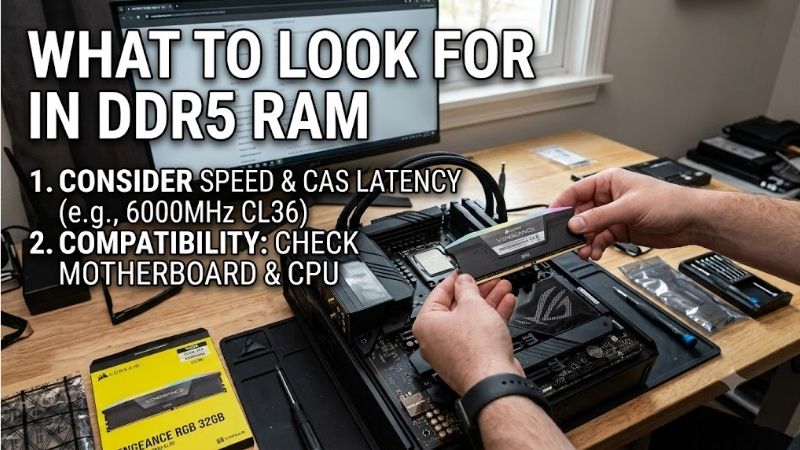
How to Choose the Right What to Look for in DDR5 RAM
Selecting memory components demands balancing bandwidth, timings, and platform support. By knowing what to look for in ddr5 ram, you can maximize overall system responsiveness without overspending on unnecessary extras. Below are key technical factors to evaluate before purchasing your desktop memory modules today.
Understanding DDR5 Frequency and Transfer Speed
Higher transfer rates allow your computer to process data much faster across heavy workloads. A higher clock speed delivers significant bandwidth gains over previous generations, making complex multitasking far smoother. Modern RAM modules range from 4800MT/s to well over 7200MT/s for enthusiast desktop PC builds.
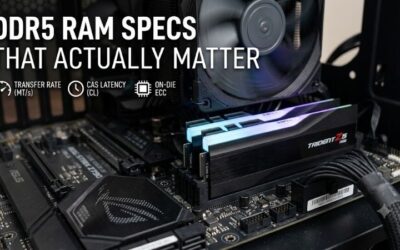
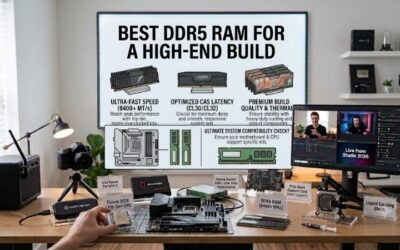
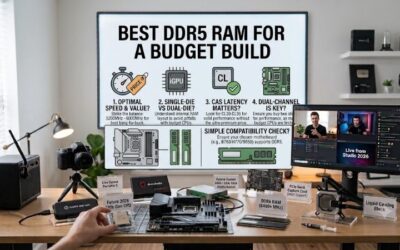
For most gaming setups and creative rigs, a speed of 6000MT/s offers optimal stability and price performance. Keep in mind that higher speeds often require manual tuning or advanced motherboard profiles. Prioritizing a balanced transfer rate is a fundamental aspect of what to look for in ddr5 ram today.
Analyzing CAS Latency and Timings
Memory latency determines how fast the module responds to instructions issued by your CPU. A lower CAS latency rating ensures quicker initial response times, directly boosting frame rates in fast-paced games. While DDR5 has higher timing numbers than DDR4, its massive bandwidth effectively offsets the gap.
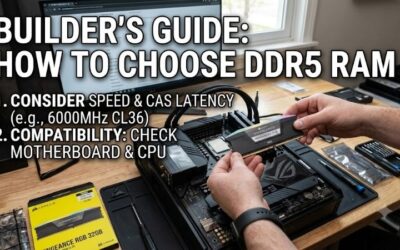
When shopping for high-performance memory, look for kits labeled with CL30 or CL36 at 6000MT/s ratings. Lower latency options usually carry a price premium, so balancing speed with latency is vital for budget control. Choosing tight timings keeps system operations snappy during intensive computing sessions.
Determining Optimal Memory Capacity
Choosing adequate memory capacity depends on your specific daily workloads and gaming habits. A 32GB dual-channel kit serves as the current sweet spot for modern titles and heavy multitasking scenarios. Selecting sufficient capacity is another core element of what to look for in ddr5 ram for future-proofing.
While 16GB remains sufficient for basic computing, modern AAA titles and video editing software benefit greatly from 32GB or 64GB setups. Higher capacities eliminate system memory bottlenecks when running multiple background applications. Plan your total capacity early to avoid costly future memory upgrades.
Checking Motherboard and CPU Compatibility
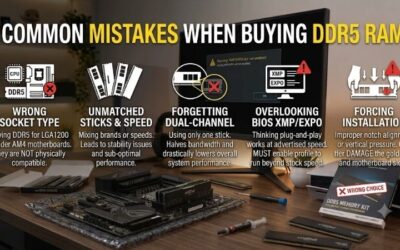
Before purchasing any memory kit, verify motherboard compatibility to prevent hardware boot issues. Modern Intel 12th to 14th Gen and AMD Ryzen 7000/9000 series processors support DDR5, but board support varies. Always consult your motherboard manufacturer Qualified Vendor List to confirm tested memory models.
Physical dimensions also matter, especially if you plan to install a large dual-tower CPU air cooler. Low-profile memory sticks fit easily beneath bulky heatsinks, whereas tall modules with elaborate lighting need extra headroom. Checking cooler clearance saves you from frustrating physical assembly headaches.
Evaluating Overclocking Profiles (XMP 3.0 vs EXPO)
Pre-configured overclocking profiles allow builders to run modules at advertised speeds with one click. Intel XMP 3.0 provides stable single-click tuning on Intel chipsets, featuring customizable profile slots. Meanwhile, AMD EXPO delivers tailored memory timings optimized specifically for AMD Ryzen platforms.
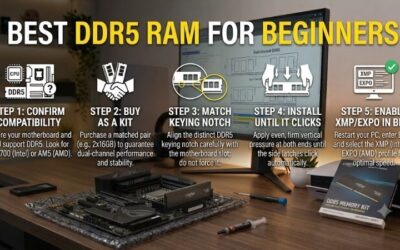
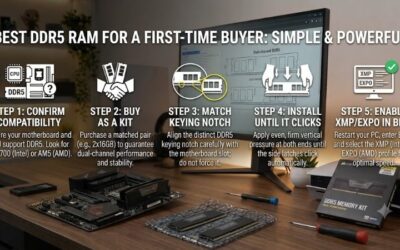
Many premium memory kits support both profile standards, offering cross-platform flexibility for upgrades. Enabling these profiles ensures your RAM runs at advertised speeds rather than slow default base frequencies. Always activate your preferred memory profile in the system BIOS right after hardware assembly.
| DDR5 RAM Model | Target Speed | CAS Latency | Profile Support | Best Use Case |
| Corsair Dominator Platinum | 5600MT/s – 7200MT/s | CL30 – CL36 | Intel XMP 3.0 / AMD EXPO | Premium Enthusiast Builds |
| Corsair Vengeance DDR5 | 5200MT/s – 6400MT/s | CL36 – CL40 | Intel XMP 3.0 / AMD EXPO | Stealth & Compact Builds |
| G.Skill Trident Z5 Neo | 6000MT/s | CL30 – CL36 | AMD EXPO | AMD Ryzen Gaming Rigs |
| TEAMGROUP T-Force Delta | 6000MT/s – 7200MT/s | CL30 – CL38 | Intel XMP 3.0 | RGB High-Speed Gaming |
| Crucial Pro DDR5 | 5600MT/s | CL46 | Intel XMP 3.0 / AMD EXPO | Workstations & Non-RGB |
| Kingston Fury Beast | 5200MT/s – 6000MT/s | CL36 – CL40 | Intel XMP 3.0 / AMD EXPO | Versatile Everyday Rigs |
Top Picks
Finding top-tier RAM modules on Amazon involves checking verified hardware reliability, cooling efficiency, and value. Comparing tested hardware helps clarify what to look for in ddr5 ram across top available kits. Here are our top recommended memory kits that deliver outstanding stability and performance.
Corsair Dominator Platinum RGB DDR5
Designed for enthusiast builders wanting elite styling, this kit combines bold aesthetics with top performance. A forged aluminum heat spreader dissipates heat efficiently under high operating loads. Its patented cooling system keeps thermals low while maintaining ultra-fast data transfer speeds reliably.
However, its tall module height can conflict with bulky air coolers, and it commands a higher price tag. Comprehensive software lighting control makes it a standout choice for custom showcase builds. Overall, it remains a flagship option for users desiring luxury design and uncompromising speed.
Corsair Vengeance DDR5
Ideal for budget-conscious builders wanting clean aesthetics without extra flash, this dual-channel kit delivers rock-solid stability. Its compact form factor guarantees excellent CPU cooler clearance in small cases. Onboard voltage regulation makes software overclocking smooth and simple for everyday users.
On the downside, its minimalist design lacks RGB lighting, which may not suit visual-focused desktop setups. Nevertheless, its affordable pricing and dependable chips make it a smart purchase for value seekers. It remains one of the most reliable stealth memory options for mid-range desktop computers.
G.Skill Trident Z5 Neo DDR5
Engineered specifically for AMD AM5 platforms, this kit features full AMD EXPO profile integration for quick tuning. It provides aggressive low-latency timings at 6000MT/s straight out of the box. Examining this kit illustrates what to look for in ddr5 ram when targeting optimized gaming responsiveness.
The angular aluminum heatsink edges require careful handling during installation inside tight PC cases. High-speed stability is exceptional across major motherboard brands without requiring manual tweaking. If you are assembling a modern AMD gaming system, this memory kit delivers remarkable value.
TEAMGROUP T-Force Delta RGB DDR5
Crafted for gamers seeking eye-catching illumination alongside fast throughput, this kit reaches speeds up to 7200MT/s. Its 120-degree wide-angle lighting bar produces vivid RGB effects across major sync software. Quality IC chips ensure reliable operation during heavy gaming and workstation sessions.
Running at peak speeds requires strong motherboard support and slightly higher power draw than standard kits. The aggressive heatsink styling fits beautifully inside modern glass desktop chassis. It stands as a top choice for builders wanting maximum visual impact alongside impressive memory bandwidth.
Crucial Pro DDR5
Built for workstation users and minimalist builders, this memory kit focuses on plug-and-play reliability. It offers high capacity options that run seamlessly without demanding complex BIOS tuning adjustments. Its low-profile matte black heatspreader fits easily into space-constrained compact cases.
It lacks RGB lighting features and uses more conservative timing settings compared to gaming-focused kits. Nonetheless, Micron quality standards guarantee rock-solid long-term stability under heavy workloads. It is the perfect choice for content creators who value continuous uptime over flashy aesthetics.
Kingston Fury Beast DDR5
A versatile kit for both Intel and AMD platforms, this memory stick supports profile overclocking seamlessly. Its low-profile design provides ample clearance beneath massive CPU cooling heatsinks. Built-in infrared synchronization ensures uniform lighting effects across multiple modules without extra cables.
Higher frequency variants can get expensive, and extreme overclockers may want tighter sub-timings. Despite this, its multi-platform compatibility makes hardware assembly straightforward for beginner builders. It serves as a highly dependable and stylish memory upgrade for almost any modern desktop build.
Frequently Asked Questions
Upgrading your desktop system with modern memory often brings technical questions regarding performance benefits and installation. Reviewing key FAQs answers what to look for in ddr5 ram before purchasing new components. Below are detailed answers to the most common inquiries from custom PC builders.
Is DDR5 RAM worth it for gaming?
Yes, upgrading to DDR5 yields noticeable frame rate improvements in modern CPU-intensive video games. Higher memory bandwidth allows your processor to feed data rapidly to your graphics card during intense scenes. Investing in DDR5 ensures your gaming PC build handles upcoming modern titles smoothly.
Can I mix different DDR5 RAM kits?
Mixing different memory kits is strongly discouraged because mismatched timings and speeds cause system instability. Even sticks from the same brand may feature different internal memory dies across batches. For guaranteed system stability, always buy a matched multi-stick kit packaged by the factory.
What speed DDR5 RAM should I buy?
A DDR5 frequency of 6000MT/s with CL30 or CL36 timing is ideal for most PC builders today. This target speed offers peak stability on both Intel and AMD platforms without demanding manual voltage tuning. It hits the perfect middle ground between price, broad platform support, and fast data transfer rates.
Does DDR5 RAM require special CPU support?
Yes, DDR5 requires a compatible CPU and a motherboard equipped with dedicated DDR5 memory slots. Intel 12th Gen Core processors and newer, along with AMD Ryzen 7000 and 9000 series, support DDR5. Physical keying notches differ from DDR4 modules, preventing accidental insertion into older motherboards.
Final Thoughts
Ultimately, understanding what to look for in ddr5 ram comes down to balancing speed, low latency, and platform compatibility. By choosing a reliable 6000MT/s kit with tight timings and appropriate capacity, you will unlock optimal computing speed. Invest in a quality kit today to build a fast, future-proof PC.