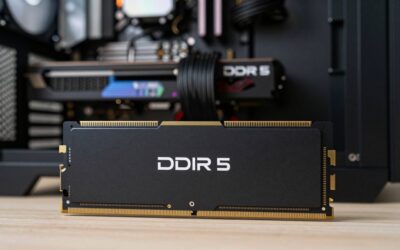
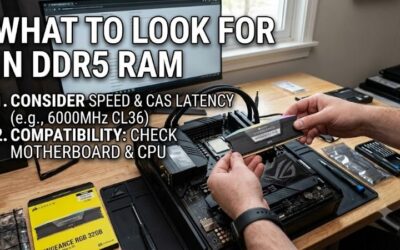
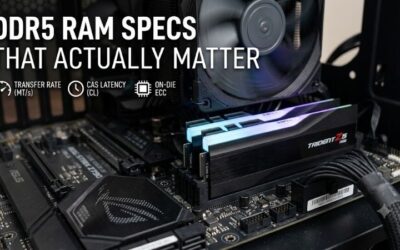
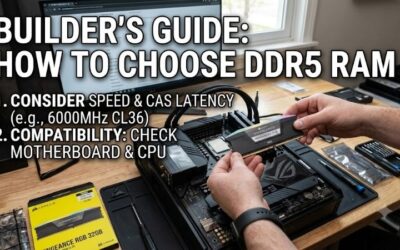
CORSAIR Vengeance RGB DDR5 RAM 32GB (2x16GB) Up to 6000MHz CL30-36-36-76 1.40V AMD EXPO Intel XMP Desktop Computer Memory - Gray (CMH32GX5M2B6000Z30K)
Included for 'Common Mistakes When Buying DDR5 RAM: Top PC Builder Tips' because the listing specifies Gray (CMH32GX5M2B6000Z30K), details this guide uses to compare options.
View on AmazonCommon mistakes when buying ddr5 ram can easily ruin an otherwise high-end PC build or cause frustrating boot failures. Navigating frequency ratings, timing numbers, and motherboard specs requires attention to detail. This comprehensive guide helps you select the right memory kit without overspending or risking instability.
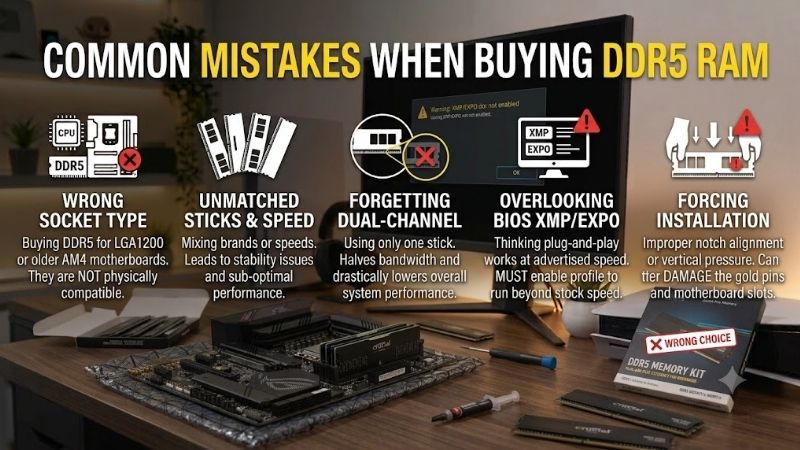
How to Avoid Common Mistakes When Buying DDR5 RAM
Avoiding common mistakes when buying ddr5 ram starts with understanding how modern desktop platforms handle high-bandwidth memory. Users frequently rush into purchases based on marketed speed alone, ignoring key motherboard compatibility limits. Taking a methodical approach ensures smooth installation, rock-solid stability, and optimum performance.
Ignoring Motherboard and CPU Compatibility Lists
Many builders make common mistakes when buying ddr5 ram by failing to check motherboard QVL lists before purchasing. Motherboard compatibility determines whether your system will run memory at advertised speeds via XMP EXPO profiles without system crashes. Ignoring support lists leads to endless manual troubleshooting during setup.
Always cross-reference your specific motherboard model with the RAM kit part number on the manufacturer’s website. Verifying RAM heatsink clearance against large dual-tower CPU air coolers is equally critical for a physical fit. Spending five minutes on verification saves hours of technical frustration during your custom PC setup.
Overpaying for Extreme Speeds with High Latency
Focusing solely on megatransfers per second while ignoring RAM CAS latency is a widespread trap for system builders. Ultra-high frequency kits above 7200MT/s frequently feature loosened timings that degrade real-world gaming responsiveness. Balance remains the most effective strategy when evaluating memory specifications for daily use.
For most modern processors, a sweet spot kit rated at 6000MT/s CL30 offers superior gaming frame times than a 7200MT/s CL40 kit. High speed modules require substantial voltage and produce extra heat that can degrade system longevity. Prioritize tight timings alongside reasonable transfer speeds to maximize your hardware investment.
Purchasing a Single Stick Instead of a Kit
Buying a single memory module severely restricts total system bandwidth by forcing single-channel operation. Setting up a dual channel RAM configuration doubles available memory bandwidth and boosts gaming frame rates by up to twenty percent. Always purchase matched two-stick kits rather than buying individual modules at different times.
Even buying two separate identical single sticks can lead to stability issues due to subtle chip revisions from vendors. Pre-packaged dual-channel memory kits are factory-tested together to ensure tight signal matching. Preventing common mistakes when buying ddr5 ram like single-stick setups remains key to securing top performance.
Populating All Four DIMM Slots on Consumer Platforms
Filling four RAM slots on consumer platforms puts excessive stress on the CPU memory controller limits. Running four high-speed modules often forces the system to drop frequencies significantly to maintain boot stability. Most modern platforms struggle to maintain overclocked profile speeds when all four memory slots are populated.
Understanding four DIMM slots stability restrictions helps users avoid unexpected system crashes during heavy workloads. If you genuinely require 64GB or 128GB of total capacity, choose a two-stick high-density kit instead of four smaller sticks. Two modules preserve signal integrity and allow higher stable operating speeds without hassle.
| DDR5 RAM Spec & Configuration | Best For Platform | Primary Advantage | Main Drawback / Risk |
| DDR5-6000 CL30 (2 x 16GB) | AMD AM5 & Intel LGA1700/1851 | Optimal performance & low latency | Slight price premium over CL36 |
| DDR5-5600 CL46 (2 x 32GB) | Workstation & Budget Builds | Guaranteed plug-and-play stability | Higher overall CAS latency |
| DDR5-7200 CL34 (2 x 24GB) | High-End Intel Overclocking | Extreme bandwidth for benchmarks | Requires top-tier motherboard |
| DDR5-6000 CL36 (4 x 16GB) | Large Capacity Multi-Tasking | Massive 64GB memory pool | High risk of instability at EXPO |
Top Picks to Avoid DDR5 RAM Buying Errors
Selecting verified hardware prevents common mistakes when buying ddr5 ram and ensures seamless system integration out of the box. The following real-world Amazon products represent top-performing memory kits that deliver exceptional stability, realistic pricing, and verified motherboard support across Intel and AMD platforms.
G.SKILL Trident Z5 Neo RGB DDR5 6000MHz CL30
Designed specifically for AMD Ryzen platforms, this kit helps buyers eliminate common mistakes when buying ddr5 ram by offering pre-tuned EXPO profiles. Premium SK Hynix dies combined with tailored settings deliver unmatched stability. Excellent motherboard compatibility across major brands makes this kit a bulletproof option.
The elevated heatsink profile might create physical interference with chunky dual-tower air coolers in compact mid-tower cases. Additionally, RGB lighting synchronization sometimes requires third-party software tweaks on older motherboard utility suites. Overall, it remains the gold standard choice for hassle-free high performance.
Corsair Vengeance DDR5 6000MHz CL36 Kit
Targeted at clean, stealthy builds, this low-profile memory module set delivers reliable dual-channel performance without flashy RGB lighting. Featuring low RAM CAS latency and dual XMP/EXPO support, it works flawlessly across both Intel and AMD platforms. It is ideal for builders prioritizing low clearances under massive CPU cooling towers.
Its understated matte black aluminum heat spreader lacks visual flair for users seeking custom lighting aesthetics inside tempered glass cases. Furthermore, latency numbers are slightly looser than top-tier enthusiast kits, though real-world performance differences remain minimal. It stands out as an affordable workhorse for daily PC tasks.
Teamgroup T-Force Delta RGB DDR5 6000MHz
Geared toward custom PC enthusiasts wanting striking visual flair, this kit offers full 120-degree ultra-wide RGB lighting alongside robust speed ratings. Configured as a dual channel RAM configuration, it provides generous bandwidth for gaming and content creation while supporting one-click Intel XMP 3.0 overclocking profiles effortless setup.
The taller heat spreader design demands careful attention to clearance when installing liquid cooler radiators or large air heatsinks. Some users report that default lighting effects revert to rainbow mode if motherboard lighting software crashes. Despite these minor quirks, it delivers fantastic speed and head-turning visual presence.
Crucial DDR5 5600MHz Pro UDIMM Kit
Built for professionals and workstation users who demand absolute system reliability over aggressive memory frequency overclocks. By staying within standard JEDEC specifications, it avoids pushing CPU memory controller limits, making it virtually immune to memory-related system crashes during heavy rendering or data processing sessions.
The lack of factory EXPO profiles means AMD users must manually verify timing tables to get optimal performance beyond base JEDEC speeds. Additionally, the plain black heat spreader looks basic compared to flashier gaming kits. It remains an ideal selection for stability-focused users needing zero-headache productivity performance.
Kingston FURY Beast RGB DDR5 6000MHz
Targeted at modern mid-range PC builds, this dynamic memory kit pairs high speed DDR5 modules with infrared sync technology for flawless lighting patterns. Its slim form factor minimizes RAM heatsink clearance issues with popular CPU air coolers while offering customizable Intel XMP and AMD EXPO overclocking profiles for fast tuning.
Higher operating voltages under aggressive profile settings cause heat spreaders to run slightly warm during prolonged stress testing. Furthermore, reaching advertised speeds on budget motherboards may require updating system BIOS to the latest version. It remains a top candidate for gamers wanting robust build quality and style.
Frequently Asked Questions
Addressing common mistakes when buying ddr5 ram helps clear up persistent confusion surrounding RAM speeds, slot configurations, and profile settings. The following answers tackle the most critical questions PC builders ask when upgrading or assembling modern systems to ensure you get the best possible return on your investment.
Can I mix different DDR5 RAM kits together?
Mixing different memory kits—even from the same brand—is a frequent source of boot failures and random system crashes. Memory manufacturers source memory chips from various vendors, meaning timing profiles and sub-timings rarely match perfectly across separate kits. Always purchase a single pre-packaged kit to ensure component unity.
Attempting to force mixed modules to run together usually disables one-click XMP EXPO profiles, dropping memory speeds down to baseline JEDEC defaults. If you need additional memory capacity in the future, replacing your existing kit with a higher-capacity single kit guarantees optimal signal stability and predictable system performance.
Why does my DDR5 RAM run at 4800MHz instead of the advertised speed?
By default, motherboards boot DDR5 memory at standard JEDEC frequencies ranging from 4800MHz to 5200MHz to ensure initial boot safety. To achieve advertised frequencies, users must enter motherboard BIOS and enable overclocking profiles manually. Forgetting this simple step causes millions of PCs to underperform unnecessarily.
When enabling high-speed profiles, ensure your motherboard handles elevated desktop memory voltage requirements without overheating VRM circuits. If system stability testing shows memory errors, updating motherboard BIOS frequently resolves signal training issues and enables full advertised memory speeds without needing manual timing edits.
Is 32GB of DDR5 RAM enough for gaming and productivity?
A 32GB dual-channel kit configured as two 16GB high speed DDR5 modules represents the ideal target for modern gaming setups. Modern games rarely utilize more than 24GB of RAM, making 32GB more than sufficient for gaming while running background applications like Discord, browser tabs, and streaming software simultaneously without slowdowns.
Users specializing in heavy 4K video editing, 3D rendering, or running virtual machines should consider upgrading to a 64GB kit instead. Choosing higher capacity upfront in a two-stick configuration avoids the potential stability headaches associated with filling four DIMM slots stability later on as workload demands grow over time.
Does DDR5 RAM generate more heat than DDR4 memory?
Yes, DDR5 modules generate more localized heat than DDR4 because power management integrated circuits (PMIC) moved directly onto the memory PCB. Managing desktop memory voltage on the module itself improves power efficiency but concentrates heat near memory chips, making proper case airflow and quality heat spreaders essential for stability.
High-performance DDR5 kits running above 6000MT/s benefit greatly from adequate chassis ventilation or dedicated fan airflow across RAM slots. Ensuring cool ambient temperatures prevents thermal throttling and protects memory ICs from long-term degradation during extended heavy gaming or rendering workloads.
Final Thoughts
Avoiding common mistakes when buying ddr5 ram ensures your system operates at peak efficiency while maintaining total hardware stability. By selecting two-stick kits, verifying motherboard QVL lists, and balancing transfer speeds with tight latency, you protect your PC investment. Choose wisely to enjoy smooth performance across all your gaming and creative tasks.