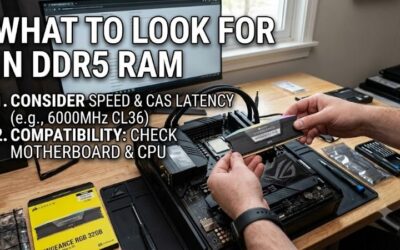
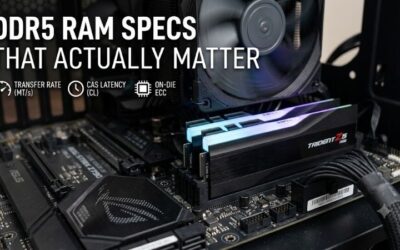
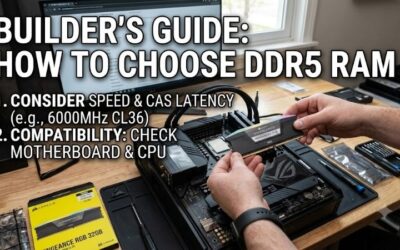
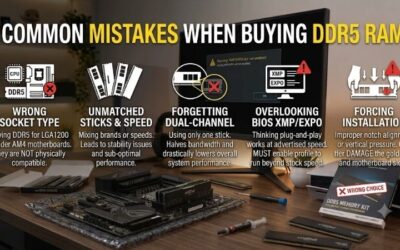
The best DDR5 RAM under $200 for a gaming PC is a 32GB (2x16GB) DDR5-6000 CL30 kit, and the strongest options are the G.Skill Flare X5, Corsair Vengeance DDR5, Kingston Fury Beast DDR5 and TeamGroup T-Force Delta RGB in that exact configuration. These kits deliver nearly all the gaming performance of far pricier memory. The catch in 2026 is pricing: DRAM costs rose sharply from late 2025, so a DDR5 32GB kit at 6000 CL30 sometimes sits above $200 and you may need to wait for a dip or step down one speed grade.
This guide explains why 6000 CL30 is the target, how to compare kits with a quick latency calculation, and what to buy if the best kits drift past your budget.

CORSAIR Vengeance RGB DDR5 RAM 32GB (2x16GB) Up to 6000MHz CL30-36-36-76 1.40V AMD EXPO Intel XMP Desktop Computer Memory - Gray (CMH32GX5M2B6000Z30K)
Included for 'Best DDR5 RAM Under $200: 32GB 6000 CL30 Kits and Smart Fallbacks' because the listing specifies Gray (CMH32GX5M2B6000Z30K), details this guide uses to compare options.
View on AmazonWhy DDR5-6000 CL30 Is the Sweet Spot
On AMD’s AM5 platform, the memory controller runs best when its clock (UCLK) matches the memory clock in a 1:1 ratio. Most Ryzen 7000 and 9000 chips hold 1:1 comfortably up to around DDR5-6000 to 6400. Going faster usually forces a 1:2 ratio, which adds latency and can cancel out the bandwidth gain. That is why DDR5 6000 CL30 has become the default recommendation for AM5 builds.
Intel Core 12th-14th gen and Core Ultra 200S chips handle higher speeds well, and Core Ultra in particular benefits from DDR5-6400 to 8000. For a budget-focused Intel gaming build, though, 6000 CL30 or 6400 CL32 remains a strong value point.
Worked Calculation: True Latency
CAS latency (CL) is counted in clock cycles, so a higher speed with a higher CL can end up just as quick. True latency in nanoseconds equals CL x 2000 / data rate.
| Kit | Formula | True latency | Gaming verdict |
|---|---|---|---|
| DDR5-4800 CL40 | 40 x 2000 / 4800 | 16.7 ns | JEDEC baseline, noticeably slower in CPU-bound games |
| DDR5-5600 CL36 | 36 x 2000 / 5600 | 12.9 ns | Good budget fallback |
| DDR5-5600 CL28 | 28 x 2000 / 5600 | 10.0 ns | Excellent if priced well |
| DDR5-6000 CL30 | 30 x 2000 / 6000 | 10.0 ns | The sweet spot for AM5 |
| DDR5-6000 CL36 | 36 x 2000 / 6000 | 12.0 ns | Cheaper, small performance trade-off |
| DDR5-6400 CL32 | 32 x 2000 / 6400 | 10.0 ns | Great on Intel; may need tuning on AM5 |
Latency is only one factor, as bandwidth also rises with speed, but the table explains why a DDR5-6000 CL36 kit is a reasonable compromise when prices spike: you give up about 2 ns, which typically means a low-single-digit percentage difference in CPU-bound games and almost nothing when the GPU is the limit.
The Best DDR5 Kits for the Money
G.Skill Flare X5 32GB DDR5-6000 CL30: best for AM5
Built specifically with AMD EXPO profiles, the Flare X5 is a low-profile kit without RGB, so it clears tall tower air coolers. Its 30-36-36-96 timings are a widely used reference for AM5 builds. It is often the first kit to recommend when it fits the budget.
Corsair Vengeance 32GB DDR5-6000 CL30: best all-rounder
Available in versions with both XMP and EXPO, Corsair’s Vengeance is easy to find in black and white finishes. The non-RGB model is compact; the RGB version integrates with iCUE software if you already use Corsair fans or peripherals.
Kingston Fury Beast 32GB DDR5-6000 CL30: best for compatibility
Kingston publishes extensive motherboard compatibility lists, and Fury Beast kits come in XMP and EXPO variants. The modest heat spreader suits small-form-factor builds where cooler clearance is tight.
TeamGroup T-Force Delta RGB 32GB DDR5-6000 CL30: best RGB value
If you want lighting without paying a premium, the Delta RGB usually costs less than other RGB kits at the same speed and timings, with a broad diffuser and white or black options.
Budget DDR5 RAM Compared
| Kit | Capacity | Speed / CL | Profile | RGB | Height | Typical 2026 price range |
|---|---|---|---|---|---|---|
| G.Skill Flare X5 | 2×16 GB | 6000 / CL30 | EXPO | No | ~33 mm | $150-$280 |
| Corsair Vengeance | 2×16 GB | 6000 / CL30 | XMP / EXPO | Optional | ~35 mm (non-RGB) | $160-$290 |
| Kingston Fury Beast | 2×16 GB | 6000 / CL30 | XMP / EXPO | Optional | ~35 mm (non-RGB) | $150-$280 |
| TeamGroup T-Force Delta RGB | 2×16 GB | 6000 / CL30 | XMP / EXPO | Yes | ~47 mm | $160-$290 |
The wide price ranges reflect the memory market’s volatility in 2025-2026. When these kits are near the bottom of their range, they sit comfortably under $200; at the top, a step-down plan helps.
What to Buy If 6000 CL30 Is Over Budget
- Step 1: look for the same brands at DDR5-6000 CL36 or DDR5-5600 CL36. You keep 32 GB of capacity, which matters more than a few nanoseconds.
- Step 2: keep 2×16 GB rather than dropping to 2×8 GB. Several current games plus background apps exceed 16 GB, which causes stutter that no memory speed can fix.
- Step 3: avoid single-stick 32 GB kits. Running one module halves bandwidth because DDR5 needs two sticks for dual-channel operation on consumer platforms.
- Step 4: skip four-stick configurations on AM5. Four DDR5 modules often force lower speeds, around 5200-5600, and lengthen memory training.
Setup Checklist
- Install two sticks in slots A2 and B2, usually the second and fourth slots from the CPU. Your motherboard manual confirms the exact positions.
- Enable EXPO or XMP in the BIOS; without it, DDR5 defaults to 4800 MT/s.
- Expect a long first boot on AM5 while memory training runs. Enable Memory Context Restore afterward to speed up later boots.
- If the system is unstable at the rated profile, update the BIOS first, then drop one speed step (for example to 5800 or 5600) before changing any voltages.
FAQ
Is 32GB of DDR5 enough for gaming in 2026?
Yes. 32 GB covers nearly every game plus streaming software and a browser. 64 GB only makes sense for heavy video editing, large simulations or running local AI models alongside games.
Does RGB RAM perform worse?
No. RGB adds height and cost, not performance. Choose it for looks, but check cooler clearance on tall heat spreaders.