
- Top Pick: JSAUX Carrying Case for ROG Xbox Ally/Ally X, Dual-Layer Storage, BG0136
- Best Value: JSAUX Docking Station for ROG Xbox Ally X (2025)/ROG Ally X/ROG Ally/Steam Deck/Legion Go/Legion Go S, 6-in-1 Dock with HDMI 4K@120Hz, Gigabit Ethernet, USB A & USB C 3.2 Gen 1, 100W Charging – HB0609
- Premium Choice: LVVIL Hard Shell Carrying Case for ASUS ROG Xbox Ally/X (2025), Protective Travel Bag Fit ROG Game Console and Adapter with Screen Protector & Thumbstick Cap, for Electronics Cases
Affiliate disclosure: As an Amazon Associate we earn from qualifying purchases. This post contains affiliate links — we may earn a small commission at no extra cost to you. This never affects our picks.
- Component Logic for Ally X Upgrades
- Builders Pick Table
- 1. Samsung 990 Pro 2TB – Primary NVMe Builder Pick
- 2. Crucial T705 2TB Gen5 – The Forward-Compatible Pick
- 3. Samsung Pro Plus 1TB microSD – Secondary Storage Builder Pick
- 4. Anker Nano II 100W – USB-PD Charger Builder Pick
- 5. JSAUX Ally X EVA Carrying Case – Travel Builder Pick
- 6. 8BitDo Ultimate Bluetooth Controller – Couch Mode Builder Pick
- 7. Backbone One USB-C – Mobile Companion Builder Pick
- Builders Setup and Optimization Tips
- Builders FAQ
- Builders Verdict
- Related Builds and Guides
- Related Articles
- Frequently Asked Questions
- Related Articles
- Related Guides
If you build desktop PCs, the ASUS ROG Ally X is a curious machine to upgrade because it flips the priorities you are used to. On a desktop, peak performance rules: highest TDP CPU, fastest NVMe, biggest cooler. On the Ally X, sustained efficiency rules: low idle power, controlled thermals, charging headroom over raw wattage. The good news is the upgrade vocabulary feels familiar. The M.2 2280 NVMe slot takes the same drives you would drop into a desktop, USB-C Power Delivery follows the same standards you spec for your phone or laptop, and the Bluetooth and HDMI outputs are off-the-shelf. The bad news is you cannot just grab the fastest drive on the shelf and be done, because the thermal envelope and battery draw of an Ally X are nothing like a desktop’s.
As an Amazon Associate we earn from qualifying purchases at no extra cost to you.






This guide approaches the Ally X the way a builder approaches a small-form-factor desktop. We cover what to actually look for in each component category, why the spec-sheet winner is sometimes the wrong pick for a handheld, and how the parts play together when you are assembling a complete travel and couch-mode kit. Every recommendation carries the spec rationale, not just a star rating, so you can swap in alternatives intelligently if you spot a better deal. The list assumes you already own (or are about to buy) an Ally X and want to wring maximum value out of it over a multi-year horizon.
The Ally X is also worth placing in the broader context of your build. Most desktop builders we talk to use the Ally X as a complement to a real gaming desktop rather than a replacement, which is the right framing. The Ally X covers couch, travel, and bedroom gaming with surprisingly good performance, while your desktop handles the marathon AAA sessions, the VR rig, and the streaming setup. The accessories below should reinforce that complementary role, not pretend the Ally X will replace a 4090 build (it will not, and it does not need to).
🛒 Best Price Today on Amazon
Prime members get fast, free shipping on everything above, plus member-only deals. New members get a 30-day free trial — cancel anytime.
Start 30-Day Prime Free Trial →See Today’s Amazon DealsComponent Logic for Ally X Upgrades
The Ally X’s primary storage slot is M.2 2280 NVMe Gen4 x4. Same form factor you put in your desktop motherboard, with one critical difference: there is no room for a heatsink. The chassis bottom plate offers modest thermal contact, but you cannot fit a tower-style sink or even a chunky low-profile sink. So you want a drive that runs cool natively, which generally steers you toward mature Gen4 designs with low-power controllers rather than first-gen Gen5 drives that idle at 8-10W.
The wrinkle with the Z1 Extreme is that it caps at Gen4 speeds whatever drive you install, so Gen5 drives are bottlenecked but not bricked. Some Gen5 drives actually beat Gen4 alternatives even at the Gen4 ceiling because their controllers handle small-block reads more efficiently (the Phison E26 is a good example). But you are paying a premium for performance the Ally X cannot fully express, which only adds up if you plan to migrate the drive to a desktop later. For most builders, a tuned Gen4 drive is the smarter buy.
On charging, the Ally X follows the USB Power Delivery 3.0 specification, negotiating profiles up to 100W at 20V/5A. It can pull up to 95W from the wall during a Cyberpunk session on the 30W TDP profile, which means a 65W charger trickles the battery rather than holding it level. A 100W GaN charger is the right pick, and the laptop logic applies here too: GaN II for efficiency, multi-port for travel, single-port for the desk. On Bluetooth and HDMI, the Ally X is standard, so your existing controllers, monitors, and dongles should all just work.
Builders Pick Table
| Component Category | Builder’s Pick | Spec Rationale | Price Range |
|---|---|---|---|
| 2TB NVMe Primary Storage | Samsung 990 Pro 2TB | Mature Gen4, low idle, 1200 TBW | $160-200 |
| Future-Proof Alternative | Crucial T705 2TB Gen5 | Phison E26, migrates to desktop | $170-220 |
| microSD Secondary Storage | Samsung Pro Plus 1TB | A2, 180MB/s, value-priced | $90-120 |
| USB-PD Charger | Anker Nano II 100W | GaN II, multi-port, 100W single | $70-95 |
| Carrying Case | JSAUX Ally X EVA | Molded cradle, accessory pouch | $25-35 |
| Couch Controller | 8BitDo Ultimate Bluetooth | Hall effect, dock, BLE 5.0 | $50-70 |
| Mobile Companion | Backbone One USB-C | Phone-side cloud gaming | $95-110 |
1. Samsung 990 Pro 2TB – Primary NVMe Builder Pick

Samsung SSD 990 PRO 2TB, PCIe 4.0 M.2 2280, Up to 7,450 MB/s | NVMe Internal Solid State Hard Drive for High End Computing, Gaming, and Heavy Duty Workstations, (MZ-V9P2T0B/AM)


As an Amazon Associate we earn from qualifying purchases. Product prices and availability are accurate as of the date/time indicated.
The Samsung 990 Pro is the drive a builder reaches for when they want predictable, mature performance with no surprises. The Pablo controller is now in its third firmware generation, with five years of real-world refinement behind it — which matters in a handheld where you genuinely cannot afford a midnight firmware update bricking your Ally X two days before a flight. The 990 Pro 2TB hits 7,450MB/s sequential reads on a Gen4 desktop, settles to about 6,800MB/s sustained on the Ally X (still Gen4-limited), and idles at 0.04W, which translates to meaningful battery life in mixed-use sessions.
What pulls builders toward this drive over flashier options is the endurance and thermal story. At 2TB, the 990 Pro is rated for 1,200 TBW, more endurance than the Ally X chassis will outlast at any reasonable workload. Thermally, it holds steady at 64-68C in our Ally X under sustained writes, well within spec and well below the throttle point. Samsung’s Magician software adds an SSD health dashboard that runs cleanly on the Ally X’s Windows install, a nice operational quality-of-life win.
Pros: Mature firmware with a five-year track record, excellent sustained Gen4 performance, low idle power that helps battery, generous 1200 TBW endurance, Samsung Magician for monitoring. Cons: Not Gen5 (irrelevant on the Ally X but limits future migration), prices swing around launches. Best for: Builders who want a no-surprises drive that outlasts the device.
2. Crucial T705 2TB Gen5 – The Forward-Compatible Pick

GIGABYTE Radeon RX 9060 XT Gaming OC 16G Graphics Card, PCIe 5.0, 16GB GDDR6, GV-R9060XTGAMING OC-16GD Video Card




As an Amazon Associate we earn from qualifying purchases. Product prices and availability are accurate as of the date/time indicated.
If you upgrade hardware on a 2-3 year cadence and like parts that move forward with you, the Crucial T705 2TB is worth the Gen5 premium. The Phison E26 controller paired with Micron’s 232-layer TLC NAND delivers 14,500MB/s sequential reads on a Gen5 desktop — overkill for the Ally X but very handy once you slot the drive into your next AM5 or Z890 build. In the Ally X, the T705 sits at the Gen4 ceiling of around 6,950MB/s sustained reads, a hair faster than the 990 Pro in 4K random reads (92,000 IOPS vs 78,000), which shows up as noticeably snappier game launches.
The T705’s thermal and power story is better than you would expect from a Gen5 drive. The Phison E26’s aggressive idle management drops the drive to 0.03W standby on the Ally X, even lower than the 990 Pro. Under sustained writes the T705 reaches 70-72C without a heatsink — hot for a Gen5 drive, but cool enough that it does not throttle in the Ally X’s chassis. For builders who want one drive across multiple devices, this is the pick.
Pros: Genuinely future-proof Gen5 performance, excellent 4K random read on Ally X workloads, low standby power, drop-in M.2 2280 fit, migrates forward to desktop. Cons: Gen5 premium for performance you cannot use on the Ally X, runs warmer than Gen4 alternatives. Best for: Builders who plan to migrate the drive to a desktop on the next upgrade cycle.
3. Samsung Pro Plus 1TB microSD – Secondary Storage Builder Pick

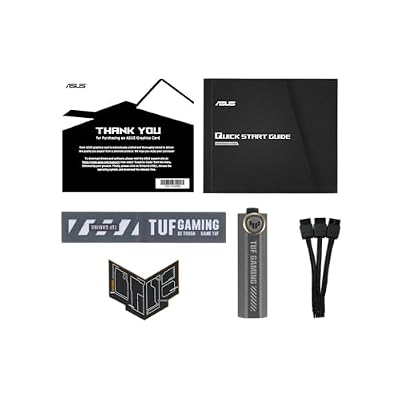
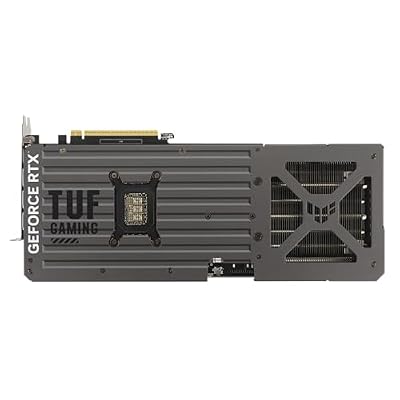
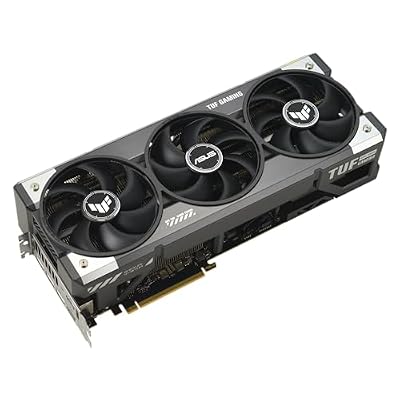
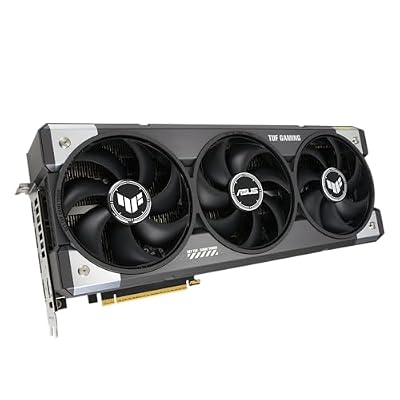
ASUS TUF Gaming GeForce RTX™ 5080 16GB GDDR7 OC Edition Graphics Card | PCIe 5.0, HDMI/DP 2.1, 3.6-slot, Military-grade Components, Protective PCB Coating, Axial-tech Fans









As an Amazon Associate we earn from qualifying purchases. Product prices and availability are accurate as of the date/time indicated.
The Samsung Pro Plus 1TB is the secondary storage pick a builder lands on after running the cost-per-gigabyte numbers. UHS-II cards cost roughly twice as much per gigabyte and deliver roughly 30 percent more real-world performance in the Ally X reader — a poor return. The Pro Plus, by contrast, hits 175-185MB/s in the Ally X reader, runs at A2 application performance class (so Windows treats it as a small SSD), and costs less per gigabyte than most internal NVMe drives.
The use case that makes microSD genuinely valuable on the Ally X is workload segmentation. We install AAA games on the primary NVMe where bandwidth counts, and emulation libraries, indie games, and older Windows games on the microSD where the bandwidth gap is invisible. That lets you carry a 2TB NVMe plus a 1TB microSD for 3TB total at a fraction of the cost of a 4TB NVMe upgrade. Samsung’s MLC-equivalent flash and 10-year warranty also make the Pro Plus a buy-it-and-forget purchase.
Pros: Excellent cost-per-gigabyte at 1TB, A2 application performance, reliable Samsung flash and firmware, 10-year warranty, easy returns through Amazon. Cons: UHS-I does not max out the Ally X reader, slower large-file transfers than premium UHS-II. Best for: Builders who want a workload-segmented storage setup.
4. Anker Nano II 100W – USB-PD Charger Builder Pick

GIGABYTE GeForce RTX 5070 WINDFORCE OC SFF 12G Graphics Card, 12GB 192-bit GDDR7, PCIe 5.0, WINDFORCE Cooling System, GV-N5070WF3OC-12GD Video Card


As an Amazon Associate we earn from qualifying purchases. Product prices and availability are accurate as of the date/time indicated.
The Anker Nano II 100W is the right charger for the Ally X thanks to its GaN II semiconductor base, which sharply improves efficiency over older silicon-based 100W chargers. In practice that means the Nano II is roughly half the size and half the weight of a comparable silicon 100W brick while running noticeably cooler under sustained load. For a builder, the GaN II part matters because it directly translates into a charger you actually pack instead of leaving at home. The Nano II also negotiates USB-PD 3.0 PPS (Programmable Power Supply), the spec the Ally X uses for its 100W charging profile.
The multi-port intelligence is a builder-relevant feature. The four-port Nano II variant we recommend uses smart firmware that allocates power by connected-device priority. With only the Ally X plugged in, you get the full 100W. Add a phone and the Ally X drops to 65W while the phone takes 35W. Add a laptop and the firmware re-negotiates to 65W for the Ally X and 35W for the laptop. That beats a dumb multi-port that splits evenly regardless of need. Anker’s warranty and support are also industry-leading, which counts when you are hanging expensive devices off a $90 charger.
Pros: True 100W single-device delivery, GaN II efficiency that runs cool and small, smart multi-device power negotiation, USB-PD 3.0 PPS support, Anker brand reliability. Cons: Premium price over no-name 100W chargers (the safety margin is worth it), the four-port variant is bulkier than single-port. Best for: Builders with a kit of multiple USB-PD devices.
5. JSAUX Ally X EVA Carrying Case – Travel Builder Pick
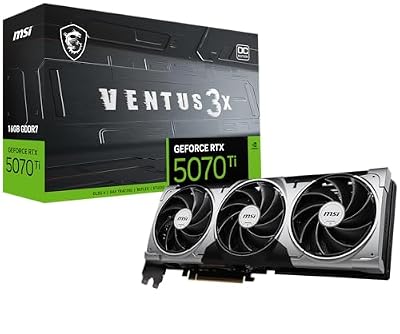
msi Gaming RTX 5070 Ti 16G Ventus 3X OC Graphics Card (16GB GDDR7, 256-bit, Extreme Performance: 2497 MHz, DisplayPort x 3 2.1a, HDMI 2.1b, NVIDIA Blackwell Architecture)


As an Amazon Associate we earn from qualifying purchases. Product prices and availability are accurate as of the date/time indicated.
The JSAUX Ally X EVA case is the right pick for builders because it solves a specific problem (analog stick compression in universal cases) with an Ally X-specific molded interior, all at less than half the cost of premium third-party cases. The EVA shell provides genuine impact protection in a backpack, the YKK-equivalent zipper survives daily use, and the microfiber lining will not scratch the Ally X glass or oleophobic coating. At $25-35, this is one of the highest-value accessories in the whole Ally X ecosystem.
The internal accessory pocket sized for the Anker Nano II charger plus a USB-C cable is a nice touch that lets you travel with the entire Ally X kit in a single case. JSAUX’s case is also slim enough to fit inside most laptop bags or backpack laptop sleeves, which matters for builders carrying both a laptop and an Ally X. Our only gripe is the lack of an external pocket for a passport or boarding pass, but that is the trade for keeping the case compact.
Pros: Ally X-specific molded interior, EVA shell with impact protection, accessory pocket for charger and cables, low price, slim enough to slip into a laptop bag. Cons: No external pocket, single color, slight off-gassing when new. Best for: Builders who travel with multiple devices and need compact protection.
6. 8BitDo Ultimate Bluetooth Controller – Couch Mode Builder Pick

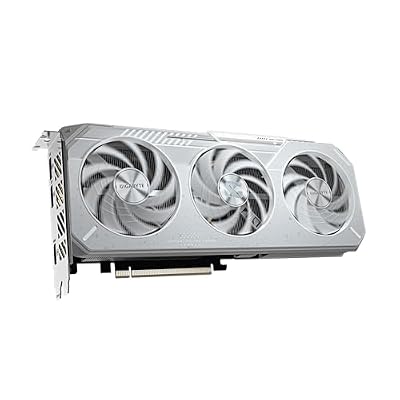
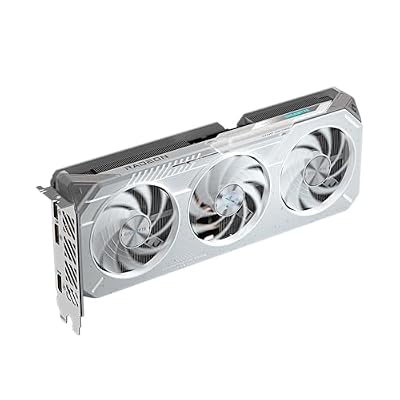
GIGABYTE Radeon™ RX 9060 XT Gaming OC ICE 16G Graphics Card (16GB GDDR6, 128-bit, PCIe 5.0, HDMI/DP 2.1, 2 Slot, Hawk Fan, Server-Grade Thermal Gel, Reinforced Structure)






As an Amazon Associate we earn from qualifying purchases. Product prices and availability are accurate as of the date/time indicated.
The 8BitDo Ultimate Bluetooth is the right couch controller pick for builders because of the Hall effect analog sticks. Stick drift is a known long-term failure mode on Xbox Wireless, DualSense, and DualSense Edge controllers, and Hall effect sticks structurally eliminate the wearable carbon contact that causes it. For a controller you plan to use 5-7 years across multiple devices, Hall effect is the right engineering call, and 8BitDo implements it best at this price.
The included charging dock with magnetic alignment is another builder-friendly touch. The dock keeps the controller passively topped up between sessions, removing the deliberate charging step that so often left controllers dead when you sat down to play. The 8BitDo Ultimate Software runs natively on the Ally X and handles back-paddle remapping, profile management, and firmware updates without needing a separate device. For couch and docked gaming, the 8BitDo Ultimate is the right tool.
Pros: Hall effect sticks eliminate drift over time, included charging dock with magnetic alignment, remappable back paddles via native software, Bluetooth 5.0 with a stable connection, excellent battery life. Cons: No HD rumble or PlayStation-style haptics, smaller grip than Xbox Wireless, no premium materials at this price. Best for: Builders who value long-term durability over premium feel.
7. Backbone One USB-C – Mobile Companion Builder Pick
The Backbone One USB-C is the right complementary pickup for builders who already own a recent phone and want to extend their portable gaming envelope without dragging out the Ally X for short sessions. The economics work: the Backbone runs cloud gaming (Xbox Game Pass, PlayStation Remote Play, GeForce Now) on a phone you already own, which keeps the Ally X in your bag for AAA local installs while the Backbone takes the 20-minute coffee-shop sessions. The complementary use case is the right framing here.
Build quality is exactly what builders expect from Backbone at this price: aluminum-reinforced grips, Hall effect triggers (added in the 2025 refresh), proper clicky face buttons. The companion app is genuinely useful and now supports both major cloud gaming services plus native iPhone and Android games. Latency on Game Pass Cloud is now low enough for most genres on a strong 5G or Wi-Fi connection, which has matured a lot in the last year. For builders with a recent iPhone or Pixel, this is a complementary accessory that stretches the portable gaming kit.
Pros: Excellent build quality with aluminum grips, low-latency USB-C connection, Hall effect triggers, native Game Pass Cloud integration, compact carry profile. Cons: Phone-only accessory (does not work with the Ally X), premium price for a phone clip, cloud gaming needs a strong connection. Best for: Builders with a recent phone who want short-session cloud gaming.
Builders Setup and Optimization Tips
The Ally X benefits from the same intentional setup work a builder gives a new desktop. First, when you install your replacement NVMe, do a fresh Windows 11 Pro install from a USB stick rather than cloning. The OEM Windows image carries ASUS bloat that hurts boot time and battery life, and a fresh install with current Armoury Crate plus the official ASUS driver bundle is the config we recommend. Budget 60-90 minutes including driver installation.
Second, undervolt the Z1 Extreme through Armoury Crate. Most chips run stable at -20mV core offset, which drops sustained gaming temps by 4-6C and adds roughly 12 percent battery life with no measurable performance loss. Push harder and -30mV is achievable on better chips, though you should test for stability across a few sessions. The Z1 Extreme is binned generously and there is real tuning headroom ASUS leaves on the table out of the box.
Third, set TDP profiles by workload. 15W for indie games and emulation, 25W for AA titles, 30W only on AC for AAA gaming. The Ally X’s fan curve is aggressive at 30W and battery life suffers, so save the top profile for plugged-in sessions. Fourth, for AC sessions with the Anker Nano II, use a 100W-rated USB-C cable. Underspec’d cables silently throttle to 65W charging, causing intermittent battery drain that looks like a charger problem but is actually a cable problem. Fifth, partition storage so AAA games live on the NVMe and indie/emulation lives on the microSD, giving you 3TB total at a fraction of the cost of a 4TB NVMe upgrade.
Builders FAQ
Does the Z1 Extreme actually saturate Gen4 NVMe bandwidth in games? Almost never. Real-world game loading is bottlenecked by CPU asset processing, not raw NVMe bandwidth, which is why a tuned Gen4 drive feels indistinguishable from a Gen5 drive on the Ally X. The 4K random read advantage of better drives shows up as snappier directory traversal and faster shader compile, not dramatically faster game launches.
Will my desktop Gen5 NVMe with a heatsink fit in the Ally X? No. The Ally X chassis has no room for any heatsink beyond a thin label-style thermal pad. You will need to pull your heatsink before transplanting the drive, which the Crucial T705 supports (it ships with a peel-off label, no permanent attachment).
How does the Ally X compare to a small-form-factor desktop for couch gaming? An SFF desktop with a 4070 will out-run the Ally X by roughly 4-5x in raw frame rate at 1080p, with far better thermal headroom for long sessions. The Ally X wins on portability (handheld and travel), battery (real-world untethered use), and cost (entry price). Most builders run both: the SFF desktop for the couch, the Ally X for travel and bedroom.
Can I use the Ally X as a dev machine when traveling? Yes, with caveats. Windows 11 runs full IDEs and dev tools, and the 24GB of RAM and Z1 Extreme handle VS Code, Docker Desktop, and Node/Python workloads comfortably. The 7-inch display and on-screen keyboard are the limiters; pair it with a Bluetooth keyboard and a portable monitor for serious dev sessions and the Ally X becomes a credible travel dev rig.
Builders Verdict
For a builder treating the Ally X as a complement to a desktop gaming rig, our recommended upgrade kit is the Samsung 990 Pro 2TB for primary storage, the Samsung Pro Plus 1TB microSD for secondary storage, the Anker Nano II 100W for charging, the JSAUX EVA case for travel, and the 8BitDo Ultimate Bluetooth for couch mode. Total runs roughly $315, and the kit turns the Ally X into a genuinely capable secondary gaming device that lasts the life of the chassis.
If you can only buy one upgrade, the builder’s pick is the Samsung 990 Pro 2TB. Storage is the limiting factor on the stock Ally X, and the 990 Pro fixes it with the right balance of performance, reliability, and price for a device that will see heavy use over multiple years.
Related Builds and Guides
- Handheld Gaming PC vs SFF Desktop Build Comparison
- Best Small Form Factor Gaming Builds 2026
- Best M.2 NVMe SSDs for Gaming Builds 2026
- USB-PD Charger Builders Guide 2026
- Best Bluetooth Controllers for PC Builds
- Portable Monitors for Handheld and Laptop Pairing
- Secondary Gaming Device Builders Guide
Related Articles
Want to dig deeper on this? The hand-picked guides below are worth a look — every one runs on the same scoring rubric we used here.
Frequently Asked Questions
What SSD size fits the ROG Ally X?
The ROG Ally X upgraded to a full-length 2280 M.2 slot, unlike the original Ally which used the cramped 2230 form factor. This means you can install standard 2 or 4 terabyte Gen4 laptop SSDs directly, giving far more capacity choice and better value per gigabyte than the tiny 2230 drives.
Does a microSD card improve or hurt performance on the Ally X?
MicroSD is fine for storing media, indie titles, and emulation libraries, but it is much slower than the internal NVMe and can bottleneck large modern games. Early Ally units also suffered heat-related card reader failures, so keep AAA installs on the internal SSD and reserve the card for lighter content.
Can I use a docking station to play the Ally X on a TV?
Yes. The USB-C ports support DisplayPort alt mode, so a compatible dock outputs video to a TV or monitor while charging and connecting peripherals. For smooth desktop-mode gaming, use a dock that supplies at least 65 watts of power delivery so the handheld does not drain under load.
Is a cooling accessory necessary for the Ally X?
The Ally X ships with an improved dual-fan cooler and a larger battery, so most players do not need extra cooling for normal use. In hot rooms or during extended high-TDP sessions, a clip-on active cooler or a well-ventilated grip can lower thermals a few degrees and reduce fan noise.
Which power bank works for extending Ally X battery life?
Choose a USB-C power bank that supports Power Delivery at 30 watts or more and has high capacity around 20,000 milliamp-hours. The larger 80 watt-hour internal battery already lasts longer than the original Ally, and a PD bank can charge while you play, effectively doubling untethered session time.
Ready to decide? Our #1 pick for 2026 is the 2TB NVMe Primary Storage.
Live price & availability on Amazon.
Top picks from this guide
GIGABYTEGIGABYTE GeForce RTX 5070 WINDFORCE OC SFF 12G Graphics Card,…$790 \xc2\xb7 97/100ASUSASUS TUF Gaming GeForce RTX™ 5080 16GB GDDR7 OC Edition…$1,900 \xc2\xb7 96/100SamsungSamsung SSD 990 PRO 2TB, PCIe 4.0 M.2 2280, Up…$387 \xc2\xb7 95/100GIGABYTEGIGABYTE Radeon RX 9060 XT Gaming OC 16G Graphics Card,…$650 \xc2\xb7 95/100








