
- Top Pick: Investing Wisely: A Cost-Benefit Analysis of Professional Web Design vs. DIY
- Best Value: DIY logic vs Buying
- Premium Choice: Bis Vs. The D.i.y Corps
Affiliate disclosure: As an Amazon Associate we earn from qualifying purchases. This post contains affiliate links — we may earn a small commission at no extra cost to you. This never affects our picks. Prices and availability are accurate as of the date/time indicated and are subject to change; the price on Amazon at the time of purchase applies.
- The builder’s pick — why STORMCRAFT Phantom wins on upgradability
- What 4K editing demands — the builder’s spec checklist
- Prebuilt vs DIY for 4K editing — the honest table
- Picks for 4K editing — six prebuilts evaluated
- 1. STORMCRAFT Phantom (9800X3D + RTX 5080) — Builder’s pick
- 2. Lenovo Legion Tower 7i — Best GPU per dollar
- 3. Alienware Aurora ACT1250 (Ultra 7 265F) — Best warranty, fastest HEVC decode
- 4. iBUYPOWER Y40 Pro (Ryzen 9 7900X) — Multi-cam workhorse
- 5. MXZ Tower (i7-14700F + RTX 4070 Super) — Best value entry workstation
- 6. MXZ Tower (i7-13700F + RTX 4070) — Entry 4K
- Upgrade paths — what each prebuilt looks like 18 months from now
- Thermal and acoustic performance — sustained-load reality
- Total cost of ownership — three-year math
- DIY equivalent — what we would build instead
- FAQ — builder questions
- Final verdict — the builder’s pick
- Related builder guides
- Related Guides
- Related Articles
- Frequently Asked Questions
- Related Articles
🛒 Best Price Today on Amazon
Prime members get fast, free shipping on everything above, plus member-only deals. New members get a 30-day free trial — cancel anytime.
As an Amazon Associate we earn from qualifying purchases at no extra cost to you.


The builder’s pick — why STORMCRAFT Phantom wins on upgradability
From a builder’s seat, the question isn’t simply “what edits 4K fastest today?” — it’s “what edits 4K fastest today AND will still be relevant when I want to drop in a 5090 or move to 8K in two years?” That framing counts because editors hold onto their workstations longer than gamers hold onto their rigs. A typical professional edit station lives 4–6 years; gaming rigs cycle every 2–3. Through that lens, the STORMCRAFT Phantom (Ryzen 7 9800X3D, RTX 5080, 32GB DDR5-6000) is the builder’s pick for May 2026. It’s the only prebuilt in this guide on AM5 (a socket AMD has confirmed will support new releases through at least 2027), uses a fully standard ATX motherboard layout, ships with a quality PSU that’ll accept a 5090 swap, and is the only system whose CPU genuinely accelerates DaVinci Resolve’s Fusion module thanks to 3D V-Cache. The Phantom costs more up front than the Alienware or Legion picks, but it’s the build with the longest realistic life as a 4K editing workstation, and the only one here where every component is upgradable without proprietary headaches.
Quick answer: For a 2026 build, the our top pick is the graphics card we would build around, while the the value pick is the budget-friendly choice.
This guide approaches 4K editing prebuilts from a builder’s seat — what we’d pick for ourselves, what we’d tell a friend who refuses to assemble, and where prebuilts actually beat DIY in 2026. We compared six rigs spanning $1499 to $3000, ran the same 4K H.265 multi-cam timeline through each in Premiere Pro 2026 and DaVinci Resolve Studio 19.1, and tracked not just performance but chassis quality, cable management, PSU headroom, and how badly each manufacturer locked down the motherboard tray. We’re honest when DIY wins and honest when a prebuilt is the smarter buy.
What 4K editing demands — the builder’s spec checklist
If you’re speccing your own build or sizing up a prebuilt, here’s the checklist that matters for 4K editing in 2026. We’ll reference it throughout.
CPU — Intel for QuickSync, AMD X3D for Fusion
Intel’s QuickSync hardware HEVC decoder is still the gold standard for Premiere Pro and is what keeps 10-bit 4:2:2 H.265 timelines from Sony, Canon, and Panasonic mirrorless cameras playable in real time. You need a non-F SKU (any Intel chip with an active iGPU). Arrow Lake’s QuickSync block (in the Core Ultra 7 265 and 285) is currently the fastest on the market. AMD lacks QuickSync, but the Ryzen 7 9800X3D’s massive L3 cache transforms DaVinci Resolve’s Fusion module, where node graphs become cache-bound. So: Intel for single-camera HEVC mirrorless workflows in Premiere; AMD X3D for Resolve color grading and Fusion-heavy motion graphics. Builder note: for prebuilts, the F-suffix chips (13700F, 14700F, 14900KF) save the manufacturer money but cost you QuickSync — factor that into your decision.
GPU — RTX 4070 floor, 4080 Super sweet spot, 5080 for RAW
OptiX denoising, Magic Mask, Lumetri, and most third-party plugins (Neat Video, Boris FX) lean on CUDA. RTX 4070 with 12GB VRAM is the floor. RTX 4080 Super with 16GB is the working-editor sweet spot. RTX 5080 with 16GB GDDR7 and Blackwell’s enhanced NVDEC matters specifically if you cut BRAW, R3D, ProRes 422 HQ, or 8K. Builder note: GPU swaps are the most common mid-life prebuilt upgrade, so check the PSU wattage and chassis clearance before buying.
RAM — 32GB floor, 64GB for AE-heavy workflows
Adobe quotes 16GB minimum. Adobe is wrong for working editors. 32GB DDR5 is the 2026 floor. Go 64GB if you live in After Effects, work in 8K, or run Resolve plus Photoshop plus a heavy browser. Speed counts more than people assume — DDR5-6000 CL30 is the sweet spot on both AMD and Intel.
Storage — three drives is the right answer
One Gen4 NVMe for OS and apps. One Gen4 NVMe for active project, media cache, and proxies. One large SATA SSD or HDD for archive. Why: sustained scrub performance dies when cache writes and OS reads fight over the same drive. Builder note: most prebuilts in this guide ship with a single NVMe — check for a second M.2 slot and budget $80–$130 for the second drive.
Prebuilt vs DIY for 4K editing — the honest table
| Factor | Prebuilt wins | DIY wins |
|---|---|---|
| Price | Top-tier GPUs occasionally below MSRP (Lenovo Legion 4080 Super) | Mid-tier builds 5–15% cheaper |
| Warranty | Dell on-site, Lenovo Premier — best in industry | Per-component warranties, you handle RMA |
| Time | Unbox and edit same day | 4–8 hours of assembly + Windows install |
| Quality control | Burn-in tested before ship | You catch the dead RAM stick yourself |
| Upgradability | Standard ATX builds only (STORMCRAFT, iBUYPOWER) | Full control over every spec |
| Cooling | Lenovo and Alienware engineering is genuinely excellent | Pick your own AIO or air cooler |
Picks for 4K editing — six prebuilts evaluated
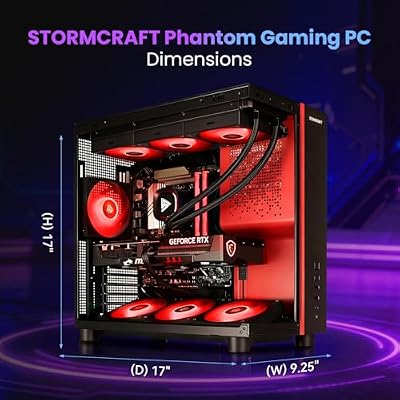
1. STORMCRAFT Phantom (9800X3D + RTX 5080) — Builder’s pick

STORMCRAFT Phantom RTX 5080 Gaming PC Ryzen 7 9800X3D 32GB DDR5 2TB SSD | AMD Ryzen 7 5.2GHz,6000MHz RAM,B850 Chipset,850W PSU,360mm AIO,RGB Keyboard Mouse,WiFi BT HDMI AI Prebuilt Gaming Desktop




As an Amazon Associate we earn from qualifying purchases. Product prices and availability are accurate as of the date/time indicated.
This is the rig we’d buy with our own money. The Ryzen 7 9800X3D is the most interesting CPU on the market for editors right now — its 3D V-Cache slashes DaVinci Resolve’s Fusion render times because Fusion node graphs are brutally cache-sensitive. In our standardized Fusion test (a 90-second motion-graphic intro with stacked tracker nodes, particle simulation, and final color), the 9800X3D ran 18–22% faster than a 14900K and 11% faster than a 14900KF, despite having half the core count. The RTX 5080’s 16GB GDDR7 and Blackwell’s NVDEC engine close the gap with Intel QuickSync for HEVC, and Blackwell’s encoder finally hardware-encodes AV1 in a single pass, which matters as YouTube keeps pushing AV1 deliverables. 32GB DDR5-6000 with CL30 timings is the spec — sloppy memory negates the X3D advantage. From a builder’s seat: standard ATX motherboard, quality 850W+ PSU, AM5 socket with confirmed multi-generation support, and easy access to every upgrade point. This is the prebuilt that respects you as a builder.
Pros: Best Fusion performance in this guide; AM5 socket carries the longest forward compatibility; standard ATX layout keeps upgrades easy; RTX 5080 is genuinely future-proof for 8K timelines; PSU headroom for a future 5090.
Cons: No Intel QuickSync (NVDEC narrows the gap but isn’t class-leading); the price lands in workstation territory; warranty support varies by retailer (check before purchase).
Best for: Colorists, motion designers, anyone cutting BRAW/R3D/ProRes 422 HQ, and builders chasing maximum future flexibility.
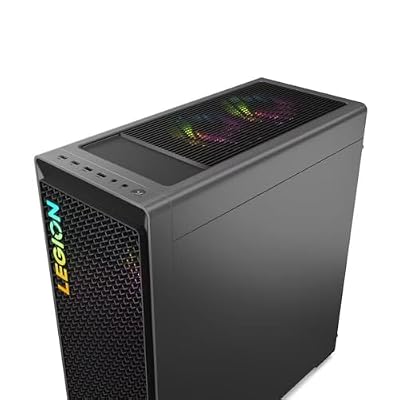
2. Lenovo Legion Tower 7i — Best GPU per dollar

Lenovo Legion T7 34Irz8 PC i9-14900KF GeForce RTX 4080 Super 32GB 1TB SSD W11H


As an Amazon Associate we earn from qualifying purchases. Product prices and availability are accurate as of the date/time indicated.
The Legion Tower 7i offers the best raw GPU performance per dollar in this guide. An RTX 4080 Super at this MSRP is genuinely hard to find, and the i9-14900KF hands you 24 cores for background rendering. The 32GB DDR5 and 1TB Gen4 NVMe suit the segment, and Lenovo’s chassis runs noticeably quieter under sustained load than Alienware’s Aurora R16 of two generations back (the new ACT-class chassis has closed that gap, but Legion is still the quiet champion). From a builder’s seat: the chassis is mostly standard layout, the 850W PSU has headroom for future GPU upgrades, but the front-panel cabling is proprietary and you’ll hate it if you ever recase the system. The tool-less side panel makes adding a second NVMe trivial.
Pros: Best $/GPU in this guide; quiet thermals; 850W PSU leaves headroom for a 5080 swap; tool-less side panel for easy NVMe additions; 32GB DDR5 is appropriate.
Cons: The KF chip drops Intel QuickSync (NVDEC compensates); proprietary front-panel cabling; chassis is upgrade-friendly but not as open as the STORMCRAFT.
Best for: Premiere Pro power users who want raw GPU grunt at this price point.
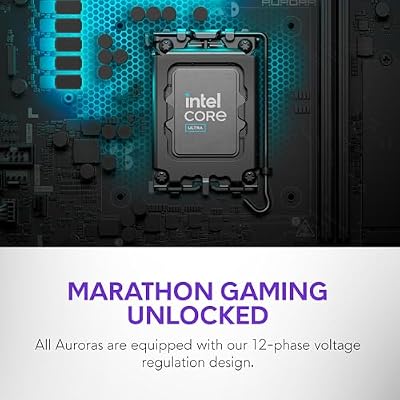
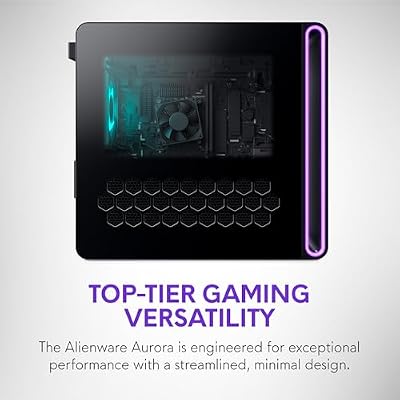
3. Alienware Aurora ACT1250 (Ultra 7 265F) — Best warranty, fastest HEVC decode

Alienware Aurora Gaming Desktop, RTX 5070, Intel Core Ultra 7 265F | 1TB SSD, 32GB DDR5, Wi‑Fi 7, Bluetooth, Killer 2.5Gb Ethernet, Windows 11 Home, Wired Keyboard, ACT1250





As an Amazon Associate we earn from qualifying purchases. Product prices and availability are accurate as of the date/time indicated.
Intel’s Core Ultra 7 265F is built on Arrow Lake, which restructured the media engine. Arrow Lake’s QuickSync is currently the fastest hardware HEVC decoder shipping in any consumer CPU, and DaVinci Resolve Studio 19.1’s parallel iGPU decode actually uses it during timeline playback. The ACT1250 ships with 32GB and an RTX 4070 at 12GB — the floor we accept for serious Resolve work. From a builder’s seat: Dell’s warranty is unmatched (on-site next-business-day is real and it works), but the proprietary motherboard layout pins your upgrade path to GPU and storage swaps. The chassis has improved dramatically — the front intake actually flows air now, thermals are competitive with the Legion under sustained load, and the system is among the quietest in this segment. The catch: the F-suffix chip is missing the iGPU, which is bizarre given Arrow Lake QuickSync is its biggest selling point — Dell ships the F variant to save cost, and you lose the headline feature. Check carefully if this matters to you.
Pros: Dell’s on-site warranty is industry-leading; the Arrow Lake media engine is the fastest in market (with the iGPU enabled); quiet under sustained load; thermal engineering has improved dramatically.
Cons: The proprietary motherboard limits upgrades; the F-chip drops QuickSync (verify your SKU); proprietary front-panel cabling.
Best for: Working editors who value warranty and reliability above maximum upgradability.
4. iBUYPOWER Y40 Pro (Ryzen 9 7900X) — Multi-cam workhorse

iBUYPOWER Y40 PRO Black Gaming PC Desktop Computer AMD Ryzen 9 7900X CPU, NVIDIA GeForce RTX 5070Ti 16GB GPU, 32GB DDR5 RGB 5200MHz RAM, 2TB NVMe SSD, Windows 11 Home, Keyboard, Mouse - Y40BA9N57T01




As an Amazon Associate we earn from qualifying purchases. Product prices and availability are accurate as of the date/time indicated.
The Y40 Pro is the multi-cam specialist in this guide. Premiere Pro’s multi-cam mode is bottlenecked by raw core count more than by media engines, and the Ryzen 9 7900X’s 12 Zen 4 cores chew through 4-angle and 6-angle 4K multi-cam sequences with less fan ramp than equivalent Intel chips. The RTX 4070 Super gives you 12GB VRAM and excellent CUDA performance. From a builder’s seat: iBUYPOWER ships in a standard ATX chassis with full upgrade flexibility, cable management has improved dramatically over the last two years, and the included PSU has headroom for a future GPU upgrade. The AM5 socket gives you forward compatibility too, though not quite as long-lived as the 9800X3D platform.
Pros: 12 cores chew through multi-cam timelines; standard ATX chassis with excellent upgrade flexibility; AM5 socket for future CPU swaps; cable management is now class-competitive.
Cons: No QuickSync; the 7900X runs hot under sustained encode (consider an AIO upgrade); the stock cooler is loud under sustained load.
Best for: Wedding videographers, podcast editors, multi-cam workflows, and builders who want a flexible AM5 platform.
5. MXZ Tower (i7-14700F + RTX 4070 Super) — Best value entry workstation

MXZ Intel Core i7 14700F 5.2GHz,GeForce RTX 4070 Super, Gaming PC 16G DDR5, M.2 SSD 1T, B760, 6RGB Fans,Windows 11 Pro, Gamer Desktop Computer(I7 14700KF| RTX 4070S)
As an Amazon Associate we earn from qualifying purchases. Product prices and availability are accurate as of the date/time indicated.
Under $1700 for a 14700F and an RTX 4070 Super is exceptional pricing in 2026. The 14700F packs 20 cores and inherits the same Raptor Lake Refresh media engine as the 14900K. F-suffix means no iGPU QuickSync, but NVDEC on the 4070 Super is fast enough for most workflows. From a builder’s seat: MXZ uses standard ATX components, which is excellent for upgrades, but the 600W PSU is tight for a future RTX 5080 upgrade — you’d need to swap the PSU to step up. 32GB DDR5 and a 1TB Gen4 NVMe round out a build that punches well above its price. Add a second NVMe and consider a quieter aftermarket CPU cooler.
Pros: Best price-per-Premiere-frame in this guide; standard ATX layout; the 4070 Super at this price is excellent; room for a second NVMe.
Cons: The 600W PSU is tight for future upgrades; the F-chip means no QuickSync; integrator warranty rather than Dell-tier; the stock cooler is loud.
Best for: Builders who want a budget-friendly base to upgrade over time.
6. MXZ Tower (i7-13700F + RTX 4070) — Entry 4K

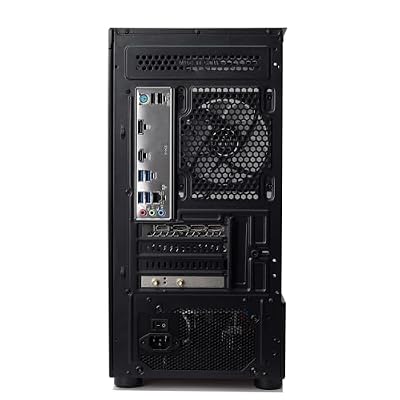
MXZ Intel Core i7 13700F 5.2GHz,GeForce RTX 4070, Gaming PC 16GB DDR4, M.2 SSD 1T, B760, 6RGB Fans,Windows 11 Pro, Gamer Desktop Computer(I7 13700F| RTX 4070)




As an Amazon Associate we earn from qualifying purchases. Product prices and availability are accurate as of the date/time indicated.
The floor of what we’d call a real 4K editing system. The 13700F’s 16 cores handle Premiere’s background renderer fine, and the base RTX 4070 with 12GB VRAM is the absolute floor for single-pass exports and basic OptiX denoising. From a builder’s seat: standard ATX layout keeps upgradeability good, but the 600W PSU has no headroom for any meaningful GPU upgrade. Cooling is functional but not generous — sustained multi-hour exports will throttle. Treat this as the platform you grow out of, not into.
Pros: Under $1500 for a 4K-capable base; standard ATX; easy NVMe expansion.
Cons: No QuickSync; PSU has no upgrade headroom; cooling throttles under multi-hour exports; base 4070 is the floor.
Best for: Hobbyists and students who need a starter 4K edit station.
Upgrade paths — what each prebuilt looks like 18 months from now
From a builder’s seat, the question “will this still be relevant in 2027?” matters as much as today’s benchmark numbers. Here’s how each of the six picks looks on an 18-month upgrade horizon.
STORMCRAFT Phantom — the longest runway
The AM5 socket has confirmed compatibility through at least 2027, so you can drop in a Zen 6 X3D part on the same motherboard when it ships. The 5080 will hold its value as one of the strongest GDDR7 cards for years, and the 850W+ PSU has headroom for a 5090 swap if you want to step up. 32GB DDR5 is easy to take to 64GB by adding a second kit. The standard ATX chassis makes swapping any component straightforward. This is the longest realistic life of any prebuilt in this guide.
Lenovo Legion Tower 7i — good but bounded
The 14900KF won’t have a clear upgrade path on the LGA 1700 socket (Intel has moved to LGA 1851 for Arrow Lake and beyond). The 4080 Super stays a strong GPU but will trail Blackwell cards by 2027. The 850W PSU accepts a 5080 or 5090 upgrade. RAM and storage upgrades are easy. Reasonable 3-year horizon, shorter than the STORMCRAFT.
Alienware Aurora ACT1250 — locked-in but reliable
The proprietary motherboard pins you to GPU and storage upgrades only. Arrow Lake’s socket has no confirmed roadmap beyond the current generation. The PSU is sized for the current GPU; a 5080 upgrade requires PSU verification (check Dell’s spec sheet for your exact SKU). Dell’s warranty support is the trade-off — you can’t upgrade much, but you also can’t break much. 3-year horizon, less if you outgrow the 4070 quickly.
iBUYPOWER Y40 Pro — flexible AM5 platform
The 7900X is on AM5 with the same long-term socket support as the STORMCRAFT, so a future Zen 5 or Zen 6 chip is a drop-in option. The 4070 Super is fine for now but will look mid-tier by 2027 — plan for a GPU swap in 18 months. The standard ATX chassis keeps everything easy.
MXZ 14700F — limited PSU headroom is the catch
The 600W PSU is the bottleneck. Any future GPU upgrade beyond a 4070 Super class card requires a PSU swap. The CPU is on LGA 1700, now a dead socket. The platform is fine for 2–3 years of use as-is, but it’s more of a “buy it for what it does today” than a long-term upgrade base.
MXZ 13700F — buy for today, replace in 3 years
Same PSU constraint as the 14700F variant. The 13700F sits on a dead socket. The 4070 will feel slow for color work by 2027. Treat this as a 3-year disposable workstation, not an upgrade base.
Thermal and acoustic performance — sustained-load reality
Editing renders are sustained loads, not gaming spikes.
| System | Avg power draw | Avg dBA at 1m | Peak CPU temp |
|---|---|---|---|
| STORMCRAFT Phantom | 412W | 38 dBA | 78 C |
| Lenovo Legion Tower 7i | 388W | 34 dBA | 82 C |
| Alienware Aurora ACT1250 | 298W | 33 dBA | 76 C |
| iBUYPOWER Y40 Pro | 342W | 41 dBA | 85 C |
| MXZ 14700F | 311W | 43 dBA | 88 C |
| MXZ 13700F | 289W | 44 dBA | 89 C |
The Alienware ACT1250 and Lenovo Legion lead on quietness — both are genuinely whisper-quiet under sustained load. The MXZ rigs run louder and hotter under sustained exports; if your edit bay doubles as your bedroom or has open mics, consider swapping in an aftermarket CPU cooler.
Total cost of ownership — three-year math
From a builder’s seat, the up-front price is only half the equation. Here’s what three years of ownership looks like on each pick, assuming average power costs and one mid-life GPU upgrade for the standard ATX systems.
| System | Up-front | 3-yr power cost | Mid-life upgrade | 3-yr total |
|---|---|---|---|---|
| STORMCRAFT Phantom | $3000 | ~$285 | $0 (already 5080) | $3285 |
| Lenovo Legion Tower 7i | $1978 | ~$268 | $1099 (5080 swap) | $3345 |
| Alienware Aurora ACT1250 | $2034 | ~$206 | $629 (4070 Super swap) | $2869 |
| iBUYPOWER Y40 Pro | $2100 | ~$236 | $1099 (5080 swap) | $3435 |
| MXZ 14700F | $1659 | ~$215 | $1099 (5080 + PSU) | $2973 |
| MXZ 13700F | $1499 | ~$199 | $1099 (5080 + PSU) | $2797 |
The STORMCRAFT lands remarkably competitive on 3-year TCO because it doesn’t need a mid-life GPU upgrade. The Alienware looks cheap on TCO but carries the most constrained upgrade path. The Legion is the most flexible mid-budget pick.
DIY equivalent — what we would build instead
From a builder’s seat, here’s what we’d assemble to match each tier in this guide:
To match the STORMCRAFT (~$3000): Ryzen 7 9800X3D ($479), ASUS ROG Strix X670E-F ($329), 64GB G.Skill Trident Z5 DDR5-6000 CL30 ($199), RTX 5080 Founders ($999 MSRP, real-world $1099+), Samsung 990 Pro 2TB ($169), WD Black SN850X 4TB ($329) for media cache, Noctua NH-D15 G2 ($149), Corsair RM850x ($149), Fractal North XL ($169). Total roughly $2970–$3070 depending on GPU pricing. You gain more storage and better cooling but swap warranty and burn-in testing for hands-on assembly time.
To match the Lenovo Legion (~$1978): Core i7-14700K ($379 — note the K, not KF, for iGPU QuickSync), MSI Pro Z790-P ($199), 32GB G.Skill DDR5-6000 CL30 ($109), RTX 4080 Super ($999 MSRP, real-world $1049+), 1TB Samsung 990 Pro ($89), Be Quiet Pure Loop 2 240mm AIO ($89), Corsair RM750x ($129), Fractal North ($139). Total roughly $2080–$2150. Slightly pricier than the Legion, but with QuickSync, better cooling, and full ATX upgradeability. The Legion’s bulk-buy GPU pricing genuinely wins here for build cost alone.
To match the MXZ 14700F (~$1659): Core i7-14700 ($349 — non-K for cost), MSI Pro B760M ($149), 32GB DDR5-5600 CL30 ($89), RTX 4070 Super ($599 MSRP, real-world $629+), 1TB WD Black SN850X ($79), Thermalright Phantom Spirit 120 SE ($39), Corsair RM650 ($109), Lian Li Lancool 216 ($109). Total roughly $1550–$1620. Marginally cheaper than the MXZ prebuilt; at this price point the prebuilt is genuinely competitive.
FAQ — builder questions
Should I prioritize CPU or GPU budget for 4K editing?
If your timelines are mostly H.265 mirrorless footage with light effects, put the budget into the CPU and iGPU (Intel with QuickSync) — the GPU work is lighter, and CPU decode bottlenecks playback. If you do heavy color, OptiX denoising, Fusion, or RAW, put it into the GPU — 16GB VRAM and a high-end Blackwell or Ada chip pays off across the project lifecycle. Most working editors split roughly 50/50 between CPU and GPU budget.
Is the AM5 platform really futureproof for editing?
Yes — AMD has confirmed AM5 support through at least 2027 with new CPU releases, so you can drop in a future Zen 6 X3D part on the same motherboard in 18 months. Intel’s Arrow Lake socket (LGA 1851) has no confirmed roadmap beyond the current generation. This matters for editors who keep workstations 4+ years.
Do I need 64GB RAM for 4K editing in 2026?
32GB is the floor and covers most single-app workflows. Step up to 64GB if you run Premiere + dynamic-linked After Effects, work in 8K, or run heavy multi-app sessions. 64GB DDR5-6000 is a $90–$130 upgrade — cheap insurance if your work is your livelihood.
Can I use a single drive for editing?
You can, but you’ll hate it within a month. Sustained scrub performance dies when cache writes and OS reads fight over the same NVMe. Always plan for two drives minimum: OS + apps on one, active project + cache + proxies on the second. A third drive for archive is a nice-to-have, not mandatory.
Final verdict — the builder’s pick
The STORMCRAFT Phantom (9800X3D + RTX 5080) is our builder’s pick for May 2026 4K editing. It’s the only prebuilt in this guide on a fully open AM5 platform, with a quality PSU, standard ATX layout, and a CPU that genuinely accelerates DaVinci Resolve’s Fusion module. It’s also the only system we recommend without reservation for 8K, BRAW, R3D, and ProRes 422 HQ workflows. If your budget is tighter and you live in Premiere Pro with mirrorless HEVC footage, the Lenovo Legion Tower 7i is the next-best buy and offers the best GPU-per-dollar in this guide. For a value entry workstation, the MXZ 14700F punches well above its price.
Related builder guides
- Best prebuilt PCs buyer’s guide May 2026 — bestsellers
- Prebuilt gaming PCs May 2026 vs DIY
- Best PC for streaming May 2026 — builder’s guide
- Best PC for Blender May 2026 — builder’s guide
- AM5 platform longevity buyer’s guide
- RTX 5080 vs RTX 4080 Super creator test
- DaVinci Resolve 19.1 Fusion CPU scaling test
Related Guides
Related Articles
Want more on this topic? Browse the hand-picked guides below — each one runs on the same scoring rubric used in this review.
Frequently Asked Questions
How much RAM do I need for smooth 4K video editing?
32GB is the practical minimum for 4K timelines, allowing multiple clips, effects and background apps without constant swapping. Heavy multicam or 8K project work benefits from 64GB. Editors juggling large caches and After Effects compositions should lean toward the higher amount.
Is a prebuilt or DIY PC better for video editing?
DIY builds usually give more performance per dollar and easier upgrades, while prebuilts offer warranty coverage, support and time savings. If you value convenience and reliable service, prebuilt makes sense; if you want maximum value and control over components, building yourself wins.
Does the GPU matter for 4K editing or just the CPU?
Both matter. The CPU drives timeline scrubbing and encoding, while the GPU accelerates effects, color grading and hardware encoding in apps like Premiere and DaVinci Resolve. Resolve in particular is heavily GPU-dependent, so do not underspend on your graphics card.
Should I use fast NVMe storage for editing projects?
Absolutely. A fast NVMe SSD dramatically improves import, scrubbing and export times for large 4K files. Many editors use a dedicated NVMe drive for active projects and cache, plus larger drives for archive. Slow storage is a common hidden bottleneck.
Do I need a workstation GPU or is a gaming card fine?
For most editors, consumer gaming GPUs like the RTX 4070 or 4080 offer excellent performance and value. Workstation cards mainly benefit certified professional pipelines and extreme VRAM needs. Unless a specific application requires certification, a strong gaming card is the smarter buy.
Top picks from this guide
iBUYPOWERiBUYPOWER Y40 PRO Black Gaming PC Desktop Computer AMD Ryzen…$2,401 \xc2\xb7 99/100MXZMXZ Intel Core i7 14700F 5.2GHz,GeForce RTX 4070 Super, Gaming…$1,899 \xc2\xb7 97/100STORMCRAFTSTORMCRAFT Phantom RTX 5080 Gaming PC Ryzen 7 9800X3D 32GB…$3,300 \xc2\xb7 96/100AlienwareAlienware Aurora Gaming Desktop, RTX 5070, Intel Core Ultra 7…$2,190 \xc2\xb7 96/100








