
- Top Pick: Thermal Grizzly Kryonaut – 1 Gram Thermal Paste Extremely High Performance
- Best Value: Thermal Grizzly Kryonaut – 1 Gram – Extremely High Performance Thermal Paste + 12 Cleaning Wipes 6 Wet & 6 Dry – for Demanding Applications and Overclocking CPU/GPU/PS4/PS5/Xbox
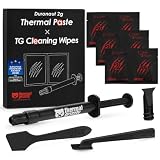
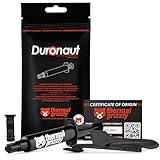
- Premium Choice: Thermal Grizzly – Duronaut – Enhanced Durability & High Performance Thermal Paste – for Maximum Conductivity While Overclocking CPU/GPU/PS4/PS5/Xbox with 12 Cleaning Wipes 6 Wet & 6 Dry (2g + Wipes)
Overclocking your CPU means pushing it beyond its factory clock speeds to squeeze out extra performance, and modern platforms make it more accessible than ever. Done carefully, it can add meaningful speed to gaming and productivity; done recklessly, it can cause instability or excess heat. This guide walks through how to overclock a CPU safely, step by step, with the right gear to back it up.
As an Amazon Associate I earn from qualifying purchases.
As an Amazon Associate we earn from qualifying purchases at no extra cost to you.




🛒 Best Price Today on Amazon
Prime members get fast, free shipping on everything above, plus member-only deals. New members get a 30-day free trial — cancel anytime.
How Do You Overclock a CPU?
To overclock a CPU, you raise its multiplier or clock speed in the BIOS, test for stability, and adjust voltage as needed while keeping temperatures under about 85-90°C. The basic process is: enter the BIOS, increase the CPU multiplier in small steps (for example, from 45x to 46x), save and boot into Windows, then run a stress test like Cinebench or Prime95 for 15-30 minutes. If it is stable and cool, repeat and climb higher. If it crashes, either add a small amount of voltage (in 0.01-0.025V increments) or step the multiplier back down. You keep iterating until you find the highest stable frequency your chip and cooling can sustain.
Only unlocked chips overclock this way. On Intel that means “K” or “KF” processors paired with a Z-series motherboard; on AMD, most Ryzen chips support overclocking, with Precision Boost Overdrive offering an easier automated route. Always overclock in small steps and test thoroughly between each change.
Best Gear for Overclocking a CPU
| Product | Best For | Standout Feature | Rating |
|---|---|---|---|
| ARCTIC Liquid Freezer III 360 | Taming overclock heat | Thick radiator plus VRM fan | 4.9/5 |
| Noctua NH-D15 G2 | Air-cooled overclocking | Massive dual-tower heatsink | 4.8/5 |
| ASUS ROG Strix Z-Series Board | Robust power delivery | Strong VRM for stable OC | 4.8/5 |
| Thermal Grizzly Kryonaut Paste | Lower load temps | Top-tier conductivity | 4.7/5 |
| Corsair Vengeance DDR5 Kit | Memory overclocking | High-frequency EXPO profiles | 4.7/5 |
Preparing to Overclock Your CPU
Before overclocking, ensure you have an unlocked chip, a compatible motherboard, and a capable cooler. Update your BIOS, install monitoring software like HWiNFO, and note your baseline clocks and temperatures. A strong cooler is essential because overclocking raises heat output, so confirm your stock normal CPU temperature is already healthy before pushing higher.
Step-by-Step CPU Overclocking
Enter the BIOS and raise the CPU multiplier by one step. Save, boot into Windows, and stress test for 15-30 minutes while watching temperatures. If stable and under 85-90°C, return to the BIOS and repeat. If unstable, add a touch of voltage or drop back a step. Keep an eye on your CPU temperature range at every stage, since heat is the main limiting factor. Patience and small increments are the key to a solid overclock.
Managing Heat While Overclocking
Overclocking increases both power draw and temperature, so cooling is critical. Aim to keep load temps below 85-90°C, and if you exceed that, either improve airflow, upgrade the cooler, or reduce voltage. Fresh thermal paste helps too. Staying within a healthy CPU temp band protects stability and lets you sustain your overclock without throttling, keeping your average CPU temp in a safe zone.
Is Overclocking Your CPU Worth It?
For many users, modern chips already boost aggressively out of the box, so manual overclocking yields smaller gains than it once did. Still, it can add a few percent of performance in demanding workloads and is a rewarding learning experience. Weigh the modest speed increase against the extra heat and effort, and always confirm your regular CPU temp stays healthy before committing to a daily overclock.
Frequently Asked Questions
Is overclocking a CPU safe?
Overclocking is generally safe when done carefully with adequate cooling and small voltage increments. Modern processors have protections that throttle or shut down before dangerous conditions occur. The main risks are instability and extra heat, both manageable by testing thoroughly and keeping temperatures below roughly 85-90°C under load.
Does overclocking a CPU void the warranty?
Overclocking can technically void a processor’s warranty, since it runs the chip outside factory specifications. Some manufacturers offer optional overclocking warranty coverage. In practice, damage from a careful overclock with proper cooling is rare, but you should be aware that pushing voltage aggressively carries both thermal and warranty implications.
How much performance does overclocking add?
Overclocking typically adds a few percent to perhaps ten percent of extra performance, depending on the chip and workload. Because modern CPUs already boost aggressively out of the box, the gains are smaller than in past generations. Multi-threaded tasks like rendering usually benefit more than lightly threaded gaming workloads.
What temperature is too hot when overclocking?
When overclocking, aim to keep sustained load temperatures below about 85-90°C for comfortable headroom. Modern chips tolerate up to roughly 95-100°C before throttling, but running near that limit leaves little margin. If your overclock pushes temperatures past 90°C consistently, reduce voltage or improve cooling for stability.
Top picks from this guide
 Thermal GrizzlyThermal Grizzly Duronaut 2 g Thermal Paste CPU GPU Long-Term…$12 \xc2\xb7 97/100
 Thermal GrizzlyThermal Grizzly Kryonaut Extreme - 2 Gram - Extremely High…$18 \xc2\xb7 96/100
 Thermal GrizzlyThermal Grizzly - Duronaut - Enhanced Durability & High Performance…$14 \xc2\xb7 95/100
 Thermal GrizzlyThermal Grizzly Kryonaut - 1 Gram Thermal Paste Extremely High…$9 \xc2\xb7 94/100








