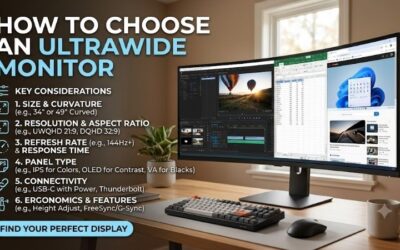
Is an ultrawide monitor worth it in 2026? Yes, for buyers who can use the extra workspace or wider field of view every day. It is less compelling if your games, desk, or GPU fit 16:9 better. The right choice depends on resolution, refresh rate, panel type, and how much physical width your setup can handle comfortably.
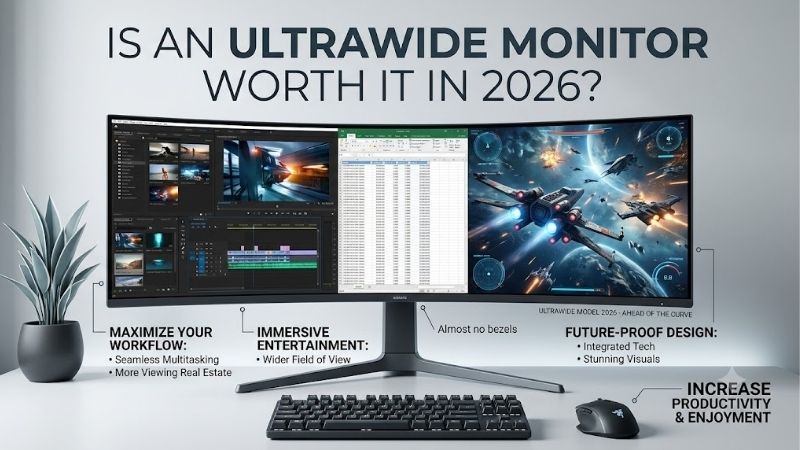
How to Choose Ultrawide Monitors
is an ultrawide monitor worth it in 2026 when premium models now span 3440×1440 gaming panels, 5120×1440 super-ultrawides, and 5120×2160 productivity displays? This guide compares four real models across those formats, then explains the trade-offs so you can decide whether extra pixels and screen space solve a real problem.
Resolution And Pixel Density
Start with resolution because it sets image density and GPU demand. A 3440×1440 screen is easier to drive than 5120×2160, while 5120×1440 adds huge horizontal space without extra vertical pixels. For a powerful-PC, choose LG or Dell for dense detail, while ASUS or Samsung emphasizes higher-frame rates and wider layouts.
Resolution also changes desktop scaling. LG’s 5120×2160 21:9 panel gives 44.5 inches of workspace with strong vertical detail, while Dell’s 39.7-inch 5120×2160 display reaches 140 PPI. The trade-off is GPU load, since higher-pixel counts demand more rendering power. LG and Dell suit demanding high-resolution-workloads.
Refresh Rate
Refresh rate is the next filter. ASUS PG39WCDM and Samsung G95SD reach 240Hz, while LG 45GX950A reaches 165Hz at native 5K2K and offers 330Hz in lower-resolution-dual mode. Dell U4025QW tops out at 120Hz. Competitive players should favor 240Hz for fast motion; mixed users may prefer 120Hz or 165Hz with strong clarity.
The key is whether your GPU can produce enough frames to use that ceiling. A high-end GPU can make 240Hz worthwhile at 3440×1440, yet 5120×2160 can become resolution-limited. ASUS is the refresh-focused choice, Samsung adds width, while LG and Dell make more sense when image detail matters equally for work and gaming. now.
Screen Format And Size
Screen format determines how the monitor fits the desk and software. Samsung G95SD uses a 49-inch 32:9 panel, creating an enormous horizontal workspace, while ASUS PG39WCDM and LG 45GX950A use 21:9 layouts. Dell also uses 21:9, but its IPS Black panel targets productivity rather than maximum-gaming immersion. at scale.
A 32:9 display works especially well for racing simulators, strategy games, spreadsheets, and side-by-side-window layouts, but it needs serious-desk width. A 21:9 monitor is easier to place and usually needs less head movement. Samsung is the immersive-width choice, while Dell favors long work sessions where pixels and ports matter.
Panel Technology
Panel technology affects contrast, motion response, HDR impact, and ownership considerations. OLED models deliver extremely fast response and deep blacks, while Dell’s IPS Black design takes a productivity-focused route. For office-heavy use, an ultrawide can be valuable, but OLED is not automatically the best tool for every desk.
For mixed-gaming creation, LG’s OLED combines 5K2K resolution with a 165Hz ceiling, giving it the strongest high-detail role here. Samsung uses OLED for a wide 32:9 canvas, while ASUS uses WOLED for fast 240Hz gaming. Dell stays with IPS Black and trades OLED contrast for workstation connectivity and a practical 21:9 shape.
Top Picks
The answer to is an ultrawide monitor worth it in 2026 becomes clearer when every model serves a specific role. LG 45GX950A is Best Overall for premium mixed-use, ASUS PG39WCDM is Best Value for high-refresh gaming, Samsung G95SD is Best For Immersive Sim Racing, and Dell U4025QW is Best For Productivity and Connectivity.
| Product | Best For | Key Spec | Watch Out For |
|---|---|---|---|
| LG UltraGear 45GX950A | Best Overall | 44.5″, 5120×2160, 165Hz | Very high GPU demand at native resolution |
| ASUS ROG Swift OLED PG39WCDM | Best Value | 39″, 3440×1440, 240Hz | Lower pixel density for desktop work |
| Samsung Odyssey OLED G9 G95SD | Best For Immersive Sim Racing | 49″, 5120×1440, 240Hz | Requires substantial desk width |
| Dell UltraSharp U4025QW | Best For Productivity And Connectivity | 39.7″, 5120×2160, 120Hz | Not aimed at competitive gaming |
LG UltraGear 45GX950A
For buyers asking, is an ultrawide monitor worth it in 2026? LG UltraGear 45GX950A is the Best Overall for gaming, editing, and general work. Its 44.5-inch OLED panel runs at 5120×2160 and 165Hz, with a 330Hz dual-mode option at lower resolution. It also provides DisplayPort 2.1 and USB-C with up to 90W power delivery.
The advantage is exceptional detail for a large OLED-gaming panel, plus 0.03ms response and an 800R curve for immersion. The downside is graphics demand: 5120×2160 is a heavy-gaming target, so this monitor makes the most sense with a capable GPU. A weaker system may not exploit all those pixels at sustained load.
ASUS ROG Swift OLED PG39WCDM
ASUS ROG Swift OLED PG39WCDM is the Best Value choice for a high-end gaming-rig that values 240Hz without moving to a 49-inch screen. Its 39-inch WOLED panel runs at 3440×1440 and 240Hz, with 0.03ms response, 800R curvature, 99% DCI-P3, and a stated 1,300-nit HDR peak. It also suits gamer-focused tuning and strong HDR headroom.
Its advantage is a strong balance between immersion, responsiveness, and manageable GPU load compared with 5K2K. The compromise is pixel density: 3440×1440 is less detailed for desktop text and creative work than LG or Dell. For a game-first-system, that trade-off is easier to justify because more GPU headroom remains for high rates.
Samsung Odyssey OLED G9 G95SD
Samsung Odyssey OLED G9 G95SD is Best For Immersive Sim Racing because its 49-inch 32:9 OLED panel runs at 5120×1440 and 240Hz, with a 1800R curve and 0.03ms response. That makes is an ultrawide monitor worth it in 2026 a desk-dependent question, giving supported racing games a panoramic view and leaving room for multitasking easily.
The main advantage is the 32:9 viewing area, which works especially well with cockpit-style racing and simulation titles that support super-ultrawide output. The drawback is physical width: the active display area is roughly 1.2 meters across, so smaller desks can become cramped before the monitor reaches its ideal viewing position.
Dell UltraSharp 40 Curved Thunderbolt Hub Monitor U4025QW
Dell UltraSharp 40 Curved Thunderbolt Hub Monitor U4025QW is Best For Productivity and Connectivity. Its 39.7-inch IPS Black panel runs at 5120×2160 and 120Hz, delivers 140 PPI, and includes Thunderbolt 4 with up to 140W power delivery, 2.5GbE, HDMI 2.1, DisplayPort, and extensive USB connectivity for connected-workstations.
Its advantage is the combination of high resolution, useful refresh, and workstation-class docking features in one 21:9 screen. The limitation is gaming performance: its 8ms typical response in Normal mode and non-OLED panel make it less suited to competitive play than ASUS or Samsung. For office-heavy systems, the compromise is sensible.
Frequently Asked Questions
Frequently asked questions about is an ultrawide monitor worth it in 2026 usually come down to gaming support, resolution, laptop connectivity, and OLED ownership. The right answer depends on workload because an ultrawide can be transformative for one setup and awkward for another. These questions focus on choices affecting purchase.
Is An Ultrawide Monitor Worth It For Gaming?
is an ultrawide monitor worth it in 2026 for a gaming PC? Yes, when your games support the aspect ratio and your GPU can maintain useful frame rates at the chosen resolution. The gain is most obvious in racing, simulation, strategy, and cinematic games, while unsupported titles may show side bars or rely on scaling today.
The exception is an esports-focused build where maximum competitive frame rates matter more than a wider view. A fast 16:9 display can be simpler and easier to drive. A premium-ultrawide becomes more convincing when your library includes games that use the extra-horizontal space rather than merely tolerating the format for desktop use.
Is 3440×1440 Enough For A High-End PC?
Is 3440×1440 enough for a high-end PC? Yes, especially for gaming. It is substantially easier to drive than 5120×2160 while providing a wider canvas than 2560×1440. ASUS PG39WCDM shows why this resolution remains attractive: its 240Hz ceiling lets a powerful GPU prioritize frame rate instead of rendering an extremely high pixel count.
The trade-off appears in desktop-work. At 39 inches, 3440×1440 has noticeably less pixel density than Dell’s 5120×2160 40-inch panel, so small text and detailed interfaces can look less crisp. Gamers may barely care, while editors and programmers who stare at fine-text for hours are more likely to notice the difference.
Do Ultrawide Monitors Work Well With Laptops?
Do ultrawide monitors work well with laptops? Yes, but the useful limit depends on the laptop’s graphics output and the monitor’s connection options. USB-C can carry video and power on compatible systems, and Dell U4025QW is particularly strong with Thunderbolt 4 and up to 140W power delivery for supported notebooks in compatible setups.
The exception is a laptop with limited display bandwidth or a weak integrated GPU. A 5K2K panel can be demanding even before heavy applications are added, so 3440×1440 may provide a smoother balance. Check the laptop’s video-output-specification before buying, because the connector shape alone does not guarantee the needed output.
Is OLED Worth The Extra Cost On An Ultrawide?
Is OLED worth the extra cost on an ultrawide? Often yes for gaming, especially when you ask, “is an ultrawide monitor worth it in 2026,” and prioritize fast response and deep blacks. ASUS, LG, and Samsung all use OLED panel technology here, making the premium easier to justify for gaming. This matters when HDR and dark scenes matter.
The practical exception is a desk dominated by static content such as spreadsheets, browser tabs, or fixed editing interfaces. OLED monitors include protective features, but image-retention considerations still matter. Dell U4025QW avoids that OLED trade-off with IPS Black, making it a straightforward option for long work sessions.
Final Thoughts
is an ultrawide monitor worth it in 2026 when the answer depends on what you will actually do with the extra screen? LG 45GX950A is the premium all-rounder, ASUS PG39WCDM is the gaming sweet spot, Samsung G95SD is the immersive 32:9 choice, and Dell U4025QW is the productivity specialist. Match the panel to the workload.