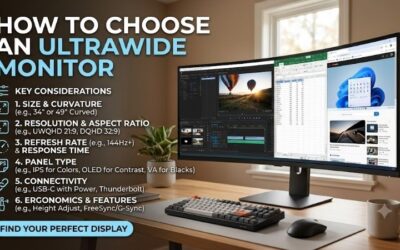
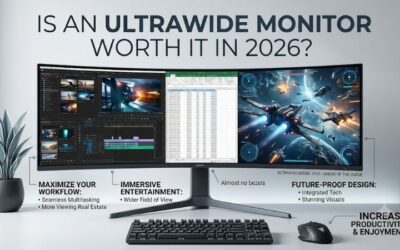
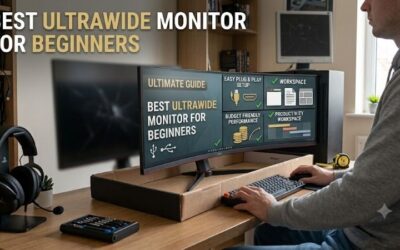
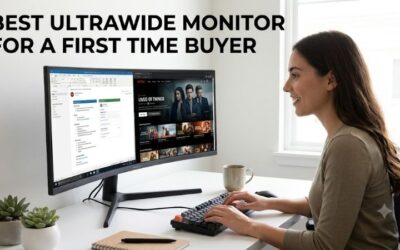
Best ultrawide monitor for a budget build needs to fit both your desk and your graphics card. A cheap 34-inch screen can become an expensive choice if native-resolution gaming demands another GPU purchase. These four picks prioritize usable resolution, sensible refresh rates, stand adjustments, and the complete cost of your setup.
How to Choose a Budget Ultrawide Monitor
This guide compares the best ultrawide monitor for a budget build using manufacturer specifications and practical system requirements. ASRock is the balanced recommendation, Gigabyte targets value, LG reduces rendering demands, and AOC favors higher refresh rates. Compare delivered prices before treating any model as an automatic bargain.
Resolution and Graphics Card Workload
Resolution determines workspace dimensions and graphics workload. A 3440 by 1440 display contains about 79% more pixels than a 2560 by 1080 alternative, although performance cannot be inferred from that percentage alone. Higher resolution improves desktop detail while increasing rendering demands. Match resolution to your graphics hardware.
The best ultrawide monitor for a budget build should avoid forcing an immediate graphics card replacement. A smaller, lower-resolution display can preserve the intended system budget while still providing a wide workspace. For lighter graphics hardware and mixed everyday use, LG 29WQ600-W is the sensible 2560 by 1080 option here.
Refresh Rate and Connection Limits
Refresh rate specifies display update frequency without determining computer frame output. Gigabyte GS34WQC supports 120Hz plus an optional 135Hz overclock; AOC CU34G2XP supports 180Hz through DisplayPort. Compare these capabilities against measured performance in your games rather than assuming higher specifications generate frames.
Your connection also matters: ASRock supports native resolution at 165Hz through DisplayPort but only 100Hz through HDMI. Check the exact monitor manual and graphics outputs before buying cables. For lighter games that can approach higher frame rates, AOC CU34G2XP is the relevant 180Hz choice, using the supported DisplayPort connection.
Stand Adjustments and Desk Fit
Stand flexibility can avoid an additional monitor-arm purchase when fixed positioning proves unsuitable. ASRock includes height, swivel, and tilt adjustments, whereas LG provides tilt adjustment only. Compare stand dimensions and screen width against available workspace; diagonal measurements alone cannot establish installation clearance.
Larger displays require sufficient clearance for keyboard positioning and viewing distance. Adjustable stands accommodate shared workspaces or changes in desk configuration. For positioning flexibility without an immediate arm purchase, ASRock PG34WQ15R2B combines 100 mm height adjustment with swivel, making its included stand particularly useful.
Delivered Price and Additional Equipment
Delivered price should include any required arm, speakers, adapters, or graphics upgrade. A discounted monitor can lose its advantage when those costs appear afterward. The Gigabyte and ASRock models already include height adjustment, so an arm is optional for many desks. Compare equivalent new-unit listings and their return conditions.
The best ultrawide monitor for a budget build should spend on features you can actually use. Higher refresh ceilings and extra connections do not justify every price premium, especially with a modest GPU. If it is meaningfully cheaper than the ASRock and AOC alternatives, Gigabyte GS34WQC provides the straightforward value option.
Top Picks
These picks separate the best ultrawide monitor for a budget build by practical priorities. ASRock combines resolution, refresh rate, and positioning; Gigabyte is the value candidate; LG serves lighter GPUs; AOC offers the highest refresh ceiling. The rankings are specification-based buying judgments, with no invented benchmark results.
| Product | Best For | Key Spec | Watch Out For |
|---|---|---|---|
| ASRock PG34WQ15R2B | Best Overall | 34-inch VA; 3440 × 1440; 165Hz | Native-resolution HDMI limited to 100Hz |
| Gigabyte GS34WQC | Best Value when priced lower | 34-inch VA; 120Hz, optional 135Hz OC | Lower refresh ceiling than ASRock and AOC |
| LG 29WQ600-W | Modest graphics hardware | 29-inch IPS; 2560 × 1080; 100Hz | Less vertical workspace; tilt-only stand |
| AOC CU34G2XP | Higher-refresh gaming | 34-inch VA; 3440 × 1440; 180Hz via DP | Demanding games may leave refresh capacity unused |
ASRock PG34WQ15R2B: Best Overall
ASRock PG34WQ15R2B receives the overall recommendation for graphics hardware suitable for ultrawide 1440p. Its 34-inch VA panel specifies 3440 by 1440 resolution, 1500R curvature, and 165Hz maximum refresh. Height, swivel, and tilt adjustments provide more flexibility than LG’s stand, avoiding an additional monitor-arm purchase.
Its main connection compromise is the 100Hz native-resolution HDMI limit; DisplayPort is needed for 165Hz. The larger pixel workload also makes this a poor automatic choice for every entry-level GPU. Choose ASRock when your games run acceptably at this resolution and its adjustable stand justifies the price compared with Gigabyte.
Gigabyte GS34WQC: Best Value
Gigabyte GS34WQC suits budget builders prioritizing a straightforward 34-inch gaming workspace. Its curved VA panel specifies 3440 by 1440 resolution, 120Hz refresh, and an optional 135Hz overclock. Included height and tilt adjustments improve positioning, particularly when alternative inexpensive monitors would require a separate arm.
I consider it the best ultrawide monitor for a budget build on value only when its checkout price undercuts these alternatives. Its refresh ceiling is lower than ASRock’s 165Hz or AOC’s 180Hz, and the overclock is optional. Choose Gigabyte when those higher ceilings would remain unused and the purchase savings are substantial enough.
LG 29WQ600-W: Best for Modest Graphics Hardware
LG 29WQ600-W suits computers without graphics performance for comfortable ultrawide 1440p gaming. Its flat 29-inch IPS panel specifies 2560 by 1080 resolution and 100Hz maximum refresh, alongside speakers and USB-C display connectivity. Lower pixel count benefits modest graphics hardware while preserving workspace for adjacent windows.
The tradeoff is less vertical workspace and lower refresh headroom than the three 34-inch alternatives. Its tilt-only stand also offers fewer positioning options, so account for an arm if necessary. USB-C connectivity should not be assumed to provide laptop charging. Choose LG for its lighter rendering demands rather than maximum screen area.
AOC CU34G2XP: Best for Higher-Refresh Gaming
AOC CU34G2XP targets buyers prioritizing this group’s highest specified refresh ceiling. Its 34-inch curved VA panel combines 3440 by 1440 resolution with 180Hz maximum refresh through DisplayPort. This configuration accommodates higher-frame-rate lighter games without sacrificing the desktop workspace available from an ultrawide 1440p resolution.
Modest graphics hardware may leave refresh capacity unused in demanding games. AOC’s manual also specifies a lower native-resolution ceiling through HDMI, making connection selection important. Extra cost needs justification through actual workload performance; an expensive listing weakens this model’s suitability for budget builds.
Frequently Asked Questions
These answers address GPU suitability, game support, motion clarity, and image quality. The best ultrawide monitor for a budget build should match your real applications rather than every advertised feature. Before purchasing, identify which games support the format, which connection enables the intended refresh rate, and whether the stand fits.
Can a Budget GPU Run an Ultrawide Monitor?
Yes, a budget GPU can operate an ultrawide monitor, but desktop output and demanding gaming are different workloads. Check your card’s supported resolution and connections, then assess performance in the games you intend to play. Displaying the Windows desktop does not establish that modern games will run smoothly at native resolution.
For the best ultrawide monitor for a budget build with limited graphics power, LG’s lower-resolution approach deserves serious consideration. If you prefer a 3440 by 1440 screen, reducing selected graphics settings or using supported upscaling may help. Avoid building the purchase decision around a maximum refresh rate your games rarely approach.
Do All Games Support Ultrawide Monitors?
No, not every game displays correctly across an ultrawide screen. Some titles support wider gameplay while retaining black bars in menus or cutscenes; others restrict the entire image to a narrower format. Check the specific games you use before purchasing, particularly when one competitive title accounts for most of your gaming time.
Video content can retain side bars when its aspect ratio differs from the display. Stretching or cropping alters the intended presentation, so screen width does not automatically reveal more source content. The wider desktop remains useful for productivity even when individual games or streaming videos occupy a narrower image area.
Does a Higher Refresh Rate Eliminate Ghosting?
No, a higher refresh rate does not guarantee less ghosting. Refresh frequency and pixel transition behavior are separate characteristics, and an advertised response-time figure does not describe every transition. All three 34-inch picks use VA panels, so buyers sensitive to dark-motion trails should investigate model-specific motion testing.
Motion-sensitive buyers require evidence beyond refresh specifications when choosing an inexpensive ultrawide. LG’s IPS alternative changes panel technology without establishing superior transitions. Consider practical return conditions if evaluating dark-scene trails and overdrive behavior is necessary before committing to your purchase.
Is HDR Worth Prioritizing on a Budget Ultrawide?
No, HDR support alone does not establish impressive HDR picture quality. Assess brightness behavior, contrast control, and independent measurements rather than treating an HDR label as a guarantee. ASRock advertises DisplayHDR 400, but that certification does not make its image equivalent to a display with more capable local dimming.
Prioritize resolution, everyday SDR presentation, and achievable refresh rates before purchasing mainly for HDR branding. Color-gamut specifications also cannot establish calibration accuracy. For color-critical workflows, investigate measured accuracy for the exact model instead of assuming gaming specifications establish suitability.
Final Thoughts
ASRock PG34WQ15R2B is my default best ultrawide monitor for a budget build when the GPU supports ultrawide 1440p gaming. Choose Gigabyte GS34WQC for meaningful savings, LG 29WQ600-W for lighter graphics demands, or AOC CU34G2XP for usable 180Hz headroom. Let complete setup cost and actual game performance settle the final purchase.