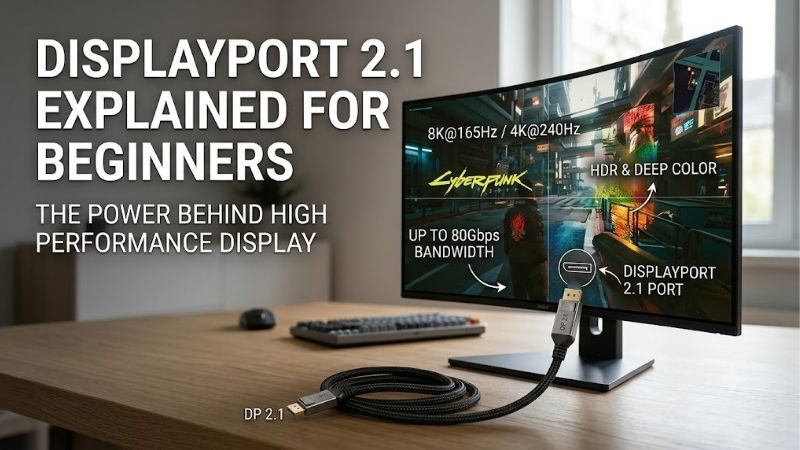
DisplayPort 2.1 explained for beginners starts with a key fact: the cable is only one part. GPU, monitor, certification, bandwidth, and required resolution must match. This guide breaks down the terms and shows which certified cables make sense without paying for unneeded headroom. It is especially useful for real-world gaming-builds today.
How to Choose DisplayPort 2.1 Cables
DisplayPort 2.1 gets confusing because its version number does not tell you the exact speed a cable or device can deliver. This guide focuses on certification tier, bandwidth, cable-length, and source-display compatibility. For displayport 2.1 explained for beginners, the goal is a working connection, not the biggest number on the package.
Certification Tier
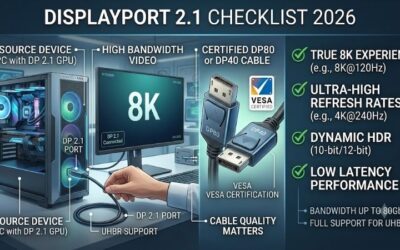
Certification tier is the easiest place to start. VESA uses DP54 and DP80 to identify tested capability, with DP54 supporting 54Gbps and DP80 supporting 80Gbps. For displayport 2.1 explained for beginners, this matters because a cable labeled only “DP 2.1” can leave its UHBR capability unclear to a first-time buyer.
Do not assume every DP 2.1 cable supports UHBR20. VESA certification is the shortcut when your GPU and monitor need the highest link-rate. Cable Matters VESA Certified DisplayPort 2.1 DP80 Cable is the safest overall match when you want clearly verified 80Gbps capability. It suits demanding gaming-displays too.
Required Bandwidth
Required bandwidth depends on resolution, refresh rate, color depth, and whether DSC is used. UHBR10 provides 40Gbps raw link bandwidth, UHBR13.5 reaches 54Gbps, and UHBR20 reaches 80Gbps. Bandwidth should be the filter before buying, because a 4K 240Hz monitor and an ordinary 1440p display have different connection-demands.
Buying more bandwidth than your equipment can use is not harmful, but it can waste money. Club3D CAC-1091 is useful when you want full DP80 capability in a compact 1.2m cable, while StarTech DP21V-3F-DP80 suits short desktop runs where excess length would otherwise add routing slack around a monitor stand or docking position.
Cable Length
Cable length matters more as link speeds increase. Shorter passive cables are generally easier to keep within signal-integrity limits, while longer runs can demand carefully designed construction. For buyers with a nearby tower, displayport 2.1 explained for beginners should favor the shortest practical cable rather than choosing a long one. That keeps high-speed routing simpler.
A short cable is easier to route and keep tidy behind a desk, but it becomes restrictive when the PC sits far below or beside a monitor-arm. Club3D CAC-1094 provides a 2m DP80 option for a larger desk layout, while Club3D CAC-1091 suits compact setups when extra reach is unnecessary for larger workstations. It remains practical.
Source And Display Support
Source and display support must match the cable’s capabilities. A DP80 cable cannot turn a DisplayPort 1.4 graphics card into a DP2.1 UHBR20 source, and a DP2.1 monitor cannot create bandwidth that the GPU does not provide. The cable passes what the source and display negotiate, so check both ends before paying for premium bandwidth.
Compatibility also means checking whether your monitor actually needs UHBR20, whether DSC is involved, and whether the port is DisplayPort. For demanding systems, the Cable Matters and Club3D DP80 models give clear headroom, while StarTech’s short certified option works well for a close, fixed desktop connection with common desktop layouts.
Top Picks
These four cables are separated by buying-role. Cable Matters offers a DP80 choice, Club3D provides compact and longer certified options, and StarTech focuses on documented short runs. For displayport 2.1 explained for beginners, that makes cable-selection easier without overspending across common-desktop layouts. Length and certification remain key variables.
| Product | Best For | Key Spec | Watch Out For |
|---|---|---|---|
| Cable Matters VESA Certified DisplayPort 2.1 DP80 Cable | Best Overall | DP80; 80Gbps; up to 8K 240Hz or 16K 60Hz with DSC | Premium cable pricing |
| Club3D CAC-1091 DisplayPort 2.1 VESA DP80 Certified Cable | Best Value | 1.2m; 80Gbps; 24AWG; UHBR10/13.5/20 | Shorter physical reach |
| StarTech.com DP21V-3F-DP80-CABLE | Best for Compact Desks | 3ft; DP80; 80Gbps; VESA certified | Can be too short for distant towers |
| Club3D CAC-1094 DisplayPort 2.1 VESA DP80 Certified Cable | Best for Longer High-Bandwidth Runs | 2m; 80Gbps; 26AWG; 8K 240Hz with DSC | More cable to route and manage |
Cable Matters VESA Certified DisplayPort 2.1 DP80 Cable — Best Overall
Cable Matters VESA Certified DisplayPort 2.1 DP80 Cable is the Best Overall pick for a beginner who wants certified maximum DisplayPort bandwidth without guessing about the cable rating. It supports DP80 with an 80Gbps maximum bandwidth and is designed for extreme-resolution and high-refresh applications, including 8K 240Hz with DSC.
Its advantage is clear certification and broad feature support, including HDR and adaptive-sync. The drawback is cost: you are paying for a high-bandwidth cable that only provides a meaningful benefit when the GPU and display can actually use it. For ordinary 1440p gaming, a lower tier may be enough for most buyers.
Club3D CAC-1091 DisplayPort 2.1 VESA DP80 Certified Cable — Best Value
Club3D CAC-1091 is the Best Value pick when a short cable reaches the display. The model is 1.2m or 3.94ft long, uses 24AWG construction, and is VESA DP80 certified for UHBR10, UHBR13.5, and UHBR20 up to 80Gbps. It also supports 4K 240Hz and 8K 60Hz, plus higher modes with DSC on compatible hardware without guessing about the certification label.
The benefit is full DP80 certification in a compact length, useful when the PC sits close to the monitor. The limitation is obvious: 1.2m leaves little room for towers positioned far under a desk or monitor arms with wide movement. It is strongest for compact desktop layouts where excess cable would only add slack or force tight connections.
StarTech.com DP21V-3F-DP80-CABLE — Best for Compact Desks
StarTech.com DP21V-3F-DP80-CABLE is the Best for Compact Desks because its 3ft length keeps high-bandwidth routing simple and predictable. It is VESA certified DP80, supports 80Gbps, and handles uncompressed 4K 240Hz plus higher-resolution-combinations, with DSC extending to 16K 60Hz and 8K 240Hz on compatible systems and displays.
The advantage is unusually clear documentation and a short, flexible physical path, while the real drawback is reach. A three-foot cable can become too short once a desktop tower is moved beneath a large desk or a monitor-arm is repositioned. It makes more sense for close-together components than for stretched workstation layouts with a nearby tower.
Club3D CAC-1094 DisplayPort 2.1 VESA DP80 Certified Cable — Best for Longer High-Bandwidth Runs
Club3D CAC-1094 is the Best for Longer High-Bandwidth Runs when 1.2m is too short but you still want VESA-certified DP80 capability. It is 2m or 6.56ft long, uses 26AWG conductors, and supports up to 80Gbps, with 8K 240Hz and 4K 540Hz listed for DSC configurations on compatible equipment and displays, plus HDR support.
The advantage is useful reach with full DP80 bandwidth for larger desks, monitor arms, and towers farther from the display. The tradeoff is physical routing: a longer, heavier high-speed cable needs more careful management, and extra length provides no image-quality advantage when a shorter certified cable already reaches comfortably. It remains a specialist choice.
Frequently Asked Questions
The biggest beginner mistake is treating DisplayPort 2.1 as one fixed performance level. displayport 2.1 explained for beginners is easier once you separate the standard from cable-certification and then from the limits of the GPU and monitor. These questions address common buying confusion before choosing a cable and before opening the package.
Do I Need A DisplayPort 2.1 Cable For A 4K 240Hz Monitor?
You may need a high-bandwidth DP2.1 cable for 4K 240Hz, but the exact requirement depends on the monitor, GPU, color settings, and DSC support. A VESA-certified DP80 cable is the safest choice when both devices use UHBR20 and you want full bandwidth without uncertainty at the highest supported settings. Check the device specifications.
The exception is a monitor that reaches 4K 240Hz using a lower link rate or DSC configuration supported by its manufacturer. Check the exact port specification on both devices rather than buying from the resolution label alone. A DP80 cable works with older DP hardware, but the connection remains limited by the slower source or display in the chain for that setup.
What Does UHBR20 Mean On A DisplayPort Cable?
UHBR20 means Ultra-High Bit Rate 20, the highest DisplayPort 2.x UHBR transmission mode, using four lanes for a raw aggregate link rate of 80Gbps. UHBR20 is the key number behind DP80 certification and is the tier to look for when your system needs maximum DisplayPort bandwidth in high-refresh gaming or demanding professional displays.
Higher bandwidth does not automatically improve image quality on a monitor that cannot use it. The benefit appears when extra bandwidth enables higher resolution, faster refresh rate, greater color-depth, or a multi-display configuration that your hardware supports. A DP80 cable is valuable for capability, not sharper pictures when the display itself sets the limit.
Is A VESA-Certified DP80 Cable Better Than A Cheap DP2.1 Cable?
A VESA-certified DP80 cable is the clearer choice when you specifically need 80Gbps operation. VESA certification verifies the cable against its stated performance tier, while a generic “DP2.1” label does not by itself tell you whether the cable is tested for UHBR20. That distinction matters most at extreme settings with demanding monitors and GPUs.
A cheaper non-certified cable can still work perfectly for a lower-bandwidth connection, so certification is not a universal requirement for every monitor. The practical rule is to buy certification when the connection is demanding and failure would be annoying, especially for 4K 240Hz, 8K, or other high-bandwidth modes on modern PC hardware.
Can DisplayPort 2.1 Use An Older DisplayPort Monitor?
Yes. DisplayPort 2.1 connections are backward compatible with older DisplayPort versions, but the link operates at the highest common capability between the source, cable, and display. displayport 2.1 explained for beginners therefore does not mean an older monitor suddenly receives DP2.1 bandwidth just because you replaced the cable with a newer one.
This backward compatibility can make a DP80 cable useful as a future-facing purchase, provided the physical length and connector fit your setup. The important exception is value: if your display is limited to an older bandwidth tier and no upgrade is planned, paying for 80Gbps may provide little immediate benefit. Your current hardware still sets the practical ceiling.
Final Thoughts
A good DisplayPort 2.1 purchase is less about chasing 8K labels and more about matching certification, bandwidth, length, and device support. displayport 2.1 explained for beginners comes down to the right tier: Cable Matters for confidence, CAC-1091 for compact value, StarTech for short runs, and CAC-1094 for extra DP80 reach when distance matters.