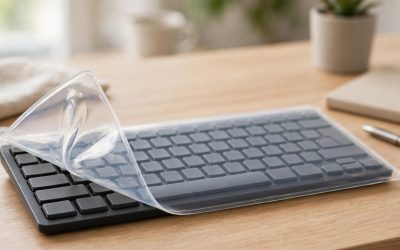
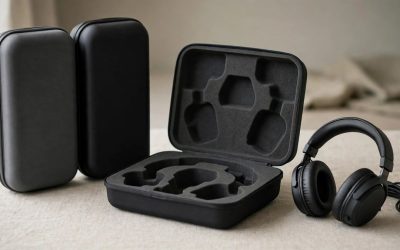
A powerful processor and a fast graphics card get most of the attention in an editing build, but the hours you spend cutting footage are shaped just as much by the accessories on your desk. The right keyboard and mouse decide how quickly you move through a timeline, a well placed camera or light changes the quality of your recorded segments, and clean audio routing keeps monitoring honest while a stable microphone mount makes voiceovers sound polished instead of amateur.
- What to look for in PC accessories for video editing and rendering
- 1. Dell KM555 Silent Keyboard and Mouse
- 2. TMKB Falcon M1SE Mouse and T61SE Keyboard Bundle
- 3. SMALLRIG Quick Release Safety Rail 4cm
- 4. JSAUX USB C to 3.5mm Audio Cable
- 5. Boseen Microphone Shock Mount
- FAQ
- Final verdict
- Product and ASIN Reference
This guide gathers five practical picks that cover the main contact points of an editing and rendering workstation: quiet input for long sessions, a responsive second set for timeline work, a compact mounting rail for a camera or light, a dependable audio cable for headsets and speakers, and a shock mount that cleans up narration recordings. Each one is a general purpose accessory rather than a niche editing tool, so it earns its place on the desk every day.
As an Amazon Associate, we earn from qualifying purchases.
What to look for in PC accessories for video editing and rendering
Start with input comfort, because editing is a marathon of small movements. A keyboard with quiet, low effort keys reduces fatigue and keeps key clicks out of nearby microphone recordings, while a mouse with a reliable sensor makes frame by frame scrubbing more precise. Many editors keep two input setups: one calm set for everyday work and one responsive set for fast timeline passes and shortcut heavy sessions.
Next, think about what sits above and around the monitors. A short mounting rail gives you a secure place to attach a small camera, a compact light, or another accessory without clamping anything to the desk edge. Standard mounting points matter here, because a rail that follows common patterns works with the arms, clamps, and adapters you may already own.
Audio deserves the same care as the picture. A well made cable between your machine and your headset or speakers avoids crackle, dropouts, and the low hum that creeps in through worn connectors, and it keeps your monitoring trustworthy when you are judging dialogue levels. For recording, a shock mount isolates the microphone from desk bumps and keyboard taps, which saves takes and reduces cleanup work later.
Finally, consider durability and tidiness. Braided cables survive being unplugged and rerouted, metal hardware tolerates repeated adjustments, and accessories that stay where you put them keep the desk clear for drives and notebooks. The five products below were chosen to cover these priorities without overlapping each other.
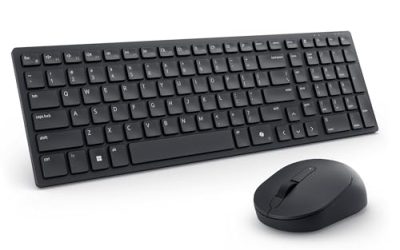
1. Dell KM555 Silent Keyboard and Mouse

The Dell KM555 is a wireless keyboard and mouse combo built around quiet operation, which makes it a natural fit for editing rooms where a microphone is never far away. The keys are designed to register with a soft, muted action, so long stretches of trimming, labeling, and shortcut work produce far less noise than a typical office keyboard. During a voiceover session or a recorded tutorial, that quietness keeps stray key sounds out of the track.
Wireless connectivity through a single USB receiver keeps the desk clear of cables, which matters when the surface already holds drives or a graphics tablet. The full size layout includes a number pad, handy for typing timecode values and nudging clips by exact amounts in many editing programs. The matching mouse covers everyday navigation comfortably, moving between the timeline, the effects panel, and the render queue without fuss.
For editors who share a room or record in the same space where they cut, the KM555 works as the calm daily driver of the setup. It is the set you leave connected for writing scripts, answering messages between renders, and the thousand small organizational tasks that surround the creative work.
Specs
| Detail | Value |
|---|---|
| Product type | Wireless keyboard and mouse combo |
| Brand | Dell |
| Connection | Wireless via USB receiver |
| Layout | Full size keyboard with number pad |
| Key character | Silent, low noise typing |
| Best fit | Quiet editing desks and shared rooms |
2. TMKB Falcon M1SE Mouse and T61SE Keyboard Bundle

The TMKB bundle pairs the Falcon M1SE mouse with the T61SE keyboard, giving editors a responsive wired set that suits fast, shortcut driven timeline work. Wired connections remove any concern about battery levels or interference during a long export session, and the direct link keeps input latency consistent when you are scrubbing through footage or stepping frame by frame to find an exact cut point.
The compact keyboard format leaves more desk room for a mouse, a tablet, or a notebook, which is a real advantage on editing desks crowded with monitors and drives. Its keys are arranged for quick access to the letter and modifier keys that editing shortcuts rely on, so common actions like splitting clips and jumping between markers stay under your fingers. The Falcon M1SE mouse is shaped for a secure grip during rapid movements, and its buttons fall naturally under the fingers for repeated clicking through bins of footage.
This bundle makes sense as the dedicated editing set in a two setup desk, or as the main set for a builder who prefers wired reliability. It handles the mechanical side of editing well: fast navigation, confident clicking, and a footprint that respects limited space.
Specs
| Detail | Value |
|---|---|
| Product type | Wired mouse and keyboard bundle |
| Brand | TMKB |
| Included items | Falcon M1SE mouse, T61SE keyboard |
| Connection | Wired USB |
| Keyboard format | Compact layout |
| Best fit | Timeline work, shortcuts, and compact desks |
3. SMALLRIG Quick Release Safety Rail 4cm

The SMALLRIG Quick Release Safety Rail is a short 4cm rail that gives your editing desk a proper mounting point for a camera, a small light, or another accessory. Many creators record themselves reviewing footage, film overhead shots of hardware, or add a compact light for video calls, and a rail mounted to a cage, arm, or clamp provides a far more secure attachment than balancing gear on the monitor.
The rail follows the widely used NATO style pattern, so it works with a large family of clamps, handles, and adapters that share the same profile. That compatibility means the rail you buy for the editing desk can move to a camera rig later, or accept accessories you already own.
At 4cm long, the rail stays compact enough for tight desk setups where a full length rail would get in the way. Mount it on a small arm above a monitor and it holds a webcam class camera or a lightweight light exactly where you want it, session after session, without wobbly clamps.
Specs
| Detail | Value |
|---|---|
| Product type | Quick release safety rail |
| Brand | SMALLRIG |
| Length | 4cm |
| Profile | NATO style rail with safety stops |
| Material | Metal construction |
| Best fit | Mounting a camera or light over the desk |
4. JSAUX USB C to 3.5mm Audio Cable

The JSAUX USB C to 3.5mm Audio Cable solves a common modern problem: many current laptops and compact PCs have dropped the headphone jack, while editors still rely on wired headsets and speakers for trustworthy monitoring. This cable connects a USB C port to a standard 3.5mm audio input, letting you plug a favorite pair of wired headphones or desktop speakers into machines that would otherwise push you toward wireless audio and its delay.
Wired monitoring matters in editing because timing is everything. Lip sync, music hits, and transition points all depend on hearing sound at the exact moment it occurs, and a direct cable connection avoids the latency that wireless links can introduce. The cable also provides a stable path for judging dialogue clarity, since a worn or loose connection can add crackle that is easy to mistake for a problem in the recording itself.
The braided exterior helps the cable survive the daily routine of being plugged in, coiled, and rerouted between machines. Keep one at the editing desk and the same headset moves between your workstation, a laptop, and a tablet without adapters stacking up.
Specs
| Detail | Value |
|---|---|
| Product type | USB C to 3.5mm audio cable |
| Brand | JSAUX |
| Connectors | USB C plug to 3.5mm audio plug |
| Exterior | Braided cable jacket |
| Use case | Wired headsets and speakers on USB C devices |
| Best fit | Latency free audio monitoring while editing |
5. Boseen Microphone Shock Mount

The Boseen Microphone Shock Mount holds a studio microphone in an elastic suspension that isolates it from the desk and the stand. In an editing room, that isolation does quiet but valuable work: it reduces the thumps from a knee against the desk, the tap of a keyboard during a recorded segment, and the low vibration that a hard working render workstation sends through furniture.
Voiceovers and narration are where this matters most. A narration recorded for a tutorial or a product walkthrough sits exposed in the final piece, and every handling noise becomes obvious against quiet background music. Suspending the microphone in the mount keeps those noises from reaching the capsule, so your takes stay usable and your editing time goes toward pacing and delivery instead of noise removal.
The mount is built to suit many common condenser microphones and standard stand threads, so it fits into most home studio arrangements without special adapters. It pairs naturally with the other items in this guide: the quiet keyboard reduces noise at the source, the rail positions a camera or light for the recording, and the shock mount keeps the microphone steady and isolated while you work.
Specs
| Detail | Value |
|---|---|
| Product type | Microphone shock mount |
| Brand | Boseen |
| Suspension | Elastic band isolation |
| Purpose | Reduces desk and handling vibration |
| Compatibility | Many common studio condenser microphones |
| Best fit | Voiceovers, narration, and recorded segments |
FAQ
Do I really need two keyboard and mouse sets for editing?
Not necessarily, but many editors find it helpful. A quiet wireless set suits writing, organizing, and recording sessions, while a responsive wired set feels better for fast timeline work. If you prefer one set, choose based on the work you do most.
Why does wired audio matter for video editing?
Wired audio avoids the delay that wireless connections can add between picture and sound. When you are checking lip sync or timing cuts to music, even a small delay makes accurate judgment difficult. A direct cable also gives a stable connection, so crackles or dropouts in your monitoring are less likely to be mistaken for faults in the footage.
What can I mount on a short 4cm rail?
A 4cm safety rail suits lightweight accessories such as a small camera, a compact video light, or a monitor accessory with a compatible clamp. Its NATO style profile works with many quick release clamps, and the safety stops help keep attached gear from sliding off if a locking knob is not fully tightened.
Will a shock mount improve my voiceover recordings?
A shock mount reduces low frequency thumps and vibrations that travel through the desk and stand into the microphone. It will not fix room echo, but it removes a whole category of bumps and taps, which makes narration cleaner and reduces the cleanup work needed during the edit.
Final verdict
A good editing desk is built from accessories that respect your time and attention. The Dell KM555 keeps the room quiet, the TMKB bundle keeps timeline work responsive, the SMALLRIG rail gives cameras and lights a secure home, the JSAUX cable keeps monitoring honest, and the Boseen shock mount keeps voice tracks clean. Together they remove the small frictions that slow down every project, which is what the best PC accessories for video editing and rendering should do.
Product and ASIN Reference
| Product | ASIN |
|---|---|
| Dell KM555 Silent Keyboard and Mouse | B0DFMXBS7V |
| TMKB Falcon M1SE Mouse and T61SE Keyboard Bundle | B0F8VQ64G1 |
| SMALLRIG Quick Release Safety Rail 4cm | B00LHD8484 |
| JSAUX USB C to 3.5mm Audio Cable | B085VVTJK3 |
| Boseen Microphone Shock Mount | B01C5DCW2I |