Common mistakes when buying a RX 9070 often start pre-installation: buyers overlook case clearance, PSU needs, cooler size, or differences between factory designs. This guide pairs those pitfalls with four real RX 9070 models, showing what matters most and helping you choose a card that fits your build confidently, without surprises.
How to Choose an RX 9070
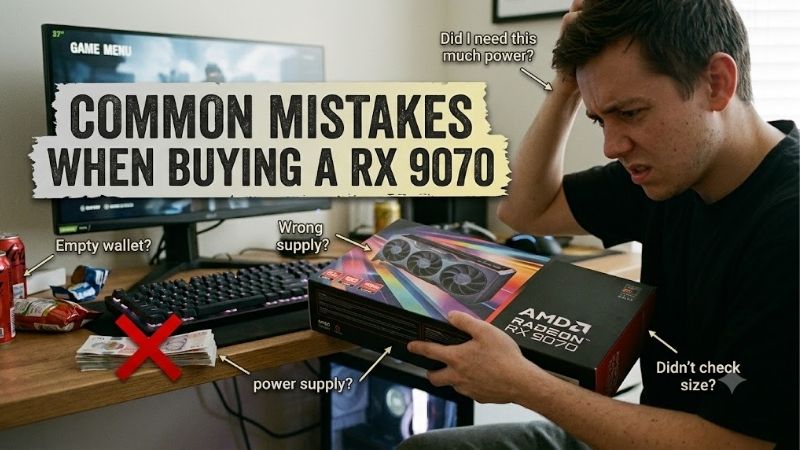
The biggest common mistakes when buying a rx 9070 rarely involve the GPU itself. They come from treating partner cards alike, then discovering a 327 mm cooler won’t fit, a 750W PSU is preferred, or selected outputs don’t match the monitor setup. Those details can turn capable hardware into a poor purchase installation-related.
Card Length And Slot Space
Case clearance is the first filter because partner cards use different coolers around the same RX 9070 chip. Measure GPU length and expansion-slot room, including front fans, radiators, and cable space. A card can meet its listed dimensions yet fail inside a tight chassis, so check physical clearance before ordering. Before installation.
Don’t assume a shorter card is automatically better cooled. The PowerColor Reaper is 289 mm long and two slots, while the Sapphire Pulse is 280 mm but 2.5 slots wide. For common mistakes when buying a rx 9070, those dimensions make the Reaper easier to fit in compact cases. That simplifies fit for compatibility.
Factory Clocks And Cooler
A higher advertised boost clock helps, but it’s only one part of the equation. Cooler size, heatpipe layout, fan tuning, and BIOS options affect sustained gaming behavior. The mistake is paying for a factory overclock without checking whether the case can support its cooler and airflow needs. This matters under sustained gaming.
PowerColor Hellhound reaches 2590 MHz boost in OC mode, and Gigabyte Gaming OC reaches 2700 MHz, so both outrun reference clocks. For common mistakes when buying a rx 9070, choose Hellhound for its cooler and dual-BIOS, or Gigabyte for the highest boost. Hellhound or Gigabyte are the tuning picks in demanding workloads.
PSU Headroom And Connectors
RX 9070 cards use two 8-pin PCIe power connectors, but board partners recommend different PSU capacities. That matters when your system also has a power-hungry CPU, multiple drives, or extra fans. Avoid sizing the supply from the GPU alone; leave practical headroom for the entire machine to prevent shutdowns. Reserve transient headroom.
Sapphire lists 650W for Pulse, PowerColor lists 650W for Reaper and 700W for Hellhound, and Gigabyte recommends 750W for Gaming OC. For common mistakes when buying a rx 9070, Pulse and Reaper suit modest systems, while Hellhound and Gigabyte provide more PSU margin in larger builds. That’s useful in higher-draw systems.
Display Outputs And Monitor Mix
Port selection is easy to overlook because all four target the same gaming class. Yet connectors differ: some provide three DisplayPort outputs and one HDMI, while another provides two of each. Check monitor cables and adapters first. A port mismatch can add cost and complicate multimonitor use. Reaper and Hellhound fit this desk.
PowerColor Reaper and Hellhound use three DisplayPort 2.1a outputs plus one HDMI 2.1b, while Gigabyte Gaming OC and Sapphire Pulse use two of each. For common mistakes when buying a rx 9070, that layout suits mixed HDMI and DisplayPort setups, while Reaper and Hellhound suit multi-DisplayPort desks. Reaper and Hellhound fit this desk.
Top Picks
The picks below are deliberately different rather than four versions of one recommendation. This common mistakes when buying a rx 9070 roundup covers a large cooler, a compact card, a reference-clock value option, and a higher-clocked Gaming OC model. Each has a distinct role plus a known compromise before ordering overall.
| Product | Best For | Key Spec | Watch Out For |
|---|---|---|---|
| PowerColor Hellhound Radeon RX 9070 | Best Overall | Up to 2590 MHz boost; 327 mm; 2-slot | 700W minimum PSU |
| Sapphire Pulse Radeon RX 9070 | Best Value | 2520 MHz boost; 280 mm; 220W typical board power | 2.5-slot thickness; reference clocks |
| PowerColor Reaper Radeon RX 9070 | Best For Compact Builds | 2520 MHz boost; 289 mm; 2-slot | No factory overclock |
| Gigabyte Radeon RX 9070 Gaming OC 16G | Best For High-Refresh Gaming | 2700 MHz boost; 288 mm; 750W recommended PSU | 132 mm width; 50 mm height |
PowerColor Hellhound Radeon RX 9070 — Best Overall
Hellhound is the best overall choice when cooling matters as much as GPU speed. Its OC profile reaches 2590 MHz boost and 2120 MHz game clock, with four heatpipes, a copper contact plate, metal-reinforced backplate, and dual BIOS. It’s built for sustained loads, not peak specifications. Cooling is notably the advantage.
The tradeoff is physical size: the board is 327 mm long and has a 700W system power recommendation. That makes it less friendly to compact or borderline-powered builds. In a spacious PC where sustained thermals and tuning matter, this is the most complete of four models. The cooler drives the choice.
Sapphire Pulse Radeon RX 9070 — Best Value
Sapphire Pulse is the value pick for buyers wanting standard RX 9070 specs without aggressive factory-level tuning. It runs up to 2520 MHz boost and 2070 MHz game clock, with 16GB GDDR6 at 20Gbps on a 256-bit bus. Its 280 mm length fits mainstream cases without excessive bulk. Fits mainstream gaming builds.
Its main limitation is the lack of a higher factory clock, so frame chasers should look elsewhere. Its 2.5-slot, 51.5 mm thickness needs a case-fit check. Still, 220W typical board power and a 650W minimum PSU recommendation make Pulse a smart value-focused pick. It avoids paying for unneeded speed.
PowerColor Reaper Radeon RX 9070 — Best For Compact Builds
Reaper is the practical choice when fit is the concern. It measures 289 mm by 111 mm by 41 mm, uses a two-slot design, and keeps reference 2520 MHz boost and 2070 MHz game clocks. Those dimensions leave more room around radiators and adjacent slots. That’s the advantage here. That improves compact-chassis compatibility.
The compromise is simple: there is less emphasis on factory tuning, so it doesn’t chase the Hellhound or Gigabyte clock figures. Its 650W minimum PSU recommendation and two 8-pin connectors are uncomplicated, making the Reaper a strong option when space matters more than overclocking. Verify case clearance before purchase.
Gigabyte Radeon RX 9070 Gaming OC 16G — Best For High-Refresh Gaming
Gigabyte Gaming OC targets buyers seeking the highest listed factory boost in this group. It reaches 2700 MHz boost and 2210 MHz game clock, while retaining 16GB GDDR6 at 20Gbps on a 256-bit interface. Its 288 mm length beats many large triple-fan designs, helping high-refresh rigs. Fits high-refresh builds. compatibility.
System overhead is the catch. Gigabyte recommends a 750W PSU, and the card is 132 mm wide and 50 mm tall, so case and cable clearance deserve attention. For high-refresh builds with ample airflow, extra tuning makes more sense than in a restrained system. The boost figure is the reason; PSU is the tradeoff for higher-wattage systems.
Frequently Asked Questions
Most buyers asking about the RX 9070 want to avoid an expensive mismatch, not learn every architectural detail. This common mistakes when buying a rx 9070 section answers practical questions about fit, power, resolution, and factory tuning, while keeping focus on the four cards already compared above. Keep these checks.
Can The RX 9070 Handle 4K Gaming?
Yes, RX 9070 is built for 4K-class gaming, with 16GB GDDR6, a 256-bit memory interface, and DisplayPort 2.1a plus HDMI 2.1b support. Actual frame rates still depend on game, settings, ray tracing, and upscaling, so the GPU isn’t a guarantee of native ultra settings everywhere. Think 4K-ready, not 4K-universal. That holds with settings.
Treat 4K as a workload target rather than a fixed promise. The Hellhound and Gigabyte offer higher factory clocks for demanding sessions, while the Pulse and Reaper provide the same 16GB capacity at reference clocks. An adaptive-sync monitor can make variable frame rates less distracting, especially when settings vary between games. That is the balance.
How Much PSU Capacity Does An RX 9070 Need?
AMD lists 650W as the minimum PSU recommendation for RX 9070 reference specification, while partner cards range from 650W to 750W. Use the board specification, not a generic RX 9070 number. CPU choice, storage, fans, and other components still affect the ideal margin. Use board guidance too.
For a lower-power build, the Pulse or Reaper are the easiest starting points because both list 650W. The Hellhound asks for 700W, while Gigabyte recommends 750W. A quality supply with appropriate PCIe connectors matters more than simply buying the largest wattage printed on the box. Good headroom is the practical goal.
Will Every RX 9070 Fit A Standard Gaming Case?
No. GPU cores are standardized; board dimensions are not. Reaper is 289 mm long and two slots; Hellhound reaches 327 mm; Pulse is 280 mm but 2.5 slots. Check GPU length, slot thickness, and front cooling hardware. Chassis limits are a starting point; don’t ignore radiator placement. Measure both.
Cable clearance can be the hidden constraint. A case may accept card length yet leave little room for power plugs or airflow beside the GPU. Measuring from the rear bracket to the nearest obstruction is more reliable than assuming the advertised GPU limit guarantees easy installation. This check prevents costly mistakes.
Is A Factory-Overclocked RX 9070 Worth It?
A factory-overclocked RX 9070 makes sense when its price, cooler, power needs, and dimensions suit your system. The gain is usually incremental, so prioritizing boost over fit, acoustics, or PSU headroom is the mistake. The whole card matters more than one clock figure. Fit comes first. This remains hardware-dependent.
For maximum listed boost, Gigabyte Gaming OC reaches 2700 MHz, while Hellhound reaches 2590 MHz in OC mode. Pulse and Reaper stay at reference clocks. Gigabyte and Hellhound suit factory-tuning buyers, while the other two favor simpler system matching. Pick the tune when the build supports it overall, in actual practice.
Final Thoughts
A safer approach to common mistakes when buying a rx 9070 is to match the card to the entire build, not its GPU. Check case clearance, PSU, monitor outputs, and cooling priorities first, then choose the model fitting your build. This avoids expensive surprises and simplifies the decision. This improves long-term compatibility.