Best RX 9070 for a high end build shopping becomes frustrating when similar cards differ in cooler clearance, power recommendations, and factory settings. This comparison identifies four genuine non-XT options for specific priorities, helping you avoid overinvesting in refinements that contribute little to your finished system.
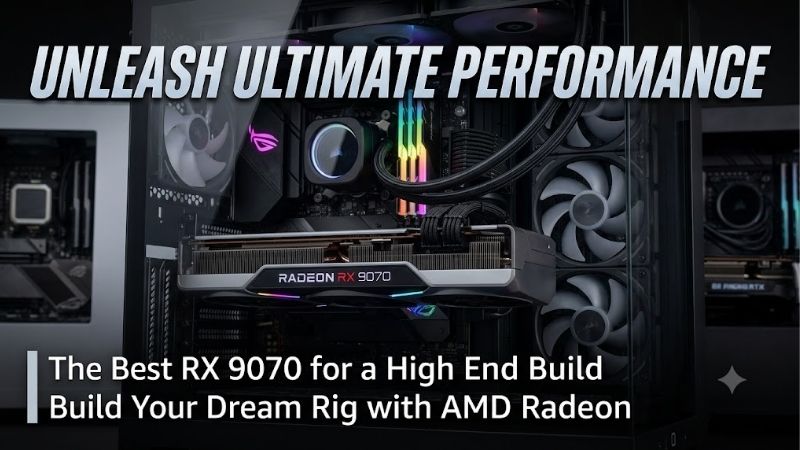
How to Choose RX 9070 Graphics Cards
This guide identifies the best rx 9070 for a high end build through published specifications, physical compatibility, BIOS flexibility, and purchase value. Recommendations address balanced features, sensible spending, slimmer layouts, and white aesthetics. Awards reflect those priorities rather than unverified benchmark or acoustic rankings.
Physical Fit
Physical fit includes cooler length, thickness, and connector clearance, alongside the case manufacturer’s maximum GPU dimensions. Front radiators reduce usable space, while thick coolers can block expansion slots. Measure your planned cooling layout before ordering, including space for power cable routing beside the card.
Bracket-inclusive dimensions matter when installation clearance is tight, especially around risers or rear mounts. Slimmer coolers improve access to lower slots, although airflow still depends on nearby parts. For installations needing reduced thickness, choose the PowerColor Reaper RX 9070 after checking its complete dimensions.
BIOS Options
BIOS flexibility offers a factory preset choice without maintaining custom software settings. This benefits combined gaming and productivity workspaces. A hardware switch alone cannot prove acoustic superiority; matched noise measurements are necessary before claiming any graphics card operates more quietly during gaming.
For the best rx 9070 for a high end build, preset flexibility can justify a modest premium over headline frequencies. Different profiles balance factory performance targets and operating behavior, without guaranteeing identical results across enclosures. Choose the PowerColor Hellhound RX 9070 when accessible OC and Silent BIOS options matter.
Factory Clocks and Premiums
Factory boost specifications describe maximum achievable frequencies under suitable conditions, rather than sustained gaming speed. Cooling, workload, and power settings influence actual operation. Treat higher clocks as secondary information, then compare the premium against useful features and faster GPU tiers before spending.
Memory capacity does not distinguish these four recommendations: each provides 16GB of GDDR6. Consequently, paying extra for a premium partner board does not purchase additional texture storage. Evaluate savings against the rest of your system; choose the Sapphire PULSE RX 9070 when its lower checkout price leaves room for a better monitor.
Aesthetics and Power
Aesthetics matter when graphics hardware dominates windowed enclosures, especially in a coordinated white build. Examine photos showing the installed card rather than relying on promotional lighting. Matching aesthetics can justify extra spending, provided cooler dimensions and power requirements suit the rest of your planned components.
Power planning should follow the board maker’s guidance and your complete system requirements. Use PSU-approved cables and fully seated plugs, with enough routing clearance. For white enclosures accommodating larger coolers, choose the Sapphire PURE RX 9070 OC and account for its higher listed board power when planning your system.
Top Picks
The best rx 9070 for a high end build varies with priorities: BIOS controls, savings, slimmer construction, or matching aesthetics. Hellhound receives my overall recommendation for preset flexibility. The remaining picks address specific layouts and budgets; PULSE earns its value award only when retail pricing supports that advantage.
| Product | Best For | Key Spec | Watch Out For |
|---|---|---|---|
| PowerColor Hellhound RX 9070 | Best Overall | Dual BIOS; up to 2590MHz OC boost | 327mm board length; 700W minimum system PSU |
| Sapphire PULSE RX 9070 | Best Value | 280mm length; 220W typical board power | 2.5-slot thickness; compare actual pricing |
| PowerColor Reaper RX 9070 | Slim Layouts | 289 × 111 × 41mm board; two slots | No dual BIOS selection |
| Sapphire PURE RX 9070 OC | White Builds | Up to 2700MHz boost; 245W typical board power | 320mm length; 61.6mm thickness |
PowerColor Hellhound RX 9070: Best Overall
The PowerColor Hellhound RX 9070 earns Best Overall for builders wanting factory profile choices. Its 16GB GDDR6 configuration combines dual BIOS with boost clocks reaching 2590MHz in OC mode and 2520MHz in Silent mode. Those features support my recommendation, without establishing measured acoustic superiority over alternatives.
Its limitation is length: PowerColor lists a 327mm board, with larger bracket-inclusive dimensions. Front-mounted cooling therefore needs careful clearance checks. The maker also specifies a 700W minimum system PSU. Buy it for reasonably priced BIOS flexibility, rather than expecting major gaming gains from its factory settings.
Sapphire PULSE RX 9070: Best Value
The Sapphire PULSE RX 9070 earns Best Value when pricing meaningfully undercuts premium alternatives. Sapphire specifies 16GB GDDR6, boost clocks reaching 2520MHz, and 220W typical board power. Its 280mm length offers useful clearance flexibility, while understated styling suits builds favoring value over coordinated lighting.
The compromise is thickness: its 2.5-slot cooler needs expansion clearance despite the shorter length. It also lacks PURE’s higher listed factory boost. For the best rx 9070 for a high end build with disciplined spending, select PULSE with demonstrable savings; discounted premium models can reverse the value decision at checkout.
PowerColor Reaper RX 9070: Best For Slim Layouts
The PowerColor Reaper RX 9070 earns Best For Slim Layouts through its published 289 x 111 x 41mm board dimensions and two-slot construction. Its 16GB GDDR6 configuration advertises boost frequencies reaching 2520MHz. Reduced cooler thickness provides a concrete reason to consider this model when adjacent hardware limits installation space.
Its compromise is straightforward: Reaper lacks Hellhound’s dual BIOS choice and advertises standard clocks. Buyers wanting a hardware preset switch sacrifice that convenience. Compact construction also cannot prove quieter operation. Select Reaper for its shape, checking bracket-inclusive dimensions against the case before installation.
Sapphire PURE RX 9070 OC: Best For White Builds
The Sapphire PURE RX 9070 OC earns Best For White Builds through matching styling, a triple-fan cooler, and boost clocks reaching 2700MHz. Sapphire specifies 16GB GDDR6 and 245W typical board power. Against PULSE’s listed 220W figure, its factory tune increases board power alongside the higher advertised boost clock specification.
Its drawback is cooler bulk: listed dimensions include 320mm length and 61.6mm thickness. Expansion clearance can become tight even inside spacious enclosures. For the best rx 9070 for a high end build featuring visible white components, PURE makes aesthetic sense; closed-panel systems gain less from styling that stays hidden during use.
Frequently Asked Questions
Finding the best rx 9070 for a high end build means evaluating the whole purchase, including display demands and installation limits. These answers cover factory premiums, PSU choice, gaming resolution, and competing GPU tiers. Partner boards improve specific ownership features, but specifications alone cannot establish performance rankings.
Are Factory Overclocks Worth Extra?
No, large factory-overclock premiums are not automatically worthwhile. Listed boost clocks describe operating targets rather than guaranteed frame-rate gains. Compare features you need, such as BIOS choice or case compatibility. If gaming performance takes priority, consider faster GPU tiers before paying heavily for partner-board extras.
Small premiums can make sense when features prevent installation compromises or offer useful controls throughout ownership. Establish purchasing priorities before comparing prices. For the best rx 9070 for a high end build, judge total system value: premium finishes deserve less priority when display quality or other components need improvement.
What PSU Does RX 9070 Need?
No universal PSU rating covers every RX 9070 build. PowerColor specifies minimum system recommendations of 650W for Reaper and 700W for Hellhound. Those differences show why model-specific guidance matters. Processor demands and additional components contribute to consumption; typical GPU board power does not replace complete-system power planning.
Reusing a PSU means checking available PCIe connectors, approved cabling, condition, and capacity. Modular cables from different PSU models are not interchangeable despite physically matching connectors. Confirm compatibility through the PSU maker and leave routing clearance; a higher wattage label does not resolve cable compatibility problems.
Is RX 9070 Good for 1440p and 4K?
Yes, RX 9070 merits a high end 1440p gaming shortlist; demanding 4K use needs title-specific evaluation. Resolution alone does not establish attainable frame rates. Compare results matching your games, desired settings, and target responsiveness, especially when advanced ray tracing increases rendering demands beyond standard rasterized graphics.
Competitive games emphasize response and consistent frame delivery, while heavy presets increase graphics workload. Check native-resolution results alongside supported upscaling modes. Treat generated frames separately from base rendering speed: higher displayed frame counts do not prove equal input response or remove limits elsewhere in the PC.
Should You Consider RX 9070 XT Instead?
No, a premium RX 9070 board should not stop comparison with RX 9070 XT options. These are distinct GPU models; larger cooling does not change the graphics processor. When checkout prices overlap, compare relevant gaming results and physical fit before choosing a premium non-XT model primarily for aesthetics or advertised factory frequencies.
RX 9070 remains appropriate when its dimensions, design, or total cost better match your priorities. Compare current checkout totals rather than launch pricing or expired sales. Verify the full product name before ordering, because similar cooler photos and shared memory capacities can hide differences between graphics processor variants.
Final Thoughts
My best rx 9070 for a high end build pick is Hellhound with reasonably priced BIOS flexibility. Choose PULSE for real savings, Reaper for a slim layout, or PURE for a white theme. Confirm case and PSU compatibility, then compare checkout pricing against faster alternatives before buying; avoid paying solely for a boost-clock label.