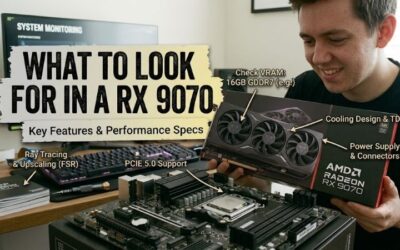
Best rx 9070 for a first time buyer is less about picking the highest boost clock and more about finding a card that fits the case, PSU, cooling plan, and gaming goals. The RX 9070 already ships with 16GB of GDDR6, so board design, dimensions, power needs, acoustics, and warranty can matter more for a first purchase.
How to Choose an RX 9070 Graphics Card
Choosing the best rx 9070 for a first time buyer starts with physical clearance, because board partners use very different coolers on the same GPU. Measure case GPU length and slot room, then compare the card’s height and width too. Sapphire Pulse and PowerColor Reaper are notably easier fits than the larger ASUS TUF cards.
Card Size And Case Clearance
Card thickness matters when another PCIe device sits below the graphics slot or when airflow openings are narrow. Sapphire Pulse is 2.5-slot, Reaper is 2-slot, Hellhound is 2-slot, while ASUS TUF is 3.125-slot. For compact or crowded systems, Reaper gives the most breathing room; choose TUF only when your case has ample expansion space.
PSU Requirements And Connectors
Power requirements are easy to overlook on a first build. All four cards use two 8-pin PCIe connectors, but board recommendations differ: Sapphire Pulse and Reaper specify a 650W minimum, Hellhound asks for 700W, and ASUS TUF recommends 750W. Match the PSU to the full system, not the graphics-card alone, and use quality cables.
PSU headroom becomes more useful when the CPU also draws substantial power or when you plan future upgrades. Reaper and Pulse are easier pairings for mainstream 650W-class systems, while Hellhound and TUF make more sense with stronger supplies. For a first build, avoid choosing the graphics-card until the PSU has been checked.
Cooling Design And Airflow
Cooling design can separate two cards with the same GPU from a practical ownership standpoint. Sapphire Pulse uses Dual-X cooling with PTM7950, while Hellhound uses a triple-fan cooler. Reaper keeps its design to two slots, and ASUS TUF adds a much larger 3.125-slot heatsink. For quieter high-load operation, favor Hellhound or TUF.
Cooler size also affects case airflow and service access. A larger heatsink can help temperatures, but it needs more room around the card and can cover extra motherboard slots. Pulse offers a useful middle ground for normal towers, while Reaper prioritizes compactness. Hellhound suits airflow-focused builds, and TUF suits spacious cases.
Factory Clocks And Outputs
Factory clock specifications should be treated as a small differentiator, not a promise of a fixed frame-rate gain. Pulse and Reaper list up to 2520MHz boost, Hellhound reaches 2590MHz in OC mode, and TUF reaches 2670MHz in OC mode. Those figures can vary with workload and thermal conditions, so cooler quality often matters more.
For a first purchase, also check the outputs and features you actually need. Pulse provides two HDMI and two DisplayPort connections, while Reaper, Hellhound, and TUF use three DisplayPort plus one HDMI. Choose Pulse for a mixed-display desk, Reaper for value, Hellhound for cooling, or TUF for a premium build when display flexibility matters.
Top Picks
At first glance, every RX 9070 carries the same 16GB GDDR6 GPU, so the board design becomes the real buying decision. The best rx 9070 for a first time buyer should match the case, PSU, noise expectations, and display plan. These four models make those tradeoffs clear without treating factory-overclocking as everything.
| Product | Best For | Key Spec | Watch Out For |
|---|---|---|---|
| Sapphire Pulse AMD Radeon RX 9070 | Best Overall | 280mm; 2.5-slot; 2520MHz boost; 650W PSU | Less massive cooling than premium cards |
| PowerColor Reaper AMD Radeon RX 9070 | Best Value | 289mm; 2-slot; 2520MHz boost; 650W PSU | Compact cooler needs good case airflow |
| PowerColor Hellhound AMD Radeon RX 9070 | Best For Cooler-Focused Builds | 327mm; 2-slot; 2590MHz OC boost; 700W PSU | Longer card can limit case choices |
| ASUS TUF Gaming Radeon RX 9070 OC Edition | Best For Premium High-Power Builds | 330mm; 3.125-slot; 2670MHz OC boost; 750W PSU | Very large and needs substantial clearance |
Sapphire Pulse AMD Radeon RX 9070 — Best Overall
Sapphire Pulse AMD Radeon RX 9070 is the Best Overall pick for a first-time builder who wants a manageable card without giving up a substantial cooler. It measures 280 x 120.25 x 51.5mm, uses 2.5 slots, needs two 8-pin connectors, and Sapphire recommends a 650W PSU. Its 220W typical board power keeps the design fairly straightforward.
The main advantage of Pulse is balance: its dimensions are moderate, Dual-X cooling uses PTM7950 thermal material, and it offers two HDMI plus two DisplayPort outputs. The compromise is that its thermal mass and factory clock are less ambitious than larger premium cards. That makes the best rx 9070 for a first time buyer easier to plan.
PowerColor Reaper AMD Radeon RX 9070 — Best Value
PowerColor Reaper AMD Radeon RX 9070 is the Best Value choice for builders who want a compact two-slot design. Its board measures 289 x 111 x 41mm, uses two 8-pin power connectors, and carries a 650W minimum system-power recommendation. It runs at up to 2520MHz boost while keeping the card slimmer than most RX 9070 designs.
Reaper’s advantage is physical simplicity: at two slots and only 41mm thick, it leaves more room around neighboring motherboard hardware. The drawback is its smaller cooler than larger triple-fan designs, so airflow matters more under sustained gaming. For the best rx 9070 for a first time buyer on a compact build, that tradeoff works.
PowerColor Hellhound AMD Radeon RX 9070 — Best For Cooler-Focused Builds
PowerColor Hellhound AMD Radeon RX 9070 is the Best For Cooler-Focused Builds. It measures 327 x 128 x 41mm, uses a two-slot design, recommends a 700W PSU with two 8-pin connectors, and reaches 2590MHz boost in OC mode. Its 2120MHz game clock also exceeds the standard target on Pulse and Reaper. That suits warm-running CPUs.
Hellhound’s advantage is its larger triple-fan design while remaining only 41mm thick, making it attractive for long gaming sessions. The drawback is its 327mm length, which can rule it out of shorter cases. For the best rx 9070 for a first time buyer, choose Hellhound when the chassis is roomy and cooling is a priority.
ASUS TUF Gaming Radeon RX 9070 OC Edition — Best For Premium High-Power Builds
ASUS TUF Gaming Radeon RX 9070 OC Edition is the Best For Premium High-Power Builds. It measures 330 x 140 x 62.5mm and occupies 3.125 slots, so the case needs substantial room. ASUS lists up to 2670MHz boost in OC mode, two 8-pin connectors, and a recommended 750W PSU, giving this card a premium system focus.
The major advantage of TUF is its substantial cooler and high factory clock target, which suit users who prioritize thermals and long gaming sessions. The downside for a first-time builder is its sheer size: 330mm long, 140mm wide, and 62.5mm thick. The best rx 9070 for a first time buyer is not TUF when space is limited.
Frequently Asked Questions
How to choose the best rx 9070 for a first time buyer gets simpler after the card has been matched to the case and PSU. The questions below cover the compatibility problems most likely to cause a failed installation or a disappointing upgrade, especially for buyers assembling their first high-end gaming system.
Does An RX 9070 Need A 750W PSU?
Yes, a 750W PSU is enough for an RX 9070, but it is not required for every model. Sapphire Pulse and PowerColor Reaper specify 650W minimum system power, while Hellhound specifies 700W and ASUS TUF recommends 750W. Use the board partner’s figure as a starting point, then account for your CPU and other components for the card.
A lower-power CPU and sensible system configuration can work comfortably with the 650W-rated cards, provided the supply is a quality unit with the connectors. An overclocked processor or extra expansion hardware increases the value of headroom. For a first build, verify the PSU before ordering the GPU, not after the rest is assembled.
Will An RX 9070 Fit A Micro ATX Case?
RX 9070 cards can fit a micro ATX case, but the specific model determines whether the installation is practical. Sapphire Pulse is 280mm long, Reaper is 289mm, Hellhound is 327mm, and ASUS TUF reaches 330mm. Case specifications should be checked for both maximum GPU length and slot-thickness clearance before purchase.
Do not measure only the listed maximum length. Front radiators, intake fans, drive cages, and power cables can reduce the usable space around the graphics card. A two-slot Reaper is the easiest of these four for tight layouts, while TUF’s 62.5mm thickness needs substantially more room. Leave clearance for airflow and connectors too.
Is Factory Overclocking Worth Paying More For?
No, paying more for a factory-overclocked RX 9070 is not automatically worthwhile. Hellhound reaches 2590MHz boost in OC mode and TUF reaches 2670MHz, but actual clocks vary with temperature, power-limits, and workload. A factory tune can provide a small advantage, yet cooler quality, price, and fit should come first.
Factory-overclocked cards make more sense when the price-premium is modest and the cooler is stronger too. If the upgraded card costs substantially more, the difference may be difficult to notice in games. First-time buyers should prioritize the card that fits the case and PSU cleanly rather than paying for the advertised clock alone.
Is RX 9070 Good For 1440p And 4K Gaming?
Yes, RX 9070 is well suited to 1440p and can also handle 4K gaming, with the exact settings depending on the game and desired frame-rate. Its 16GB GDDR6 memory gives it useful room for modern textures, while AMD’s current upscaling and frame-generation features can help when native rendering becomes demanding.
At 1440p, the RX 9070 has enough performance headroom that a high-refresh monitor can make sense, while 4K requires more careful settings choices in demanding titles. For a first-time buyer, match the GPU to the monitor you actually own or plan to buy. Buying the card first without a display-target can waste part of its potential.
Final Thoughts
The best rx 9070 for a first time buyer should fit the entire build, not just the graphics-slot. Sapphire Pulse is the balanced pick, Reaper offers the easiest compact layout, Hellhound favors stronger cooling, and ASUS TUF suits spacious premium-systems. Check case and PSU limits before choosing among them.