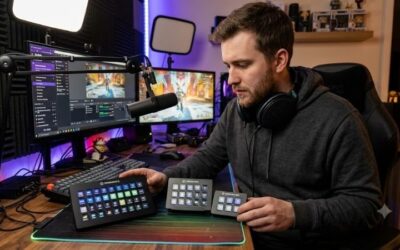
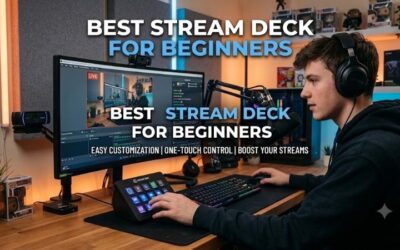
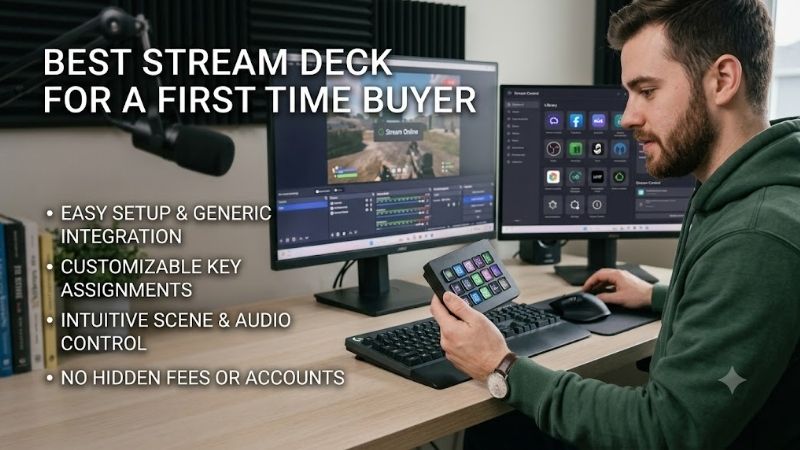
Best stream deck for a first time buyer simplifies broadcast controls without confusing hardware setups. Beginners often struggle with overwhelming menus when managing live scenes, mic toggles, and chat alerts during broadcasts. Selecting an intuitive control pad bridges hardware accessibility with versatile daily productivity tools.
How to Choose a Stream Deck
Evaluating key capabilities when searching for the best stream deck for a first time buyer prevents early purchasing mistakes. Novice creators require control surfaces that balance physical key access with effortless setup utilities. Our detailed evaluation breakdown highlights core factors every beginner must assess before buying.
Key Count and Grid Layout
Determining how many physical keys you need is essential when picking your first controller setup. Entry units offer six to fifteen display keys that keep desk space tidy while providing instant tactile feedback. Selecting the right key layout ensures vital streaming shortcuts remain accessible without excessive folder tapping.
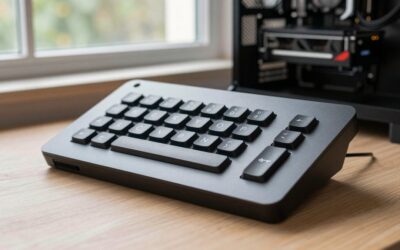
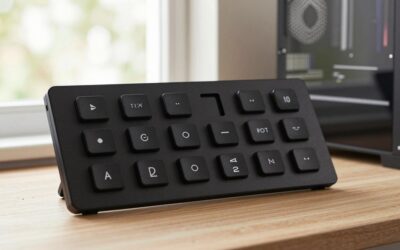
Compact controllers like the Elgato Stream Deck Mini offer six keys for basic scenes, while expanded boards like the Mirabox Stream Dock HSV293 feature fifteen keys for multi-action triggers. The Mountain DisplayPad provides twelve display keys, balancing desktop footprint with quick macro access for new broadcasting setups.
Companion Software and Plugins
Software ease determines how smoothly a novice user configures macros and broadcast scene switching commands. Superior companion applications offer drag and drop interfaces paired with direct plugin stores for OBS Studio, Twitch, Discord, and Spotify. Reliable software prevents tedious manual hotkey binding errors during setups.
Choosing ecosystems like the Elgato Stream Deck Neo grants instant access to extensive marketplace plugins that configure triggers automatically. Modern control apps handle dynamic software switching smoothly, allowing beginners using the best stream deck for a first time buyer to focus on engaging audiences rather than software setup.
Desktop Footprint and Base Stability
Physical build quality prevents lightweight controllers from sliding across your workstation during rapid scene transitions. A secure base with non-slip rubber grips or weighted stands keeps display buttons locked in place during intense gaming streams. Compact designs conserve valuable desk space beside keyboards and mouse pads.
Durable hardware options like the Mountain DisplayPad utilize aluminum casing to combine structural strength with sleek desk aesthetics. Meanwhile, fixed angled bases found on units like the Elgato Stream Deck Neo maintain ergonomic button angles, ensuring primary broadcast commands stay comfortably within reach during long streams.
Dynamic Profiles and Multi-Layer Controls
Profile automation enables entry pads to manage complex multi-software workflows through nested folder navigation. Smart profile switching detects active software, changing key arrangements instantly when swapping between gaming, OBS broadcasting, and video editing. Folder layering lets small physical layouts store hundreds of macros.
For new creators, organized folder trees allow compact six-key devices like the Elgato Stream Deck Mini to run complete live productions effortlessly. Larger layouts like the Mirabox Stream Dock HSV293 give beginners immediate access to main audio tracks and scene alerts without needing deep sub-folder structures during live streams.
Top Picks
Finding the best stream deck for a first time buyer involves balancing physical button counts with intuitive software. We compared top entry-level macro controllers to identify reliable options across various budget levels and desk sizes. The comparison table below highlights core specifications to guide your initial setup decision.
| Product | Best For | Key Spec | Watch Out For |
| Elgato Stream Deck Neo | Best Overall | 8 LCD keys with touch strip | Fixed angle stand |
| Elgato Stream Deck Mini | Best Value | 6 customizable LCD keys | Small primary surface |
| Mountain DisplayPad | Best Hardware | 12 display keys with aluminum frame | Custom software setup |
| Mirabox Stream Dock HSV293 | Best Budget Grid | 15 customizable LCD keys | Basic app store |
Elgato Stream Deck Neo
The Elgato Stream Deck Neo is our top overall pick for new creators due to its intuitive design and software support. Featuring eight customizable LCD keys alongside a smart Infobar and touch sensors, this unit manages live scene switches easily. Its modern white casing adds clean aesthetic value to any beginner broadcast studio.
Novices selecting the best stream deck for a first time buyer will appreciate how quickly the Neo connects to OBS Studio, Twitch, and Discord. The drag and drop interface eliminates setup friction, though the integrated stand lacks height adjustments. Excellent software stability makes it a dependable starting investment for broadcasts.
Elgato Stream Deck Mini
Streamers with limited desk space will love the Elgato Stream Deck Mini for its compact size and solid feature set. Packing six sharp LCD display keys into a lightweight body, this controller runs on the same powerful software engine as premium models. Clear button backlighting ensures readable icons during late night broadcasts.
This mini pad is ideal for creators who prioritize essential controls like mic muting and scene changes over massive key grids. A heavy non-slip rubber base keeps the device steady during rapid button presses. Navigating folder layers takes slight practice due to six physical keys, but hardware reliability remains top tier.
Mountain DisplayPad
Offering twelve color display keys mounted on a heavy aluminum frame, the Mountain DisplayPad provides superior hardware construction. It delivers high key density at an accessible price point, giving new users plenty of surface control. The included mounting stand uses rubber padding to maintain steady positioning on your desk.
Broadcasters who manage multiple audio tracks and overlay triggers benefit from seeing twelve active keys simultaneously. Mountain Base Camp software allows custom image uploads and folder organization, though setting up custom macros requires a slight learning curve compared to Elgato. The physical build quality is truly outstanding.
Mirabox Stream Dock HSV293
The Mirabox Stream Dock HSV293 caters to entry-level creators wanting maximum button count without elevated pricing. Featuring fifteen customizable LCD keys in a compact plastic chassis, this macro pad provides ample physical surface for shortcuts. Bright LCD panels ensure clear icon visibility during long gaming streams.
This device suits beginners needing direct access to fifteen triggers for OBS scenes, audio toggles, and app launchers. Setup utility supports standard keyboard hotkeys and simple macro scripts smoothly. While its native plugin store is smaller than competitors, easy key remapping provides great practical value for new streams.
Frequently Asked Questions
First-time buyers often have questions about macro customization, software setup, and application compatibility before purchasing. Understanding how control pads interact with broadcast utilities prevents unnecessary technical confusion. Below, we address common questions to help you pick the best stream deck for a first time buyer.
Are Stream Decks Easy for Beginners to Set Up?
Yes, stream controllers are designed for fast setup using beginner-friendly drag and drop software interfaces. Modern control apps automatically detect installed software like OBS Studio, Twitch, and Discord, allowing users to assign functions to display keys within minutes without writing complex custom code or manual scripts.
While basic button mapping takes moments, exploring advanced multi-action macros and automated profile switching requires slight practice. Beginners using the best stream deck for a first time buyer can start with default scene toggles and gradually build nested folders as their live broadcast production setup expands.
Can You Use a Stream Deck for General Productivity?
Yes, stream controllers excel at accelerating general PC productivity, photo editing, and software navigation outside streaming. Display keys can trigger multi-step keyboard shortcuts, launch daily applications, paste saved text snippets, and adjust audio outputs with a single physical button press during workday tasks.
Content creators working in video editing software like Adobe Premiere or DaVinci Resolve save hours by mapping frequent tools to LCD keys. Configuring dynamic application profiles ensures display buttons adapt instantly when swapping between editing suites, web browsers, and word processors throughout your workday.
How Many Physical Keys Does a First Time Buyer Need?
Most people shopping for the best stream deck for a first time buyer find six to eight physical display keys completely sufficient for managing primary broadcast functions. Entry layouts handle core scene switching, mic toggling, and sound triggers easily, while folder navigation unlocks unlimited secondary shortcuts.
Broadcasters who run complex audio routing, automated chat bots, and multiple camera feeds simultaneously may prefer twelve to fifteen keys. Starting with a compact grid helps new creators master basic profile layering before upgrading to larger control surfaces as broadcast requirements grow over time.
Do Stream Decks Work Without Streaming Software Open?
Yes, stream controllers operate independently of live streaming apps by utilizing global system shortcuts and direct software plugins. Users can control media playback, adjust system audio volumes, open web pages, and trigger desktop shortcuts without launching OBS Studio, Twitch, or Streamlabs on their computers.
The companion software runs quietly in the background to handle key commands and display custom icons on the LCD buttons. Keeping the background app active ensures instant button response whenever you trigger system macros, toggle hardware settings, or switch desktop application profiles during your daily routines.
Final Thoughts
Selecting the best stream deck for a first time buyer transforms live broadcast management while simplifying daily desktop productivity. Prioritizing essential key counts, reliable software support, and sturdy hardware ensures seamless control over your setup. Invest in a pad that fits your workflow to elevate your channel today.