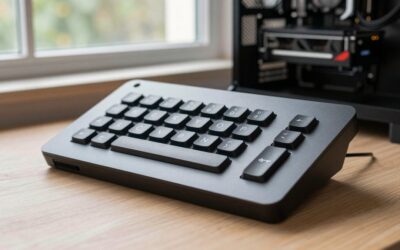
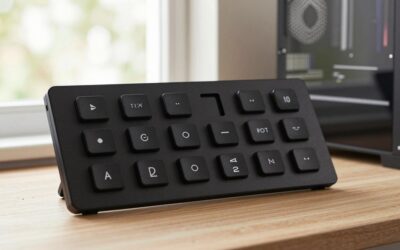
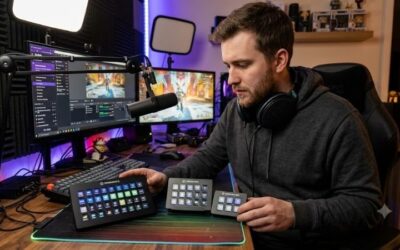
Best stream deck for a budget build helps creators control scene transitions, audio levels, and chat triggers without draining wallet reserves. Finding an affordable control pad means balancing button responsiveness with customizable software integration. Our rigorous evaluation spotlights reliable controllers that streamline live broadcasts efficiently.
How to Choose a Budget Stream Deck
Selecting the best stream deck for a budget build requires evaluating daily streaming habits against essential hardware features. A budget control pad should simplify scene management without overwhelming your setup with unused buttons. We break down the core performance factors below so you can invest wisely in the ideal model for your workflow.
Display Key Count and Grid Layout
Determining how many physical inputs you need is crucial when configuring the best stream deck for a budget build. Entry-level units typically feature six to fifteen customizable LCD keys arranged in a compact grid. Fewer keys reduce physical desk footprint but force heavy reliance on folder switching for complex macro commands during live broadcasts.
For streamers managing straightforward broadcast scenes, smaller six-key options like the Elgato Stream Deck Mini keep physical clutter to a minimum. Conversely, creators running automated overlays and audio routing benefit from expanded grid setups like the 15-key Mirabox Stream Dock HSV293 to access primary scene actions in a single click.
Software Integration and Plugin Support
A deck’s physical buttons are only as capable as the companion software operating behind them. Leading control pads offer direct API plugins for Twitch, OBS Studio, Discord, and Spotify, allowing drag-and-drop key assignment. Inferior software forces users to map manual hotkey combinations, increasing setup latency and reducing workflow reliability.
Investing in mature software ecosystems guarantees frequent updates and community-created icon packs. Controllers like the Elgato Stream Deck Neo leverage thousands of native marketplace plugins that link directly to streaming tools. Choosing robust plugin support ensures your control interface adapts smoothly as your streaming software updates.
Physical Build Quality and Desktop Footprint
Budget streaming equipment often relies on lightweight plastic chassis, making base stability an essential consideration during intense gaming sessions. A control deck that slides across your desk whenever pressed disrupts rapid scene switches. Look for weighted bases, rubberized grip pads, or integrated angled stands to ensure permanent desk positioning.
Desktops with limited space require slim profiles that sit comfortably beside keyboard peripherals. Hardware like the Mountain DisplayPad combines a durable aluminum frame with a low-profile stand, proving that budget-friendly pricing does not require structural compromise. Selecting solid casing protects internal display components from daily wear.
Profile Switching and Multi-Layer Controls
Modern stream controllers bypass physical key limitations through intelligent auto-profile switching. This feature detects active desktop applications and instantly swaps key configurations, displaying dedicated OBS tools during streaming and video editing shortcuts during post-production. Multi-layer folders organize nested commands seamlessly.
Configuring dynamic profiles allows small macro boards to punch well above their weight class during production. Both compact units and expansive boards utilize sub-folders to store hundreds of automated macros without cluttering primary keys. This capability lets creators execute complex multi-action scripts through intuitive folder navigation.
Top Picks
Our hands-on analysis highlights top macro pads that deliver premium stream management at accessible prices. We evaluated input latency, software stability, display clarity, and physical durability to select these outstanding models. The following comparison table outlines core specifications to help you identify the best stream deck for a budget build.
| Product | Best For | Key Spec | Watch Out For |
| Elgato Stream Deck Neo | Best Overall | 8 customizable LCD keys with touch strip | Fixed desk angle |
| Elgato Stream Deck Mini | Best Ultra-Compact | 6 customizable LCD keys | Limited primary keys |
| Mountain DisplayPad | Best Key Count Value | 12 display keys with aluminum body | Software UI learning curve |
| Mirabox Stream Dock HSV293 | Best Barebones Budget | 15 LCD keys with dynamic icons | Basic native plugin store |
Elgato Stream Deck Neo
The Elgato Stream Deck Neo delivers exceptional value, making it our top recommendation for the best stream deck for a budget build. Featuring eight vibrant LCD keys accompanied by an Infobar and touch sensors, this controller handles dynamic scene transitions effortlessly. Its clean white aesthetic complements modern broadcast studio aesthetics.
Ideal for novice and intermediate broadcasters, the Neo links seamlessly into Elgato’s powerful marketplace. Users can drag and drop key actions for OBS Studio, Twitch, and Teamspeak in minutes. While its integrated stand lacks tilt adjustment, the fixed ergonomic angle and robust plugin ecosystem far outweigh minor physical adjustment constraints.
Elgato Stream Deck Mini
Streamers with restricted desktop real estate will appreciate the Elgato Stream Deck Mini for its compact footprint and reliable core feature set. Packing six fully customizable LCD keys into a tiny frame, this unit grants access to the exact same software engine as larger premium decks. Its crisp displays remain legible under bright studio lighting.
This controller excels for creators who prioritize streamlined controls over extensive hardware arrays. The heavy rubber base keeps the deck firmly anchored during rapid button presses. Although managing complex broadcast scenes requires navigating nested folder menus due to having six physical keys, its build quality and low cost make it ultra-reliable.
Mountain DisplayPad
Offering twelve color display keys mounted on a premium aluminum base, the Mountain DisplayPad stands out when building the best stream deck for a budget build. It delivers impressive hardware quality at a competitive price point. The included mounting stand uses a non-slip rubber pad to maintain steady desktop positioning during live streams.
Broadcasters managing extensive audio channels and scene switches benefit from having twelve dedicated inputs visible at once. Its software allows full custom image and GIF icon assignments alongside folder creation. While the Base Camp application requires slightly more manual setup time than competing utilities, the physical hardware value remains superb.
Mirabox Stream Dock HSV293
The Mirabox Stream Dock HSV293 targets budget-conscious creators who demand maximum key volume without high price tags. Housing fifteen customizable LCD keys inside a lightweight chassis, this controller provides ample physical real estate for macro commands. Bright key illumination ensures clear icon visibility during late-night streaming sessions.
This deck fits budget builders who want direct access to fifteen physical triggers for OBS scene switching, soundboards, and lighting controls. The software supports custom hotkey bindings and basic application launchers. Although its native plugin repository is smaller than Elgato’s, key remapping and profile creation remain straightforward for daily use.
Frequently Asked Questions
Navigating controller specifications and software capabilities often raises questions for stream setup builders. Understanding how hardware integration, key mapping, and macro functionality affect daily broadcasts helps prevent costly purchasing errors. Below, we address essential inquiries regarding the best stream deck for a budget build.
Can Budget Macro Pads Completely Replace Full-Sized Stream Decks?
Budget macro pads successfully replace full-sized controllers for most broadcast workflows by utilizing dynamic profile switching and folder structures. While premium decks offer 15 to 32 dedicated physical keys, budget units with six to eight display keys execute identical commands through sub-menus without compromising production control.
Broadcasters running extremely complex productions with dozens of instantaneous triggers may still prefer large physical surfaces. However, for standard Twitch and YouTube streams involving scene swaps, mic muting, and chat alerts, smaller budget pads paired with organized folder layouts handle all operational tasks with complete efficiency.
Do Affordable Stream Controllers Work with OBS Studio and Twitch?
Yes, budget control pads integrate directly with major broadcast tools when choosing the best stream deck for a budget build. Most modern devices feature native plugins or keyboard shortcut emulation that maps seamlessly to OBS Studio, Streamlabs, Twitch, and Discord, ensuring instant response times when triggering actions during live streams.
For controllers lacking direct API integrations, software utilities allow users to assign standard global hotkeys directly to physical display keys. This universal key mapping capability ensures full operational compatibility with virtually any streaming application, media player, or creative suite across Windows and macOS setups.
Is a Stream Deck Worth It for Non-Streaming Daily Workflows?
Stream controllers provide immense utility beyond live broadcasting by streamlining daily productivity, photo editing, and software navigation. Office workers and content editors use display keys to execute complex multi-step keyboard shortcuts, launch frequent applications, and manage audio output devices with a single tactile button press.
Creative professionals working in Adobe Premiere, Photoshop, or DaVinci Resolve benefit significantly from dedicated macro keys. Assigning frequent editing actions, timeline cuts, and color grading tools to physical LCD icons accelerates workflow speeds, making budget control decks an invaluable upgrade for general PC power users.
How Do Mobile Stream Control Apps Compare to Hardware Decks?
Mobile stream control applications transform smartphones and tablets into virtual macro boards, serving as zero-cost software alternatives to dedicated physical decks. While mobile apps provide full screen customization and low initial investment, touchscreen interfaces lack tactile key feedback, increasing misclick risks during live gameplay.
Dedicated physical hardware decks provide instant physical button feel, allowing streamers to execute commands blindly without taking eyes off the gaming monitor. While smartphone control apps work well as temporary solutions, physical LCD controllers deliver superior long-term reliability and muscle memory execution during broadcasts.
Final Thoughts
Selecting the best stream deck for a budget build transforms live production quality without straining your financial plan. Prioritizing essential key counts, reliable software integration, and sturdy build design guarantees smooth broadcast control. Invest in a pad that matches your workflow to elevate your channel’s streaming experience.