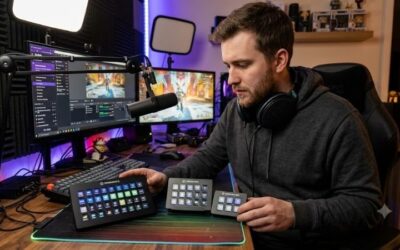
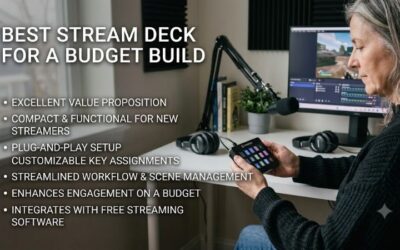
Best budget stream deck units assist digital creators in managing live scenes, sound effects, and software hotkeys without high expense. Streamers often battle complicated keyboard shortcuts that ruin live broadcasts during intense gameplay moments. A dedicated controller puts crisp tactile inputs right beside your keyboard for smooth streaming.
How to Choose a Budget Stream Deck
Selecting a reliable budget stream deck requires evaluating physical key counts, desktop ergonomics, software features, and program compatibility. Broadcasters need hardware that triggers multi-action macros reliably without clogging tight desk spaces. Prioritizing these four primary factors ensures your money goes toward genuine streaming utility.
Key Count and Display Customization
Physical key layouts determine how many active commands sit directly at your fingertips during live broadcasts. Models with six visual keys suit minimalist setups, whereas fifteen-key panels offer immediate access to nested folders, ambient lighting controls, and chat tools. Extra side displays also provide clear real-time system diagnostic stats.
Visual feedback helps streamers identify assigned hotkeys quickly without memorizing complex keyboard shortcuts. Dynamic LCD screens let users assign custom image files, while basic mechanical keycaps rely on static printed legends. High key counts on affordable devices like the Ajazz AKP153 provide maximal workflow flexibility for busy setups.
Software Integration and Plugin Support
Software stability controls how smoothly a control pad triggers actions in OBS Studio, Twitch, and Spotify without crashing. Robust companion software features drag-and-drop icon mapping, automatic profile switching based on active apps, and custom script creation. Without well-written software, even premium hardware becomes frustrating to use.
Direct plugin support allows controllers to communicate natively with broadcasting software rather than sending basic keyboard shortcuts. Seamless software ecosystems let creators adjust audio sliders and toggle camera filters instantly. Entry options like the Elgato Stream Deck Mini offer superior native plugin support for smooth streaming performance.
Build Quality and Mounting Options
Desk stability prevents input controllers from sliding across surfaces during rapid button presses. Durable plastic housings with weighted bases keep units stationary, while integrated rubber feet grip smooth wooden desks securely. Detachable USB cables prevent wire damage and simplify overall cable management around tight monitor arrangements on your desk.
Ergonomic angles position buttons toward your line of sight, reducing wrist strain over extended production sessions. Solid metal faceplates add necessary weight while protecting internal circuit boards from accidental spills. Premium hardware choices like the Mountain DisplayPad feature sturdy aluminum plates and versatile angled mounting options.
Physical Switches versus Digital Displays
Choosing between customizable LCD displays and mechanical switches changes how you interact with broadcast tools. Digital LCD keys allow dynamic visual updates when toggling mute states, whereas mechanical keys offer superior tactile feel and faster actuation response. Deciding on key response depends on whether you value visual or physical control.
Mechanical keypads feature swappable switches, letting creators tailor key resistance and acoustic feedback to personal tastes. Onboard flash memory allows these physical pads to store complex key combinations directly on the device. Hardware like the Koolertron 9-Key Macro Pad gives reliable tactile feedback for instant macro activation during streams.
Top Picks
Finding a top budget stream deck involves balancing physical hardware capabilities with seamless software performance. We evaluated key responsiveness, screen quality, plugin ecosystems, and desk durability to select four standout devices. These control surfaces accommodate distinct workflow preferences without exceeding modest production budgets.
| Product | Best For | Key Spec | Watch Out For |
| Elgato Stream Deck Mini | Best Overall | 6 Customizable LCD Keys | Fixed USB Cable |
| Ajazz AKP153 | Best Value | 15 LCD Keys & Side Screen | Clunky Companion Software |
| Mountain DisplayPad | Best Modular Design | 12 Display Keys, Aluminum Frame | Windows Software Only |
| Koolertron 9-Key Macro Pad | Best Mechanical Option | 9 Programmable Mechanical Switches | Static Keys Without LCD Displays |
Elgato Stream Deck Mini
The Elgato Stream Deck Mini is widely considered the best budget stream deck for creators prioritizing software stability. Broadcasters looking for seamless integration with OBS and Twitch will appreciate six LCD keys displaying vibrant icons. Its intuitive companion software makes assigning multi-step macros fast, simple, and dependable for creators.
Its weighted base and non-slip rubber feet keep the unit stable during rapid scene transitions. However, the six physical keys require heavy reliance on nested folder structures for complex streams with numerous scenes. The non-detachable USB cable also limits cable management flexibility if you prefer custom braided cables for clean desktop layouts.
Ajazz AKP153
The Ajazz AKP153 stands out as a best budget stream deck competitor for users demanding maximum physical key real estate. Combining fifteen customizable LCD keys with a side status monitor, this unit lets you trigger scenes while tracking CPU usage. The spacious layout grants rapid access to essential controls during complex live broadcasts.
Its detachable USB-C cable and clean casing make desktop integration simple and visually appealing. However, the proprietary configuration software feels clunky compared to established market leaders and requires extra setup patience. Animating display icons can also prove tricky, requiring manual file adjustments for smooth visual updates on buttons.
Mountain DisplayPad
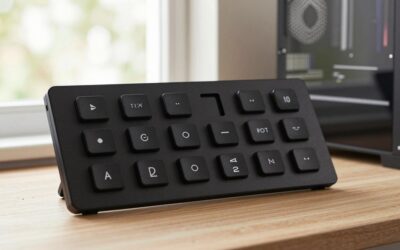
The Mountain DisplayPad provides exceptional build quality featuring twelve crisp LCD display keys mounted on a sleek aluminum top plate. As a high-performing best budget stream deck option, it gives video editors and streamers crisp visual control over hotkeys. The included rubber-padded desk stand keeps the controller secure during heavy use.
Its detachable USB-C connection allows clean wire routing across modern gaming desks. Base Camp software supports profile auto-switching, changing key layouts instantly when launching video editors or broadcast software. However, software compatibility is limited strictly to Windows systems, leaving macOS creators without official utility support.
Koolertron 9-Key Macro Pad
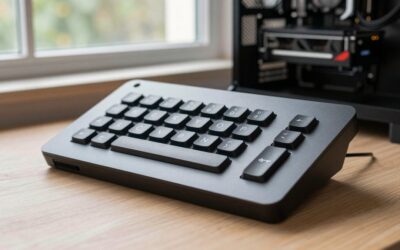
The Koolertron 9-Key Macro Pad represents an impressive best budget stream deck alternative for users preferring physical mechanical switches over LCD screens. Featuring nine fully programmable mechanical keys with onboard flash memory, this controller stores complex hotkeys directly on hardware without needing active resident background software.
Solid mechanical key switches give satisfying tactile feedback, ensuring precise keystrokes during fast-paced streaming sessions. Users can swap keycaps and switches to match their primary desktop keyboard feel easily. However, the lack of dynamic LCD displays requires memorizing key assignments or applying physical keycap stickers for quick identification.
Frequently Asked Questions
Answering frequent questions about budget stream deck units helps buyers choose the right control surface for their setup. Understanding software limitations, macro complexity, hardware durability, and app compatibility ensures realistic expectations. Addressing these common queries simplifies your decision before purchasing desktop control accessories.
Can a Budget Stream Deck Handle Complex OBS Macros?
Yes, entry-level controllers execute multi-action macros in OBS Studio just as effectively as high-end broadcast consoles. Users can chain multiple actions—such as switching scenes, toggling mic audio, and sending chat alerts—to a single keypress. The underlying software translates your commands instantly into sequential system inputs on your PC.
Execution speed depends on key delay settings configured within the pad software rather than hardware limitations. Setting slight millisecond delays between commands prevents OBS from skipping rapid inputs during live broadcasts. Advanced macro scripts remain fully functional regardless of whether you choose six or fifteen physical key layouts.
Do Cheap Stream Decks Require Paid Software Subscriptions?
No, standard control pads do not require ongoing software subscriptions to access key mapping and macro features. Keypad manufacturers provide free downloadable driver utilities that handle profile creation, key binding, and icon customization. You receive complete access to core device features right out of the box with zero recurring subscription fees.
Some third-party icon stores or specialized plugin developers may charge small fees for custom aesthetic packs or niche software integrations. However, thousands of free plugins, animated icons, and community scripts are available online. Basic desktop controls and broadcast tools remain completely free for all users indefinitely without hidden costs.
Is a Mechanical Macro Pad Better Than an LCD Model?
A mechanical macro pad suits users who prioritize tactile key feel, rapid actuation, and physical switch customization over visual icons. Mechanical switches give clear physical click feedback, preventing accidental key presses without needing visual confirmation. Onboard hardware memory also lets mechanical pads work across multiple computers seamlessly.
LCD models excel when managing dozens of changing hotkeys across different software applications using dynamic visual icons. Streamers who frequently switch between editing apps, music players, and broadcasting tools benefit more from dynamic display keys. Choosing between them depends on whether you prefer physical touch or dynamic visual clarity.
Will These Keypads Work for Video Editing Applications?
Yes, programmable control surfaces integrate seamlessly with major editing suites like DaVinci Resolve, Premiere Pro, and Photoshop. Editors can assign frequent timeline commands, tool selections, and color grading shortcuts to dedicated keys. Mapping complex key combinations reduces editing time and speeds up post-production workflows significantly.
Profile auto-switching features enable keypads to update key layouts automatically whenever you open editing software. You can store specialized editing shortcuts on one profile and broadcast tools on another without manual adjustments. Dedicated shortcut pads transform tedious editing tasks into rapid single-tap keyboard operations on your computer.
Final Thoughts
Investing in the best budget stream deck transforms live production by streamlining hotkeys and enhancing broadcast control. Whether you prefer software-backed LCD screens or tactile mechanical keys, affordable options deliver exceptional value. Pick the controller that fits your workflow needs to elevate your content creation efficiency today.