A monitor light bar solves a narrow problem: you want your keyboard, notes, and desk surface lit without throwing glare onto the screen. With a cap of under 200 dollars, money is not the obstacle here, because every bar in this guide sits far below that line. The real decision is which features earn their place, such as a remote, a backlight strip, a wider bar for an ultrawide, or plain touch controls and nothing else.
This roundup is for people building or refreshing a desk setup in 2026 who work late, read documents on paper, or game in a dim room. It compares ten USB-powered bars by what the listings actually state, so you can match width, mounting style, and extras to your monitor instead of buying the longest bar by default.
Quick Picks

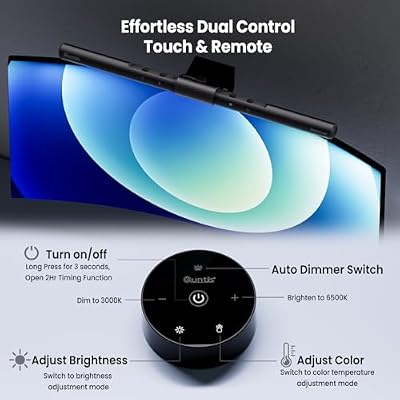
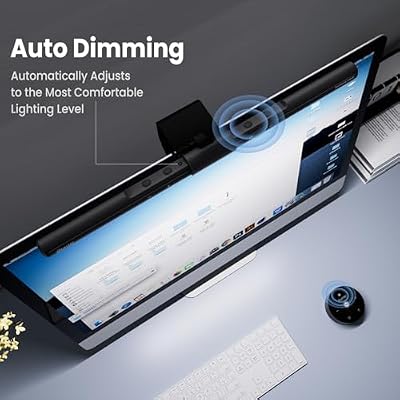
Quntis Computer Monitor Lamp, Screen Monitor Light Bar for Eye Caring, USB Reading LED Task Lamp with Auto-Dimming, Dimmable Light Bar, Touch Control, No Glare Space Saving Home Office Desk Lamps





As an Amazon Associate we earn from qualifying purchases. Product prices and availability are accurate as of the date/time indicated.

SAMPHON Monitor Light Bar, Eye-Care USB Computer Monitor Lamp for Home Office Gaming, 15.7'' Ultrawide LED Light, 3 Color Temperatures Stepless Dimming Screen Bar


As an Amazon Associate we earn from qualifying purchases. Product prices and availability are accurate as of the date/time indicated.
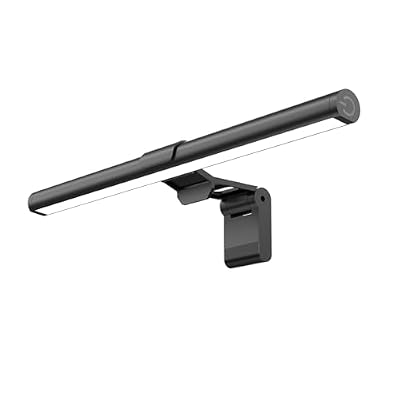
Samphon Monitor Light Bar, Eye-Care USB Reading Mnitor lamp, 11.8'' LED Computer Lights with Ultrawide Lighting, 3 Color Temperature Dimmable Desk Light for Home Office Gaming
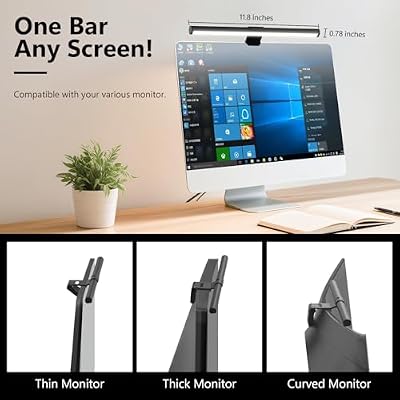


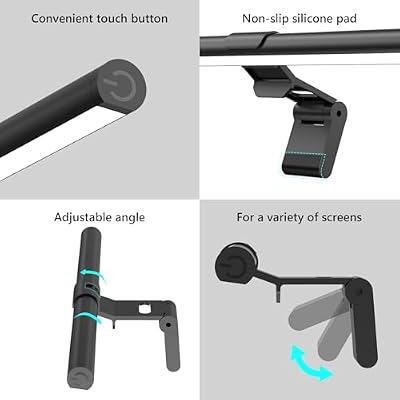
As an Amazon Associate we earn from qualifying purchases. Product prices and availability are accurate as of the date/time indicated.

Quntis Curved Monitor Light Bar 15 RGB Backlight for 34"+ Screens, Computer Bar Lights Foldable Dual Light with Color Temperature Brightness Stepless Dimming, No Glare Desk Lamp for Home Office Gaming


As an Amazon Associate we earn from qualifying purchases. Product prices and availability are accurate as of the date/time indicated.

16.14" Monitor Light Bar,250LM USB LED Desk Lamp,Home Office Gaming | Eye-Care LED Screen Lamp,CRI 95,Touch Control USB Reading Desk Light with Stepless Dimming for Flat & Curved Monitor


As an Amazon Associate we earn from qualifying purchases. Product prices and availability are accurate as of the date/time indicated.

SAMPHON RGB Monitor Light Bar, Eye-Care Dual Light Reading Screen Lamp, 9 Modes Gaming Backlight LED Computer Lamp, 3 Colors Dimmable Frontlight, 15.75'' USB Desk Lights for Home, Office


As an Amazon Associate we earn from qualifying purchases. Product prices and availability are accurate as of the date/time indicated.

Quntis Computer Monitor Light Bar with Backlight, Desk Lamp with Remote | Eye-Care No Glare, Stepless Dimming Brightness & Color Temperature, Monitor Light for Home Office Gaming Reading Drawing Gray


As an Amazon Associate we earn from qualifying purchases. Product prices and availability are accurate as of the date/time indicated.

Quntis Monitor Light Bar with Remote Control, Fit for Curved/Flat Monitor, Eye-Care USB Computer Lamp Dimmable Screen Light Bar with Auto-Dimming, No Glare Home Office Gaming Desk Lamp


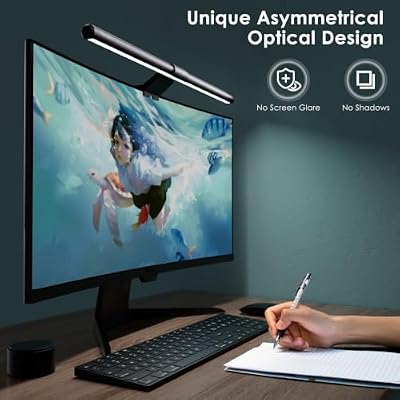


As an Amazon Associate we earn from qualifying purchases. Product prices and availability are accurate as of the date/time indicated.

YEELIGHT Monitor Light Bar, Computer Monitor Lamp for Home Office Gaming, 250LM No Glare Eye-Care Screen Light Bar, Touch Control USB Reading Desk Lamp with Stepless Dimming for Flat & Curved Monitor


As an Amazon Associate we earn from qualifying purchases. Product prices and availability are accurate as of the date/time indicated.

Quntis Monitor Light Bar with Remote, Eye-Care No Glare Computer Light Bar | Adjustable Brightness & Color Temperature, Space Saving Desk Lamp for Curved Flat Monitor Home Office Reading Gaming Study


As an Amazon Associate we earn from qualifying purchases. Product prices and availability are accurate as of the date/time indicated.
| Product | Best for | Key spec from the title |
|---|---|---|
| Quntis Monitor Lamp | Simple eye-care lighting | Auto-dimming, touch control |
| SAMPHON 15.7-inch Bar | Standard 24 to 27 inch screens | 15.7-inch ultrawide light, 3 color temperatures |
| Samphon 11.8-inch Bar | Small or laptop-height displays | 11.8-inch, stepless dimming |
| Quntis Curved Light Bar 15 RGB | Big curved monitors | RGB backlight, for 34-inch-plus screens |
| 16.14-Inch 250LM Bar | Color-accurate task lighting | 250 lumens, CRI 95 |
| SAMPHON RGB Dual Light | Gaming desks | 9 modes, dual front and back light |
| Quntis Backlight Bar with Remote | Reaching settings from the chair | Backlight plus remote |
| Quntis Remote Bar, Curved/Flat | Mixed monitor shapes | Fits curved or flat, auto-dimming |
| YEELIGHT Light Bar | Brand-name no-glare reading light | 250 lumens, touch control |
| Quntis Space-Saving Remote Bar | Cramped desks | Remote, adjustable brightness and color temperature |
How to Choose
Match the bar length to the monitor width
A bar that is much wider than the display overhangs and looks clumsy, while one that is too short leaves the desk corners dark. Listings in this group run from 11.8 inches to just over 16 inches. A 24-inch monitor is roughly 21 inches wide, so a 15 to 16 inch bar covers most of the desk zone you read and write on. For 34-inch ultrawides, look for a bar sold explicitly for that size.
Check the mount against your monitor top
Most bars hang on a weighted clip that rests behind the top bezel. Curved screens, thick bezels, and ultra-thin panels can make that hold unstable. Titles that mention curved and flat compatibility are a safer bet if your monitor has a rounded back. Avoid a clip that needs the bar to touch the panel itself.
Look at color temperature range and CRI
Three color temperatures, usually warm, neutral, and cool, are enough for most people. Stepless dimming is nicer than three fixed levels. If you read printed color material or sketch, a listed CRI of 95 means the light renders paper tones more faithfully than an unspecified bar will.
Decide whether a backlight or remote is worth it
A backlight strip softens the contrast between a bright screen and a dark wall, which some people find easier on the eyes at night. A remote saves reaching for touch buttons on top of the monitor. Budget models cut corners on both: backlights are often only color-cycling decoration, and touch panels can be fiddly.
The 10 Best Options
Quntis Monitor Lamp
This is the plainest option, built around auto-dimming and touch control. It suits someone who wants a bar that adjusts itself as room light changes and does not require menus or modes.
- The listing highlights auto-dimming and dimmable output, which reduces constant fiddling.
- Touch control keeps the front of the monitor free of cables for a remote.
- Trade-off: the title mentions no backlight, so the wall behind the screen stays dark.
It makes the most sense for a single-monitor desk where the lamp stays in one position for months. Think of a student or remote worker who wants a light that turns on, looks after itself, and never becomes a project. Skip it if you want color effects or remote adjustment, since neither appears in the listing.
SAMPHON 15.7-Inch Monitor Light Bar
The wide bar is aimed at home office and gaming use, with three color temperatures and stepless dimming. It fits the common 24 to 27 inch monitor range, where a 15.7-inch bar covers the working area without overhanging.
- Stepless dimming lets you settle on a brightness rather than jump between presets.
- Three color temperatures cover warm evening reading through cooler daytime work.
- Trade-off: no remote or backlight is mentioned.
This is the middle-of-the-road choice, the one to take if you are unsure and your monitor sits between 24 and 27 inches. Its gaming and home office framing suggests a general-purpose lamp rather than a specialist tool. Skip it on a tiny monitor, where the bar will overhang the edges and look oversized.
Samphon 11.8-Inch Monitor Light Bar
Shorter than its sibling, this one fits small monitors, laptop stands, or desks where the bar should not stick out. It still lists three color temperatures and dimming.
- The compact length suits 19 to 22 inch screens.
- Same eye-care reading focus as the longer Samphon, in a lighter body.
- Trade-off: the narrower bar lights a smaller strip of desk, so wide keyboards sit partly in shadow.
It also works for a secondary display or a laptop propped on a riser, where a long bar would look absurd. A shorter reach is a fair trade when your reading area is only a notebook and a mouse pad. Skip it if your monitor is 27 inches or larger, because the lit area will feel narrow.
Quntis Curved Monitor Light Bar 15 RGB
This is the pick for large curved screens of 34 inches and up. A foldable dual-light design provides front lighting plus an RGB backlight, with stepless color temperature and brightness.
- The listing states it is made for 34-inch-plus curved screens, which most bars are not.
- Dual light combines task illumination with a glowing wall backdrop.
- Trade-off: the RGB layer adds complexity if you only want a plain lamp.
Ultrawide owners have the hardest time finding a bar that spans enough of the desk, so a model sized for the format is a practical shortcut. The foldable design also hints at easier storage or adjustment. Skip it on a flat 24-inch monitor, where it is oversized and the extra lighting layers go unused.
16.14-Inch 250LM Monitor Light Bar
This unbranded bar leads on stated light quality: 250 lumens and a CRI of 95, with touch control and stepless adjustment. It is the longest bar in the group at 16.14 inches.
- CRI 95 is a meaningful number for anyone who handles colored documents or art.
- The stated 250 lumens gives clear headroom for dark rooms.
- Trade-off: no brand name in the title makes support less predictable.
Designers, hobbyists who paint miniatures, and anyone proofing printed pages are the natural audience, since color fidelity matters more to them than a remote. Judge it on the specs the title states rather than on brand familiarity. Skip it if you prefer an established lighting brand or want a backlight.
SAMPHON RGB Monitor Light Bar
The gaming-flavored Samphon adds a backlight with nine modes to a dual-light bar. The 15.7-inch frame carries a dimmable frontlight with three colors for reading.
- Nine lighting modes give a gaming desk some atmosphere.
- Front and back lighting separate task light from ambient glow.
- Trade-off: the effects may distract anyone who just wants a clean desk lamp.
The three dimmable frontlight colors keep it useful as a reading lamp once the show is over. It fits a streamer, or a player whose monitor sits in front of a bare wall that would benefit from color. Setup is simple enough that the modes do not demand a manual. Skip it if RGB effects are not your style, because the effects are the main differentiator here.
Quntis Computer Monitor Light Bar with Backlight and Remote
Here the backlight comes paired with a remote desk lamp control, plus no-glare eye-care lighting and stepless color and brightness adjustment.
- Remote control lets you change brightness from your chair without touching the monitor.
- The backlight helps reduce contrast between screen and wall.
- Trade-off: another small remote to keep track of on a busy desk.
People who stream, video call, or share a desk with someone who works different hours will appreciate adjusting light without leaning forward. A remote also keeps fingerprints off the lamp body, and the backlight keeps the wall from looking like a black hole behind a bright panel. Skip it if you dislike extra battery-operated accessories, or if you already use touch controls happily.
Quntis Monitor Light Bar with Remote Control, Curved/Flat
This bar names both curved and flat compatibility and adds auto-dimming to the remote. It is a flexible choice if you might swap monitors later.
- Fit for curved or flat monitors removes a common compatibility worry.
- Auto-dimming reacts to ambient light, and the remote overrides it.
- Trade-off: the listing emphasizes lighting only, with no backlight stated.
Households that move monitors around, or workers who plan to upgrade to a curved display soon, get the most out of that flexibility. It saves rebuying a bar when the screen changes, and the remote means the lamp can stay clipped in place while you fine-tune the light. Skip it if you already own a bar that fits your current screen, since the benefit is mostly future-proofing.
YEELIGHT Monitor Light Bar
The most recognizable lighting name in the group, with 250 lumens, a no-glare design, and touch control. It targets home office and gaming desks.
- A named lighting brand tends to mean clearer support and documentation.
- 250 lumens is stated outright, so brightness expectations are concrete.
- Trade-off: the title lists no remote or backlight.
It suits readers who value a straightforward, no-nonsense lamp from a company that makes lighting for a living, and who are happy to tap the top of the bar to change brightness. It is also a safe gift for a coworker who has never owned a monitor lamp. Skip it if you want a backlight or remote, because other bars in this list include them at a similar budget level.
Quntis Monitor Light Bar with Remote, Space-Saving
Described as a space-saving desk lamp for curved screens, this one pairs a remote with adjustable brightness and color temperature and an eye-care, no-glare design.
- The slim footprint leaves room around webcams and monitor-top gear.
- Remote plus adjustable color temperature covers late-night comfort.
- Trade-off: it overlaps heavily with the other Quntis remote bars, so differences are small.
Compact desks, shared study tables, and setups with a webcam or speaker perched on top of the monitor are where a slim body helps. Check that the clip clears anything you already mount up there. Skip it if you already narrowed down to another Quntis remote model, since the practical gap between them is small.
Which One Fits Your Situation
You game on a 34-inch ultrawide in a dark room
The Quntis Curved Monitor Light Bar 15 RGB is made for that screen size and brings a backlight. The SAMPHON RGB bar is a narrower alternative for smaller gaming monitors.
You read and annotate paper at night
Pick the 16.14-Inch 250LM bar for its CRI 95 claim, or the YEELIGHT if you want a known brand with the same 250 lumens.
Your desk is small or your monitor is compact
The Samphon 11.8-Inch bar fits without overhang, and the space-saving Quntis remote bar suits tight layouts.
You swap between monitors or work from a shared desk
The Quntis Remote Control bar for curved and flat screens avoids fit problems when the display changes.
Common Mistakes
- Buying the widest bar available even though it overhangs a 24-inch monitor.
- Ignoring that a clip designed for flat bezels may sit poorly on a curved back.
- Treating RGB backlight as an upgrade when you only need glare-free task light.
- Setting brightness to maximum in a bright room, which defeats the point of eye-care lighting.
- Pointing the bar at the screen instead of the desk, which is what causes reflections.
Related guides
- Usb C Kvm Switch For Two Laptops And Two Monitors
- Vertical Laptop Stand For Dual Laptop Desk Setup
- Nvme Enclosure With Active Cooling For Mac Mini
Frequently Asked Questions
Does a monitor light bar replace a desk lamp?
For reading and keyboard work, usually yes, because it lights the desk from above without taking up surface space. It will not light a wide room, so keep ambient lighting separate.
Will it reflect off my screen?
Bars designed with an asymmetric optic throw light down and forward rather than at the panel. The listings here describe no-glare or eye-care designs, but angle and distance matter too.
What power source do these use?
The titles describe USB-powered designs, so a monitor USB port, a PC port, or a standard charger handles them.
Is auto-dimming necessary?
It is convenient if your room light changes through the day, but a manual dimmer is fine if your lighting is stable. Models with a remote let you override auto settings.