Two monitors on stock stands eat a surprising amount of desk. The bezels never line up, the bases block the keyboard tray, and one panel always sits a little lower than the other. A dual arm fixes all of that, and shopping for one under 200 dollars is realistic because the mechanism is simple: a clamp, a pole, and two articulating arms. The real decision is not price. It is whether the arm’s size range, weight limit, and mounting style match the screens and desk you already own.
- Quick Picks
- How to Choose
- The 9 Best Options
- Which One Fits Your Situation
- Common Mistakes
- The Nine Picks, Side by Side
- Pre-Purchase Compatibility Checklist
- Setup and Care: Tension, Cables and Long-Term Hold
- Who Should Skip This Tier Entirely
- More Picks Worth Considering
- More Buyer Questions
- Related guides
- Frequently Asked Questions
This guide is for PC builders and home-office users who already have two monitors, or are about to buy them, and want a clean 2026 desk without paying for features they will not use. Every pick below is a full-motion dual arm, sorted by what the listed specs promise: supported screen sizes, per-arm weight limits, and how each one attaches to the desk.
Quick Picks

HUANUO FlowLift™ Dual Monitor Stand, Fully Adjustable Gaming Monitor Desk Mount for 13–32″ Computer Screens, Full Motion VESA 75x75/100x100 with C-Clamp & Grommet Base, Each Arm Holds 4.4 to 19.8 lbs


As an Amazon Associate we earn from qualifying purchases. Product prices and availability are accurate as of the date/time indicated.

ErGear Dual Monitor Arm, Full Adjustable Monitor Mount for 13–32″ Screens, Fast Install Computer Monitor Stand with Tool-Free VESA Mount, Load Range from 4.84 to 19.8 lbs, Max VESA 100x100mm


As an Amazon Associate we earn from qualifying purchases. Product prices and availability are accurate as of the date/time indicated.

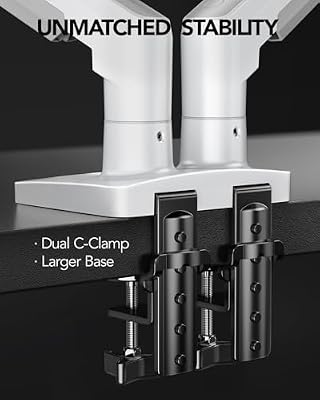
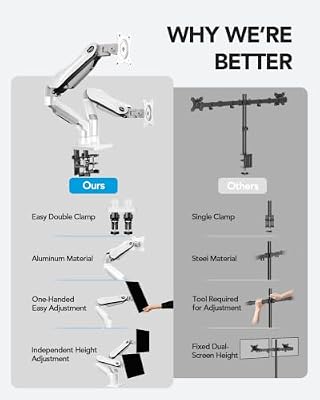
HUANUO Dual Monitor Stand - Full Adjustable Monitor Desk Mount Swivel Vesa Bracket with C Clamp, Grommet Mounting Base for 13 to 32 Inch Computer Screens - Each Arm Holds 4.4 to 19.8lbs - White




As an Amazon Associate we earn from qualifying purchases. Product prices and availability are accurate as of the date/time indicated.

ErGear Dual Monitor Stand up to 33 inches Screen, Load-Bearing Max 22 lbs Each Arm, Adjustable Dual Monitor Mount, Sturdy Steel vesa Monitor Mount with Stable VESA 75x75 100x100mm


As an Amazon Associate we earn from qualifying purchases. Product prices and availability are accurate as of the date/time indicated.

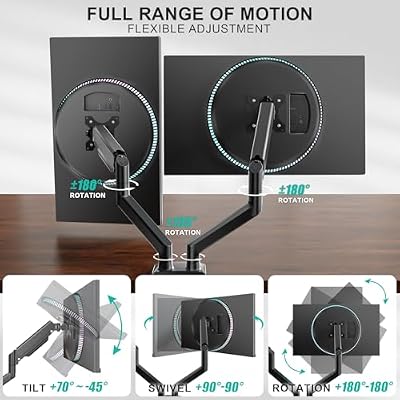
WALI Adjustable Dual Monitor Arm for 13-32 inch Screens, 22 lbs per Arm | Dual Monitor Stand for Desk, Full Motion with Tilt, Swivel, Rotation, C-Clamp & Grommet Base, VESA 75/100mm (GSMP002N), Black



As an Amazon Associate we earn from qualifying purchases. Product prices and availability are accurate as of the date/time indicated.
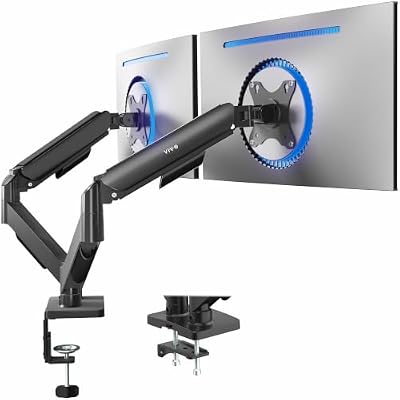
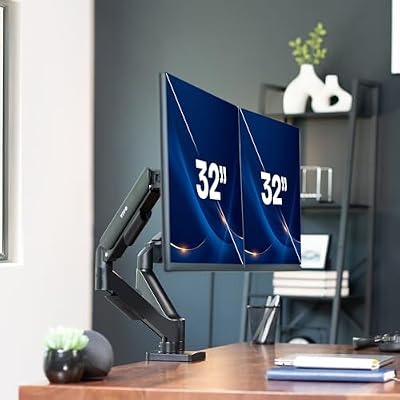
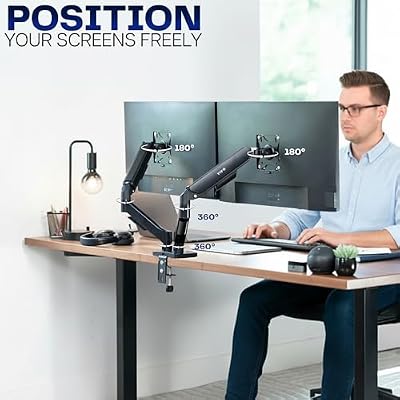
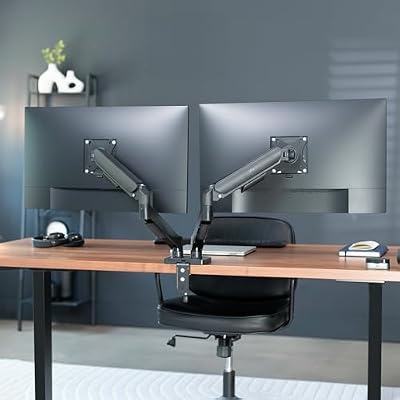
VIVO AeroPoise™ Dual Monitor Stand, for 17" to 32" Screens up to 19.8 lbs | Fully Adjustable Arms, Mechanical Articulating Desk Mount, VESA 75x75 and 100x100, Black, STAND-V002O




As an Amazon Associate we earn from qualifying purchases. Product prices and availability are accurate as of the date/time indicated.

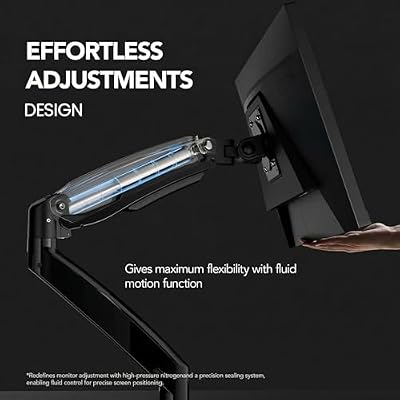
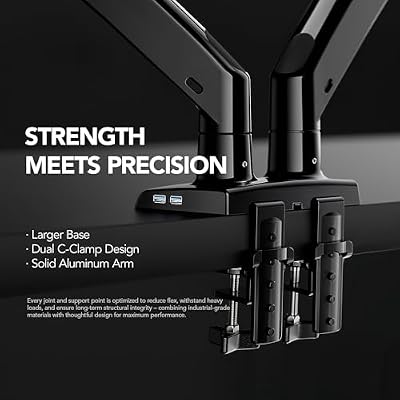
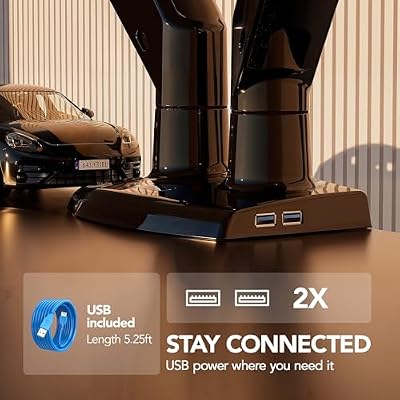
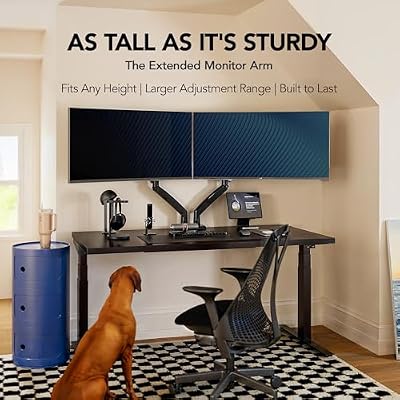
HUANUO Dual Monitor Stand for 13"–40", Premium Dual Monitor Mount with USB, Height Adjustable Monitor Stand for 2 Monitors, VESA Mount with Clamp/Grommet Base, Holds 26.4lbs per Arm, HNDS7


As an Amazon Associate we earn from qualifying purchases. Product prices and availability are accurate as of the date/time indicated.

MOUNTUP Dual Monitor Stand for Desk, Monitor Arms for 2 Monitors 17-32 Inches, Height Adjustable Double Monitor Mount, VESA Mount with C-Clamp & Grommet Base, Each Arm Holds 4.4-19.8 lbs


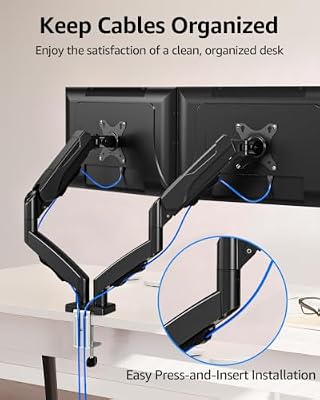

As an Amazon Associate we earn from qualifying purchases. Product prices and availability are accurate as of the date/time indicated.

ErGear Dual Monitor Stand, Heavy Duty Adjustable Monitor Desk Mount for 2 Screens up to 32 Inches, Fully Adjustable Height, Tilt, Swivel, Rotate, Supports 17.6 lbs per Monitor Arm, Easy Installation


As an Amazon Associate we earn from qualifying purchases. Product prices and availability are accurate as of the date/time indicated.
| Product | Best for | Key spec from the title |
|---|---|---|
| HUANUO FlowLift | Gaming desks with 13 to 32 inch panels | VESA 75×75 and 100×100, C-clamp |
| ErGear tool-free arm | Fast, no-fuss installation | Tool-free VESA mount, 13 to 32 inch screens |
| HUANUO swivel bracket | Grommet-hole desks | C-clamp and grommet base, 13 to 32 inch |
| ErGear 33-inch stand | Slightly larger monitors | Up to 33 inches, 22 lbs per arm |
| WALI dual arm | Standard 27 inch pairs | 22 lbs per arm, tilt, swivel, rotation |
| VIVO AeroPoise | Lighter, smaller monitors | 17 to 32 inch, up to 19.8 lbs |
| HUANUO premium with USB | Big screens and nearby ports | 13 to 40 inch, built-in USB |
| MOUNTUP dual stand | Mid-size 22 to 32 inch screens | Height adjustable, C-clamp and grommet |
| ErGear heavy-duty stand | Sturdier steel-style build | Heavy duty, screens up to 32 inches |
How to Choose
Match the size range and the VESA pattern
Nearly every dual arm here lists a range of roughly 13 to 32 inches. If your panels are 27 inches or smaller, that range is comfortable. Check the back of each monitor for a square of four screw holes. Small panels use 75×75 millimeters, larger ones use 100×100. Curved or ultrawide monitors may have no VESA holes at all, or a deeply recessed back that needs spacers, so confirm before ordering.
Read the per-arm weight limit, not the total
Listings such as 22 lbs per arm or up to 19.8 lbs mean each arm carries that load separately. A typical 27 inch 1440p monitor weighs less than that, but heavier 32 inch or ultrawide models can exceed it. Stay at least a few pounds under the limit so the joints do not drift downward over time.
Decide between C-clamp and grommet mounting
A C-clamp grips the back edge of the desk and needs an inch or two of clear lip without a thick apron or crossbar underneath. A grommet base drops through a cable hole, which suits desks with a pre-drilled opening. Several picks include both. Glass tops, thin particleboard, and desks with a curved front edge are the usual trouble spots.
What to ignore and where budget arms cut corners
Ignore claims of unlimited rotation or lifetime smoothness; they cannot be checked from a spec sheet. Budget arms usually cut corners on joint tension, cable clips, and pole thickness. Mechanical spring models move easily but cost more; plain tension arms hold position well once tightened. USB ports on the pole are convenient but not worth a tier jump if a hub already sits on your desk.
The 9 Best Options
HUANUO FlowLift Dual Monitor Stand
This arm targets gaming setups, supporting 13 to 32 inch screens with VESA 75×75 and 100×100 patterns on a C-clamp base. That pattern coverage matters because it handles both a small secondary display and a mainstream 27 inch panel on the same pole, which is common in a streaming or esports layout. Full-motion movement lets you pull both screens into a shallow arc in front of the chair.
- Strength: full-motion adjustment suits side-by-side or stacked layouts.
- Strength: both common VESA patterns are listed.
- Trade-off: the title does not state a per-arm weight limit, so check the product page against your monitor.
Skip it if your displays are curved ultrawides without standard mounting holes, or if you would rather buy an arm with a published load figure up front.
ErGear Dual Monitor Arm (Tool-Free VESA)
The selling point is a tool-free VESA attachment on a full-adjustable mount for 13 to 32 inch screens. For anyone who dislikes hunting for a screwdriver while holding a monitor with one hand, that is a real convenience, and it makes the arm friendlier to people who rearrange their desk or swap panels every year or so. A fast install also means less downtime if a monitor needs to come off for warranty service.
- Strength: quick installation without extra tools on the monitor side.
- Strength: broad 13 to 32 inch range.
- Trade-off: tool-free brackets can feel less rigid than bolted ones on heavier screens.
Skip it if you plan to mount screens near the top of the weight limit.
HUANUO Dual Monitor Stand with Swivel VESA Bracket
A straightforward 13 to 32 inch mount with swivel brackets, offering both a C-clamp and a grommet mounting base. That dual-mount flexibility means you can choose whichever suits the desk after it arrives, which is useful when edge clearance is uncertain or when you move between a rented desk and a permanent one. It is the plain, practical option in the HUANUO range.
- Strength: two attachment methods in one box.
- Strength: swivel bracket supports portrait or landscape orientation.
- Trade-off: it overlaps heavily with the FlowLift above, so there is little reason to pick it unless it is the cheaper listing.
Skip it if you need a USB pass-through or a wider screen range than 13 to 32 inches.
ErGear Dual Monitor Stand (Up to 33 Inches)
This one stretches the size ceiling to 33 inches and lists a maximum of 22 lbs per arm, with a sturdy steel build. It suits owners of big 32 inch panels who need a little extra headroom rather than running right at the edge of a range. The explicit weight figure also makes it simple to compare against a monitor’s spec page before you commit.
- Strength: explicit 22 lbs per arm limit makes matching to your monitor easy.
- Strength: steel construction for stability.
- Trade-off: the 22 lbs limit rules out the heaviest ultrawides.
Skip it if your monitors weigh more than the listed limit, or if you only own two modest 24 inch screens that never needed the extra reach. Weigh the monitor without its stand first.
WALI Adjustable Dual Monitor Arm
WALI lists 13 to 32 inch support, 22 lbs per arm, and tilt, swivel, and rotation on a C-clamp mount. It is a no-surprises option for a typical pair of 24 or 27 inch office monitors, and the rotation range lets you turn one panel vertical for code, spreadsheets, or long documents while the other stays landscape for the main task.
- Strength: clear weight limit and full-motion description.
- Strength: rotation allows a vertical code or document monitor.
- Trade-off: no extras such as USB or cable-management details in the title.
Skip it if you want a premium mechanical-spring feel. Buyers who plan to hang heavier ultrawide screens later should compare this limit against the next model up before settling, since replacing a clamped arm is a chore.
VIVO AeroPoise Dual Monitor Stand
The AeroPoise uses a mechanical articulating design for 17 to 32 inch screens up to 19.8 lbs, with VESA 75×75 compatibility. It appeals to buyers who want smooth repositioning of lighter monitors with little effort, such as a quick shift from a seated reading angle to a standing one. The 17 inch lower bound also covers older compact panels.
- Strength: articulating mechanism for easy adjustment.
- Strength: neat fit for lightweight 24 to 27 inch displays.
- Trade-off: the 19.8 lbs limit is the lowest in this group.
Skip it if your monitors are heavy or if you need to hold small travel displays. Anyone with a pair of 32 inch gaming panels should read the listed capacity twice before choosing it, because the margin is thin.
HUANUO Premium Dual Stand with USB (13 to 40 Inch)
The widest size window on the list, covering 13 to 40 inch screens, plus built-in USB and a height-adjustable pole with clamp or grommet mounting. It is the one to look at if either of your monitors is unusually large, or if you expect to upgrade to bigger panels in a year or two and do not want to buy another arm. USB access near the screens helps with a webcam or a flash drive.
- Strength: 40 inch ceiling leaves room for future upgrades.
- Strength: USB connectivity near the monitors.
- Trade-off: a larger size range does not guarantee a higher weight limit, so verify capacity.
Skip it if you only run two 24 inch panels and want the simplest hardware.
MOUNTUP Dual Monitor Stand
Built for 22 to 32 inch monitors, MOUNTUP offers a height-adjustable pole with C-clamp and grommet options. The narrower range signals a design aimed at standard desktop monitors rather than tiny or giant ones, and the pole height adjustment helps line the top edge of both screens with your eye level. That matters more than any single joint for neck comfort over a full workday.
- Strength: height adjustment on the pole improves eye-line alignment.
- Strength: two mounting methods.
- Trade-off: screens below 22 inches fall outside the stated range.
Skip it if one of your displays is a compact 17 or 19 inch panel. It also makes less sense for someone chasing a USB-equipped pole, since the title lists no ports and the focus stays on positioning.
ErGear Heavy-Duty Dual Monitor Stand
The listing stresses a heavy-duty build supporting two screens up to 32 inches, with adjustable height, tilt, swivel, and rotation. It is a reasonable pick for buyers who like the ErGear lineup but want the model positioned for sturdier use, such as a pair of 27 to 32 inch monitors on a desk that sees daily adjustment. Four-way movement helps with shared desks.
- Strength: full four-way adjustment.
- Strength: heavy-duty positioning for 27 to 32 inch screens.
- Trade-off: the title gives no per-arm limit, so check before buying.
Skip it if you want a USB-equipped model. Anyone mounting a monitor with a recessed rear panel should also confirm the VESA plate sits flat before trusting the bracket, since heavy-duty framing does not fix poor contact between plate and screen.
Which One Fits Your Situation
Two 27 inch office monitors on a standard desk
The WALI dual arm is the cleanest match: a stated weight limit, full motion, and a C-clamp that fits most desks.
A glass or grommet-hole desk
Pick the HUANUO swivel bracket model, which lists both a C-clamp and a grommet base, so you can use whichever your desk supports.
One very large display next to a smaller one
The HUANUO premium stand with a 13 to 40 inch range gives you the most headroom for mixed sizes.
Lightweight panels and a clean look
Choose the VIVO AeroPoise, whose articulating design moves lighter monitors with little effort.
Common Mistakes
- Ignoring the VESA pattern on the back of the monitor and assuming every screen will bolt on.
- Reading the weight limit as a combined total instead of a per-arm figure.
- Clamping onto a thin or hollow desk edge and expecting it to stay level.
- Forgetting that curved monitors push the center of gravity forward and may need more clearance.
- Buying an arm for 32 inch screens and leaving no space behind the desk for the arm to swing.
The Nine Picks, Side by Side
The quick-picks table above keeps things short. This fuller comparison lines up the numbers that actually decide fit, so you can rule arms in or out before reading a single product section.
| Arm | Screen range | Capacity per arm | Mounting | Standout trait |
|---|---|---|---|---|
| HUANUO FlowLift | 13 to 32 inch | 4.4 to 19.8 lbs | C-clamp, grommet | Full-motion gaming layout |
| ErGear tool-free VESA | 13 to 32 inch | 4.84 to 19.8 lbs | C-clamp, grommet | Tool-free monitor attachment |
| HUANUO swivel bracket | 13 to 32 inch | 4.4 to 19.8 lbs | C-clamp, grommet | White finish, simple build |
| ErGear 33-inch stand | Up to 33 inch | 22 lbs | C-clamp, grommet | Steel build, largest mid-tier reach |
| WALI GSMP002N | 13 to 32 inch | 22 lbs | C-clamp, grommet | Clear specs, portrait rotation |
| VIVO AeroPoise | 17 to 32 inch | Up to 19.8 lbs | C-clamp, grommet | Mechanical articulating arms |
| HUANUO HNDS7 premium | 13 to 40 inch | 26.4 lbs | C-clamp, grommet | Widest range, built-in USB |
| MOUNTUP dual stand | 17 to 32 inch | 4.4 to 19.8 lbs | C-clamp, grommet | Pole height adjustment |
| ErGear heavy-duty | Up to 32 inch | 17.6 lbs | C-clamp, grommet | Sturdier frame for daily adjustment |
One distinction the table cannot show is how each arm holds height. Gas-spring arms float the monitor and stay where you leave it, which suits desks that get repositioned often. Mechanical-spring arms behave similarly at a lower tier but can feel notchier through the travel. Pole-and-bolt designs set height with a clamp collar or screws: slower to change, but they never lose tension and rarely drift. Match the mechanism to your habits, not to the marketing.
Pre-Purchase Compatibility Checklist
Work through this list with a tape measure and your monitor manual before ordering any arm in this roundup.
- Weigh each monitor without its stand, or find the panel-only figure in the spec sheet. That is the number the per-arm limit refers to.
- Confirm the VESA pattern on both screens, and look for a recessed mounting area. Deep recesses and curved backs may need the longer screws or spacers some kits include and others do not.
- Measure desktop thickness at the exact spot the clamp will sit, and check underneath for aprons, crossbars or cable trays that block the clamp jaw.
- Note the desk material. Solid wood and metal take clamp pressure well. Thin particleboard can flex or crack, so plan on a reinforcement plate that spreads the load. Glass should use a grommet mount or be skipped entirely.
- Check the space behind the desk. Articulating arms swing backwards as they fold, and a wall close behind the desk can stop two wide screens from sitting side by side.
- Measure cable length with slack. A monitor pulled forward and rotated to portrait needs noticeably more display and power cable than one sitting on its stand.
Setup and Care: Tension, Cables and Long-Term Hold
Assembly goes easier in a fixed order. Attach the VESA plates to the monitors while they are face down on a soft surface, build the pole and clamp on the desk, then hang the screens and adjust tension last, with the full weight on the arm. On a spring arm, a monitor that sinks needs more tension and one that rises on its own needs less; small turns of the adjustment screw, checked after each change, beat one big guess.
Route cables while the arms are still easy to move. Leave a loose loop at each joint so the cable never becomes the thing limiting rotation, and clip cables along the arm rather than letting them hang from the monitor ports. For positioning, set the top edge of the primary screen at or just below eye level, roughly an arm’s length away, and angle the secondary screen inward so you turn your head rather than lean.
Care is mostly inspection. Every few months, confirm the clamp is still snug, check that the tilt joints hold without slow drift, and re-check spring tension after any monitor swap. Dust on the pole and joints wipes off with a dry cloth; keep solvents away from painted finishes and plastic cable covers.
Who Should Skip This Tier Entirely
Some setups outgrow this class of arm before they start. Owners of a single 49-inch ultrawide, or a heavy 32-inch panel that already sits near the per-arm ceilings listed above, belong in the heavy-duty class with higher load ratings and wider VESA support. Anyone planning a third screen should start with a triple mount or a pole system designed to accept an extra arm, rather than clamping a second product beside the first. Wall mounting is a separate category altogether: none of these desk arms converts to a wall plate, so a wall plan means a different product from day one. Finally, if your desk is glass without a grommet hole, or a hollow-core top that flexes under hand pressure, solve the desk problem first. No arm in this tier can clamp safely to a surface that cannot take the squeeze.
More Picks Worth Considering
VIVO Dual Monitor Desk Mount (STAND-V002)

The long-running steel pole mount in VIVO’s range predates most of the arms above and stays relevant because of its simplicity. It carries two screens from 13 to 30 inches at up to 22 lbs per arm, with VESA 75×75 and 100×100 plates, full tilt, swivel and rotation, and both C-clamp and grommet hardware in the box. Height is set along the center pole rather than by spring, so it suits a pair of 24 or 27 inch monitors that will be positioned once and left alone. It does not fit anyone who raises and lowers screens daily, and panels over 30 inches fall outside its stated range.
North Bayou F195A Dual Monitor Arm

This gas-strut design targets the larger end of the category: two screens from 22 to 32 inches, with a load window of 6.6 to 26.4 lbs per arm that covers heavier 32 inch panels most arms in this roundup cannot. Two USB ports sit at the base for a receiver or charging cable, and the mount installs by clamp or grommet. It fits owners of big, weighty displays who still want fingertip repositioning. It does not fit small portable monitors or very light panels, which fall below its minimum load and can sit too high on the struts, and its size floor rules out compact secondary screens.
HUANUO Dual Monitor Mount (HNDS5B)

A different HUANUO from the three models reviewed above, the HNDS5B pairs an aluminum gas-spring arm set with screens from 17 to 32 inches, flat or curved, at up to 17.6 lbs per arm. Clamp and grommet bases are both included, and the arms carry integrated cable routing for a tidy run down to the desk. It fits mainstream 24 to 32 inch pairs whose owners want the floating feel of gas springs at the value end of the tier. It does not fit heavy 32 inch panels that crowd its per-arm ceiling, and screens under 17 inches fall outside the stated range entirely.
More Buyer Questions
Will the clamp damage my desk?
On solid wood or metal, a correctly tightened clamp with its protective pad leaves at most a faint mark. Damage happens on thin particleboard, hollow tops and glass, where the same force is concentrated on a surface that cannot spread it. A reinforcement plate above and below the edge is the standard fix for weaker desktops.
Why does one screen slowly sink while the other stays put?
Each arm is tensioned independently, and the two monitors rarely weigh the same. A sinking screen needs its spring tension increased in small steps; a screen that has started drifting after months of holding position usually just needs the same adjustment again, not a replacement arm.
Can I mount one monitor now and add the second later?
Yes. Every arm in this guide works with a single screen attached, and the empty arm can be folded flat against the pole or swung behind the desk. Just confirm the second monitor still falls inside the size, weight and VESA limits before it arrives, and re-check the clamp once both screens are hanging.
Related guides
- Usb C Kvm Switch For Two Laptops And Two Monitors
- Vertical Laptop Stand For Dual Laptop Desk Setup
- Nvme Enclosure With Active Cooling For Mac Mini
Frequently Asked Questions
Will a dual arm fit a monitor with no VESA holes?
Not directly. Some manufacturers sell VESA adapter plates, but check that the monitor can support one before ordering.
Can I mount two different sizes together?
Yes, as long as both fall inside the arm’s size and weight range. Mixed pairs, such as 24 inch and 27 inch, are common.
C-clamp or grommet: which is stronger?
Both are stable on a solid desk. The clamp is easier to move later, while a grommet gives a cleaner look if your desk has a hole.
Do these arms work with a standing desk?
Generally yes, provided the desktop is thick enough for the clamp and the pole clears the tallest monitor at full lift.