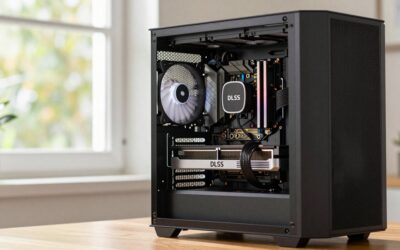
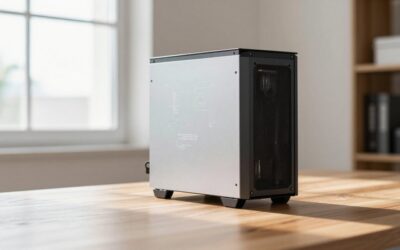
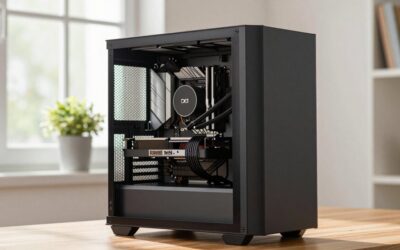
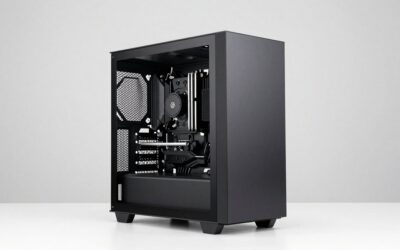
Micro-ATX is the size class most gaming builds should have been using all along. A good mATX chassis swallows a 3-slot graphics card, a 240mm AIO and a normal ATX power supply, yet it takes up roughly a third less desk volume than a full tower and costs less than an ITX case of the same quality. The picks below are grouped by what you actually care about: airflow, silence, price, looks, and raw smallness.
Why Micro-ATX Is the Sweet Spot in 2026
Mini-ITX looks great in photos and punishes you everywhere else. One expansion slot, two RAM slots, usually two M.2 sockets, an SFX power supply that costs noticeably more per watt, and cable routing that turns a two-hour build into a five-hour one. Meanwhile ATX mid-towers give you seven expansion slots you will never populate, because the only card most people install is the GPU.

Thermaltake View 170 TG ARGB Black Micro-ATX Case; 3x120mm ARGB Fans Included; Supports Up to 280mm Radiator; Front & Side Dual Tempered Glass Panel; CA-1Z4-00M1WN-00; 3 Year Warranty
Included for 'Best Micro-ATX Cases in 2026 (Small Build, Full-Size GPU)' as a relevant option in this category; details come from the product listing.
View on AmazonMicro-ATX sits between the two and keeps the parts that matter. You get four expansion slots, so a 3-slot or even 3.5-slot GPU still leaves room to breathe, four RAM slots on most boards, standard ATX PSU support in the majority of cases, and 3.5-inch drive bays that ITX cases dropped years ago. Board prices are friendlier too: mATX B850 and B860 boards routinely undercut their ATX siblings while keeping the same VRM and the same two or three M.2 slots. If you are still deciding on the platform, our notes on choosing a micro-ATX motherboard cover what you actually lose versus full ATX.
The trade-off is real but narrow: fewer fan mounting positions, tighter cable space behind the tray, and radiator support that is usually capped at 240mm or 280mm rather than 360mm. Everything else is a win.
The Best Micro-ATX Case for Each Kind of Build
Airflow first: Fractal Design Meshify 2 Mini
Best for a 9800X3D or Core Ultra 265K paired with a hot 300-watt GPU. The full mesh front and the open-layout mode let it run a 360mm radiator up front, which is unusual in this size class, and it ships with two 140mm intakes plus a 120mm exhaust. GPU clearance runs to roughly 360mm with front fans installed, CPU cooler height is about 169mm, so a Peerless Assassin or an NH-D15 G2 fits, and it takes a standard ATX PSU. Storage is the other reason to buy it: the drive cage handles multiple 3.5-inch disks, which matters if the machine doubles as a media server.
Skip it if: you want the smallest thing on this list. At roughly 33 litres it is a small tower, not a shoebox.
Quiet build: Fractal Design Define Mini C
An older design that is still the easiest way to get a genuinely quiet mATX machine without custom work. Sound-damping material on the side and front panels, a closed front with side intake channels, and a PSU shroud that hides the drive cage all pull down the broadband noise floor. Expect roughly 315mm of GPU clearance, about 170mm of cooler height, a 280mm front radiator or a 240mm up top, ATX PSU support and two 3.5-inch bays.
Skip it if: your GPU is a 340mm-plus triple-fan flagship, or you plan to run a 400W card. Damped panels and high heat are a bad pairing. Undervolt instead and use a slow ramp, as covered in our guide to setting sane fan curves.
Budget: Cooler Master MasterBox Q300L V2
The cheapest case here that is not a compromise. Mesh front, magnetic dust filters, roughly 360mm of GPU room, about 159mm of cooler height, a 240mm radiator mount up top and a standard ATX PSU bay. Drive support is thin, typically one 3.5-inch and a couple of 2.5-inch mounts, and it ships with a single fan, so budget for two more intakes.
Skip it if: you care about cable-management aesthetics. The rear cavity is shallow and the case shows its price the moment you close the side panel.
Dual-chamber showcase: Lian Li O11 Dynamic Mini
If the machine is going on the desk, this is the one people recognise. The dual-chamber layout puts the PSU and drives behind the motherboard tray, so the main compartment is nothing but board, GPU and radiators. It clears roughly 395mm of graphics card and around 170mm of cooler height, and it will take radiators on the top, side and bottom at the same time: 240mm and 280mm in each position, with 360mm possible on the side depending on the fan configuration. PSU support is the catch. It accepts a normal ATX unit up to about 220mm, but the roomiest drive layouts assume an SFX power supply.
Skip it if: you want quiet. Glass on two sides is the opposite of sound damping.
Smallest that still fits a 3-slot GPU and a 240mm AIO: Lian Li A3-mATX
Around 23 litres, which is ITX territory, yet it takes a full micro-ATX board and a long triple-fan card. Lian Li quotes GPU clearance beyond 400mm in the sandwich configuration. A 240mm AIO mounts up top or on the side depending on layout, and cooler height lands in the 165-175mm range depending on which configuration you build. The compromise is power: SFX or SFX-L only, and storage is 2.5-inch drives.
Skip it if: you already own an 850W ATX unit. Replacing it eats whatever you saved on the case.
Compact all-rounder: Cooler Master MasterBox TD300 Mesh
A curved mesh front, two ARGB fans in the box, roughly 344mm of GPU clearance, about 166mm of cooler height and a 240mm top radiator mount. This is the pick when you want something small and tidy but do not want to think hard about clearances. Jonsbo’s D31 Mesh is the alternative if you prefer a side-mounted radiator and a front-mounted PSU layout, though it is fussier to cable.
Micro-ATX Case Clearance Comparison
All figures are manufacturer-stated maximums and assume you are not fighting front fans or a thick radiator. Subtract 25-30mm from GPU length if you mount a radiator in the front.
| Case | Best for | Max GPU length | Max cooler height | Radiator support | PSU type | Drive bays |
|---|---|---|---|---|---|---|
| Fractal Meshify 2 Mini | Airflow | ~360 mm | ~169 mm | 360 front / 240 top | ATX | 2-4x 3.5″, 2-4x 2.5″ |
| Fractal Define Mini C | Quiet | ~315 mm | ~170 mm | 280 front / 240 top | ATX | 2x 3.5″, 2-3x 2.5″ |
| Cooler Master Q300L V2 | Budget | ~360 mm | ~159 mm | 240 top | ATX | 1x 3.5″, 2x 2.5″ |
| Lian Li O11 Dynamic Mini | Showcase | ~395 mm | ~170 mm | 240/280 top, side, bottom | ATX (up to 220 mm) or SFX | 2x 3.5″, 2-4x 2.5″ |
| Lian Li A3-mATX | Smallest | 400 mm+ (config dependent) | ~165-175 mm | 240 top or side | SFX / SFX-L | 2x 2.5″ |
| CM MasterBox TD300 Mesh | All-rounder | ~344 mm | ~166 mm | 240 top | ATX | 1-2x 3.5″, 2x 2.5″ |
Will My Parts Fit? A Five-Minute Checklist
Run through this before you order. Every one of these is a build that got returned because somebody skipped a step.
- GPU length and thickness. Look up your exact card model, not the reference spec: partner RTX 5080 and RX 9070 XT designs vary by 40mm or more. Then check slot thickness, because a 3.5-slot cooler in a four-slot case leaves the bottom slot unusable, which is fine unless you wanted a capture card. Our GPU clearance guide lists the worst offenders.
- Cooler height versus RAM height. Tall RGB memory pushes a dual-tower cooler’s front fan upward by 10-15mm. If the case says 160mm and your cooler is 158mm, buy low-profile RAM or plan on relocating that fan.
- Radiator plus fan thickness. A 240mm AIO is around 27mm thick; add 25mm of fan and you lose roughly 52mm of clearance behind it, usually against the top of the motherboard or the VRM heatsink. Check the case’s stated radiator-plus-fan figure, not just “supports 240mm”. More on that in our 240mm AIO selection notes.
- PSU length and cable type. ATX units longer than 160mm crowd the front fan mount in compact cases. If the case is SFX-only, confirm the wattage you need actually exists in SFX form before committing to it.
- 12V-2×6 cable bend radius. Modern cards want roughly 35mm of clear space past the connector before the cable turns. Side glass sitting 30mm from the card is the most common reason a build refuses to close.
- Front panel connectors. Newer cases ship USB-C on the front, and older mATX boards may lack the internal 20Gbps header. Not fatal, just annoying to discover at the end.
Once the case is settled the rest is ordinary: our gaming PC build walkthrough and the budget build list both translate to mATX without changes.
Frequently Asked Questions
Is a micro-ATX case worse for thermals than a mid tower?
Not inherently. Thermals come from fan area and airflow path, not from overall volume. A mesh-front mATX case with two 140mm intakes will beat a solid-panel ATX tower running one exhaust fan every single time. Where mATX does lose is radiator ceiling: most of these cases cap at 240mm or 280mm, so a combined 350W CPU and GPU load leaves you less headroom than a 360mm-capable tower would.
Can I fit a 4-slot or 3.5-slot graphics card in a micro-ATX case?
Usually yes, physically, because most mATX cases have four expansion slots. The card will cover the lower slots and sit close to the floor of the case or the PSU shroud, which restricts intake for a fan trying to pull air from below. Leave at least 25mm of gap under the card, and if the case has a filtered bottom intake, put a fan there rather than relying on the side panel gap.
Do I need an SFX power supply for a micro-ATX build?
Only if the case specifically requires one. Most mATX cases, including four of the six above, take a standard ATX unit, and ATX supplies are cheaper per watt with longer warranties. SFX becomes worthwhile in sub-25-litre chassis such as the Lian Li A3-mATX, or when you want the extra front clearance for a thick radiator. Buy an ATX 3.1 unit either way so the 12V-2×6 connector is native.
How many fans should a micro-ATX case have?
Three is the practical minimum for a gaming build: two intakes at the front or side and one rear exhaust. Adding a top exhaust helps only when you are not mounting a radiator there. Keep intake slightly ahead of exhaust so the case runs at positive pressure, which keeps dust off the GPU heatsink, and ramp the case fans on GPU temperature rather than CPU temperature, since the card is the larger heat source in nearly every build.
Is micro-ATX cheaper than mini-ITX overall?
Meaningfully, yes. A comparable mATX motherboard typically costs less than the equivalent ITX board, the case itself is usually cheaper at the same build quality, air coolers that fit are cheaper than the low-profile options ITX forces on you, and you can reuse a standard ATX power supply. Across a full build the gap often lands near the price of a one-tier GPU upgrade, for a machine only a few litres larger.