
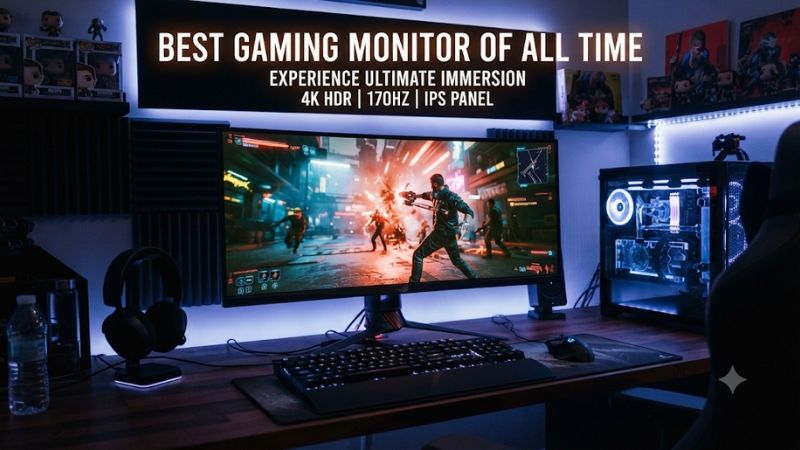
The best gaming monitor of all time is not one screen for every player: a 4K OLED built for cinematic games has different strengths from a high-refresh esports display. This roundup treats “all time” as a shortlist of standout choices that make sense in the current US market, with category winners for image quality, speed, immersion, and value rather than one universal champion.
- Quick verdict: the best gaming monitor depends on what you play
- Quick comparison: standout gaming monitors
- What a contender for the best gaming monitor of all time needs to deliver
- How we selected the best gaming monitor of all time contenders
- Best overall: MSI MPG 322UR QD-OLED X24
- Best 1440p competitive OLED: ASUS ROG Swift OLED PG27AQDP
- Best dual-mode 4K monitor: LG UltraGear 32GS95UE-B
- Best ultrawide for immersion: LG UltraGear 45GX950A-B
- Best extreme-refresh LCD: Acer Nitro XV273U F5
- Best entry-level OLED: Dell Alienware AW2726DM
- Best Mini-LED alternative: AOC Q27G40XMN
- How to choose the best gaming monitor of all time for your setup
- Common questions about top gaming monitors
- Final verdict
Quick verdict: the best gaming monitor depends on what you play
The MSI MPG 322UR QD-OLED X24 is the strongest all-round pick. Its 31.5-inch 4K QD-OLED panel combines 240Hz, excellent contrast, modern DisplayPort 2.1a bandwidth, and USB-C charging. It is premium-priced and demanding on a GPU, but it balances image quality and speed better than the more specialized picks.
Choose the ASUS ROG Swift OLED PG27AQDP for 1440p esports, the LG UltraGear 32GS95UE-B for its 4K/480Hz dual mode, or the Acer Nitro XV273U F5 for extreme refresh on an IPS LCD. The LG UltraGear 45GX950A-B is the immersive ultrawide, Dell’s Alienware AW2726DM is the more accessible OLED, and the AOC Q27G40XMN is the Mini-LED alternative for HDR without OLED care routines.
There is no timeless winner. The right screen depends on your GPU, games, desk, room lighting, and tolerance for each panel’s trade-offs.
Quick comparison: standout gaming monitors
| Monitor | Best for | Key strengths | Main drawback |
|---|---|---|---|
| MSI MPG 322UR QD-OLED X24 | Best overall | 32-inch 4K, 240Hz QD-OLED, DP 2.1a, 98W USB-C | Premium price; OLED care still matters |
| ASUS ROG Swift OLED PG27AQDP | Competitive 1440p | 27-inch QHD, 480Hz WOLED, sharp motion | Expensive; needs very high frame rates |
| LG UltraGear 32GS95UE-B | Dual-mode gaming | 4K 240Hz or 1080p 480Hz | VRR flicker can appear in dark scenes |
| LG UltraGear 45GX950A-B | Large-format ultrawide | 45-inch 5K2K, 165Hz or 330Hz mode | Huge, costly, aggressive 800R curve |
| Acer Nitro XV273U F5 | Extreme-refresh LCD | QHD 540Hz; 720p 1,000Hz mode | 1,000Hz mode sacrifices resolution |
| Alienware AW2726DM | Entry-level OLED | QHD 240Hz QD-OLED, fast response | Limited brightness and connectivity |
| AOC Q27G40XMN | Mini-LED HDR LCD | QHD 180Hz, 1,152 dimming zones | VA smearing; DisplayPort limitation |
The categories are deliberately different. A 480Hz OLED is not automatically a better purchase than a 240Hz 4K screen, and a monitor’s maximum refresh rate only matters when the PC can deliver enough frames.
What a contender for the best gaming monitor of all time needs to deliver
A strong gaming display combines responsive motion, low input lag, adaptive sync, accurate-enough color, useful contrast, and the right resolution for its size. Refresh rate is only one part of the experience. Pixel response time describes how quickly a pixel changes; input lag measures the delay between a signal and the image appearing. OLED’s near-instant pixel transitions help motion clarity, but a manufacturer’s advertised response-time figure is not a full latency measurement.
Resolution and refresh rate compete for GPU resources. A 4K screen shows four times as many pixels as 1080p, but it takes much more rendering power to sustain high frame rates. For many PC gamers, 27-inch 1440p remains a practical balance. A 32-inch 4K panel is more attractive with a high-end graphics card or when visual detail matters more than maximum FPS.
Panel technology changes the image. OLED lights individual pixels, producing deep blacks and no backlight blooming, but static elements can create long-term image-retention risk and full-screen brightness is often lower than on LCD. QD-OLED tends to offer vivid colors; WOLED uses a different subpixel layout, so text rendering and color behavior can differ. Mini-LED is an LCD with many local backlight zones. It can deliver higher brightness and strong HDR, but zones cannot control light as precisely as individual OLED pixels, so halos can appear around small highlights.
Also check the signal path. HDMI 2.1 matters for current consoles and 4K 120Hz signals. DisplayPort bandwidth matters for high-refresh PC modes. USB-C power delivery and a KVM switch are useful extras for a dual-workstation setup, but they do not improve game performance. Use a suitable cable and verify the exact GPU output mode before assuming a display can run its maximum resolution and refresh rate.
How we selected the best gaming monitor of all time contenders
This shortlist favors monitors with a distinct use case and independent review coverage. Manufacturer pages establish exact model names, panel types, resolutions, refresh modes, and ports. RTINGS, Tom’s Hardware, and PC Gamer reviews provide independent assessments of motion, input lag, HDR, image quality, and limitations. We did not rank every model by one score because an ultrawide, an esports LCD, and a 4K OLED are not interchangeable.
Exact suffixes matter. The AOC Q27G40XMN is a North American Best Buy-exclusive model and is not the same monitor as the Q27G3XMN. The LG 45GX950A-B is also distinct from the bendable 45GX990A-B and lower-resolution 45GX90SA-B. Review results should not be transferred between those variants.
No first-hand testing is claimed. Performance comments below are attributed to published reviews; specifications are manufacturer-listed. Retail prices and stock change, so no temporary sale price is treated as a permanent buying criterion.
Best overall: MSI MPG 322UR QD-OLED X24
The MSI MPG 322UR QD-OLED X24 is the most balanced premium choice here. Its 31.5-inch 3840 × 2160 QD-OLED panel runs at 240Hz and uses a fourth-generation tandem panel. It combines 4K detail, OLED contrast, vivid color, and a refresh rate that suits both cinematic games and fast multiplayer.
Connectivity is a major advantage. MSI lists DisplayPort 2.1a UHBR20, two HDMI 2.1 ports, and USB-C with up to 98W power delivery. On a compatible PC and cable, the full-bandwidth DisplayPort connection supports uncompressed 4K at 240Hz without DSC. USB-C can carry video and charge a laptop, while KVM functionality helps switch between connected systems. MSI also specifies a three-year warranty that includes OLED burn-in.
Tom’s Hardware gave the model an Editor’s Choice award, praising its bright, colorful image and video processing; PC Gamer also highlighted its HDR and speed. Its weaknesses are practical: 4K 240Hz is demanding, so many games will not reach 240 FPS at native resolution. The 32-inch size needs desk space, QD-OLED can show some text fringing, and OLED care remains sensible for static desktop use.
Buy it if you want one premium monitor for detailed single-player games, fast multiplayer, and laptop connectivity. Skip it if your GPU is better suited to 1440p or you want to avoid OLED maintenance considerations.
Best 1440p competitive OLED: ASUS ROG Swift OLED PG27AQDP
The ASUS ROG Swift OLED PG27AQDP pairs a 27-inch 2560 × 1440 WOLED panel with a maximum 480Hz refresh rate. The lower pixel load than 4K makes QHD a more practical target for high frame rates, while OLED delivers deep blacks and fast pixel transitions.
RTINGS describes its response time as near-instantaneous and its motion as exceptionally sharp. Tom’s Hardware also praised its video processing and overall gaming feel. Those results explain its appeal, but they do not remove the need for a fast GPU: the monitor cannot manufacture frames that the game and PC do not render.
ASUS specifies MLA+ technology, HDMI 2.1, adaptive sync, ELMB, and OLED care features. The important compromise is that 480Hz only helps when your PC can produce very high frame rates. The screen is also less detailed than 4K, and large HDR highlights are less bright than smaller specular highlights.
Buy it if competitive shooters dominate your playtime and your PC can push high frame rates. Skip it if you mostly play slower story games, prefer 4K, or rarely exceed 200 FPS.
Best dual-mode 4K monitor: LG UltraGear 32GS95UE-B
The LG UltraGear 32GS95UE-B gives players two useful modes on one 32-inch WOLED screen: 3840 × 2160 up to 240Hz, or 1920 × 1080 up to 480Hz. The first suits detailed games; the second is aimed at esports players who value an especially high refresh rate.
LG specifies a 0.03ms gray-to-gray response time, HDMI 2.1, G-SYNC compatibility, and FreeSync Premium Pro. RTINGS found it outstanding for PC gaming, citing responsive motion, low input lag, and its 480Hz mode. The review also flags noticeable VRR flicker in dark scenes when frame rates change, which may bother players with unstable frame rates.
The 480Hz setting is not 4K; it drops to 1080p, which looks less sharp on a 32-inch screen. The model also lacks USB-C charging and a KVM switch. LG’s US support listing specifies a two-year parts-and-labor warranty; check the complete terms for your purchase channel.
Buy it if you switch between high-detail games and esports. Skip it if you need full-resolution high refresh, USB-C docking, or the fewest possible OLED compromises.
Best ultrawide for immersion: LG UltraGear 45GX950A-B
The LG UltraGear 45GX950A-B is a 44.5-inch-class OLED with a 5120 × 2160 5K2K resolution at 165Hz, plus a mode that drops to 2560 × 1080 at 330Hz. Its 21:9 aspect ratio gives supported PC games a wider view, while 5K2K retains more vertical detail than 3440 × 1440 ultrawides.
The fixed 800R curve is aggressive and wraps the display around the viewer. That can work well for racing games, flight simulators, and expansive worlds, but it is not subtle. Measure desk width and depth before buying. At 125 pixels per inch, it is also sharper than many earlier 45-inch 1440p OLED ultrawides.
LG lists DisplayPort 2.1, adaptive sync, and a 0.03ms response time. RTINGS found sharp motion and deep dark-room contrast, but noted that bright HDR colors are not especially vivid and variable-refresh flicker can occur. SDR brightness may also struggle against strong glare.
The 330Hz mode changes both resolution and aspect ratio; it is not native 5K2K at that speed. Consoles generally output 16:9, so black bars appear at the sides. Buy it if you want a large PC-only immersive display and will use both modes. Skip it for a small desk or a mostly console setup.
Best extreme-refresh LCD: Acer Nitro XV273U F5
The Acer Nitro XV273U F5 is a 27-inch QHD IPS monitor with a native maximum of 540Hz at 2560 × 1440. Acer also lists Dynamic Frequency and Resolution mode, which raises refresh to 1,000Hz only when resolution drops to 1280 × 720.
That distinction matters. The 1,000Hz headline does not apply at native QHD. Treat the 540Hz QHD mode as the main feature and the 720p mode as an experimental extra for extreme esports use. Tom’s Hardware reviewed it as one of the fastest LCD monitors available and gave it an Editor’s Choice designation, noting its quick feel and blur-reduction options.
Acer’s specifications list IPS, FreeSync Premium, G-SYNC compatibility, HDR600 mode, HDMI 2.1, and DisplayPort 1.4. IPS avoids OLED’s organic-pixel burn-in concern and is practical for static desktop content, but it cannot match OLED’s per-pixel blacks. A 540Hz screen also needs a GPU and game settings capable of delivering very high frame rates.
Buy it if esports speed matters more than HDR contrast. Skip it if you mostly play cinematic games or use a midrange GPU.
Best entry-level OLED: Dell Alienware AW2726DM
The Dell Alienware AW2726DM makes OLED more accessible with a 26.5-inch QHD QD-OLED panel and a 240Hz refresh rate. It includes adaptive sync, a 0.03ms advertised response time, and an adjustable stand. It delivers deep blacks and fast pixel transitions without the cost of a flagship 4K screen.
RTINGS found it excellent for PC gaming, pointing to low input lag and near-instant response. The drawbacks are its limited brightness for vivid HDR and a purple tint to blacks in bright rooms. Dell lists DisplayPort 1.4 and two HDMI ports, but there is no USB hub, USB-C laptop charging, or DisplayPort 2.1. The HDMI inputs are limited to 1440p at 120Hz for console signals, so it is not ideal for players who want a 4K 120Hz console display.
Dell advertises a three-year OLED burn-in warranty. Read the full regional terms before buying. Buy it if you want QHD 240Hz OLED without paying flagship prices. Skip it if bright-room HDR, console 4K 120Hz, or extra connectivity is important.
Best Mini-LED alternative: AOC Q27G40XMN
The AOC Q27G40XMN combines a 27-inch 2560 × 1440 VA panel, 180Hz refresh rate, and 1,152 Mini-LED dimming zones. Local dimming gives it more control over dark areas and bright highlights than a basic edge-lit LCD. RTINGS found its local dimming effective and its input lag low; Tom’s Hardware also praised its brightness and HDR color volume.
The VA panel can show smearing and inverse ghosting behind fast-moving objects, so it is not the best choice for competitive shooters. RTINGS also reports that its DisplayPort 1.2 bandwidth prevents it reaching full 180Hz with NVIDIA graphics cards under the tested signal conditions. It lacks HDMI 2.1 bandwidth for 4K 120Hz console signals and has limited stand adjustment.
Do not confuse it with the AOC Q27G3XMN. The Q27G40XMN is a North American Best Buy exclusive with 1,152 zones; the Q27G3XMN has 336 zones and a different stand. Buy this model for brighter HDR and lower OLED image-retention concern. Skip it if motion clarity or full-bandwidth console connectivity is your priority.
How to choose the best gaming monitor of all time for your setup
Start with your GPU and game library. A high-end graphics card can make a 4K 240Hz OLED worthwhile; a 1440p 240Hz or 480Hz model is a more realistic match for many esports systems. Do not buy a 540Hz screen expecting a frame-rate increase by itself.
Match screen size to your desk. A 27-inch monitor is easy to position at typical desktop distance. A 32-inch 4K model gives more workspace and detail, while a 45-inch ultrawide needs considerably more room and a deliberate viewing distance. Measure the full width and depth with the stand.
Consider lighting and panel trade-offs. OLED excels in dark scenes, but ambient light can lift perceived blacks on some QD-OLED coatings. Mini-LED can get brighter and avoids OLED pixel wear, but local dimming can create halos. Matte coatings reduce reflections; glossy finishes can make images appear clearer but reflect lamps and windows.
Check the exact port mode, not just the port label. For 4K 240Hz, confirm the GPU, monitor input, and cable support the required bandwidth. For consoles, HDMI 2.1 matters if you want 4K 120Hz. A 21:9 monitor will usually show black bars with 16:9 console output.
For OLED, keep automatic panel-care features enabled, allow pixel refresh to run, and use sleep settings to reduce prolonged static images. A burn-in warranty is useful, but coverage varies by model, seller, and region. Read the full warranty rather than assuming every OLED has the same protection.
Common questions about top gaming monitors
Is OLED always better than Mini-LED for gaming?
No. OLED usually wins for pixel response and per-pixel blacks. Mini-LED can be brighter across the screen and avoids the same organic-pixel burn-in concern. The AOC is a sensible alternative when HDR brightness and static desktop use matter more.
Is 240Hz enough, or should I buy 480Hz or 540Hz?
For most people, 240Hz is already very smooth. Higher refresh rates are most useful for competitive players who can maintain very high frame rates and notice the difference in motion clarity.
Can a 4K 240Hz monitor run every game at 240 FPS?
No. The monitor accepts a 240Hz signal, but the PC must render the game at that frame rate. Demanding titles at 4K can run far below 240 FPS, even on powerful hardware.
Does Acer’s 1,000Hz mode run at full resolution?
No. The Nitro XV273U F5 reaches 540Hz at 1440p. Its 1,000Hz mode uses 1280 × 720, trading detail for speed.
Are ultrawide monitors good for console gaming?
They can accept console signals, but consoles generally output 16:9 rather than native 21:9. Expect black bars on the sides; ultrawide is most compelling for PC games that support it.
Does an OLED monitor need special maintenance?
Use the built-in panel-care features, allow automatic pixel refresh, enable sleep timers, and avoid leaving static images at high brightness for long periods. Check the warranty’s exact burn-in terms.
Final verdict
The MSI MPG 322UR QD-OLED X24 is the best overall choice in this shortlist because its 4K 240Hz QD-OLED panel, modern bandwidth, and USB-C make it a complete premium gaming display. The ASUS PG27AQDP is better for competitive 1440p players, the LG 32GS95UE-B offers the most useful dual-mode split, and the Acer Nitro XV273U F5 is the extreme-speed LCD option.
For immersion, choose the LG 45GX950A-B. For a more accessible OLED, consider Dell’s Alienware AW2726DM; for bright HDR without OLED, the AOC Q27G40XMN is the alternative. The right screen is the one that fits your PC, desk, games, room, and tolerance for the panel’s trade-offs.









