Running several virtual machines on one box is a different job from running one demanding application. Each guest needs its own slice of CPU cores, its own memory, and its own storage throughput, all at the same time. A single-socket desktop can host a VM or two, but once the lab grows to a Windows domain controller, a Linux test server, a database guest, and a build machine, the host begins to feel crowded. That is where the best dual-processor workstation towers for virtual machines earn their place: two CPU sockets, room for far more memory than a consumer board allows, and the PCIe lanes to keep storage and networking moving.


Dual-processor towers were built for exactly this kind of parallel work. They pair server-class Xeon processors with ECC memory, generous DIMM counts, and chassis designed to run under sustained load. Many of the strongest options on the market today are professionally refurbished enterprise towers, which puts serious core counts and memory capacity within reach of a home lab or small office. The three towers below were chosen for VM duty specifically: high core counts, large memory ceilings, ECC support, and the expansion room to grow a lab over time.
How to Choose the Best Dual-Processor Workstation Towers for Virtual Machines
Count cores and threads for the whole lab, not one guest
Begin by adding up the virtual CPUs you plan to assign across all guests, then leave headroom for the host OS and the hypervisor itself. A dual-processor tower with 24 to 32 cores gives a small lab room to breathe, while larger core counts suit labs that run many guests at once. Clock speed still matters for guests that run single-threaded services, so a balanced Xeon with a solid boost clock is often a better VM host than a slower chip with a few extra cores.
Memory capacity matters more than memory speed
Virtual machines consume RAM constantly, and a host that runs short on memory will slow every guest at once. Look for towers with 12 or more DIMM slots per system and support for ECC registered memory, which guards long-running guests against memory errors. A machine that ships with 32GB can be a fine foundation, but the real value of a dual-socket tower is the ceiling: platforms in this guide support hundreds of gigabytes, so the lab can grow without replacing the host.
Storage should be fast and separated
Give the hypervisor and guest OS installs fast solid-state storage, and keep bulk data on separate drives. NVMe or SATA SSDs for guest images keep boot times short and snapshots responsive, while large hard drives hold ISOs, backups, and file shares. Towers with multiple drive bays and M.2 slots make this separation simple, and hardware RAID support adds resilience for guests that must stay up.
Check PCIe lanes, networking, and power
A VM host often needs more than a graphics card. Additional network adapters, USB expansion cards, storage controllers, and pass-through devices all consume PCIe slots, and dual-socket platforms provide far more lanes than a consumer desktop. Gigabit Ethernet is the minimum, while 10GbE support is worth having for hosts that serve files or replicate guests across a network. Also confirm the power supply: dual Xeon systems with several drives draw real power under load, and a high-wattage, efficient supply keeps the system stable.
Plan for cooling, noise, and placement
Enterprise towers move a lot of air and can be audible under load. Place the host where fan noise will not disturb work, keep intake filters clear, and leave space around the chassis for airflow. A tower that runs cool and steady will keep guests stable through long jobs, and it will last longer than a machine that constantly runs hot.
Our Picks
1. Dell Precision 7920 Tower Workstation
The Dell Precision 7920 is the most VM-ready tower in this guide, and the configuration listed here arrives prepared for a serious lab. Two Intel Xeon Gold 6130 processors provide 32 cores for guest workloads, and 192GB of DDR4 ECC memory gives each virtual machine a generous allocation without shortchanging the host. Storage is equally well provisioned, with two 1TB SSDs for guest images and two 4TB hard drives for bulk data, backups, and ISO libraries.
Expansion is where the 7920 pulls ahead. With 24 DIMM slots, the memory ceiling reaches far beyond the shipped configuration, and the chassis has room for multiple professional graphics cards and add-in storage or networking cards. A Quadro P1000 handles host display duties, and Windows 11 Pro is preinstalled, so the machine is ready for Hyper-V or a Type-2 hypervisor on arrival.
Who it suits: Lab builders who want to run many guests at once, with room to add memory, storage, and networking cards later.
View the Dell Precision 7920 on Amazon
2. Lenovo ThinkStation P920 Workstation
The Lenovo ThinkStation P920 brings dual-socket Xeon power in a chassis built for long service life. This configuration pairs an Intel Xeon Gold 6154 processor, with 18 cores, against 32GB of DDR4 ECC memory and a 500GB NVMe drive, with a Quadro P1000 for display output and Windows 11 Pro preinstalled. The dual-socket P920 platform supports a second processor, so the core count can grow when the lab demands it.
What stands out about the P920 is serviceability. Tool-less panels, color-coded touch points, and a rigid full-tower frame make memory and storage upgrades straightforward, which matters when a VM host is opened up more often than a typical desktop. The large chassis also keeps airflow generous, helping the system stay steady under sustained multi-guest loads.
Who it suits: Buyers who want a durable, serviceable dual-socket platform with a clear upgrade path to a second processor and more memory.
View the Lenovo ThinkStation P920 on Amazon
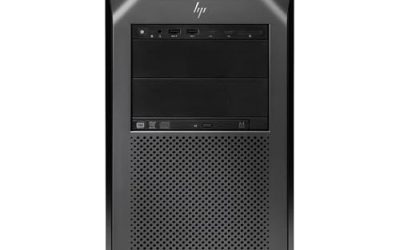
3. HP Z8 G4 Workstation
The HP Z8 G4 is a compact route into dual-processor hosting, built around the Xeon Scalable platform with support for two processors and up to 56 cores in a fully populated system. This configuration includes an Intel Xeon Gold 4214R processor with 12 cores, 32GB of DDR4 memory, and a 512GB SSD, giving a small lab a solid foundation with plenty of room to expand.
The Z8 G4 chassis is engineered for workstation duty, with strong cooling and space for additional memory, storage, and graphics hardware. It is a sensible choice for a first VM host: the single listed processor handles a modest lab comfortably, and the second socket waits for the day the lab outgrows it.
Who it suits: First-time VM hosts and smaller labs that want enterprise hardware with a second socket in reserve for future growth.
Comparison Table
| Product | Key Spec | Best For |
|---|---|---|
| Dell Precision 7920 | Two Xeon Gold 6130 CPUs, 32 cores, 192GB DDR4 ECC | Large labs running many guests at once |
| Lenovo ThinkStation P920 | Xeon Gold 6154, 18 cores, 32GB DDR4 ECC, 500GB NVMe | Serviceable dual-socket platform with upgrade headroom |
| HP Z8 G4 | Xeon Gold 4214R, 12 cores, 32GB DDR4, 512GB SSD | Smaller labs and first dual-socket hosts |
Frequently Asked Questions
How many virtual machines can a dual-processor tower run?
It depends on how each guest is sized. A tower with 32 cores and 192GB of memory can comfortably host a dozen or more light guests, such as domain controllers, test web servers, and Linux utilities, while heavier guests like database servers or build machines need larger individual allocations. Begin with the guests you need today, leave headroom for the host, and add memory before adding guests.
Is ECC memory important for a VM host?
Yes. ECC memory detects and corrects single-bit errors that could otherwise corrupt a running guest or crash the host. Because a VM host runs for weeks at a time with many guests depending on it, ECC is one of the strongest reasons to choose a workstation platform over a consumer desktop.
Can I add a second processor later?
On the towers in this guide, yes, provided the motherboard has the second socket populated with a matching processor and heatsink. The P920 and Z8 G4 are dual-socket platforms, and the 7920 ships with both sockets filled. Adding a second CPU usually also unlocks additional memory slots and PCIe lanes tied to that socket, so confirm the exact configuration before ordering parts.
Should a VM host use Windows or Linux as the hypervisor?
Both work well. Windows 11 Pro supports Hyper-V for straightforward Windows-based labs, while Linux hosts run KVM and other hypervisors with strong performance and flexibility. Choose the platform your guests and management tools fit best, and keep the host OS lean so guests get the resources.
Conclusion
The best dual-processor workstation towers for virtual machines are the ones that give a lab room to grow: two CPU sockets, ECC memory with a high ceiling, fast storage for guest images, and the expansion lanes to add networking and storage as needs change. The Dell Precision 7920 leads for large labs with its 32 cores and 192GB of memory, the Lenovo ThinkStation P920 pairs durability with a clear upgrade path, and the HP Z8 G4 is a strong foundation for smaller labs. Pick the tower that matches the size of the lab you run today, with the headroom for the lab you plan to build next.
Disclosure: As an Amazon Associate, we may earn from qualifying purchases.