The best deals on monitors checked on November 16 include Dell’s $99.99 SE2426HGS for fast 1080p gaming, the $199.99 Alienware AW2725DM for 1440p, and Dell’s $279.99 S2725QS for a sharper work screen. B&H also showed a $449.99 Lenovo OLED for buyers willing to spend more on contrast in dark games.
Best deals on monitors at a glance
Pick the $99.99 Dell SE2426HGS if you want a compact high-refresh screen and your PC is comfortable at 1080p. The Alienware costs $100 more and puts that money toward a larger QHD panel. The Dell S2725QS is the better fit if you spend the day reading text or editing detailed layouts and want 4K.
B&H showed two more distinct upgrades. The 32-inch Samsung G55C increases the physical size of the image for people who sit farther back, while the Lenovo Legion OLED is the premium choice here for gaming contrast. The MSI MAG 245F X24 offers an alternative compact 240 Hz display if the Dell checkout price changes or B&H suits you better.
| Seller and exact model | Observed U.S. price | Seller’s reference | Advertised difference | Best fit |
|---|---|---|---|---|
| Dell SE2426HGS, Dell | $99.99 | $139.99 Estimated Value | $40.00 | Compact Full HD gaming with height adjustment |
| MSI MAG 245F X24, B&H | $109.99 | $119.99 crossed-out price | $10.00 | Compact Full HD gaming, alternate retailer |
| Alienware AW2725DM, Dell | $199.99 | $269.99 Estimated Value | $70.00 | 27-inch QHD gaming over DisplayPort |
| Samsung Odyssey G55C LS32CG552ENXZA, B&H | $249.99 before in-cart offer | $349.99 crossed-out price | $100.00 before in-cart offer | Larger curved QHD screen |
| Dell S2725QS, Dell | $279.99 | $299.99 Estimated Value | $20.00 | 27-inch 4K desktop work |
| Lenovo Legion 27Q-10 OLED 67E1GAC1US, B&H | $449.99 | $629.99 crossed-out price | $180.00 | QHD OLED gaming |
How the deals were checked
These are advertised U.S. offers for new monitors observed on November 16, 2026, before sales tax and shipping. No maximum budget was specified, so the shortlist covers roughly $100 to $450. Availability and order totals can vary by ZIP code. Check the exact model and price in your cart.
Dell uses an Estimated Value benchmark for the offers shown here. The difference is the amount Dell advertises against that benchmark, which draws on third-party offers for the same or comparable products. B&H displays a crossed-out reference and a holiday savings amount. Neither type of reference alone establishes the model’s actual past transaction price or its lowest price over time. An in-cart offer is treated separately until the seller confirms it in the checkout summary.
Models were selected for distinct uses and documented specifications. A deeper advertised discount earns little if the monitor is too large for the desk, requires an adapter you do not own, or makes your computer render more pixels than it can comfortably handle. Two 1080p options are included because they offer a useful cross-retailer comparison and different stands at nearly the same observed price.
Best deals on monitors by setup
Start with the workload you want the monitor to improve. A low-cost screen for a fast 1080p game can be a good purchase even when a more expensive OLED shows much greater advertised savings. The final price and the feature you gain are more informative than ranking all six by the discount column.
Best deals on monitors for compact gaming — Dell SE2426HGS
Dell showed the SE2426HGS at $99.99 against a $139.99 Estimated Value. It combines a 23.8-inch 1920 × 1080 IPS panel, up to 240 Hz, and an included stand with height adjustment. That stand is useful at this price if you want to avoid buying an arm.
The display is a practical match for a desk that only has space for a 24-inch-class screen, or a PC that performs well at Full HD. Dell documents a DisplayPort input and HDMI support for up to 1920 × 1080 at 240 Hz with a compatible source. Check the exact output on your GPU or laptop. If the machine runs games closer to 100 fps, the display can still be usable, but its maximum refresh is less important than the fit and the purchase price.
If an existing 1080p monitor already gives you a good stand and smooth motion, compare the upgrade against keeping it for now. A faster display is easier to justify when your favorite games produce fast frame rates in actual matches. It will give you the same 1080p desktop pixel grid as the screen you are replacing.
Buy if the $99.99 offer is still available and you want high refresh at Full HD. Skip if your priority is more desktop space or fine detail in distant game objects. The 27-inch Alienware provides a larger native canvas.
MSI MAG 245F X24 as a second 240 Hz offer
B&H listed the MSI MAG 245F X24 at $109.99 against a crossed-out $119.99. It uses a flat 23.8-inch Rapid IPS panel with 1920 × 1080 and a 240 Hz maximum. MSI specifies tilt adjustment, so screen height comes from your existing desk layout, a suitable riser, or compatible mounting hardware.
The extra $10 over Dell’s checked offer buys a similar core resolution and refresh target. The Dell is the stronger starting point if it is still cheaper and you need height adjustment. Consider the MSI if your desk already positions it correctly and the seller’s checkout or delivery works better for you. Choose by exact suffix. The 245F model is the flat IPS display cited here, and similarly named products can have different panel types or cabinet shapes.
Once connected, check the selected refresh in your operating system. Compare the manufacturer’s default overdrive setting with neighboring options in a game you know. Very aggressive overdrive can create bright outlines on moving objects even when the screen is running at its maximum refresh. Avoid paying more based on a headline response figure without comparable test evidence.
Buy if you want a compact 240 Hz IPS display and the B&H offer is the better available purchase. Skip if you will have to buy a mount to reach your preferred height or if QHD is the point of the upgrade.
Best deals on monitors for a 1440p upgrade — Alienware AW2725DM
Dell listed the Alienware AW2725DM at $199.99 against a $269.99 Estimated Value. It combines a 27-inch Fast IPS panel with 2560 × 1440 resolution and up to 180 Hz via DisplayPort. Dell documents up to 144 Hz at native resolution over HDMI.
The main reason to spend $100 more than the compact Dell is the improvement in working area and pixel density. At QHD, a browser and a reference pane fit more comfortably than at Full HD. In games you can see finer interface detail, but the GPU has to render about 78 percent more pixels per frame at the same internal settings. Check the games you actually play rather than assuming your existing 1080p frame rate will carry over.
For the 180 Hz target, connect directly to the graphics card with DisplayPort and select the mode in the operating system. For a console, check compatibility with its 120 Hz mode and your games. The monitor’s PC refresh ceiling tells you little about whether a particular console title supports high-refresh output. The included stand offers height, pivot, swivel, and tilt, so you can rotate it for desk tasks if you have enough clearance.
Buy if native QHD and adjustable ergonomics are worth moving up a tier. Skip if your PC makes the most of 1080p or you mainly need highly detailed text. In the latter case, the 4K S2725QS is the more targeted upgrade.
Samsung Odyssey G55C 32-inch for a deeper desk
B&H showed the 32-inch Samsung Odyssey G55C, model LS32CG552ENXZA, at $249.99 against a crossed-out $349.99. It also advertised a separate $50 coupon applied in cart. The comparison uses the displayed $249.99 and leaves the coupon conditional on what your cart shows.
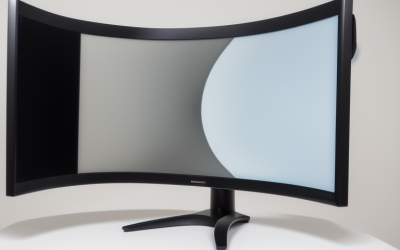
The curved VA display uses 2560 × 1440 and reaches an advertised 165 Hz. Its main advantage over a 27-inch QHD display is a physically larger image at the same pixel count. If you play with a controller and sit farther back, menus and objects can be easier to see. At a close desk distance, the lower pixel density is more evident and fine text may look coarser. A larger diagonal also leaves the same number of rows and columns available to an application at the same scaling.
Check for enough room to position the display behind the keyboard and leave clearance for the curved cabinet. If you mostly play fast games with dark scenery, inspect model-specific motion evidence or judge the display during your return window. A rating of 165 Hz establishes the update ceiling, while visible trailing depends on how the panel handles its transitions.
Buy if you actively want a curved 32-inch screen and can sit comfortably back from it. Skip if you need the sharper text density of 27-inch QHD or prefer a flat display. Confirm the separate cart discount before using it to compare against the Alienware.
Dell S2725QS for sharp 4K desktop work
Dell’s Top Deals listing showed the S2725QS at $279.99 against a $299.99 Estimated Value. It is a 27-inch 3840 × 2160 IPS display with up to 120 Hz and a stand that supports height adjustment, tilt, swivel, and pivot. Its advantage comes from resolution and ergonomics more than the size of the advertised discount.
Choose this deal when your workflow benefits from fine text or detailed images. At 150 percent scaling in Windows, a 4K screen offers roughly the logical workspace of QHD while giving scaling-aware software more physical pixels for drawing letters. Try your commonly used applications and decide how much information you can read comfortably. If you can use lower scaling, you may gain more room for a spreadsheet or reference pane as well.
Dell lists 4K at up to 120 Hz on compatible DisplayPort and HDMI connections. If a dock limits the signal to 60 Hz, you still keep the full native resolution. Check whether the slower motion is acceptable before spending more to replace a dock or adapter. This model suits a desktop or a laptop with an existing video connection and power supply. If a single cable for video and charging is essential, factor in the cost of a different monitor or the extra laptop equipment.
Buy if your main work needs a sharper 27-inch screen and the $279.99 offer is available. Skip if you need integrated USB-C laptop docking or a higher refresh ceiling for competitive games.
Lenovo Legion 27Q-10 OLED for a premium gaming discount
B&H showed the Lenovo Legion 27Q-10 OLED, model 67E1GAC1US, at $449.99 against $629.99. The 26.5-inch panel provides 2560 × 1440 at 240 Hz. The OLED version is the model to check because the Legion 27Q-10 name also appears on an IPS display.
The most meaningful reason to pay for OLED is its per-pixel light control. A dark scene can show black areas beside lit interface elements without depending on broad backlight zones. That distinction matters more if you play games and watch content in a dim room. The 240 Hz ceiling is also useful for high-frame-rate play if your PC has enough performance at QHD. At the same diagonal class as the Alienware, this upgrade changes the panel technology and motion ceiling while keeping the same native desktop pixel count.
For a workstation that shows fixed toolbars or a static dashboard most of the day, weigh OLED wear and possible text-rendering differences against the gaming benefit. Review the exact regional warranty and panel-care instructions before buying if those factors matter to you. A lower-priced IPS model can be the better fit for static office work and frequent window switching.
Buy if OLED contrast is the feature you want and the exact model still checks out at $449.99. Skip if a QHD IPS monitor already meets your gaming needs or if you primarily need more space for documents.
How to check the deal before paying
Check the final price for the exact SKU before comparing offers across retailers. A product card can carry a price that changes when you select a different size, choose shipping instead of pickup, or open a separate offer with a similar model name.
Match the offer to the exact monitor
Read the model code, panel type, resolution, and condition together. Confirm that the item still shows as new and that the stand is included. For the Lenovo, match the OLED listing and 67E1GAC1US. For the Samsung, verify that the 32-inch model is selected. Do the same with marketplace listings where one product page may host multiple sellers.
Compare the price to another reputable seller or a record of the same model’s past prices if the discount size matters to your decision. Seller reference prices use different methods. At checkout, verify any in-cart promotion independently of the advertised reference. Include tax, shipping, and essential accessories in the final budget.
Confirm that the new mode works with your hardware
Look up the exact GPU or laptop output and any dock in the signal path. A cable labeled for a particular connector may still leave your setup limited by the host, adapter, or monitor mode. For the Alienware, DisplayPort is the documented route to 180 Hz at native QHD. For the Dell 4K model, make sure the selected connection can deliver the intended 4K refresh.
After purchase, put the display at its native resolution and verify the refresh in the operating system. Open a familiar game or application and check the difference in normal use. Test sleep and wake with your usual peripherals attached. These checks are easier while the seller’s return period is active.
Frequently asked questions
Is the biggest advertised discount usually the best deal?
The largest difference from a reference price can still leave you paying for features you rarely use. Compare the actual price against another option that solves your problem. Here, buying the OLED makes sense for gaming contrast, while the far cheaper Full HD Dell is enough for a compact high-refresh setup.
Should I buy now or wait for another sale?
Buy when the exact model, delivered price, and return terms work for you. The observed offers do not establish a future price floor. If you already have a suitable screen and the upgrade is marginal, waiting is reasonable. If you need a monitor now, give more weight to confirmed availability and a price within your cap.
Conclusion
Start with the $99.99 Dell SE2426HGS for compact Full HD gaming, the $199.99 Alienware AW2725DM for QHD, or the $279.99 Dell S2725QS for 4K work. Choose the Samsung when you need a larger curved image and the Lenovo when you will use OLED contrast. Recheck the exact offer at checkout, especially when a coupon or separate catalog price affects the total.