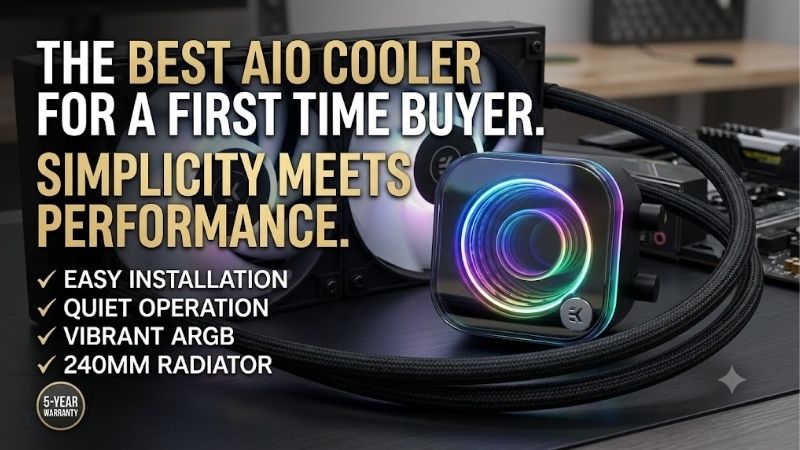
Best aio cooler for a first time buyer should simplify installation, yet matching radiator labels can conceal incompatible dimensions or mounting hardware. Thicker assemblies, lighting connections, and software requirements create additional decisions. Choose a sealed cooler suited to your motherboard and case, following its installation manual.
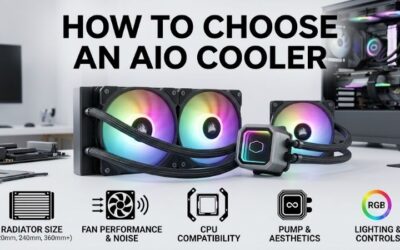
How to Choose an AIO Cooler
Choosing the best aio cooler for a first time buyer requires checking clearance, socket support, control connections, and ownership costs. This guide compares four 240mm models, explaining practical differences without assuming every processor requires liquid cooling. Recommendations prioritize manageable installation alongside meaningful features.
Radiator Dimensions and Case Clearance
Radiator labels describe fan class rather than assembly dimensions. A 240mm cooler generally uses two 120mm fans, but end tanks increase length and fans add thickness. Examine supported mounting locations and measure clearance around motherboard heatsinks, memory modules, and graphics hardware before purchasing a supposedly compatible unit.
Cooler Master MasterLiquid 240L Core ARGB uses a 27.2mm radiator; ARCTIC Liquid Freezer III 240 has a thicker 38mm radiator. Both need additional fan clearance. Choose the Cooler Master model for restricted spaces, or the ARCTIC unit when the assembly fits comfortably without obstructing motherboard components or installed memory.
Socket Support and Mounting Complexity
The best aio cooler for a first time buyer includes mounting hardware for your exact socket. Brand compatibility cannot confirm fit: modern Intel brackets do not automatically support older boards. Examine socket specifications and included accessories, especially with discounted inventory or open-box listings where mounting pieces may be missing.
Mounting complexity varies between models. ARCTIC’s supported Intel installation replaces the socket’s stock retention mechanism with a supplied contact frame, adding a delicate procedure. Choose Corsair NAUTILUS 240 RS for supported AM4, AM5, LGA1700, or LGA1851 platforms when conventional brackets better match your installation confidence.
Wiring, Fan Control, and Software
Pump power, fan control, lighting, and display connections perform separate jobs. Identify every required connector before installation and confirm the motherboard has suitable headers. PWM fan control varies speed with temperature, while pump configuration should follow the cooler’s instructions rather than a generic case-fan preset.
Simpler wiring reduces troubleshooting, although display functionality may justify configuration. Corsair NAUTILUS 240 RS connects directly to motherboard controls without a separate controller. Choose it for straightforward connections, or NZXT Kraken Plus 240 when CAM-controlled customization warrants incorporating software into your setup.
Cooling Needs and Ownership Value
Evaluate the processor’s sustained workload instead of treating advertised cooler wattage as a universal performance guarantee. Long rendering sessions create different demands from intermittent gaming. Compare tests using similar CPU power and noise conditions; radiator thickness alone cannot establish which model keeps your processor coolest.
For the best aio cooler for a first time buyer, warranty coverage matters alongside purchase price. Pumps add potential failure points, while LCD customization cannot increase radiator surface area. Choose Cooler Master MasterLiquid 240L Core ARGB when its delivered price offers convincing value without paying for unnecessary display features.
Top Picks
These recommendations approach the best aio cooler for a first time buyer through distinct priorities. Best Overall favors uncomplicated controls; Best Value depends on pricing. Specialist alternatives offer a thicker radiator or customizable display. All four require verified clearance and socket compatibility despite sharing the 240mm category.
| Product | Best For | Key Spec | Watch Out For |
|---|---|---|---|
| Corsair NAUTILUS 240 RS | Best Overall | 240mm; two RS120 fans; motherboard control | No support listed for older LGA1200/115X sockets |
| Cooler Master MasterLiquid 240L Core ARGB | Best Value | 277 x 119.6 x 27.2mm radiator; two 120mm ARGB fans | Three-year warranty; additional lighting wiring |
| ARCTIC Liquid Freezer III 240 | Roomy cases | 38mm radiator; integrated VRM fan | Thick assembly; Intel contact-frame installation |
| NZXT Kraken Plus 240 | LCD customization | 1.54-inch LCD; 281 x 120 x 27mm radiator | CAM setup; display does not increase cooling area |
Corsair NAUTILUS 240 RS: Best Overall
Corsair NAUTILUS 240 RS suits buyers prioritizing straightforward controls over decorative features. Its 240mm radiator includes two RS120 fans rated up to 2,100 RPM, with motherboard-based connections. Pre-applied thermal paste reduces preparation, while daisy-chained fan wiring avoids introducing a proprietary controller into your first build.
Socket coverage is its limitation: listed compatibility includes AM4, AM5, LGA1700, and LGA1851, excluding older Intel LGA1200 and 115X platforms. Buyers wanting visual customization lose an LCD option. Choose it for supported hardware when convenient configuration outweighs decoration; Corsair lists a five-year warranty for this model.
Cooler Master MasterLiquid 240L Core ARGB: Best Value
Cooler Master MasterLiquid 240L Core ARGB targets price-conscious buyers wanting lighting and broad listed socket coverage. Its radiator measures 277 x 119.6 x 27.2mm, accompanied by two 120mm PWM fans operating between 650 and 1,750 RPM. The thinner radiator offers clearance where thicker assemblies could obstruct memory or motherboard heatsinks.
Its three-year warranty is shorter than Corsair’s five-year coverage, and lighting adds connections to organize. The value designation remains conditional on checkout pricing rather than guaranteed savings. Choose it when compatible mounting hardware is included and a discount compensates for reduced coverage relative to alternative models.
ARCTIC Liquid Freezer III 240: Best for Roomy Cases
ARCTIC Liquid Freezer III 240 targets cases accommodating a 277 x 120 x 38mm radiator plus fans. Its integrated VRM fan supplies airflow around the processor socket, while included cables support combined or separate control. These additions suit a ventilated build with verified clearance and buyers comfortable following instructions.
The thicker assembly can obstruct memory or motherboard heatsinks, while supported Intel installation requires its contact frame. These complications matter despite integrated cable routing. If the best aio cooler for a first time buyer means avoiding unfamiliar socket procedures, select another compatible model rather than forcing installation.
NZXT Kraken Plus 240: Best for LCD Customization
NZXT Kraken Plus 240 suits buyers interested in display customization. Its 1.54-inch LCD provides 240 x 240 resolution above a pump connected to a 281 x 120 x 27mm radiator. Two non-RGB F120P fans provide airflow, while NZXT CAM supports temperatures, images, and animations without requiring purchase of the separate RGB version.
The drawback is software configuration for customization that cannot increase radiator area or guarantee lower temperatures. Evaluate the display according to aesthetic priorities rather than presumed thermal advantages. Choose it when CAM integration appeals, compatible connections are available, and its listed six-year warranty matters.
Frequently Asked Questions
Questions about the best aio cooler for a first time buyer usually address necessity, orientation, maintenance, and lifespan. These answers explain practical ownership differences between sealed liquid cooling and conventional heatsinks. Before installing any model, shut down the computer, disconnect power, and use the specified mounting hardware.
Do You Need an AIO for Your First Gaming PC?
No, an AIO is not required for every first gaming PC. A compatible air cooler can handle many processors, depending on power settings, case airflow, and acceptable noise. Liquid cooling becomes attractive when you want its appearance, need radiator placement flexibility, or have workload demands that justify the additional equipment.
Lower-power gaming processors may gain little from replacing capable air cooling with a 240mm AIO. Sustained high-power workloads can warrant larger radiators, making this shortlist inappropriate without examining tests. Allocate your budget according to measured thermal demands rather than assuming liquid cooling universally improves performance.
Should You Mount the Radiator at the Top or Front?
Top mounting is a sensible default when clearance permits, but a front mount can also work. For these pump-on-CPU designs, keep the pump below the radiator’s highest point so air collects away from the pump. A front installation with tubes at the bottom is preferable when tube length and case geometry allow that arrangement.
Top exhaust directs radiator heat outside, whereas front intake supplies cooler outside air but releases radiator heat internally. Both arrangements involve processor and graphics temperature trade-offs. Verify tubing reaches without straining fittings, and avoid bottom placement that positions the pump above the entire radiator assembly.
Do You Have to Refill an AIO Cooler?
No, these sealed coolers require no routine refilling. Factory-filled AIO loops differ from custom systems designed for draining and servicing. Opening a sealed assembly risks damage and warranty complications. Routine maintenance concentrates on removing dust from radiator fins and fans, keeping the computer disconnected throughout cleaning.
For the best aio cooler for a first time buyer, maintenance should remain straightforward. Investigate persistent pump noise, visible moisture, or unexplained temperature increases rather than changing coolant. If leakage appears, discontinue operation and contact support; continuing to run the computer risks additional component damage.
How Long Should an AIO Cooler Last?
There is no guaranteed lifespan for every AIO because pump wear, coolant permeation, operating conditions, and manufacturing variation differ. Warranty length provides a support period, not a predicted failure date. A unit can remain functional beyond coverage, while unusual noise or rising temperatures can indicate trouble much earlier.
Retain purchase records and check whether warranty service requires original ownership or an authorized retailer. Used units can have uncertain history, missing brackets, and restricted transferable coverage. After a processor upgrade, reassess cooling requirements before blaming temperatures on age; workload changes may explain the difference.
Final Thoughts
The best aio cooler for a first time buyer matches clearance, socket, and installation preferences. Choose NAUTILUS 240 RS for simple controls, MasterLiquid 240L Core ARGB for affordable lighting, Liquid Freezer III 240 for verified roomy cases, or Kraken Plus 240 for LCD customization. Confirm included mounting hardware before ordering.