Seated VR asks different things from a headset than room-scale gaming. You are not ducking, lunging, or turning in a full circle. You are in a chair, often a recliner, an office chair, or an airline-style seat at home, watching a film on a huge virtual screen, working at a virtual desk, playing a seated game with a controller in your lap, or joining a calm seated experience. In that position, the winning features are front-light comfort, a clear image without constant repositioning, easy use with glasses, and controls that make sense when your hands rest in front of you rather than swinging at your sides.
Pancake lenses suit seated use well: the thinner optical stack lets the front sit closer and lighter, reducing forward pull during a long film, and clarity stays consistent so desktop text, subtitles, and menus stay readable without nudging the headset. This list is intentionally short — every pick is a true standalone headset with maker-confirmed pancake optics in a verifiable Amazon US listing; Fresnel models and pancake models without a clear US listing were excluded. Three headsets meet the brief, differing mainly in fit style and session length.
Disclosure: As an Amazon Associate, we earn from qualifying purchases made through links in this article.
Quick Picks
- Best for most seated users: Meta Quest 3 — clear pancake image for text and film, strong standalone apps, and a wide choice of comfort straps.
- Best for long, balanced sessions: Meta Quest Pro — a counterbalanced design that rests lightly on the forehead, with an open view of your real lap and keyboard.
- Best for reclining and travel seats: HTC VIVE XR Elite — the slimmest front profile here, with a convertible form that adapts to tight seating.
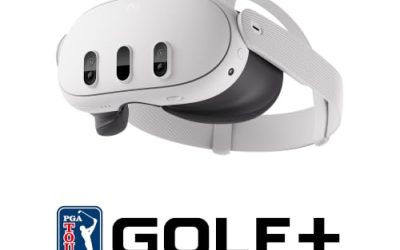
Meta Quest 3

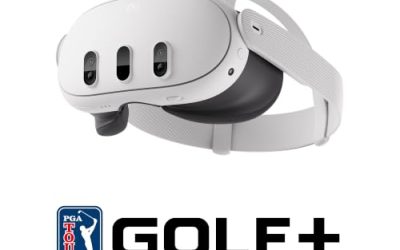
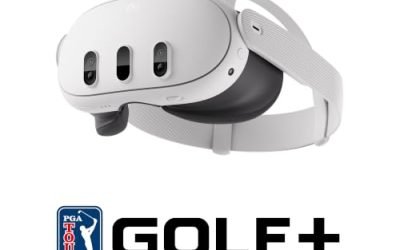
For a seated film night, a virtual desk, or a controller-based game from the sofa, the Quest 3 is the most complete package. Its pancake lenses make subtitles, browser text, and desktop windows legible across the virtual screen, and the Snapdragon XR2 Gen 2 keeps standalone media and productivity apps responsive. Passthrough is genuinely useful seated: a double tap lets you check a drink, a keyboard, or a pet without removing the headset and losing your place.
Comfort needs one plan: the soft strap suits short sessions, but film-length or work sessions usually call for a rigid or halo-style strap that spreads weight instead of pulling the visor into the cheeks. Add that and a stationary boundary, and the Quest 3 becomes a personal cinema that needs no PC or dedicated space.
Specs
- Type: Standalone VR and mixed reality headset, no PC required
- Processor: Qualcomm Snapdragon XR2 Gen 2
- Optics: Pancake lenses, full-color passthrough
- Storage: 512 GB on this listing
- Tracking: Inside-out 6DoF, Touch Plus controllers, hand tracking
- ASIN: B0CD1JTBSC
- Amazon: https://www.amazon.com/dp/B0CD1JTBSC
Pros:
– Pancake clarity keeps film subtitles and desktop text readable edge to edge
– Strongest standalone media and productivity app selection in this group
– Large accessory market makes it easy to upgrade seated comfort
Cons:
– Stock strap is the weak point for long seated sessions
– Battery life means a full film plus browsing may need a charge break or battery strap
– Front weight is noticeable in a reclined position without a balanced strap
Meta Quest Pro
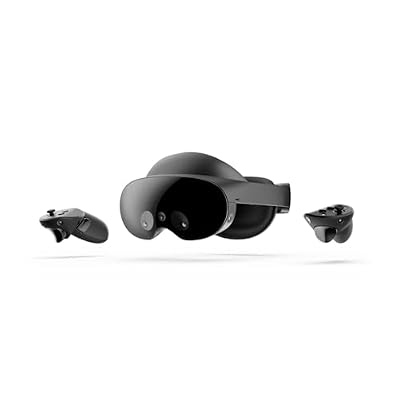
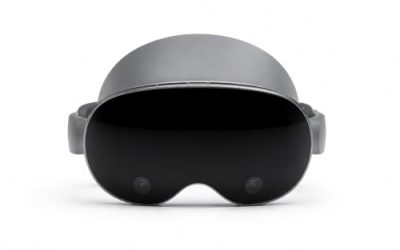
The Quest Pro takes a different approach to seated comfort. Instead of clamping a visor to your face, it balances on a padded forehead rest with a rear battery counterweight, so there is little pressure on the cheeks and nothing pressing around the eyes. For seated work, that open design has a second advantage: you can glance down at a real keyboard, notebook, or controller in your lap through the open lower periphery, then return your attention to the virtual screen. Users who dislike the enclosed feeling of a sealed headset often prefer this arrangement immediately.
Its pancake lenses and eye tracking also suit seated productivity. The cautions: it is an older platform discontinued from production, its processor trails the Quest 3, and the open sides leak light in bright rooms. Buy it for the balanced fit, and check the listing seller and condition carefully.
Specs
- Type: Standalone VR and mixed reality headset, no PC required
- Processor: Qualcomm Snapdragon XR2 Plus
- Optics: Pancake lenses, full-color passthrough
- Storage: 256 GB
- Tracking: Inside-out 6DoF, eye tracking, face tracking, hand tracking
- ASIN: B09Z7KGTVW
- Amazon: https://www.amazon.com/dp/B09Z7KGTVW
Pros:
– Counterbalanced forehead design avoids cheek and eye pressure during long sits
– Open periphery lets you see a real keyboard, notes, or controller in your lap
– Pancake clarity and eye tracking suit virtual desk and reading use
Cons:
– Open design admits room light, which can wash out films in bright spaces
– Older processor and a platform discontinued from production
– Charging dock and light blocker accessories add to the seated setup
HTC VIVE XR Elite

The XR Elite is the seated pick for tight spaces and travel-minded users. Its pancake visor is the slimmest here, and the headset can be used with its battery cradle as a conventional strap or converted to a glasses-style form powered from a suitable USB power source, which works surprisingly well in a recliner, a train seat at home setups aside, or a compact desk chair where a large rear battery housing would knock against a high headrest. That last point is easy to overlook: seated comfort often fails at the back of the head, not the front, and a convertible design gives you options other headsets do not.
Diopter dials are another seated-friendly detail, letting some glasses wearers skip frames inside the headset, though fit varies by prescription. Its library is smaller than Meta’s and its XR2 is older, but for a light headset that disappears during a film, it remains distinctive.
Specs
- Type: Standalone VR and mixed reality headset, convertible form factor
- Processor: Qualcomm Snapdragon XR2
- Optics: Pancake lenses with adjustable diopter dials, full-color passthrough
- Storage: 128 GB on the original listing configuration
- Tracking: Inside-out 6DoF with four tracking cameras, hand tracking
- ASIN: B0D6D5Q5M2
- Amazon: https://www.amazon.com/dp/B0D6D5Q5M2
Pros:
– Slimmest front profile and a convertible form that avoids headrest clashes
– Diopter dials can reduce the need to wear glasses inside the headset
– Light feel suits reclined film watching and compact seating
Cons:
– Smaller standalone media and app library than the Quest platform
– Older processor shows its age in demanding standalone apps
– Glasses-style mode depends on an external power source
How to Choose
For seated VR, fit beats specifications: think about forehead and cheek pressure, the back of the head against a headrest, and glasses clearance. A balanced fit such as the Quest Pro’s, or a Quest 3 with an upgraded strap, matters more than a small resolution difference, and a tall headrest can make the XR Elite’s slim rear profile decisive. Next, check your content: confirm your main media or work app exists on the headset’s standalone store, because catalogs differ more than hardware. Finally, plan power — a film or long work block can outlast the internal battery, so a battery strap or a charging habit between sessions keeps VR from ending mid-scene.
FAQs
Is pancake noticeably better than Fresnel for watching films seated?
Yes, mainly for consistency. Subtitles and screen edges stay clearer with pancake lenses, and the thinner optics allow a slimmer, lighter front, which you feel during a long seated session.
Can I use these headsets with glasses?
The Quest 3 accommodates many frames and offers prescription lens inserts from third parties. The XR Elite adds diopter dials that help some wearers go without glasses. Fit is personal, so check your frame width and prescription range.
Do I need a guardian or play area for seated VR?
Use a stationary or seated boundary mode. It protects you if you lean or reach, and it stops the headset from asking you to redraw a room-scale area every time you sit down.
Which headset is best for working at a virtual desk?
The Quest 3 for app choice and processing headroom, or the Quest Pro if its open, balanced fit and view of a real keyboard matter more to you than the newest processor.
Conclusion
Seated VR rewards comfort and clarity over athletic features. The Meta Quest 3 is the best starting point for most chairs, with the widest app choice and an easy strap upgrade path. The Meta Quest Pro offers a genuinely different, forehead-balanced fit for long desk sessions, and the HTC VIVE XR Elite is the slim, convertible option for recliners, compact chairs, and travel-minded setups. Match the fit to your chair and your session length, and pancake optics will do the rest.