A standalone VR headset that streams PC VR gives you two devices in one. On its own it runs games and apps without a computer, and when you want the full power of your desktop, it connects wirelessly or over a cable and becomes a high-resolution PC VR display. The best high-resolution standalone vr headsets for pc vr streaming combine sharp per-eye resolution with a stable wireless connection, so the image stays clear and the motion stays smooth while you move freely around a room.
Resolution is the deciding factor here. Streaming PC VR to a low-resolution headset wastes the power of your graphics card, because the display cannot show the detail your PC is rendering. The headsets below list resolutions from 1920 by 1920 to 2160 by 2160 pixels per eye, which keeps text readable, distant objects defined and cockpit instruments legible. Each one also brings a different strength: the largest game library, the lightest convertible design, or the most comfortable balanced fit for long sessions.
How to Choose the Best High-Resolution Standalone VR Headsets for PC VR Streaming
Start with resolution per eye, since it decides how much of your PC’s detail you can actually see. Look for at least 1920 by 1920 pixels per eye, and favour higher figures if you play simulators or read a lot of in-game text. Pancake lenses are worth looking for too, because they keep the image sharp across more of the lens than older fresnel designs and allow a slimmer headset.
Next, check how the headset connects to your PC. Wireless streaming over Wi-Fi gives you freedom from cables and lets you use your full play space, but it depends on a strong router, with a dedicated Wi-Fi 6 or Wi-Fi 6E network in the same room as your play space. A wired USB-C link gives you a more stable connection with less compression, and some headsets also support DisplayPort mode for an uncompressed wired image. Decide which connection style fits your room before you buy, and confirm your router can handle the load if you plan to stream wirelessly.
The standalone side matters as well. A headset with a large library of native games and apps is useful when you want a quick session without turning on the PC, and a fast mobile processor keeps those apps running smoothly. Storage is part of this decision: 512GB holds a large library of standalone games, while 128GB fills up faster and suits players who mainly stream from a PC and keep only a few standalone titles installed.
Comfort and tracking round out the checklist. Streaming sessions can run long, so a balanced headset with a good strap and a sensible weight distribution reduces neck strain. Inside-out tracking with onboard cameras is the standard now, so you should not need base stations. Check the battery life too: around two hours of standalone use is typical, and a link cable or a spare battery pack extends a streaming session.
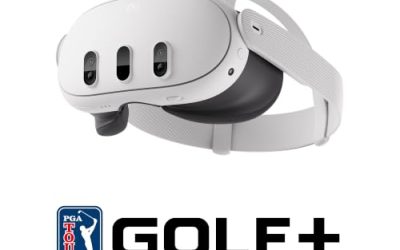
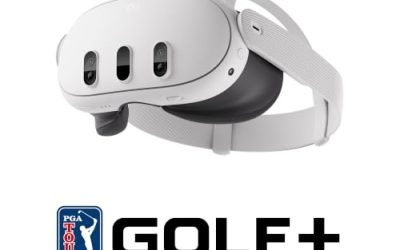
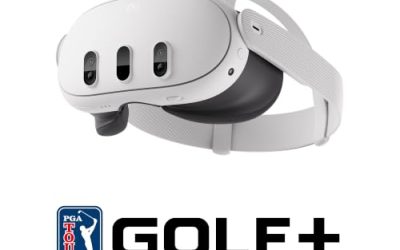
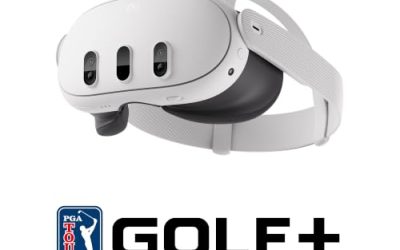
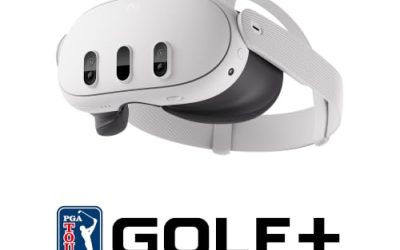
Meta Quest 3 512GB

The Meta Quest 3 is the most complete standalone headset for PC VR streaming, and the 512GB model is the version to buy if you want room for a large library. Its displays deliver 2064 by 2208 pixels per eye through pancake lenses, with a 110-degree field of view that keeps the image wide and immersive. The Snapdragon XR2 Gen 2 processor powers standalone games smoothly, and 512GB of storage holds a deep collection of titles without constant uninstalling.
For PC VR streaming, the Quest 3 connects through Air Link over Wi-Fi or a Quest Link cable over USB-C, and both routes work well when your network is set up properly. A dedicated Wi-Fi 6 router in the same room gives you the most stable wireless image, while the cable gives you a consistent connection for demanding games. The large standalone library is a bonus for sessions when you do not want to start the PC.
The Quest 3 suits players who want the biggest library, the most mature streaming software and the widest choice of accessories. It is the natural starting point for PC VR streaming, and the best fit if you want one headset that handles standalone play and PC streaming equally well.
HTC Vive XR Elite
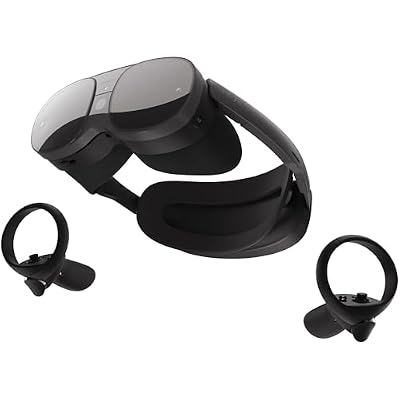
The HTC Vive XR Elite is the lightest and most convertible headset in this guide. Its displays deliver 1920 by 1920 pixels per eye, and the headset is designed to convert between a full head strap and a glasses-style visor, which makes it easy to share between players and to store in a small bag. The removable rear battery pack also means you can swap in a fresh battery and keep a long session going.
For PC VR streaming, the Vive XR Elite connects wirelessly through Vive Streaming or over a wired USB-C connection, and it supports a DisplayPort mode for a high-quality wired image when you want the cleanest possible picture. The base-station-free inside-out tracking keeps setup simple: put the headset on and your play space is ready. The glasses mode suits quick checks and short sessions, since it removes the strap entirely and leaves a compact visor.
The Vive XR Elite suits players who travel with their headset or share it between family members, and who want a wired DisplayPort option alongside wireless streaming. It is the best fit if portability and a clean wired image matter as much as standalone play.
PICO 4 Ultra

The PICO 4 Ultra is the comfort pick in this guide, thanks to a rear-balanced design that places the battery at the back of the strap. Its displays deliver 2160 by 2160 pixels per eye through pancake lenses, the highest resolution per eye here, with a 105-degree field of view and full-colour passthrough for mixed reality. The Snapdragon XR2 Gen 2 processor and 12GB of memory keep standalone apps running smoothly, and 256GB of storage holds a solid rotation of titles.
For PC VR streaming, the PICO 4 Ultra connects wirelessly to a PC and streams SteamVR content over your home network, with USB-C available for a wired connection. The rear-balanced fit spreads the weight evenly across your head, which reduces the front-heavy pressure that causes fatigue in long sessions. Colour passthrough lets you see your room without removing the headset.
The PICO 4 Ultra suits players who spend long sessions in PC VR and want the most comfortable fit and the sharpest display in this group. One point to weigh before buying: PICO has thinner retail and support coverage in the United States than Meta or HTC, so check the warranty and support terms for your region. If comfort and resolution are your priorities and you are comfortable with that trade-off, it is a strong choice.
Comparison Table
| Product | Key Spec | Best For |
|---|---|---|
| Meta Quest 3 512GB | 2064×2208 per eye, 110-degree field of view, Snapdragon XR2 Gen 2, Air Link and Quest Link | Largest library and most mature PC VR streaming |
| HTC Vive XR Elite | 1920×1920 per eye, convertible glasses mode, swappable battery, DisplayPort mode | Portable use and a clean wired PC VR image |
| PICO 4 Ultra | 2160×2160 per eye, 105-degree field of view, rear-balanced design, colour passthrough | Long sessions and the sharpest display here |
Frequently Asked Questions
Is wireless PC VR streaming as good as a wired connection?
Wireless streaming is very capable when your network is set up well, and it gives you freedom to move around the whole play space. A wired connection is still more stable and has less compression, so competitive players and simulator fans often prefer a cable or a DisplayPort connection. A dedicated router in the same room makes the biggest difference to wireless quality.
How much storage do I need on a standalone VR headset?
It depends on how many standalone games you keep installed. If you mainly stream PC VR and only keep a few standalone titles, 128GB is workable. If you want a large standalone library ready to play without the PC, 256GB or 512GB is the safer choice, since modern VR games are large.
Can I use a standalone headset for PC VR if my PC is in another room?
Yes, as long as your PC and headset share a strong network connection. The PC runs the game and sends the image to the headset over Wi-Fi, so the two devices do not need to be in the same room. A wired connection to the router for the PC and a dedicated wireless network for the headset give you the most stable result.
Do I need base stations for PC VR streaming with a standalone headset?
No. The headsets in this guide use inside-out tracking with onboard cameras, so they follow your movement without external sensors. Base stations are only needed for older PC-tethered headsets that rely on external tracking hardware.
Conclusion
The best high-resolution standalone vr headsets for pc vr streaming give you a sharp display, a stable connection to your PC and a headset you can wear comfortably for a full session. The Meta Quest 3 512GB is the strongest all-rounder, with the largest library, the most mature streaming software and the most room for standalone games. The HTC Vive XR Elite is the most portable choice, with a convertible design, a swappable battery and a DisplayPort mode for the cleanest wired image. The PICO 4 Ultra leads on comfort and resolution, with a rear-balanced fit and the sharpest per-eye display in this group.
Choose based on how you play. If you want the biggest library and the simplest streaming setup, start with the Quest 3. If you travel with your headset or want a wired DisplayPort image, the Vive XR Elite is the natural fit. If long sessions and display sharpness matter most, the PICO 4 Ultra is the one to take. Whichever you choose, set up a dedicated wireless network in your play room and keep your graphics drivers current.
Disclosure: As an Amazon Associate, we may earn from qualifying purchases.