Thermal Grizzly Kryonaut is the better paste on paper and in most reviewer charts, but the margin over Arctic MX-4 or MX-6 is small, and HY610 is rated well below both. If you want the lowest temperatures and do not mind paying more per gram, choose Kryonaut. If you want a safe, easy, long-lasting paste for a normal build, Arctic MX-4 or MX-6 is enough. HY610 is a fallback for low-heat parts and the spare-parts drawer, not for a high-end CPU or GPU.
Quick Comparison
| Paste | Maker-listed or widely quoted conductivity | Electrically conductive? | Consistency | Best for |
|---|---|---|---|---|
| Thermal Grizzly Kryonaut | 12.5 W/mK is widely quoted on retailer pages; the maker has said it stopped publishing general W/mK ratings after 2020 | No, retailer specs list it as non-conductive and non-capacitive | Retailers list a viscosity of 130 to 170 Pas, a soft grey paste | Hot, high-power CPUs and GPUs, enthusiast builds |
| Arctic MX-4 | Arctic does not communicate a conductivity value; some outlets have quoted 8.5 W/mK | No, the maker calls it metal-free and non-conductive | Maker lists 31,600 poise, easy to spread | General CPU builds, first-time builders |
| Arctic MX-6 | Arctic does not publish a conductivity value; it claims lower thermal resistance than MX-4 | No, the maker states it is neither conductive nor capacitive | Maker lists 45,000 poise, thick, not meant to be spread with a spatula | Direct-die parts, GPUs, consoles |
| Halnziye HY610 | Listed above 3.05 W/mK by the maker and retailers | No, listed as non-conductive | Gold-coloured compound sold in syringes, tubes and jars | Low-power chips, chipsets, cheap spares |
Conductivity figures are not comparable across brands. Makers use different test methods, and two of the three brands here either decline to publish a number or have stopped doing so. Treat the numbers as a rough ranking, not a prediction of degrees Celsius.
Which Is Better: Kryonaut or HY610?
Kryonaut is better. Retailer listings put Kryonaut at 12.5 W/mK, while Halnziye lists HY610 as above 3.05 W/mK, a gap of roughly four times on paper. Halnziye describes HY610 as a mix of silicone, carbon and metal oxide compounds, a conventional budget formulation. Kryonaut is marketed as a high-end carbon-based compound.
A search for independent reviews comparing the two head to head found none from major outlets, so a precise temperature gap between Kryonaut and HY610 is not something sources support. What can be said is that the listed difference is large, and that HY610 specifications vary between listings. One listing gives an operating range of -30 to 240 degrees Celsius, while Halnziye’s own page for the 100 g tube lists -20 to 180 degrees Celsius. When a spec differs between listings of the same product, rely on the maker’s own page and the packaging.
HY610 is sold in many sizes from tiny syringes to large tubes, and it is often sold by small sellers. Buying branded, sealed packaging from a reputable seller reduces the chance of getting an unknown substitute.
Kryonaut vs Arctic MX-4 and MX-6
The gap here is small. A reviewer comparison summarised by Sunbeam suggests that at stock clock speeds the gain of a premium paste over a budget paste is around one to three degrees Celsius. A Ryzen 7 7700 test reported by Tech4Gamers, as cited in a roundup, showed 59.9 degrees with Kryonaut against 60.5 degrees with MX-4 at maximum stress, a difference of about 0.6 degrees. A ten-paste comparison from OCinside placed MX-4 within about one degree of the leading group, which included Kryonaut Extreme.
OCinside also compared Arctic’s own pastes. It found MX-6 ahead of MX-4 by a few tenths of a degree, under 0.5 degrees Celsius, and concluded that MX-6 added no practical value for most users. Arctic itself claims up to 20 percent better performance for MX-6 than for MX-4, which is a statement about the paste layer rather than about full system temperatures.
Real results vary by cooler, mounting pressure, case airflow and the chip. A chip that runs hot, such as an overclocked high-end processor, benefits more from small gains than a mid-range CPU that already sits well below its limit.
Properties That Matter Beyond the Numbers
Electrical conductivity and safety
All three pastes covered here are listed as non-conductive. Arctic gives volume resistivity figures, 3.8 x 10¹³ ohm-cm for MX-4 and 1.8 x 10¹² ohm-cm for MX-6, and states that MX-4 is metal-free. Kryonaut is listed by retailers as non-conductive and non-capacitive, and Halnziye lists HY610 as non-conductive. A small smear onto the socket area or onto nearby capacitors is therefore not expected to cause a short circuit, though you should still wipe off any spill, because paste on socket pins or contacts can interfere with seating.
Liquid metal is a different category. It is electrically conductive and is not covered here. Thermal Grizzly also sells conductive products, such as the KryoSheet graphene pad, which the maker marks as electrically conductive and warns users to keep away from sensitive components. Do not confuse these with Kryonaut paste. Liquid metal also reacts with aluminium, so follow the maker’s compatibility notes and avoid it unless you are experienced.
Burn-in, curing and spreading
Arctic states that MX-6 reaches its maximum performance immediately and needs no break-in period. The MX-4 page gives no burn-in figure. Some reviewers describe a settling period of a few days with certain pastes, but that is a common report, not a guaranteed behaviour, and no cure time was found on the Thermal Grizzly pages for Kryonaut.
MX-6 is thick. Arctic states it cannot be spread with a spatula and relies on cooler contact pressure, so use a single dot or small line and mount the cooler squarely. MX-4 is softer and Arctic describes it as easy for beginners. Kryonaut is usually applied as a pea-sized dot.
Longevity
Arctic describes MX-4 as non-drying and non-bleeding and sells it in resealable packaging. Over several years, any paste can dry or pump out, especially on GPUs that cycle between hot and cool. Reviewers often suggest replacing paste every few years on a GPU or whenever you remove a cooler, though there is no universal interval.
Application Tips for Any Paste
- Power down, unplug the PC and let the cooler cool before removing it.
- Clean old paste from the heat spreader and cooler base with isopropyl alcohol and a lint-free cloth. Let it dry.
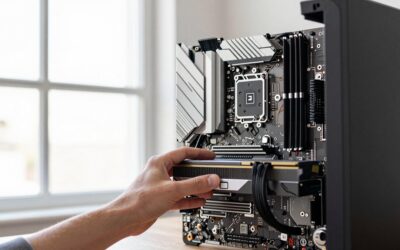
- Apply a small amount. For a typical desktop CPU heat spreader, a pea-sized dot in the centre is the most common method. Large chips need more coverage, and the cooler maker’s instructions override general advice.
- Lower the cooler straight down without twisting, then tighten the screws in a cross pattern in small steps so pressure is even.
- Follow the cooler’s manual if it ships with pre-applied paste. You can use that unless you want to try another compound.
Application quality and the age of the paste being replaced often matter more than the brand. A cooler mounted unevenly with Kryonaut can run hotter than one mounted well with MX-4.
Ryzen and Intel Notes
Both platforms use the same general method. The heat spreader sits under the cooler, so any of these pastes works. Ryzen 9000 X3D parts and Intel Core Ultra 200S chips can run warm under all-core loads, so a small paste gain can help, but a good cooler and case airflow change temperatures far more. On AM5 and LGA 1851 sockets, use the contact frame or retention mechanism as the motherboard and cooler manuals describe.
For a laptop, handheld PC or console, consult the device maker’s service documentation before opening it, because opening it can void a warranty. Thick pastes like MX-6 are described by outlets as suiting direct-die parts, but this is also a case where careful reading of the device guide matters.
Pick X If
| Pick this | If |
|---|---|
| Kryonaut | You run a hot or overclocked CPU or GPU, want every degree of headroom, and accept a premium for a small tube. |
| Arctic MX-4 | You are building your first PC or want a forgiving, non-drying paste at a budget to mid-range cost. |
| Arctic MX-6 | You want Arctic’s higher-end paste for a GPU repaste or a direct-die part and do not mind a thick consistency. |
| HY610 | You need a cheap paste for a low-power part, a chipset or a spare, and are not chasing the lowest temperatures. |
Alternatives
- Noctua NT-H2: a non-conductive paste that appeared in the same ten-paste comparison within about a degree of the top group.
- Thermal Grizzly Hydronaut: a sibling of Kryonaut from the same maker, often chosen as an easier-to-spread alternative.
- Arctic MX-4 in a larger tube: a practical choice if you rebuild PCs often, since Arctic sells it in sizes from 2 g to 45 g.
Frequently Asked Questions
Is Kryonaut worth it over Arctic MX-4?
For most gaming PCs the gap is around one to three degrees Celsius at stock settings, and some tests show less than one degree. If your CPU already sits comfortably under its throttle limit, MX-4 delivers nearly the same result. Kryonaut makes more sense when you are overclocking or fighting a tight thermal budget.
Is HY610 safe to use on a CPU?
Halnziye lists HY610 as non-electrically conductive, so a small spill is not expected to cause a short. Its listed conductivity is much lower than Kryonaut, so temperatures on a hot processor may be higher. Specifications also differ between listings, so buy sealed, branded packaging from a reputable seller.
Do I need to wait for burn-in before judging temperatures?
Arctic says MX-6 needs no break-in period. Some reviewers report small changes over the first days with other pastes, but this is not guaranteed. Take your first reading once the build is stable and compare results under the same load.
Can these pastes damage my motherboard if they spill?
These pastes are listed as non-conductive, so a small amount on the board is unlikely to short anything. Still, clean it off with isopropyl alcohol, especially from socket pins and contacts. Liquid metal is conductive and must be handled very differently, so follow the maker’s instructions closely.
How much thermal paste should I use?
A pea-sized dot in the centre of a typical desktop CPU is the most common method, and cooler pressure spreads it. Too much can squeeze out the sides, while too little can leave gaps. Follow the cooler or paste maker’s guide for large processors or direct-die parts.
How often should I replace thermal paste?
There is no single interval. Arctic describes MX-4 as non-drying, but GPUs and older systems may need a repaste when temperatures climb noticeably or whenever you remove the cooler. If you are unsure, watch the temperature trend over time and follow the device maker’s guidance, especially while a warranty applies.