There is no single normal number, but a healthy gaming PC usually shows high GPU usage, moderate CPU usage with no single core pinned for long stretches, and RAM use that stays comfortably below your installed capacity; the pattern matters more than the percentage, and trouble shows up as stutter, a GPU sitting idle while the CPU is maxed, or memory use that keeps climbing until the system slows.
Quick Reference: What Readings Usually Mean
| Reading while gaming | Usually means | Action |
|---|---|---|
| GPU 90 to 99 percent, CPU well below that | GPU-bound, the normal state in demanding games | None; lower settings only if you want more frames |
| GPU low, one or two CPU cores near 100 percent | CPU-bound (one game thread is the limit) | Lower CPU-heavy settings, raise resolution, or upgrade CPU |
| Total CPU near 100 percent with stutter | CPU saturated or background tasks competing | Close background apps, check for runaway processes |
| RAM near full, disk activity spikes | Not enough memory, system paging to disk | Close apps, add RAM |
| Frame rate capped, GPU and CPU both low | V-sync or frame limiter | Check in-game and driver caps |
Sources that cover bottlenecks commonly describe a healthy case as the GPU running at 90 percent or more while the CPU keeps headroom. Treat thresholds as rules of thumb, not guarantees.

VALORANT USD $25 [Online Game Code]
Included for 'How Much CPU and RAM Usage Is Normal While Gaming? What to Check' as a representative home product in this roundup; selection reflects the product set returned for this topic.
View on Amazon
Spin Master Games Family Feud: Deluxe Buzzer Edition Board Game | Survey Says Fun, Guess The Most Popular Answers, Features Buzzer with Lights & Sounds, For 3 or More Players, Ages 8 & Up
Included for 'How Much CPU and RAM Usage Is Normal While Gaming? What to Check' as a representative home product in this roundup; selection reflects the product set returned for this topic.
View on Amazon
Spin Master Games, Tell Me Without Telling Me, The Viral Hit Adult Card Game, Bachelorette Party Activity, Meme Party Game, 2-10 Players, for Ages 18 & Up
Included for 'How Much CPU and RAM Usage Is Normal While Gaming? What to Check' as a representative home product in this roundup; selection reflects the product set returned for this topic.
View on Amazon
Asmodee Choose Your Own Adventure: House of Danger Board Game - Embark on a Perilous Journey in this Cooperative Narrative Adventure, Ages 10+, 1+ Players, 1+ Hour Playtime
Included for 'How Much CPU and RAM Usage Is Normal While Gaming? What to Check' as a representative home product in this roundup; selection reflects the product set returned for this topic.
View on AmazonWhy Total CPU Percentage Can Mislead
Task Manager shows overall utilization averaged across all logical processors. Many game engines depend heavily on one or two main threads, so a game can be limited by one core at 100 percent while the overall figure reads 20 to 40 percent. For example, if one of eight cores is maxed and the rest are nearly idle, the average comes to around 20-something percent even though that single thread is the bottleneck. The practical test is to look at per-core usage and compare it with GPU usage: if the GPU has room to spare, frame rates are below what you expect and one or two cores are pinned, the CPU is likely the limit. A core at 100 percent is not automatically a problem if the GPU is also fully used and frame rates are good.
CPU-Bound Versus GPU-Bound
A GPU-bound game spends its time waiting for the graphics card; raising resolution or quality settings reduces frame rate. A CPU-bound game spends its time waiting for the processor; lowering resolution does little to improve frame rate. Resolution mostly loads the GPU, so the same system can be GPU-bound at 4K and CPU-bound at 1080p. Cache-heavy gaming CPUs like the Ryzen 7 9800X3D, which AMD lists with 96 MB of L3, target situations where the CPU is the limit.
How RAM Use Looks in Games
RAM readings depend on the game, Windows, browser tabs, launchers, overlays and capture software. Windows may also keep cached data in memory, so a high percentage is not automatically a problem; what matters is whether the system has free or reclaimable memory and whether the game stutters. As a general guide, 16 GB is workable for many games with few background apps, and 32 GB gives breathing room for newer titles, streaming, browsers and mods. If memory sits near capacity and drive activity spikes during play, the system is probably paging, and more RAM or fewer background programs can help. Gaming at a specific percentage like 60 or 70 percent is not inherently abnormal.
| Installed RAM | Typical suitability |
|---|---|
| 8 GB | Tight for modern games, expect limits |
| 16 GB | Workable for most games with few background apps |
| 32 GB | Comfortable for newer games plus streaming or multitasking |
| 64 GB | Mostly for creative or heavy mod workloads |
How to Monitor
Task Manager
Open the Performance tab to view CPU, memory, disk and GPU. Right-click the CPU graph and choose the logical-processor view to see each core. It is good for a quick look, but it will not show readings inside a full-screen game unless you alt-tab.
MSI Afterburner with RivaTuner
This tool provides an on-screen overlay for CPU and GPU usage, temperatures, clock speeds, frame rate and frame time during play. Enable the readings you need in its monitoring settings.
HWiNFO
HWiNFO shows detailed sensors, including per-core usage, clocks, power and temperatures, and can log data to a file. Run it in sensors-only mode and read the maximum and average columns after a play session.
Normal CPU Temperatures
Temperatures depend on the CPU, cooler, case airflow and room temperature, and chip makers publish a maximum rating rather than a normal range. Use these listed maximums as the ceiling, and treat anything that approaches the limit for long periods as a reason to check cooling.
| Processor | Maker-listed maximum |
|---|---|
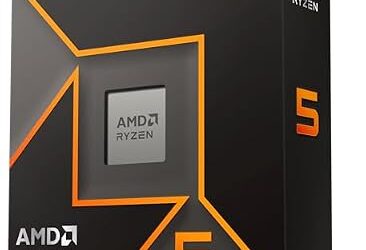
| AMD Ryzen 5 9600X | 95 degrees C |
| AMD Ryzen 7 9800X3D | 95 degrees C |
| Intel Core i5-12400F | 100 degrees C |
| Intel Core Ultra 7 265K | 105 degrees C |
Modern chips boost until they reach thermal and power limits, so some Ryzen and Intel processors can briefly show high temperatures under load while operating as designed. Sustained readings near the limit, thermal throttling (clocks dropping), or unexpected shutdowns point to a cooling problem. For the maximum of other models, see the maker’s specification page.
When High Usage Signals a Problem
- CPU stays near 100 percent on the desktop with no game running: look for a runaway process, malware scan, or an update in progress.
- Stutter with high CPU: close browsers, overlays and recording software, and confirm the power plan is not set to a restrictive mode.
- Temperatures near the limit: check that the cooler is mounted firmly, the fans spin, dust is cleared and case airflow is clear. Power the PC off and unplug it before cleaning inside the case.
- Crashes or restarts: update the BIOS and graphics drivers, and keep memory and CPU settings at default if you have enabled overclocking profiles. BIOS changes can void warranties and cause instability, so follow the motherboard manual.
If a system still misbehaves after these checks, contact the maker or a qualified technician rather than opening a power supply or forcing parts.
Frequently Asked Questions
Is 100 percent CPU usage bad in games?
Not necessarily. It can mean the game is using the processor fully, which is fine if frame rates are smooth. It becomes a concern when it comes with stutter, high temperatures, or a GPU that is sitting idle.
Why is my CPU usage low but my FPS is bad?
One core may be maxed while the average stays low. Check per-core usage and GPU usage, and also look for frame caps, V-sync or a power-saving mode.
How much RAM usage is normal while gaming?
It varies by game and background programs. Usage well below your installed capacity is healthy; sustained near-full use with stutter suggests you need more memory or fewer background apps.
Is 16 GB of RAM enough in 2026?
It remains workable for many games if few other programs are open. Players who stream, multitask heavily or use mods often prefer 32 GB.
What is a safe CPU temperature while gaming?
Stay below the maker’s listed maximum, such as 95 degrees C for the Ryzen 5 9600X and 9800X3D. Sustained readings close to that figure are a sign to improve cooling.
Does a higher resolution lower CPU usage?
It can appear to, because at higher resolutions the GPU becomes the limit and the CPU waits for it. The CPU’s workload for the game itself does not shrink much.