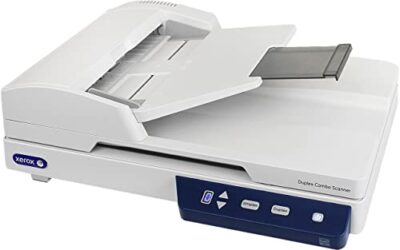
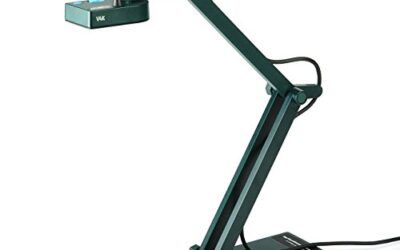
A paper mountain rarely announces itself. It builds up as tax forms, warranty cards, receipts and school paperwork, until one afternoon you need a single page and cannot find it. A document scanner turns that pile into searchable PDFs, and the real question for a buyer with a cap of under 300 dollars is which kind of scanner fits the paper you actually handle: loose single sheets, stacks you want fed automatically, or odd items like photos and book pages.
This guide is for home offices, students, freelancers and small-business owners who want a desk-sized or pocket-sized unit rather than a floor-standing office machine. Every model below sits within the cap, and the picks are judged on the specs in their listings, so you can compare feeders, duplex scanning, connectivity and portability before you commit in 2026.
Quick Picks

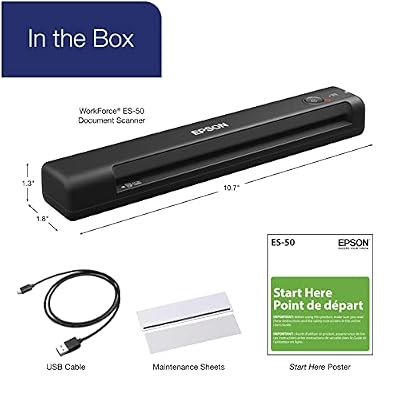
Epson Workforce ES-50 Compact & Lightweight Mobile Document Scanner | For Computers including PC and Mac Receipt and Document Scanner USB Powered


As an Amazon Associate we earn from qualifying purchases. Product prices and availability are accurate as of the date/time indicated.

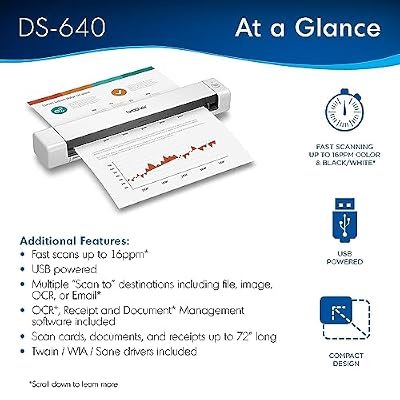
Brother DS-640 Compact Mobile Document Scanner, (Model: DS640)


As an Amazon Associate we earn from qualifying purchases. Product prices and availability are accurate as of the date/time indicated.

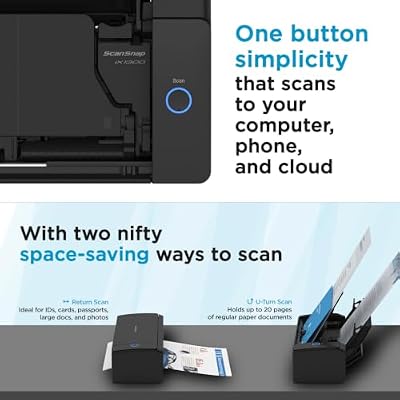
ScanSnap iX1300 Wireless or USB Double-Sided Color Document Scanner, Black | Compact | Photos & Receipts | Auto Document Feeder | Manual Feeder | Mac or PC



As an Amazon Associate we earn from qualifying purchases. Product prices and availability are accurate as of the date/time indicated.

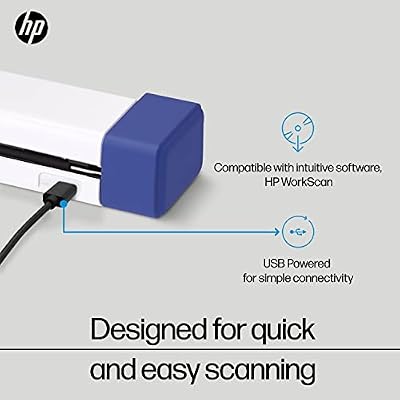
HP Small USB Document & Photo Scanner for Portable 1-Sided Sheetfed Digital Scanning, Model HPPS100, for Home, Office & Business, PC and Mac Compatible, HP WorkScan Software Included




As an Amazon Associate we earn from qualifying purchases. Product prices and availability are accurate as of the date/time indicated.
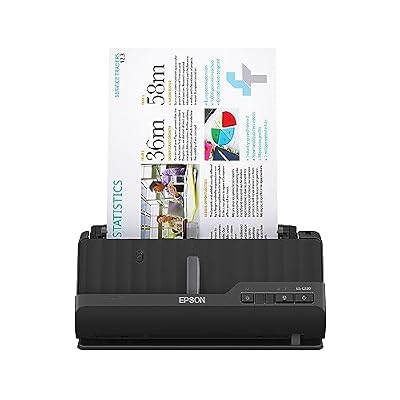
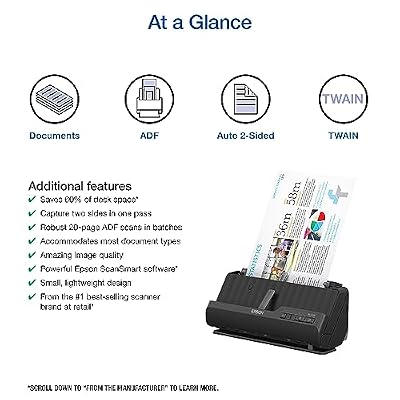
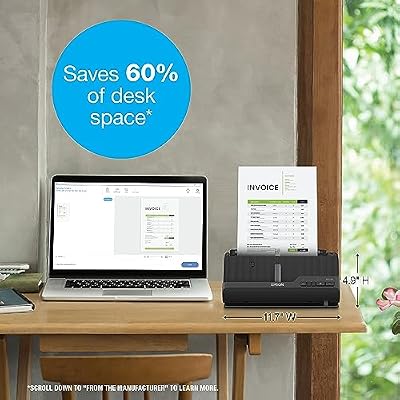
Epson Workforce ES-C220 Compact Document Scanner Duplex 20-pg ADF | 20-Page Auto Document Feeder 30 ppm/60 ipm Speed Portable Scanner for PC and Mac




As an Amazon Associate we earn from qualifying purchases. Product prices and availability are accurate as of the date/time indicated.

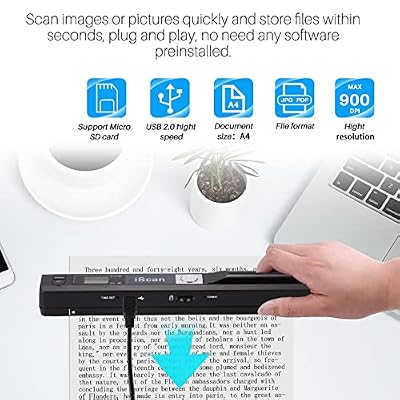
Portable Document Scanner, AOZBZ 900DPI Handheld Image Scanner, Scanning Wand,A4 Colour Photo Mobile Scanner Handy Scan (JPG/PDF Format, High Speed USB 2.0, Included 16G SD Card)



As an Amazon Associate we earn from qualifying purchases. Product prices and availability are accurate as of the date/time indicated.
| Product | Best for | Key spec from the listing |
|---|---|---|
| Epson Workforce ES-50 | Receipts and travel kits | Compact, lightweight, USB powered |
| Brother DS-640 | Mobile professionals | Compact mobile document scanner |
| ScanSnap iX1300 | Mixed paperwork and photos | Wireless or USB, double-sided color, auto document feeder |
| HP PS100 | Occasional home scanning | Small USB sheetfed, 1-sided, photos and documents |
| Epson Workforce ES-C220 | Small stacks and busy desks | Duplex, 20-page feeder, 30 ppm / 60 ipm |
| AOZBZ Handheld Scanner | Books and bulky items | 900 DPI wand, JPG/PDF output |
How to Choose
Sheetfed, feeder or handheld
A sheetfed unit pulls one page through a straight path, which suits receipts, forms and ID cards. An automatic document feeder holds a stack, so a ten-page contract is one button press instead of ten. A handheld wand is the only style that works on a bound book or a framed item, but its output depends on how steadily you move your hand. Match the style to your worst-case paper, not your average one.
Duplex scanning and speed
Duplex means both sides of the page are captured in a single pass. Without it, a double-sided statement needs two trips through the scanner. Speed figures come in pages per minute for one side and images per minute for both sides, so a listing that reads 30 ppm and 60 ipm is describing one duplex pass. For a few dozen pages a week, even a slower unit is fine; for weekly filing sessions, a feeder with a 20-sheet or larger capacity saves real time.
Connection and software compatibility
Check whether the scanner works over USB only or also wirelessly, and whether it supports both Windows and macOS. USB-powered scanners draw current from the computer and need no wall adapter, which is useful at a laptop. Wireless models let you send pages to a phone or tablet. Confirm that the output formats you need, usually searchable PDF and JPG, are supported before buying.
What to ignore and where budget models cut corners
Ignore headline resolution numbers on their own. Text documents look fine at standard office resolutions, and a very high dpi claim on a handheld wand does not make the capture sharper if your hand moves. Budget models usually cut the feeder, duplex capability or bundled software. Decide which of those three you can live without, then shop within that limit.
The 6 Best Options
Epson Workforce ES-50
The ES-50 is described as a compact, lightweight mobile scanner for receipts and documents, powered over USB and compatible with PC and Mac. That makes it a natural fit for someone who scans on a laptop at a kitchen table, a hotel desk or a coworking space.
- Strength: USB power means one cable and no wall adapter to pack.
- Strength: the receipt-and-document focus suits expense reports and bookkeeping.
- Trade-off: the listing mentions no automatic feeder, so pages go in one at a time.
Skip it if you regularly face stacks of ten pages or more, or if you need a unit that handles both sides in a single pass. People who scan once a week or less, on the other hand, rarely miss the feeder, because the whole routine takes seconds per page and the scanner disappears into a laptop sleeve afterward.
Brother DS-640
The DS-640 is listed simply as a compact mobile document scanner, and that plain description tells you what it is built for: carrying with a laptop bag and capturing paperwork wherever you land. It is aimed at consultants, adjusters, field staff and anyone who prefers to digitize on the spot instead of hauling paper back to an office.
- Strength: the compact mobile design keeps the footprint small on a crowded desk or in a bag.
- Strength: a recognizable brand name makes driver and software support easier to find.
- Trade-off: the listing offers few specifics, so confirm duplex and speed details on the full spec sheet.
Skip it if you want a clearly stated feeder capacity or wireless connection from the listing itself. Shoppers who value a short, uncluttered product page may still like it, but anyone comparing numbers line by line will need to open the manufacturer documentation first.
ScanSnap iX1300
The iX1300 listing packs in more features than most rivals under the cap: wireless or USB connection, double-sided color scanning, an auto document feeder and a manual feeder for photos and receipts. It is the most flexible pick for a household that scans everything from mortgage packets to snapshots.
- Strength: duplex color capture in one pass cuts the work on double-sided paperwork.
- Strength: wireless or USB lets you scan to a laptop or send pages without a cable.
- Trade-off: it is a compact scanner, not a high-volume machine, so large archives will still take time.
Skip it if you only scan a receipt every few weeks and would rather save for a simpler model. The extra capability pays off only when you genuinely use the feeder, the duplex pass and the wireless option; otherwise a plainer scanner covers the job with less to learn.
HP PS100
The PS100 is a small USB scanner that takes one side of a page at a time as it passes through a sheetfed slot, and it is listed for both documents and photos on PC and Mac. It suits a home user who scans a letter or a school form now and then and wants a small unit that stays in a drawer.
- Strength: the sheetfed design is straightforward, with no complicated setup.
- Strength: handles both documents and photos, which covers most household needs.
- Trade-off: it is 1-sided, so double-sided pages need to be flipped and scanned twice.
Skip it if you scan multi-page, double-sided documents often. A parent digitizing school forms or a renter keeping lease copies will be perfectly content, but an accountant clearing a client folder will feel the one-sided limit within the first hour.
Epson Workforce ES-C220
The ES-C220 is the stack-friendly option in this group. The listing names a 20-page automatic feeder, duplex scanning, and speeds of 30 ppm and 60 ipm, in a compact portable body for PC and Mac. A small business that processes invoices, or a student with a thick folder of notes, gains the most here.
- Strength: the 20-page feeder handles a stack without constant attention.
- Strength: duplex at the listed 60 ipm speeds up double-sided paperwork.
- Trade-off: the feeder tops out at 20 pages, so very thick files need to be split into batches.
Skip it if you scan only single receipts, since the feeder is wasted on that work. Also skip it if you need to scan thick cardstock or bound material, because the listing describes a document feeder, not a flatbed surface.
AOZBZ Handheld Scanner
This one is a different animal: a handheld wand listed at 900 DPI that outputs JPG and PDF over USB and handles A4 color photos. You glide it over the page instead of feeding the page into the machine, which makes it the only pick here that can capture a page of a bound book, a magazine clipping or an oversized sheet.
- Strength: it can reach items a sheetfed model cannot take.
- Strength: JPG and PDF output covers everyday sharing needs.
- Trade-off: image quality depends on a steady hand and an even sweep.
Skip it if you need clean, consistent, text-searchable results from a large batch of ordinary pages. Crooked sweeps and uneven speed create visible banding, so a wand is a specialist tool for awkward items, not a replacement for a feeder at a busy desk.
Which One Fits Your Situation
You file a folder of household paperwork each month
The ScanSnap iX1300 covers double-sided pages and photos in one body, and its manual feeder keeps odd items in play. Wireless connection also means the family laptop and a tablet can share it without swapping cables.
You run a small business with a weekly pile of invoices
The Epson Workforce ES-C220 and its 20-page duplex feeder is built for exactly this rhythm. Drop in a batch of vendor bills, press scan, and move on to the next task while the pages feed through.
You scan on the road
The Epson Workforce ES-50 draws power over USB, so a laptop and one cable is all you carry. The Brother DS-640 is the other travel-minded option, and either one slips into a laptop bag beside the charger without much notice.
You need to digitize book pages or an old recipe collection
The AOZBZ wand is the only listed model made for items that will not feed through a slot. Expect to rescan a few pages until your sweep speed becomes steady, and keep the surface flat and well lit.
Common Mistakes
- Buying for peak resolution while ignoring the feeder, then spending hours hand-feeding every page.
- Skipping duplex and discovering later that double-sided statements take twice the effort.
- Assuming every scanner works with both Windows and macOS without checking the listing.
- Choosing a handheld wand to replace a sheetfed unit when consistent output matters.
- Forgetting that a mobile scanner is not designed for hundreds of pages a day.
Related guides
- Usb C Kvm Switch For Two Laptops And Two Monitors
- Vertical Laptop Stand For Dual Laptop Desk Setup
- Nvme Enclosure With Active Cooling For Mac Mini
Frequently Asked Questions
Do I need a scanner with a feeder?
If you scan more than a handful of pages at a time, yes. A feeder turns a stack into one operation, while a sheetfed-only model needs you at the slot for every page.
What does 60 ipm mean?
It stands for images per minute. A duplex scanner captures two images per sheet, so 30 pages per minute on one side becomes 60 images per minute when both sides are read.
Is a handheld scanner good enough for documents?
It works for books and bulky pages, but the result depends on your technique. For routine paperwork, a sheetfed or feeder model delivers steadier results, and the time you save on a big batch usually outweighs the flexibility of a wand.
Can these scanners save searchable PDFs?
Many scanners include or support text recognition software, but the listings here do not all spell it out. Check the bundled software details before relying on searchable output, and keep a copy of the original paper for anything legal, such as deeds or tax records, until you have confirmed the scans are readable.
Top picks from this guide
BrotherBrother DS-640 Compact Mobile Document Scanner, (Model: DS640)ScanSnapScanSnap iX1300 Wireless or USB Double-Sided Color Document Scanner, Black…AOZBZPortable Document Scanner, AOZBZ 900DPI Handheld Image Scanner, Scanning Wand,A4…EpsonEpson Workforce ES-50 Compact & Lightweight Mobile Document Scanner |…