Anyone shopping for a laser printer under 300 dollars is usually escaping inkjet frustration: dried nozzles, cartridges that run dry before the pages do, and smudged receipts. A laser engine fixes that, and in this range you can reach wireless setup, automatic two-sided printing, and in one case a scanner and fax. The real decision is between a plain black-and-white printer, an all-in-one, and a color laser.
This list is for home offices, students, and small-business owners who print documents rather than photos. Seven models are covered, and the most useful question for a 2026 shopper is not “which is fastest” but “which features will I use every week?” Duplex printing, mobile printing, and print-only simplicity matter far more than a long spec sheet, and the sections below explain how to weigh them.
Quick Picks

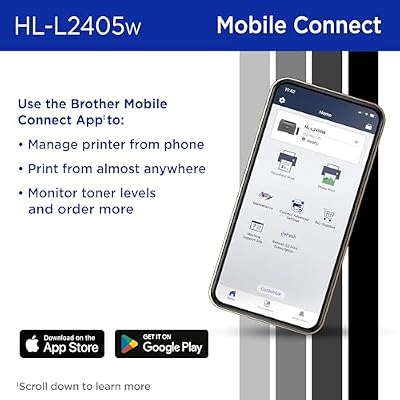
Brother HL-L2405W Wireless Compact Monochrome Laser Printer with Mobile Printing, Black & White Output | Includes Refresh Subscription Trial(1), Works with Alexa




As an Amazon Associate we earn from qualifying purchases. Product prices and availability are accurate as of the date/time indicated.

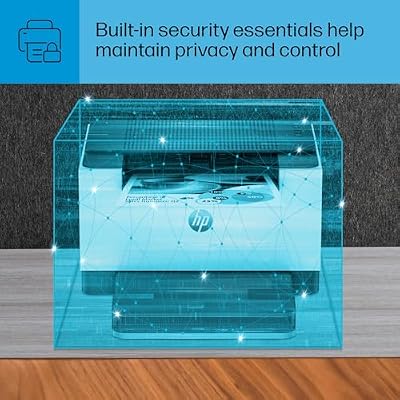
HP LaserJet M207dw | Monochrome | Laser Printer | Duplex | Fast Black-and-White Printing | Wireless Printing | Automatic Two-Sided Printing





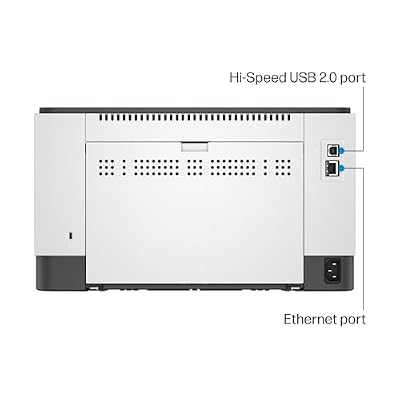


As an Amazon Associate we earn from qualifying purchases. Product prices and availability are accurate as of the date/time indicated.

Canon imageCLASS LBP6030w - Monochrome Single-Function Wireless Compact Wireless Laser Printer, 1 Year Limited Warranty, 19 PPM, White - Print Only


As an Amazon Associate we earn from qualifying purchases. Product prices and availability are accurate as of the date/time indicated.

Brother HL-L2460DW Wireless Compact Monochrome Laser Printer with Duplex, Mobile Printing, Black & White Output | Includes Refresh Subscription Trial(1), Works with Alexa


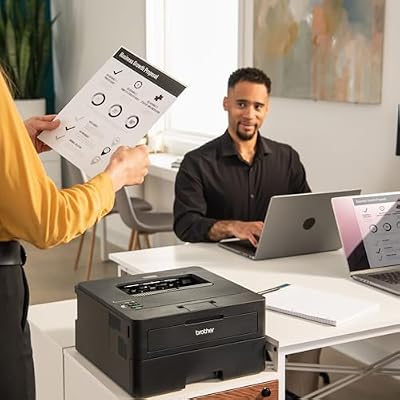
As an Amazon Associate we earn from qualifying purchases. Product prices and availability are accurate as of the date/time indicated.

Canon imageCLASS LBP122dw - Wireless Monochrome Duplex Laser Printer | Print Only, Mobile Ready, 30 PPM for Home


As an Amazon Associate we earn from qualifying purchases. Product prices and availability are accurate as of the date/time indicated.

Brother MFC-L2820DW Wireless Compact Monochrome All-in-One Laser Printer with Copy, Scan and Fax, Duplex, Black & White | Includes Refresh Subscription Trial(1), Works with Alexa


As an Amazon Associate we earn from qualifying purchases. Product prices and availability are accurate as of the date/time indicated.

HP Color LaserJet Pro 3201dw | Color Laser Printer | Wireless | Duplex | Printer Home Office | Color Documents | Mobile Compatibility | Printer Only | Single Function | Ideal Home Office Use


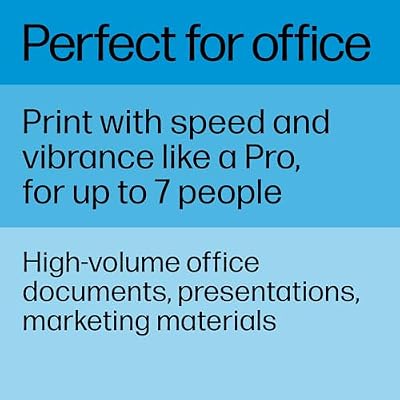


As an Amazon Associate we earn from qualifying purchases. Product prices and availability are accurate as of the date/time indicated.
| Product | Best for | Key spec from the title |
|---|---|---|
| Brother HL-L2405W | Lowest-cost wireless mono | Wireless, compact, mobile printing |
| HP LaserJet M207dw | Duplex home office | Automatic two-sided printing, wireless |
| Canon imageCLASS LBP6030w | Light, occasional printing | 19 PPM, print only, 1 year warranty |
| Brother HL-L2460DW | Compact duplex printing | Duplex, wireless, mobile printing |
| Canon imageCLASS LBP122dw | Faster duplex printing | 30 PPM, duplex, mobile ready |
| Brother MFC-L2820DW | Scan, copy, and fax needs | All-in-one with duplex |
| HP Color LaserJet Pro 3201dw | Color documents | Color laser, wireless, duplex |
How to Choose
Monochrome, Color, or All-in-One
Black-and-white lasers are the budget sweet spot, with cheaper toner and smaller bodies. A color laser costs more upfront and for every refill, so choose it only if you regularly print color charts, flyers, or client handouts. An all-in-one adds a scanner and, on some models, a fax, which saves buying a second device but takes more desk space and a deeper shelf.
Print Speed and Duplex
Speed is quoted in pages per minute. A 19 PPM engine is acceptable for a few pages at a time, while 30 PPM suits a household that prints often. Automatic duplex printing, marked by a “d” in many model names, halves paper use and is worth paying for if you print reports, contracts, or school packets. Manual duplex, where you flip the stack yourself, is a poor substitute. Also check first-page-out time if you print one-page items often, because a printer that wakes slowly can feel sluggish despite a good PPM rating.
Connectivity and Mobile Printing
Look for Wi-Fi, mobile printing support, and a USB port for emergencies. Check that your phone’s operating system is covered and whether the printer supports Wi-Fi Direct for guests. Wired Ethernet matters in offices where several people share one printer, and a model without it relies on a steady wireless signal. If the printer sits in a back room far from the router, test the signal strength with a phone before settling on a spot, because a weak connection is behind most “printer offline” complaints.
Where Budget Lasers Cut Corners
Starter toner cartridges often hold a fraction of a full-size cartridge, so check the page yield before buying. Many budget models have small paper trays, no touchscreen, and plastic bodies. Subscription trials bundled with a model can change your running costs, so read the terms before enrolling. Ignore marketing about “photo quality” on a laser: it is a document machine.
The 7 Best Options
Brother HL-L2405W
This is a wireless, compact, monochrome laser printer with mobile printing, and the title notes a toner refresh subscription trial. It suits a student or small household that wants crisp black-and-white pages without a large machine on the desk.
- Strength: the compact footprint fits a shelf, a dorm desk, or a closet.
- Strength: wireless and mobile printing keep setup simple.
- Trade-off: the title does not mention automatic two-sided printing.
Skip it if you print long documents and want duplex built in. Anyone who prints a few pages a week will find it a calm, low-effort machine, but a home office with daily reports will outgrow it. The refresh trial mentioned in the title is optional, so read its terms and compare long-term toner costs before opting in.
HP LaserJet M207dw
The M207dw is a monochrome laser with wireless printing and automatic two-sided printing, pitched as fast black-and-white output. It targets a home office where reports, invoices, and contracts come out in plain text and paper savings count.
- Strength: automatic duplex reduces paper use on multipage jobs.
- Strength: wireless support lets several devices share it.
- Trade-off: it is print-only, so scanning means another device.
Skip it if you need a scanner, copier, or color output. Freelancers and bookkeepers who print contracts and statements regularly are the natural audience for a plain, duplex-ready machine. Before buying any printer, confirm which toner cartridge it uses and what that cartridge costs to replace, because a spare in the cupboard matters when a deadline hits.
Canon imageCLASS LBP6030w
Canon’s entry model is a monochrome, single-function, wireless, compact laser rated at 19 PPM, with a one-year limited warranty. It is a print-only machine for people who print occasionally, such as a retiree handling forms or a student printing essays.
- Strength: compact and wireless with simple operation.
- Strength: the one-year limited warranty adds reassurance on a budget machine.
- Trade-off: no duplex is mentioned, and 19 PPM is the slowest rating here.
Skip it if you print stacks of pages, need two-sided output, or want a scanner. It suits a spare-room desk where the printer sits idle most weeks and wakes up for a few pages. Because it is a single-function model, there is little to configure: connect it to the router, install the driver, and print. That simplicity is its main selling point against pricier models loaded with menus.
Brother HL-L2460DW
This wireless, compact monochrome laser adds duplex to the Brother formula, along with mobile printing. It sits between the plain HL-L2405W and the all-in-one, making it a balanced pick for a home office that prints agreements, schedules, and shipping labels.
- Strength: duplex and wireless together in a compact body.
- Strength: mobile printing support for phones and tablets.
- Trade-off: print-only, with no scanner or copier.
Skip it if you want to scan receipts or copy forms. Remote workers and online sellers who print daily but never scan will find the duplex feature earns its keep within weeks. Compared with the HP duplex model above, the main differences come down to brand preference, toner availability, and the companion app each maker provides.
Canon imageCLASS LBP122dw
The LBP122dw is a wireless, monochrome, duplex laser rated at 30 PPM for home use, with mobile-ready printing. It is the faster of the two Canon models and the pick for households that print large batches of homework, recipes, or club flyers.
- Strength: 30 PPM rating finishes long jobs sooner.
- Strength: duplex and mobile-ready printing in one model.
- Trade-off: it is print-only, with no scanning.
Skip it if you need an all-in-one or color. Families managing homework and parents printing school forms get the most value, particularly when several people send jobs at once. A higher rated speed also helps when a deadline requires fifty pages of notes, since you will spend less time standing at the output tray.
Brother MFC-L2820DW
The MFC-L2820DW is a wireless, compact, monochrome all-in-one with copy, scan, and fax, plus duplex. It replaces a printer, scanner, and fax machine for a home business, and the scan function handles signed documents without a trip to a copy shop.
- Strength: copy, scan, and fax functions share one device.
- Strength: duplex printing and wireless connectivity.
- Trade-off: it is larger than the print-only models, so it needs more desk space.
Skip it if you only print and want the smallest footprint. Small clinics, accountants, and anyone who still receives faxes from banks or landlords are the target audience. Because the machine does several jobs, it also saves outlets and shelf space compared with three separate devices, even though its own footprint is bigger than a print-only unit.
HP Color LaserJet Pro 3201dw
This is the only color laser in the list, built for a home office with wireless, duplex, and mobile compatibility. It handles color documents such as presentations, brochures, and client reports that look better with a brand color or a chart.
- Strength: color output for presentations and marketing handouts.
- Strength: duplex and wireless in one model.
- Trade-off: color toner costs more to run than monochrome.
Skip it if you only print black-and-white text, because you would pay for color capability you never use. Real-estate agents, teachers, and small agencies printing handouts will benefit most. It also costs more to feed, so use draft or grayscale settings for internal copies and save full color for pages that clients see.
Which One Fits Your Situation
You Print a Few Pages a Week
The Brother HL-L2405W or Canon LBP6030w keeps cost and size low. Neither is built for heavy duty, but both avoid the dried-ink problems that plague cheap inkjets left idle for a month.
You Print Long Reports and Want to Save Paper
The HP LaserJet M207dw and Brother HL-L2460DW both offer duplex, and the Canon LBP122dw adds a faster rated speed. Pick the one whose size and brand you prefer, since the core features are similar.
You Run a Small Business at Home
The Brother MFC-L2820DW combines print, scan, copy, and fax so you can handle paperwork, signed forms, and client faxes without buying a second machine. It also keeps your paper trail in one place, which is useful for a home-based bookkeeper or consultant.
You Need Color Handouts
The HP Color LaserJet Pro 3201dw is the one to pick, as long as you accept higher toner costs. If only a few pages a month need color, a black-and-white laser plus an occasional print shop run is cheaper.
Common Mistakes
- Buying on the cheapest sticker and ignoring starter toner yield.
- Choosing color when nearly every page is black text.
- Skipping duplex and then paying for extra paper every month.
- Assuming a print-only model includes a scanner.
- Enrolling in a bundled subscription trial without reading the terms.
Related guides
- Usb C Kvm Switch For Two Laptops And Two Monitors
- Vertical Laptop Stand For Dual Laptop Desk Setup
- Nvme Enclosure With Active Cooling For Mac Mini
Frequently Asked Questions
Is a laser printer better than an inkjet for documents?
Usually, yes. Toner does not dry out, text is crisp, and pages come out quickly. Inkjets still win for photos and for occasional color graphics, so a household that prints both may want to keep a small inkjet for pictures.
Do I need duplex?
If you print multipage documents, yes. It saves paper and reduces clutter, and the feature is common even in budget models, which is why most picks here include it.
How much faster is 30 PPM than 19 PPM?
Roughly one and a half times as fast on long jobs. For a handful of pages, you will barely notice the difference, so match the speed to your volume. Rated speeds describe sustained printing, so the first page of any job still takes a few seconds to appear.
Are all-in-one lasers worth it?
They are if you scan or copy regularly. If you do not, a print-only model is smaller, simpler, and often faster to set up. Phone scanning apps can cover occasional needs, though they cannot match a flatbed or feeder for multipage documents.
Top picks from this guide
CanonCanon imageCLASS LBP6030w - Monochrome Single-Function Wireless Compact Wireless Laser…BrotherBrother HL-L2460DW Wireless Compact Monochrome Laser Printer with Duplex, Mobile…BrotherBrother HL-L2405W Wireless Compact Monochrome Laser Printer with Mobile Printing,…HPHP LaserJet M207dw | Monochrome | Laser Printer | Duplex…