The best portable hard drive for most people is the Seagate 2TB Portable Hard Drive (STGX2000400): 2 TB of bus-powered USB 3.0 storage is enough for a large Steam, Epic and Xbox Game Pass library plus a full system image, it needs no power brick, and it costs far less per terabyte than any portable SSD. If your priority is raw speed and you install 200 GB games weekly, the SanDisk 2TB Extreme Portable SSD is the pick, because a 10 Gbps USB-C link and up to 1050 MB/s reads cut a 100 GB copy from roughly 20 minutes to a couple of minutes. If you want the cheapest way to add console game storage, the Seagate Portable 1TB covers PlayStation and Xbox at the lowest entry cost. And if your real job is protecting a PC, the WD 5TB My Passport bundles hardware encryption and ransomware-aware backup software, which the bare Elements and Seagate drives do not. Below, every drive is broken down by capacity, USB class, durability, portability, encryption and console compatibility so you can match one to your actual workload rather than to a spec sheet.
- Top 3 Picks
- Quick Comparison
- How We Chose
- 1. Seagate 2TB Portable (STGX2000400) – Best for most gaming PCs and first backups
- 2. Seagate Portable 4TB External Hard Drive HDD – Best for cost per terabyte on a large library
- 3. WD 5TB Elements Portable External Hard Drive – Best for Windows backup and Mac/PC file sharing
- 4. Seagate Portable 1TB (PC, Mac, PlayStation, Xbox) – Best for cheapest console game storage
- 5. WD 5TB My Passport – Best for encrypted, software-assisted backups
- 6. Kosbees 500GB External Hard Drive – Best for ultra-low-cost pocket storage
- 7. Seagate Portable 5TB (PC, Mac, PS4, Xbox) – Best for the largest single-drive game vault
- 8. UnionSine 500GB Ultra Slim Portable External Hard Drive – Best for a slim budget drive in a laptop bag
- 9. SanDisk 2TB Extreme Portable SSD – Best for fast, rugged, direct-play storage
- 10. WD 4TB My Passport – Best for balanced capacity with encryption
- 11. UnionSine 1TB Ultra Slim Portable External Hard Drive – Best for the cheapest usable terabyte
- 12. WD 6TB My Passport – Best for the biggest encrypted single-drive backup
- How to Choose
Top 3 Picks
Best overall: Seagate 2TB Portable Hard Drive (STGX2000400). The capacity-to-price ratio lands right where most gaming PCs and laptops need it, it is bus-powered so it travels without a wall adapter, and USB 3.0 already exceeds what a 2.5-inch spinning disk can deliver, so you are not paying for bandwidth the drive cannot use.
Best budget: Seagate Portable 1TB (PC, Mac, PlayStation, Xbox). It is the lowest-cost way to add a terabyte that consoles will actually accept, it is officially positioned for PlayStation and Xbox as well as PC and Mac, and it includes a one-year Rescue data recovery service, which budget no-name drives never do.
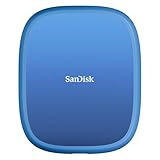
Best premium: SanDisk 2TB Extreme Portable SSD. Up to 1050 MB/s over USB 3.2 Gen 2, USB-C, and an IP65 rating for dust and water resistance make it the only drive here you can carry loose in a bag and play from directly without a noticeable loading penalty.
Quick Comparison
| Product | Best for | Key specs | Price tier |
|---|---|---|---|
| Seagate 2TB Portable (STGX2000400) | Most gaming PCs and first backups | 2 TB, 2.5″ HDD, USB 3.0 (5 Gbps), bus-powered, ~100–130 MB/s class | Mid-range |
| Seagate Portable 4TB | Cost per terabyte on a big library | 4 TB, 2.5″ HDD, USB 3.0, 1-year Rescue service | Mid-range |
| WD 5TB Elements Portable | Windows backup plus Mac/PC file sharing | 5 TB, 2.5″ HDD, USB 3.2 Gen 1 / USB 3.0, ships Windows-formatted | Premium |
| Seagate Portable 1TB | Cheapest console game storage | 1 TB, 2.5″ HDD, USB 3.0, PC/Mac/PlayStation/Xbox, 1-year Rescue | Budget |
| WD 5TB My Passport | Encrypted, software-assisted backups | 5 TB, USB 3.0 / 3.2 Gen 1, hardware AES-256, bundled backup with ransomware defence | Mid-range |
| Kosbees 500GB | Ultra-low-cost pocket storage | 500 GB, 2.5″ HDD, USB 3.0, slim shell, Windows-focused listing | Budget |
| Seagate Portable 5TB | Largest single-drive game vault | 5 TB, USB 3.0, PC/Mac/PS4/Xbox, 1-year Rescue | Premium |
| UnionSine 500GB Ultra Slim | Slim budget drive for a laptop bag | 500 GB, 2.5″ HDD, USB 3.0, slim chassis | Budget |
| SanDisk 2TB Extreme Portable SSD | Fast, rugged, direct-play storage | 2 TB SSD, USB-C 3.2 Gen 2 (10 Gbps), up to 1050 MB/s, IP65 | Premium |
| WD 4TB My Passport | Balanced capacity with encryption | 4 TB, USB 3.0 / 3.2 Gen 1, hardware AES-256, bundled backup | Mid-range |
| UnionSine 1TB Ultra Slim | Cheapest usable terabyte | 1 TB, 2.5″ HDD, USB 3.0, slim chassis | Budget |
| WD 6TB My Passport | Biggest encrypted single-drive backup | 6 TB, USB 3.0 / 3.2 Gen 1, hardware AES-256, bundled backup | Premium |
How We Chose
This roundup is built from published specifications, manufacturer documentation and category knowledge — not from lab testing, benchmarking or hands-on use. Selection started with the interface ceiling, because it is the single most misunderstood number in this category: a 2.5-inch portable hard drive tops out around 100–130 MB/s no matter what USB generation it carries, so a USB 3.0 (5 Gbps) enclosure is already enough for any spinning drive here, and paying extra for USB 3.2 Gen 2 on an HDD buys nothing. From there we weighted four things.
First, category fit: HDDs for bulk archives and game libraries, an SSD where load times and bag-carrying durability matter. Second, use case — pure PC gaming, console expansion, system-image backup, or travel — because console compatibility is a firmware and licensing question, not a speed question. Third, encryption and software: only the My Passport family advertises hardware encryption with ransomware-aware backup, so those drives win the “protect my data” slot. Fourth, upgrade path: whether the drive still makes sense when you add a second one later. Capacity tiers were compared on usable space after formatting, not the number printed on the label.
1. Seagate 2TB Portable (STGX2000400) – Best for most gaming PCs and first backups
This is the drive to buy when you have no strong opinion and want the safest default. Two terabytes is the point where a portable drive stops being a thumb-drive replacement and starts being a genuine second library: it comfortably holds a full Steam and Epic collection of older and mid-sized titles, a couple of dozen modern installs, and still leaves room for a system image. It suits a desktop gamer with a 1 TB NVMe boot drive that is constantly full, and a laptop owner who wants everything in one pocket-sized box.
- Capacity: 2 TB (roughly 1.8 TB usable after formatting)
- Interface: USB 3.0, 5 Gbps — backwards compatible with USB 2.0 ports
- Form factor: 2.5-inch bus-powered portable HDD, no power adapter
- Real-world throughput class: ~100–130 MB/s sustained sequential
- Typical size and weight class: around 4.6 × 3.1 × 0.5 in, roughly 130–180 g
The reason this specific model wins rather than one of the 4 TB or 5 TB drives is the ratio between cost, capacity and failure surface. A 2 TB drive is cheap enough to buy two of, which is the correct answer to “is one drive enough for both games and backups” — it never is. Two 2 TB drives cost less than one large premium drive and give you a genuine second copy of anything important, which matters because a portable drive that lives in a bag next to a laptop has a materially higher chance of being dropped, lost or stolen than a drive that never moves.
Performance is what you should expect from the class. Sequential copies of large game files sit in the 100–130 MB/s range on USB 3.0, which means a 100 GB install moves in roughly 15 minutes at best and more realistically 20–30 minutes once you account for thousands of small asset files. Playing from it is fine for most titles, but any game that streams assets aggressively will show longer initial loads and occasional texture pop-in compared with an internal NVMe drive.
Pros
- Excellent capacity-to-price ratio for a mainstream 2 TB tier
- Bus-powered, so no adapter, no cable clutter, no wall socket
- USB 3.0 already saturates the drive, so nothing is left on the table
- Widely recognised brand with long-running portable drive lines and available support
- Small and light enough to live permanently in a laptop bag
Cons
- No bundled hardware encryption, unlike the WD My Passport family
- Spinning platters are far more drop-sensitive than an SSD
- 2 TB fills up fast if you keep several 150 GB modern releases installed
- No listing-level mention of a data recovery service on this specific model
Against the nearest alternative here, the Seagate Portable 4TB, the choice comes down to whether you want one drive or two. The 4 TB doubles capacity for a modest premium and adds a one-year Rescue data recovery service, which is real insurance for a single-drive setup. But if you would rather own two independent 2 TB drives and keep games on one and backups on the other, the STGX2000400 is the more resilient configuration for about the same money.
2. Seagate Portable 4TB External Hard Drive HDD – Best for cost per terabyte on a large library
The 4 TB Portable is for the reader whose problem is not “I need a drive” but “my 2 TB drive is full again.” It suits someone running a 60-plus-game library, a household sharing one console or PC, or anyone who wants a single archive drive that will still have headroom in three years. It is also the sensible first purchase for a console owner who has already filled internal storage and does not want to think about it again.
- Capacity: 4 TB (roughly 3.6 TB usable after formatting)
- Interface: USB 3.0, 5 Gbps, backwards compatible with USB 2.0
- Form factor: 2.5-inch bus-powered portable HDD
- Included service: 1-year Rescue data recovery service
- Throughput class: ~100–130 MB/s sustained sequential
The practical argument for 4 TB over 2 TB is that game installs keep growing and deleting is annoying. Modern AAA releases routinely land between 80 GB and 150 GB with high-resolution texture packs, and live-service games add patches for years. At an average of 100 GB per install, a 4 TB drive holds roughly 36 games with room for saves, mods and a media folder. That is enough that you stop curating your library and start actually keeping things.
The one-year Rescue service is the other differentiator, and it is worth understanding what it is: a data recovery plan attached to the drive that covers a mechanical or logical failure within the service window, rather than a backup. It does not help you if you delete a file or the drive is stolen, which is why it should never replace a second copy. But for a single-drive owner, it moves a total-loss failure from “everything is gone” to “a box arrives and someone tries.”
Pros
- One of the better cost-per-terabyte points in the portable HDD category
- One-year Rescue data recovery service included
- Enough space to stop uninstalling games to make room
- Bus-powered and pocketable despite the capacity
- Works with PC, Mac and consoles once formatted appropriately
Cons
- Still HDD speed — no faster than the 2 TB version in real use
- No hardware encryption or bundled backup software in the listing
- Larger capacity means a longer rebuild if you ever lose it
- Single point of failure if it is your only copy
Compared with the Seagate Portable 5TB, this is the value play. The 5 TB adds a terabyte, explicitly lists PlayStation 4 and Xbox compatibility, and keeps the Rescue service, but it sits in a higher price tier. If you are deciding between the two, work out how many 100 GB installs you realistically keep — under about 35, the 4 TB is the better buy; above that, jump to the 5 TB rather than buying a second small drive later.
3. WD 5TB Elements Portable External Hard Drive – Best for Windows backup and Mac/PC file sharing

Western Digital WD 5TB Elements Portable External Hard Drive for Windows, USB 3.2 Gen 1/USB 3.0 for PC & Mac, Plug and Play Ready - WDBU6Y0050BBK-WESN
Included for 'Best Portable Hard Drives for Gaming and Backup' because the listing specifies USB 3.2 Gen 1/USB 3.0 for PC & Mac and Plug and Play Ready, details this guide uses to compare options.
View on AmazonThe Elements line is Western Digital’s plain-vanilla portable, and 5 TB is where it makes the most sense: a large, unglamorous, reliable bucket for files you want off your system drive. It suits someone building a photo, video or document archive, a Windows user who wants an external target for File History or a manual image, and anyone who regularly moves files between a Windows desktop and a Mac and does not want to fight file systems.
- Capacity: 5 TB (roughly 4.5 TB usable after formatting)
- Interface: USB 3.2 Gen 1, which is the same 5 Gbps link as USB 3.0
- Compatibility: positioned for Windows, listed for PC and Mac
- Form factor: 2.5-inch bus-powered portable HDD
- Throughput class: ~100–130 MB/s sustained sequential
The key thing to understand about the interface name is that “USB 3.2 Gen 1” and “USB 3.0” are the same thing — 5 Gbps, roughly 400–450 MB/s of practical ceiling, which is three to four times more than a 2.5-inch HDD can use. Nothing about the newer label makes the drive faster. What it does mean is that the drive will work on any USB-A port from the last decade, and with a USB-C adapter or cable, on modern laptops that have dropped USB-A entirely.
Where the Elements differs from the My Passport drives is software and encryption: there is no advertised hardware encryption and no ransomware-aware backup bundle. For a media archive or a scratch drive that is fine, and arguably simpler — you can format it exFAT and have it read and write on both Windows and macOS without installing anything. That cross-platform behaviour is the real reason to pick this over a My Passport if you are regularly shuttling files between two operating systems.
Pros
- 5 TB at a price point that undercuts most encrypted rivals
- Fully cross-platform once formatted exFAT — no driver or software required
- Simple: no bundled utilities to install or maintain
- Bus-powered, no external adapter
- Large enough to hold a full media library plus a system image
Cons
- No advertised hardware encryption
- No bundled backup software or ransomware protection layer
- Ships formatted for Windows, so Mac users must reformat before writing
- HDD durability limits: not a drive to toss loose into a backpack
The nearest alternative in this list is the WD 5TB My Passport, which matches the capacity and interface but adds hardware AES-256 encryption and backup software with ransomware defence. If your data is personal documents, financial records or a work archive, spend the extra on the My Passport. If it is a media library, game installs or files you already have elsewhere, the Elements gives you the same 5 TB for less and gets out of the way.
4. Seagate Portable 1TB (PC, Mac, PlayStation, Xbox) – Best for cheapest console game storage

Seagate Portable 1TB External Hard Drive HDD – USB 3.0 for PC, Mac, PlayStation, & Xbox, 1-Year Rescue Service (STGX1000400) , Black
Included for 'Best Portable Hard Drives for Gaming and Backup' because the listing specifies USB 3.0 for PC and Mac, details this guide uses to compare options.
View on AmazonThis is the entry point: one terabyte, one cable, explicitly positioned for PC, Mac, PlayStation and Xbox, and the lowest price tier in this roundup. It suits a console owner who has filled the internal drive and wants to move older games off it, a student with a laptop that only has a small SSD, or anyone who needs a first external drive without committing much money.
- Capacity: 1 TB (roughly 930 GB usable after formatting)
- Interface: USB 3.0, 5 Gbps
- Stated compatibility: PC, Mac, PlayStation and Xbox
- Included service: 1-year Rescue data recovery service
- Throughput class: ~100–130 MB/s sustained sequential
The console angle is the reason to buy this specific model rather than a generic 1 TB drive. PlayStation and Xbox both accept USB external drives, but with different rules. On PlayStation, PlayStation 4 games can be installed to and played directly from an external USB drive, while PlayStation 5 games must run from the internal SSD or an installed M.2 drive — an external drive can hold PS5 titles as cold storage and you move them back when you want to play. On Xbox, Xbox One, Xbox 360 and backward-compatible titles run directly from a USB 3.0 external drive, but games built for Xbox Series X|S must live on internal storage or the official expansion card.
That means a 1 TB external drive is genuinely useful on a current console, just not as a place to play everything. It is a staging area: keep the two or three games you are actively playing on internal storage, and park the rest on the external drive. On a console with a 512 GB or 1 TB internal drive and 100 GB games, that single terabyte can double your effective library.
Pros
- Lowest entry price of any drive here
- Officially positioned for PlayStation and Xbox as well as PC and Mac
- Includes a one-year Rescue data recovery service
- Bus-powered and small enough to live behind a console permanently
- A cheap way to test whether external storage solves your problem at all
Cons
- 1 TB disappears quickly with modern installs
- Cannot play current-generation console games directly from it
- HDD speed means long transfers when moving games to internal storage
- No encryption or backup software
Against the Seagate 2TB Portable, this is a straightforward capacity decision. The 2 TB model doubles the space for a modest premium and is the better choice for a PC gamer building a Steam library. Buy the 1 TB only if the budget is genuinely tight or if you specifically want a console game-staging drive and nothing else — in which case the Rescue service on this model is a small but real advantage over no-name alternatives.
5. WD 5TB My Passport – Best for encrypted, software-assisted backups

WD 5TB My Passport, Portable External Hard Drive, Black, backup software with defense against ransomware, and password protection, USB 3.1/USB 3.0 compatible - WDBPKJ0050BBK-WESN
Included for 'Best Portable Hard Drives for Gaming and Backup' because the listing specifies Portable External Hard Drive and Black, details this guide uses to compare options.
View on AmazonMy Passport is the drive to buy when the data matters more than the capacity. It is the only family in this roundup that advertises hardware encryption alongside backup software with defence against ransomware, which makes it the default recommendation for documents, work files, financial records, photo libraries and anything you would genuinely hate to lose or leak. Five terabytes suits a full system image plus years of documents.
- Capacity: 5 TB (roughly 4.5 TB usable after formatting)
- Interface: USB 3.0 / USB 3.2 Gen 1, 5 Gbps
- Security: hardware encryption with password protection
- Software: bundled backup software with ransomware defence
- Form factor: 2.5-inch bus-powered portable HDD, black
Hardware encryption is meaningfully different from software encryption. With hardware encryption, the encryption engine sits in the drive’s controller, so the data on the platters is unreadable without the password even if someone pulls the drive out of its enclosure and connects it to another machine. Software encryption that runs on the host computer protects the files while the drive is in use but can leave gaps — temporary files, page files, cached copies — and depends on the host machine being configured correctly. For a drive that travels, hardware encryption is the stronger option.
The ransomware-defence angle is about the backup software rather than the drive itself: a backup tool that keeps versioned copies means an encrypted or corrupted file does not silently overwrite your only good copy. That is the practical protection most people actually need, because the common failure is not a stolen drive, it is a bad file overwriting a good one during an automatic sync.
Pros
- Hardware encryption with password protection out of the box
- Bundled backup software that keeps versioned copies
- 5 TB is enough for a full image plus a large document and media archive
- Bus-powered, black enclosure, fits a laptop bag
- Mature, long-running product family with well-documented software
Cons
- Costs more than a bare 5 TB drive like the Elements
- Encryption means a forgotten password is an unrecoverable drive
- Bundled software is Windows-first; Mac users get less value
- Still HDD speed, so large game installs transfer slowly
Against the WD 5TB Elements, the decision is entirely about threat model. Same capacity, same interface, same speed class — the My Passport adds encryption and versioned backup for a higher price. If you are backing up a work laptop, a family photo library or anything with personal data on it, that premium is the cheapest security you will buy this year. If the drive is a game library or a copy of files that already exist in three other places, save the money and take the Elements.
6. Kosbees 500GB External Hard Drive – Best for ultra-low-cost pocket storage

Kosbees 500 GB External Hard Drives,Portable Hard Drive for Windows,Ultra Slim External HDD Store Compatible with PC, MAC,Laptop,PS4, Xbox one, Xbox 360;Plug and Play Ready
Included for 'Best Portable Hard Drives for Gaming and Backup' because the listing specifies Portable Hard Drive for Windows and Ultra Slim External HDD Store Compatible with PC, details this guide uses to compare options.
View on AmazonThis is the budget end of the market: 500 GB in a slim enclosure, positioned in its listing as a Windows-focused portable drive. It suits someone who needs a small amount of extra space for documents, coursework, a handful of older games or a portable toolkit, and who is not willing to spend mid-range money on a drive that will mostly sit in a drawer.
- Capacity: 500 GB (roughly 465 GB usable after formatting)
- Interface: USB 3.0
- Form factor: slim 2.5-inch portable HDD
- Stated focus: Windows systems, with console use dependent on formatting
- Throughput class: ~80–120 MB/s sustained sequential
The honest framing for a 500 GB drive in 2026 is that it is a documents-and-older-games drive, not a modern game library. At 100 GB per current release, 500 GB holds four or five modern installs before it is full. What it does hold well is everything else: years of documents, a music library, emulator ROM collections, older titles from the 2000s and early 2010s that are 5–20 GB each, and a working folder you carry between machines.
Buying at this tier means accepting trade-offs. Budget enclosures typically use simpler controllers, the plastics are lighter, and the bundled accessories are minimal. There is no advertised encryption, no bundled backup software and no data recovery service. The compensation is price: you can buy two or three of these for the cost of one mid-range drive, and buying two is the single best thing you can do for data safety at this budget. A second cheap drive in a different room beats one expensive drive that fails.
Pros
- Very low entry price, so buying a second copy for redundancy is realistic
- Slim, light and easy to carry daily
- Adequate for documents, media and older or smaller games
- USB 3.0 interface is more than the drive can use
- Low cost of replacement if it is lost or damaged
Cons
- 500 GB fills quickly with modern game installs
- No advertised encryption, backup software or recovery service
- Lesser-known brand means less predictable long-term support
- Budget enclosures often have shorter cables and simpler shells
- Slower throughput class than the mainstream drives here
Compared with the UnionSine 500GB Ultra Slim, this is close to a coin flip — both are budget 500 GB portables in slim shells with USB 3.0 and no software bundle. The deciding factors are the current listing price and which one your system recognises reliably. If you can stretch slightly, the Seagate Portable 1TB is a much better long-term buy: double the capacity, an established brand, and a one-year data recovery service for a small increase.
7. Seagate Portable 5TB (PC, Mac, PS4, Xbox) – Best for the largest single-drive game vault
Seagate Portable 5TB External Hard Drive HDD – USB 3.0 for PC, Mac, PS4, & Xbox - 1-Year Rescue Service (STGX5000400), Black
Included for 'Best Portable Hard Drives for Gaming and Backup' because the listing specifies USB 3.0 for PC and Mac, details this guide uses to compare options.
View on AmazonFive terabytes in a bus-powered 2.5-inch shell, with the listing explicitly covering PC, Mac, PlayStation 4 and Xbox, plus a one-year Rescue service. This is the drive for the reader who wants to install everything and never think about storage again — a large Steam library, a console game archive, emulator collections and a media folder all on one device.
- Capacity: 5 TB (roughly 4.5 TB usable after formatting)
- Interface: USB 3.0, 5 Gbps
- Stated compatibility: PC, Mac, PlayStation 4 and Xbox
- Included service: 1-year Rescue data recovery service
- Throughput class: ~100–130 MB/s sustained sequential
The maths is the selling point. At an average of 100 GB per modern install, 4.5 TB usable works out to roughly 45 games installed simultaneously, with room left for saves, mods and a media library. If you average 150 GB because you keep high-resolution texture packs and several live-service titles, it is closer to 30 games. Either way, it is the point at which “which game do I delete” stops being a weekly question — and that convenience is worth more to most people than the extra speed an SSD would provide.
On console use, remember the rules that apply to every USB drive: PlayStation 4 games run directly from external storage on a PS4 or PS5, current-generation PlayStation 5 titles must run from internal or M.2 storage but can be parked externally, Xbox One and backward-compatible games run from external USB storage, and Xbox Series X|S titles must live on internal storage or the official expansion card. A 5 TB drive is therefore best understood as a very large cold-storage shelf that also happens to run older games natively.
Pros
- Largest capacity in the mainstream portable HDD tier
- Explicitly listed for PC, Mac, PlayStation 4 and Xbox
- One-year Rescue data recovery service included
- Bus-powered — no separate power brick despite the capacity
- Enough room to stop managing storage entirely
Cons
- Premium tier pricing for HDD speed
- Cannot run current-generation console titles directly
- A 5 TB loss is a much bigger rebuild than a 1 TB loss
- No hardware encryption or bundled backup software
Against the WD 5TB My Passport, this is a clean split. Both are 5 TB at the same price tier, but the Seagate lists console compatibility and a data recovery service, while the WD offers hardware encryption and versioned backup software. If the drive is going to sit behind a console or hold a game library, take the Seagate. If it is going to hold personal or work data, take the WD.
8. UnionSine 500GB Ultra Slim Portable External Hard Drive – Best for a slim budget drive in a laptop bag
A slim, low-cost 500 GB portable in the classic budget mould: USB 3.0, a compact shell, and a price that makes it a plausible impulse purchase. It suits a student, a commuter or anyone who wants a small drive permanently in a bag for documents, presentations and a few older games — and who values thinness over capacity.
- Capacity: 500 GB (roughly 465 GB usable after formatting)
- Interface: USB 3.0, backwards compatible with USB 2.0
- Form factor: ultra-slim 2.5-inch portable HDD
- Throughput class: ~80–120 MB/s sustained sequential
- Software and encryption: none advertised
The realistic use case for a 500 GB slim drive is not gaming, it is logistics. A thin drive slides into a laptop sleeve next to the machine, which means it actually travels with you — and a drive that travels with you is a drive that gets used. Documents, a working folder, a music library, emulator ROMs and a handful of small or older games fit comfortably. Modern 100 GB releases do not, and it is better to know that before you buy than after.
At this price tier, the practical advice is to buy two. A single 500 GB budget drive holding your only copy of anything is a bad configuration, but two of them in different bags or different rooms is a genuinely resilient setup for the money. Just be disciplined about which is the primary and which is the copy, and re-sync deliberately rather than letting a sync tool mirror deletions in both directions.
Pros
- Very slim and light — genuinely bag-friendly
- Low price, so redundancy is affordable
- USB 3.0 is more bandwidth than the drive needs
- Simple: no software, no drivers, works when plugged in
- Cheap to replace if damaged in transit
Cons
- 500 GB is small for a modern game library
- No encryption, no backup software, no recovery service
- Budget brand with limited support ecosystem
- Slower throughput class than mainstream drives
- Slim HDD shells offer little drop protection
Against the Kosbees 500GB, there is very little to separate them — same capacity, same interface, same absence of software. Pick on price and on which one mounts reliably on your machine. Against the UnionSine 1TB in this same list, the 1 TB version is the better buy for almost everyone: double the space for a small premium, and still firmly in the budget tier.
9. SanDisk 2TB Extreme Portable SSD – Best for fast, rugged, direct-play storage
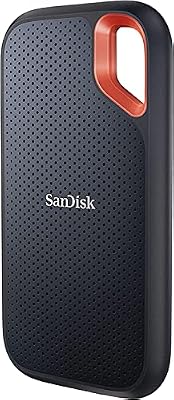
Sandisk 2TB Extreme Portable SSD, Up to 1050MB/s, USB-C, USB 3.2 Gen 2, IP65 Water and Dust Resistance, Updated Firmware, External Solid State Drive, SDSSDE61-2T00-G25
Included for 'Best Portable Hard Drives for Gaming and Backup' because the listing specifies Up to 1050MB/s and USB-C, details this guide uses to compare options.
View on AmazonThis is the only SSD in the roundup and the only drive you can treat roughly. Up to 1050 MB/s over USB 3.2 Gen 2, a USB-C connection, and an IP65 rating for dust and water resistance. It suits a laptop gamer with a small internal SSD, a photographer or video editor who needs to move large files quickly, and anyone who wants to play games directly from external storage without a noticeable loading penalty.
- Capacity: 2 TB solid-state
- Interface: USB-C, USB 3.2 Gen 2 (10 Gbps)
- Stated sequential read: up to 1050 MB/s
- Durability rating: IP65 — dust-tight and protected against water jets
- Form factor: pocket-sized portable SSD, no moving parts
The speed difference is not marketing. A 100 GB game folder copied to a 5 Gbps HDD at a realistic 110 MB/s takes about 15 minutes in ideal conditions and closer to 20–30 minutes with small-file overhead. The same folder to this SSD at roughly 900–1,000 MB/s takes around two minutes. Over a year of installing, moving and re-downloading games, that gap is the difference between external storage being convenient and being a chore.
IP65 matters more than it sounds. Solid-state drives have no platters, no read/write heads and no spin-up, so there is nothing to crash if the drive is jolted — the failure mode for a dropped HDD, which is a head contacting a spinning platter, simply does not exist. Add dust-tight sealing and water-jet resistance and you have a drive you can carry loose in a bag, use on a dusty desk, and not worry about. That portability is the actual premium you are paying for.
Pros
- Up to 1050 MB/s reads — roughly eight to ten times HDD throughput
- No moving parts, so drops do not cause head crashes
- IP65 dust and water resistance for genuinely rough handling
- USB-C with USB 3.2 Gen 2, ideal for modern laptops
- Fast enough to play demanding games directly from external storage
Cons
- Premium tier pricing — several times the cost per terabyte of an HDD
- 2 TB costs more than a 5 TB portable hard drive
- Requires a USB 3.2 Gen 2 port to reach full speed; on USB 3.0 it drops to the same 5 Gbps ceiling
- Not the right choice for bulk cold archives on a budget
Compared with the Seagate 2TB Portable, you are paying a large premium for speed and ruggedness and giving up nothing in capacity — both are 2 TB. The right way to think about it: if the drive will live on a desk and mostly hold an archive, the Seagate wins on value. If it will travel, get plugged and unplugged daily, or hold games you actively play, the SanDisk earns its price. Many readers end up with both — the SSD for active games, an HDD for the archive.
10. WD 4TB My Passport – Best for balanced capacity with encryption

WD 4TB My Passport, Portable External Hard Drive, Black, Backup Software with Defense Against ransomware, and Password Protection, USB 3.1/USB 3.0 Compatible - WDBPKJ0040BBK-WESN
Included for 'Best Portable Hard Drives for Gaming and Backup' because the listing specifies Portable External Hard Drive and Black, details this guide uses to compare options.
View on AmazonFour terabytes with the My Passport security stack: hardware encryption, password protection, and bundled backup software with defence against ransomware. It suits the reader who wants encrypted backups but does not need 5 TB or 6 TB, or who wants a single drive that covers both a personal archive and a moderate game library without paying for the largest tier.
- Capacity: 4 TB (roughly 3.6 TB usable after formatting)
- Interface: USB 3.0 / USB 3.2 Gen 1, 5 Gbps
- Security: hardware encryption with password protection
- Software: bundled backup software with ransomware defence
- Form factor: 2.5-inch bus-powered portable HDD, black
The 4 TB capacity point is the sweet spot for a combined drive. It is large enough to hold a full system image, a document archive, a photo library and a couple of dozen games, which means you can genuinely use one drive for two jobs without immediately running out. That matters because the alternative — a small encrypted drive for documents and a large bare drive for games — is more to carry, more to manage and more to lose.
The encryption caveat is worth repeating because it is the most common way people lock themselves out of their own data: with hardware encryption enabled, the password is the key. There is no vendor reset, no backdoor and no recovery service that will help. Write the password somewhere physically separate from the drive, or use a passphrase you will still remember in five years. If that sounds like too much risk, leave encryption off and rely on physical control instead.
Pros
- Hardware encryption protects data even if the enclosure is opened
- Bundled backup software keeps versioned copies
- 4 TB covers both personal backup and a moderate game library
- Lower price than the 5 TB and 6 TB My Passport models
- Bus-powered and portable despite the capacity
Cons
- Costs more than an equivalent bare 4 TB drive
- Forgotten password means permanent data loss
- Bundled software is Windows-centric
- HDD speed limits large game transfers
Against the WD 5TB My Passport, this is purely about whether you need the extra terabyte. Same interface, same encryption, same software — the 5 TB costs more and holds roughly ten more 100 GB games. If your backup set is under about 3 TB, the 4 TB keeps money in your pocket. If you are already near the limit or want headroom for three years of growth, jump straight to the 5 TB.
11. UnionSine 1TB Ultra Slim Portable External Hard Drive – Best for the cheapest usable terabyte
One terabyte, USB 3.0, slim chassis, budget price. This is the pragmatic budget pick: enough space to be genuinely useful for a game library or a backup, without the compromises that come with a 500 GB drive. It suits a first-time external drive buyer, a secondary drive for a console, or a cheap off-site copy of an important folder.
- Capacity: 1 TB (roughly 930 GB usable after formatting)
- Interface: USB 3.0, backwards compatible with USB 2.0
- Form factor: ultra-slim 2.5-inch portable HDD
- Throughput class: ~80–120 MB/s sustained sequential
- Software and encryption: none advertised
The reason 1 TB is the better budget target than 500 GB is straightforward: at roughly 100 GB per modern install, 1 TB holds nine or ten games, while 500 GB holds four or five. Nine games is a real secondary library — you can keep a competitive shooter, a couple of single-player titles, an older RPG and still have room for saves and a documents folder. Five is a temporary overflow that you will be clearing out again within months.
Expect mainstream budget behaviour: large sequential transfers in the 80–120 MB/s range, longer times for folders full of small files, and a shell that is light but not rugged. There is no encryption and no backup software, so protection is your responsibility — use Windows BitLocker To Go or a cross-platform tool like VeraCrypt if the contents are sensitive, and keep a second copy of anything irreplaceable. Budget drives are not less reliable by design, but they come with less support when something goes wrong.
Pros
- Cheapest way to get a genuinely usable terabyte
- Slim and light enough to carry daily
- USB 3.0 interface exceeds the drive’s own throughput
- Good secondary drive for a console or a second backup copy
- Low replacement cost
Cons
- No encryption, backup software or recovery service
- Budget brand with limited long-term support
- Slower than mainstream drives on mixed workloads
- Not rugged — no drop protection rating
- 1 TB still fills fast with large modern games
Against the Seagate Portable 1TB, this is a value-versus-support decision. Both are 1 TB, both USB 3.0, both slim. The Seagate adds explicit PlayStation and Xbox positioning plus a one-year Rescue data recovery service and costs more; the UnionSine costs less and offers none of that. If the drive is going behind a console or holds anything you cannot re-download, pay the small premium for the Seagate. If it is a scratch drive for files that exist elsewhere, the UnionSine is the better value.
12. WD 6TB My Passport – Best for the biggest encrypted single-drive backup

WD 6TB My Passport, Portable External Hard Drive, Black, Backup Software with Defense Against ransomware, and Password Protection, USB 3.1/USB 3.0 Compatible - WDBR9S0060BBK-WESN
Included for 'Best Portable Hard Drives for Gaming and Backup' because the listing specifies Portable External Hard Drive and Black, details this guide uses to compare options.
View on AmazonSix terabytes, the My Passport encryption stack, and the largest capacity in this roundup. It suits the reader whose backup problem is measured in terabytes: a video editor with a project archive, a photographer with a decade of RAW files, a household consolidating several old drives onto one, or someone who wants a single encrypted drive that will not need replacing for years.
- Capacity: 6 TB (roughly 5.4 TB usable after formatting)
- Interface: USB 3.0 / USB 3.2 Gen 1, 5 Gbps
- Security: hardware encryption with password protection
- Software: bundled backup software with ransomware defence
- Form factor: 2.5-inch bus-powered portable HDD, black
At this capacity the maths starts to change. Five and a half usable terabytes is roughly 55 modern 100 GB game installs, or around 36 if you average 150 GB. It is also enough for a full system image of a 2 TB machine, a complete photo library and years of documents, all on one drive — which is exactly the scenario where hardware encryption earns its keep, because you are consolidating everything you own onto a single portable object.
Consolidation is also the risk. A 6 TB drive holding your only copies of everything is a single point of failure with a very large blast radius, and HDDs do fail. If you buy this drive, the correct configuration is three copies: the originals on your PC, the 6 TB as the primary backup, and a second, cheaper drive kept somewhere else as the off-site copy. That is the 3-2-1 rule — three copies, two media types, one off-site — and it is the only backup advice in this article that genuinely matters.
Pros
- Largest capacity here — roughly 5.4 TB usable
- Hardware encryption with password protection
- Bundled backup software with ransomware defence
- Consolidates several older drives into one
- Bus-powered despite the capacity, so it stays portable
Cons
- Highest price tier in this roundup
- A single large drive is a single large failure point
- Long rebuild times if the drive fails — hours, not minutes
- HDD speed means the initial 5 TB backup takes a full night
- Encryption password loss is unrecoverable
Against the WD 5TB My Passport, the extra terabyte matters only if you are genuinely near 4.5 TB of data. Both have identical security and software, so the decision is arithmetic: if your backup set is 4 TB or under, the 5 TB is the better buy and leaves a little headroom; if you are already past 4.5 TB or consolidating multiple drives, the 6 TB is the one that will not need replacing in two years.
How to Choose
Choosing a portable drive comes down to five variables, and only one of them — interface speed — is the one most buyers obsess over. Work through them in order.
1. Capacity: do the arithmetic before you buy
Drive labels use decimal terabytes; operating systems report binary units, so a “5 TB” drive shows up as roughly 4.5 TB. Then games eat the rest. Use the table below to convert a label into a realistic game count, assuming a 100 GB average install for modern releases and 150 GB for a heavily modded or high-texture library.