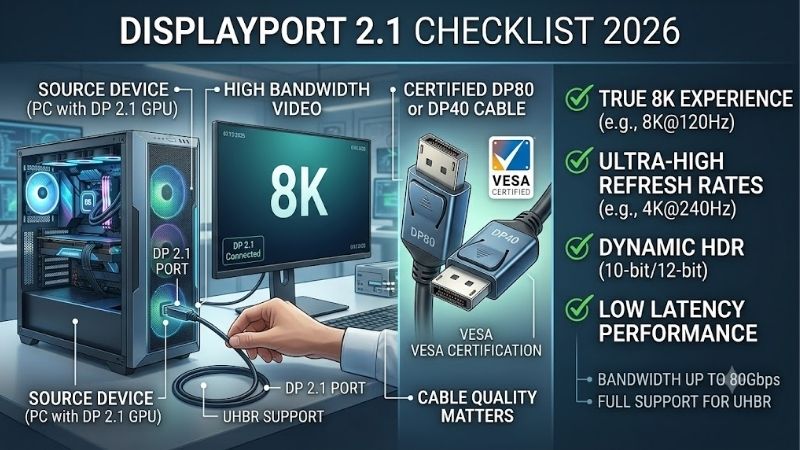
DisplayPort 2.1 checklist 2026 shopping reveals a common problem: a cable advertised for extreme resolutions cannot guarantee maximum monitor refresh. GPU output, monitor input, link speed, and compression must agree. These four certified cable options address the connection itself, with specific limits on their practical capabilities.
How to Choose DisplayPort 2.1 Cables
This guide turns a displayport 2.1 checklist 2026 into four buying checks: certified bandwidth, physical connectors, required length, and realistic display modes. Selections address general use, competitive pricing, compact placement, and extended routing. Recommendations use documented specifications rather than personal signal-integrity testing.
Certified Bandwidth: Check UHBR Support Before Buying
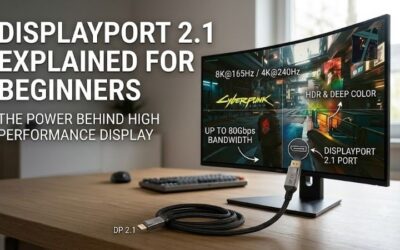
The DisplayPort version number alone does not identify maximum transmission speed. UHBR10, UHBR13.5, and UHBR20 specify faster transmission, while DP54 and DP80 identify cable certification tiers. DP80 supports the UHBR20 tier, rated at 80Gbps across four lanes; usable video payload is lower because transmission incorporates overhead.
Verify the exact GPU output and monitor input capabilities before selecting a cable. A DP80 purchase cannot upgrade lower-bandwidth endpoints to UHBR20, even when both devices advertise DisplayPort 2.1. For a straightforward certified desktop connection, the Club 3D CAC-1091 offers DP80 certification with a specified 1.2-meter length.
Connector Compatibility: Match Both Ends of the Cable
Connector shape matters independently of bandwidth. Full-size DisplayPort, Mini DisplayPort, and USB-C require distinct connections, while adapters introduce additional capability limits. These four picks connect full-size DisplayPort ports directly; the StarTech.com DP21V-1M-DP80-CABLE suits systems requiring conventional full-size connectivity.
A USB-C socket does not automatically provide DisplayPort video, and an HDMI-only console requires additional conversion hardware. Confirm both endpoints before purchasing monitor accessories. For full-size desktop ports, the Cable Matters 102095 DP80 cable provides a conventional connection without unnecessary signal conversion.
Route Length: Measure Desk and Monitor-Arm Clearance
Measure the full cable route behind the desk, including monitor-arm movement and connector clearance. Too little free slack strains ports; excessive length complicates routing. Cable certification applies to the specific cable model and length, so do not assume every variant shares the same certification or construction.
The displayport 2.1 checklist 2026 should include the exact length beside the certification tier. Choose the StarTech.com DP21V-1M-DP80-CABLE for a nearby tower, or Club 3D CAC-1094 for a measured two-meter requirement. Length does not improve rendering performance; appropriate sizing supports straightforward physical installation.
Display Modes: Confirm Refresh Rate, Color Depth, and DSC
Resolution, refresh rate, color depth, and compression jointly determine bandwidth requirements. DSC reconstructs a visually lossless compressed video stream, supporting modes exceeding uncompressed link capacity. An advertised high-resolution mode may therefore require DSC rather than representing unrestricted native bandwidth.
Check the intended mode in both device manuals, including HDR and variable-refresh support, before purchasing. Cable Matters 102095 is useful when priced well for verified DP80 capability; Club 3D CAC-1091 suits buyers preferring a specific short-length SKU. Select according to supported link requirements rather than isolated resolution claims.
Top Picks
The displayport 2.1 checklist 2026 below focuses on four full-size DP80 cables without incorporating incompatible adapters. All require suitable source and display hardware for maximum transmission capability. The differences concern route length, purchase value, and identifiable specifications, without promising improved rendered performance.
| Product | Best For | Key Spec | Watch Out For |
|---|---|---|---|
| Club 3D CAC-1091 | Best Overall | DP80 certified; 1.2 meters; locking connectors | Limited reach after desk or monitor-arm routing |
| Cable Matters 102095 DP80 Cable | Best Value When Competitively Priced | DP80 certified; 80Gbps raw link capability | Verify the exact length variant and certification |
| StarTech.com DP21V-1M-DP80-CABLE | Short One-Meter Routes | DP80 certified; one meter; UHBR20 capability | Little flexibility for later equipment repositioning |
| Club 3D CAC-1094 | Two-Meter Desk Routing | DP80 certified; two meters; 26AWG conductors | Unnecessary bulk when endpoints are close |
Club 3D CAC-1091: Best Overall for a Nearby Desktop
The Club 3D CAC-1091 is the overall recommendation for nearby desktop equipment requiring certified UHBR20 connectivity. Its DP80 certification supports an 80Gbps raw link tier, and its 1.2-meter length fits many compact desk arrangements. Locking connectors provide a practical advantage against accidental disconnection.
Its limitation is reach: 1.2 meters may prove insufficient after desk or monitor-arm routing. A release latch also requires accessible release clearance. In a displayport 2.1 checklist 2026, select this model for its identifiable certification and suitable length, rather than treating resolution advertising as universal compatibility.
Cable Matters 102095 DP80 Cable: Best Value When Competitively Priced
The Cable Matters 102095 VESA Certified DisplayPort 2.1 DP80 Cable is the value candidate when priced well against equivalent certified alternatives. The manufacturer specifies DP80 certification and 80Gbps raw transmission capability. Conventional full-size connectors and backward compatibility support straightforward desktop connectivity.
The main drawback is variant checking: the product family includes length choices, so check the exact ordered variant and its certification independently. Its spectacular resolution claims also include DSC-dependent modes. Apply the displayport 2.1 checklist 2026 to the exact version before accepting an apparent purchase saving.
StarTech.com DP21V-1M-DP80-CABLE: Best for Short One-Meter Routes
The StarTech.com DP21V-1M-DP80-CABLE is the short-route selection for close-positioned desktop equipment. This one-meter model identifies DP80 certification and UHBR20 capability, avoiding unnecessary cable slack around a compact desk. Its precise product code distinguishes it from similarly named cables featuring different specifications.
The main practical compromise is limited routing freedom: tower repositioning or monitor-arm adjustment may exceed its available reach. Paying more for the brand requires a clear reason when another certified cable fits equally well. Choose it for a measured short connection, not a presumed advantage in picture quality.
Club 3D CAC-1094: Best for Two-Meter Desk Routing
The Club 3D CAC-1094 suits buyers who need more reach for certified desk routing. Its two-meter length and DP80 certification distinguish it from the shorter CAC-1091, while the manufacturer specifies 26AWG conductors. The main benefit is extra routing flexibility without unidentified extensions within the signal path.
Its drawback is unnecessary bulk and spare cable between nearby endpoints, rather than inferior certification. Confirm sufficient clearance behind the display and allow movement without tight bends. Within a displayport 2.1 checklist 2026, choose this model for a verified two-meter requirement, rather than buying excessive length.
Frequently Asked Questions
The displayport 2.1 checklist 2026 clarifies differences between cable specifications and endpoint capability. A certified purchase can improve connection confidence, but cannot increase native panel refresh limits or rendered GPU performance. These answers address version labels, older equipment, extended routes, and connection troubleshooting.
Does Every DisplayPort 2.1 Port Support 80Gbps?
No, not every DisplayPort 2.1 port guarantees the 80Gbps raw bandwidth tier. Actual supported UHBR rates vary by device, so check the detailed port specifications instead of assuming universal version-based capabilities. A monitor with a lower-rate input remains limited by that input even with a certified DP80 cable.
Compare the exact port configuration on the graphics card with the selected monitor input, because input capabilities differ. Also inspect any intervening switch, dock, or adapter. The negotiated connection cannot exceed the supported combination, leaving an unsupported intermediary as a possible limit even with compatible endpoints.
Can You Use a DP80 Cable with DisplayPort 1.4?
Yes, these full-size DisplayPort cables can connect compatible older full-size DisplayPort ports, but performance remains limited by the devices. Backward compatibility does not add UHBR capability to a DisplayPort 1.4 output. An existing certified cable that already supports your desired mode may need no replacement at all.
Keep the working cable when your target resolution, refresh rate, and color settings remain available without faults. A newer certification tier is useful for a supported future setup or suspected cable failure, rather than mandatory standard-driven replacement. Compare the cost against your practical requirements rather than version prestige.
Do Longer DisplayPort 2.1 Cables Always Maintain Full Bandwidth?
No, needing a longer route requires more than a general DisplayPort 2.1 label to establish bandwidth. Check the exact certified cable model. DisplayPort 2.1b introduced the DP80LL active-cable approach for longer UHBR20 connections, while verified individual DP80 products can also address specific desk-routing requirements.
Active cables may specify source and display direction, unlike bidirectional passive connections, so follow the particular product’s documentation. Do not extend a certified assembly with an unidentified coupler and assume certification validates the full combined assembly. Purchase the complete appropriate-length connection instead.
What Should You Check When a DisplayPort Connection Goes Black?
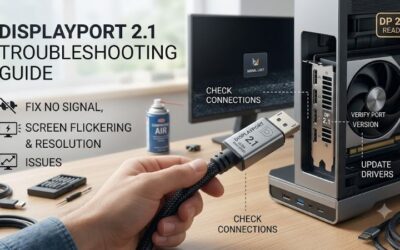
Start troubleshooting blackouts through connection inspection and lower-refresh testing with a known-good direct cable. If stability returns, the original high-bandwidth configuration needs further investigation before considering monitor replacement. A reproducible comparison helps distinguish a cable-path problem from unrelated software behavior.
Update graphics drivers and monitor firmware following manufacturer guidance, then verify the selected input mode and supported display settings. Test one variable at a time, including bypassing intermediaries. Persistent faults across known-good configurations warrant device support, instead of repeated purchases driven by marketing.
Final Thoughts
A useful displayport 2.1 checklist 2026 matches endpoint link rates, certified cable tier, connector shape, and measured length before purchase. Choose CAC-1091 for general routing, Cable Matters 102095 for competitive value, StarTech’s one-meter model for close placement, or CAC-1094 for two-meter reach. Buy for verified device capabilities.