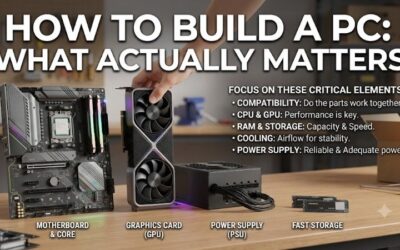
How to build a pc explained for beginners starts with one question: which parts actually work together? Compatible components are only half the task; assembly, cooling, and first-boot checks matter just as much. This review examines an accessible AM5 foundation and explains the work required before becoming a functioning computer.
Quick answer: Our top pick in 2026 is the AMD Ryzen 5 7600 — our #1 rated choice. See the full ranked comparison, alternatives and buying advice below.
How to Choose Beginner PC Components
This review makes how to build a pc explained for beginners practical through four foundation components. Install the CPU, cooler, memory, and SSD, mount the board, connect power, then configure software. Storage and a power supply remain separate purchases. Assemble with mains power disconnected; never open the power supply itself.
Processor and Motherboard Compatibility
The processor socket determines which CPUs fit, while the motherboard support list confirms firmware support. AM5 processors require an AM5 board and DDR5 memory; DDR4 modules are unsuitable. Check the exact processor listing instead of relying on brand matching. The AMD Ryzen 5 7600 provides an accessible AM5 starting point.
Choose the motherboard for the connections and expansion you need, not its decorative heatsinks. Form factor determines case fit, and wireless networking replaces Ethernet connectivity. Premium features increase cost without improving gaming. For an ATX AM5 foundation with networking included, select the MSI B650 GAMING PLUS WIFI.
Memory Capacity and Configuration
Memory capacity controls active application capacity; transfer rate describes data movement. A matched pair simplifies purchasing and enables correctly configured dual-channel operation. DDR5-6000 is an overclocked profile here, not the default. The Crucial Pro DDR5-6000 32GB Kit balances capacity with expansion planning.
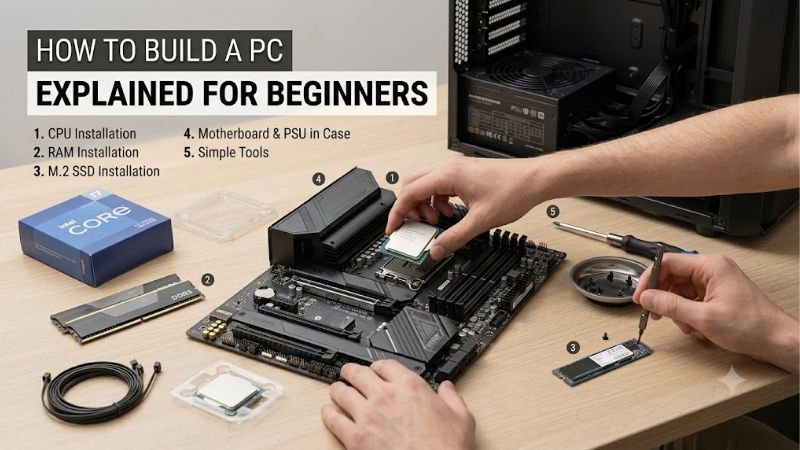
Install the memory in the motherboard manual’s recommended slots, A2 and B2 here. Align each notch and press evenly until the retainers engage. Four populated slots can complicate high-speed stability, so capacity should come from your initial kit. Choose the Crucial Pro DDR5-6000 32GB Kit for a matched starting configuration.
Case Fit and Assembly Access
Case specifications determine motherboard fit, graphics-card clearance, and cooler height. Compare component dimensions rather than assuming every mid-tower fits all cards. Front-mounted radiators reduce GPU space, so assess clearance with cooling installed. The Corsair 4000D AIRFLOW accommodates this ATX motherboard with a ventilated front panel.
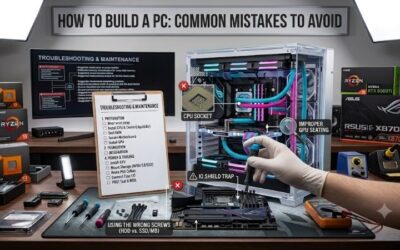
Before mounting the board, align standoffs with mounting holes, removing any misplaced extras. Route cables away from fan blades and keep ventilation openings clear. An accessible layout simplifies connector installation, but larger cases occupy more space. Choose the Corsair 4000D AIRFLOW when internal working room matters.
Storage, Graphics, and Remaining Costs
Complete the shopping list with an NVMe SSD, a reputable power supply, and a graphics card for demanding games. Select PSU capacity and connectors around the configuration, following GPU manufacturer recommendations. The Ryzen’s basic integrated graphics permits display output. Choose the AMD Ryzen 5 7600 for a troubleshooting display fallback.
Fit the SSD into a compatible M.2 slot following its installation diagram, then secure its retention mechanism. Remove protective film from the heatsink’s thermal pad as instructed. Storage is not included in this foundation, so budget for capacity. Choose the MSI B650 GAMING PLUS WIFI for dual PCIe 4.0 M.2 storage slots.
Performance and Pros and Cons
Understanding how to build a pc explained for beginners means distinguishing capabilities from measured results. This foundation offers an upgradeable platform, included CPU cooling, adequate memory capacity, and accessible assembly space. Actual gaming speed depends on the separately selected GPU; no benchmark figures are claimed here.
| Component | Specification | Included Feature | Limitation |
|---|---|---|---|
| AMD Ryzen 5 7600 | AM5, 6 cores/12 threads, 65W default TDP | Boxed Wraith Stealth cooler | Basic integrated graphics |
| MSI B650 GAMING PLUS WIFI | ATX, DDR5, dual PCIe 4.0 M.2 | Wi-Fi 6E; Flash BIOS button | Requires AM5 CPU and DDR5 |
| Crucial Pro DDR5-6000 32GB Kit | CP2K16G60C36U5B; 2x16GB | AMD EXPO profile | Profile speed requires stability testing |
| Corsair 4000D AIRFLOW | ATX mid-tower; 170mm cooler clearance | Two 120mm fans | Front radiators reduce GPU clearance |
AMD Ryzen 5 7600: Performance and Cooling
The AMD Ryzen 5 7600 provides six cores, twelve threads, and a 65W default TDP. The boxed retail version includes a Wraith Stealth cooler, simplifying purchasing. Its AM5 platform supports DDR5, and integrated Radeon graphics supplies fallback display output. It provides the general-purpose processing core of this foundation.
For how to build a pc explained for beginners, its advantage is included cooling. Its limitation is basic integrated graphics, which cannot replace a gaming GPU. Align the CPU’s triangle with the socket marking and lower it without force. Follow the cooler instructions, using existing thermal compound without additional paste.
MSI B650 GAMING PLUS WIFI: Installation
The MSI B650 GAMING PLUS WIFI is an ATX motherboard with four DDR5 slots, two PCIe 4.0 M.2 slots, and Wi-Fi 6E. Its advantage is including networking and useful expansion without separate adapters. The drawback is size and platform cost: an ATX AM5 board is unnecessary for a compact workstation or DDR4 component reuse.
Reviewing how to build a pc explained for beginners should clarify post-installation connections. Connect the main 24-pin power cable, required CPU power, CPU fan, and case headers per its manual. CPU and GPU power connectors differ. This board provides a Flash BIOS button, but firmware procedures still require model-specific instructions.
Crucial Pro DDR5-6000 32GB Kit: Memory Configuration
The Crucial Pro DDR5-6000 32GB Kit, CP2K16G60C36U5B, contains two 16GB modules and supports AMD EXPO. Its capacity suits gaming alongside browsers and background applications with two sticks. The limitation is that profile stability depends on the board, CPU memory controller, and firmware; purchase does not guarantee 6000MT/s operation.
In how to build a pc explained for beginners, memory configuration should follow a stable first boot. Start at default settings, verify total recognized capacity, then consider EXPO and stability testing. EXPO is memory overclocking, not mandatory configuration. If errors appear, return to defaults before unrelated changes.
Corsair 4000D AIRFLOW: Cooling and Assembly
The Corsair 4000D AIRFLOW includes two 120mm fans and lists 170mm CPU-cooler clearance and up to 360mm GPU clearance before radiator deductions. Its ventilated front and cable-routing space simplify assembly. Its drawback is the limited included fan count; hotter configurations may require additional cooling expenditure.
For how to build a pc explained for beginners, an accessible case simplifies power-supply and graphics-card installation. Secure the GPU in its primary PCIe slot and connect its required power fully. Use only modular PSU cables verified compatible with that PSU. Similar-looking cables from another PSU can have different pinouts.
Frequently Asked Questions
Questions about how to build a pc explained for beginners arise between assembly and a working desktop. These answers address missing tools, absent display output, installation software, and purchasing decisions. Component manuals remain essential because connector positions and firmware behavior differ between products.
What Tools Does PC Building Require?
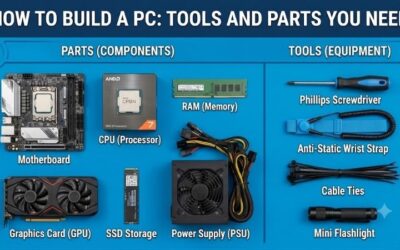
A Phillips screwdriver is sufficient for standard assembly, although SSD retainers may need a smaller driver. Keep screws sorted and use a clean, stable workspace away from carpet. Handle boards by their edges and use appropriate antistatic precautions. Have the motherboard and case instructions available before installation.
An antistatic wrist strap attached to an appropriate grounding point helps when correctly grounded. Avoid resting components on the outside of antistatic bags, which are unsuitable work surfaces. The motherboard’s cardboard box can support initial component installation. Keep liquids and loose metal objects away from the assembly area.
Why Is There No Display?
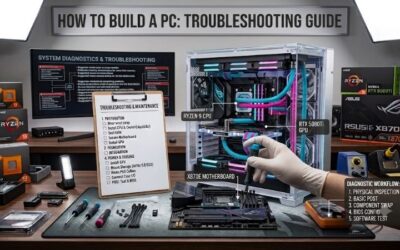
No display does not immediately prove a defective component. Check monitor input selection and whether the cable connects to the installed graphics card or an intended integrated-graphics output. Initial DDR5 memory training can delay the first picture. Allow the board’s documented initialization process before repeatedly interrupting startup.
If startup still fails, disconnect mains power before reseating components or checking connectors. Review the board’s diagnostic indicators and verify that memory, CPU power, and the display path are correct. Change variables individually to preserve useful evidence. Never disconnect internal cables or remove memory while the computer is powered.
Is Windows Included With These Components?
Yes, the computer needs an operating system unless you are reusing a prepared installation. Create installation media on another computer using the operating-system provider’s instructions. A bootable USB installer and any required license are separate from these components. Check that the selected OS supports your hardware.
After installation, apply system updates and obtain chipset, graphics, and networking drivers from manufacturers. Check component temperatures and basic stability before tuning. Keep downloaded installers available if networking fails. Treat successful startup as the beginning of validation rather than proof of complete functionality.
Is Building Cheaper Than Buying a Prebuilt?
Building can provide component selection control, but it is not always cheaper than a prebuilt. Compare complete prices including GPU, storage, PSU, operating system, peripherals, and troubleshooting time. These four reviewed products form a foundation, not a complete computer. A discounted prebuilt may offer stronger overall value.
Choose self-assembly when learning, repair access, and component choices justify the work. Choose a prebuilt when unified support outweighs customization. Component warranties distribute troubleshooting responsibilities. Before purchasing this foundation, compare alternatives and return conditions; older models are not automatically bargains.
Final Thoughts
The lesson of how to build a pc explained for beginners is compatibility first, careful assembly second, and validation third. This Ryzen, MSI, Crucial, and Corsair foundation suits a conventional AM5 desktop, with separate funding for missing components. Buy according to system requirements, then validate stability before tuning performance.
Ready to decide? Our #1 pick for 2026 is the AMD Ryzen 5 7600.
Live price & availability on Amazon.